
What is Comate AI IDE
Comate AI IDE is BaiduWenxin Kuaimathe industry's first multimodal, multi-agent collaborativeAI-native IDEtool. It has powerful multimodal capabilities, supports one-click conversion of design mockups to code (F2C), image-to-code, and natural language-to-code, performs excellently in front-end development scenarios, and canFigmaaccurately convert design mockups into highly usable code, saving a lot of repetitive work. Comate AI IDE has a built-in coding agentZulu, which can think and make decisions autonomously, supports automatic task decomposition and execution, and developers can complete complex tasks with only voice commands. It covers full-process AI assistance from requirements analysis to code submission, and has optimized natural language understanding for Chinese developers, making it more suitable for domestic R&D scenarios.
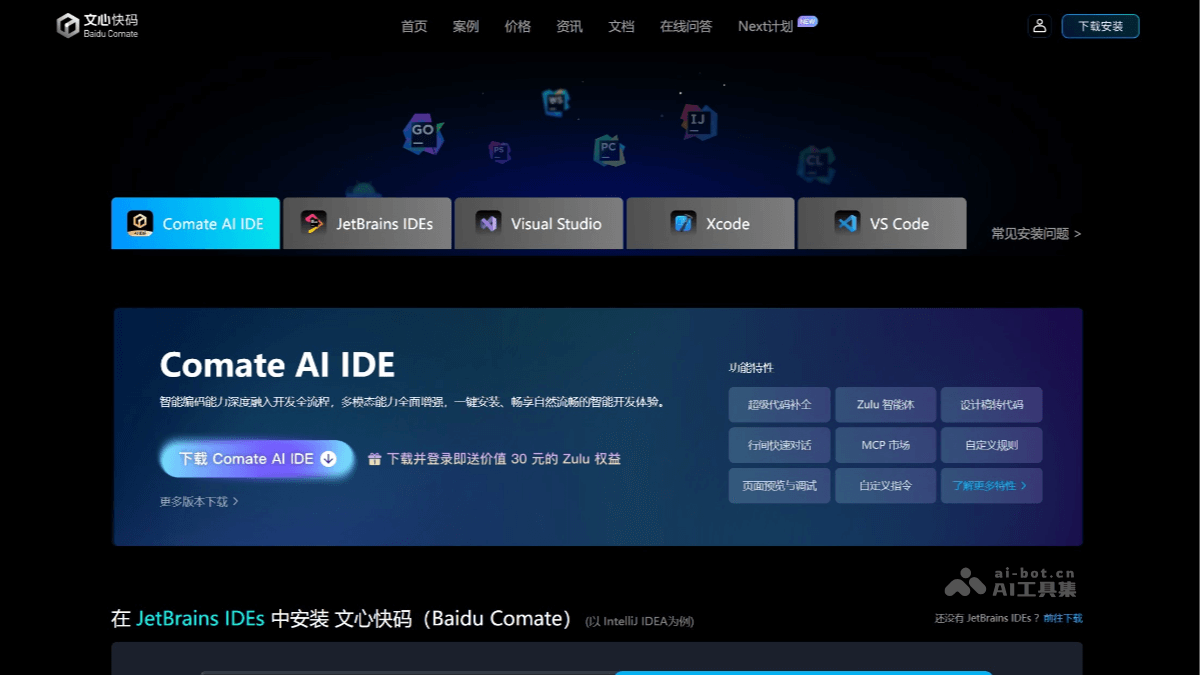
Main features of Comate AI IDE
-
Multimodal capabilities: Supports one-click conversion of design mockups to code (F2C), image-to-code, natural language-to-code, and other functions, performing excellently in front-end development scenarios. The generated code can be previewed, and after previewing, page elements can be adjusted using natural language, developing code like a real "front-end engineer."
-
Multi-agent collaboration: Built-in coding agent Zulu, with autonomous thinking and decision-making capabilities, supports automatic decomposition of task plans, autonomous decision-making on the next execution content, and displays the thinking process in real time. Developers can complete complex tasks through voice commands.
-
Full-process AI-assisted coding: Covers the entire process from requirements analysis, code writing, running and testing to code submission, and supports code generation, optimization, repair, comment generation, unit test generation, and other functions.
-
Development tool integration: Built-in with more than ten development tools, such as file retrieval, code analysis, code editing, etc., supports MCP integration with external tools and data, and adapts to various development scenarios.
-
Convenient migration and adaptation: Supports rapid migration of original IDE configurations, lowers the usage threshold, and is suitable for developers of different levels.
-
Optimized experience for Chinese developers: Natural language understanding has been optimized for Chinese developers, making it more suitable for domestic R&D scenarios.
How to use Comate AI IDE
-
Go to the Comate official website: VisitWenxin Kuaimaofficial website, and choose Comate AI IDE to download.
-
Download and install: Click "Download Comate AI IDE," choose the corresponding IDE version (such as VS Code, JetBrains IDEs, etc.) to download and install.
-
Install the plugin:
-
VS Code: Open VS Code, click the extensions icon in the left sidebar, search for "Baidu Comate," and click install.
-
JetBrains IDEs: Open the IDE, go to the "Plugins" marketplace, search for "Baidu Comate," and click install.
-
-
Log in to your account: After installation is complete, click the plugin icon and log in with your Baidu account (you can also log in with WeChat, Weibo, or QQ).
- Usage
-
Code completion: Enter part of the code in the code editing area, and Comate will automatically complete the subsequent code. If you think the generated code is correct, press the
Tabkey to accept it. -
Generate code from comments: Write comments to describe the code functionality, press Enter, and Comate will generate the corresponding code based on the comments.
-
Generate code through conversation: Click the Comate intelligent coding assistant in the IDE and enter a natural language description of the requirements, and Comate will generate complete code.
-
Generate unit tests: Hover the mouse over the function header and click "Generate Unit Test", and Comate will generate unit test code on the left.
-
Technical Q&A: Enter development questions in the dialog box, and Comate will provide answers.
-
Multimodal features: For example, design-to-code (F2C). In the IDE, click the Comate plugin, select the corresponding feature and upload the design draft to generate code.
-
Core advantages of Comate AI IDE
-
Multimodal and multi-agent collaboration: Comate AI IDE is the industry's first multimodal, multi-agent collaborative AI IDE. It can handle multiple types of data input, such as text, images, voice, etc., and convert them into unified code output. The built-in programming agent Zulu has autonomous thinking and decision-making capabilities, supports automatically breaking down task plans, autonomously deciding the next execution content, and displaying the thinking process in real time.
-
Powerful front-end development capabilities: Comate AI IDE performs outstandingly in front-end development scenarios, supporting features such as one-click design-to-code (F2C), image-to-code, and natural language-to-code. The generated code can be previewed, and page elements can be adjusted through natural language, developing code like a real "front-end engineer". The F2C feature can accurately convert Figma design drafts into highly usable code, saving 80% of repetitive work.
-
Optimized experience for Chinese developers: For Chinese developers, Comate AI IDE has optimized natural language understanding capabilities, better fitting domestic development scenarios. This enables Chinese developers to obtain more precise interaction experiences during use.
-
Convenient tool integration and migration: Comate AI IDE has more than ten built-in development tools, such as file retrieval, code analysis, code editing, etc., and supports MCP integration with external tools and data, adapting to various development scenarios. It supports rapid migration of original IDE configurations, lowering the barrier to use.
Application scenarios of Comate AI IDE
- Front-end development: Comate AI IDE supports features such as one-click design-to-code (F2C), image-to-code, and natural language-to-code. It can accurately convert Figma design drafts into highly usable code. The generated code can be previewed, and page elements can be adjusted through natural language.
- Full-stack development: Comate AI IDE supports full-process AI-assisted programming from requirements analysis to code submission. Developers can describe requirements in natural language, and Comate generates the corresponding code, supporting features such as code completion, comment generation, and unit test generation.
- Enterprise-level development: Comate AI IDE supports private deployment, can learn an enterprise's business code and processes, and provides customized coding assistance services for enterprises.
- Education and popularization: Comate AI IDE lowers the threshold for programming and is suitable for developers of different levels, including visually impaired developers and primary school students. In Haidian District, Beijing, three primary school students used Comate to complete their own programming assignments and built an open-source community for children's programming.
- Financial industry:Comate helps enterprises quickly understand business code and automatically generate related code snippets, significantly reducing repetitive work.
- Software industry:The technical Q&A feature quickly answers programming questions through a rich technical knowledge base, saving a lot of time.