
Codex has been making frequent moves lately, and the direction is very clear.Codex It's no longer just about "helping programmers write code"—OpenAI is pushing Codex into an Agent platform that can work long-term, plug into enterprise workflows, and enter security scenarios.
With this wave, OpenAI is clearly aiming to loosen Claude Code's grip.。
Let's first look at the differences between Codex,Claude Code and OpenClaw , as well as who is better suited for Codex.
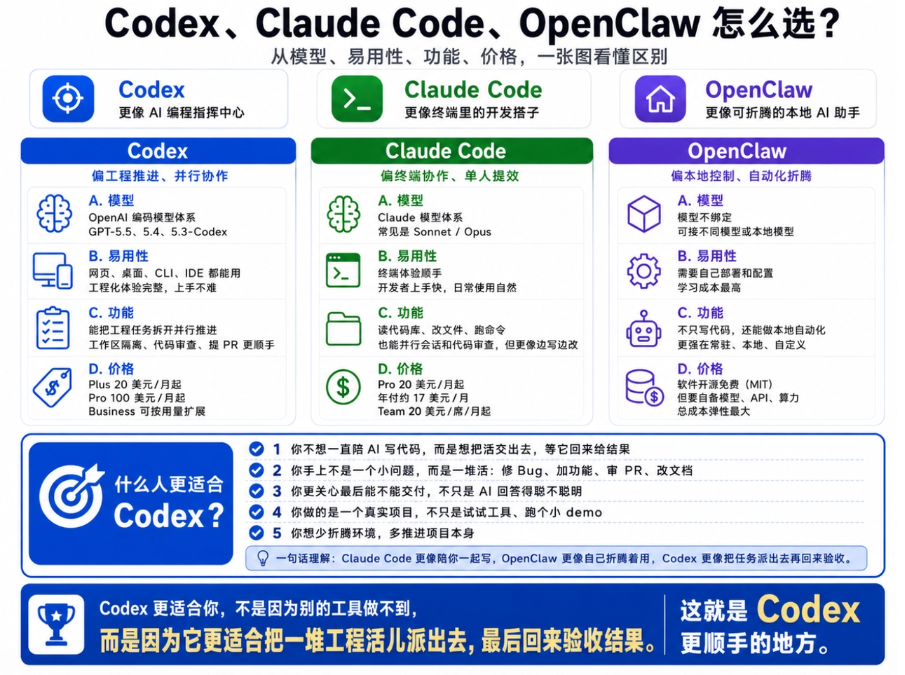
As a beginner with zero coding background, I've used all of these products, and personally I feel Codex suits me better.
01. How to use it? Very simple
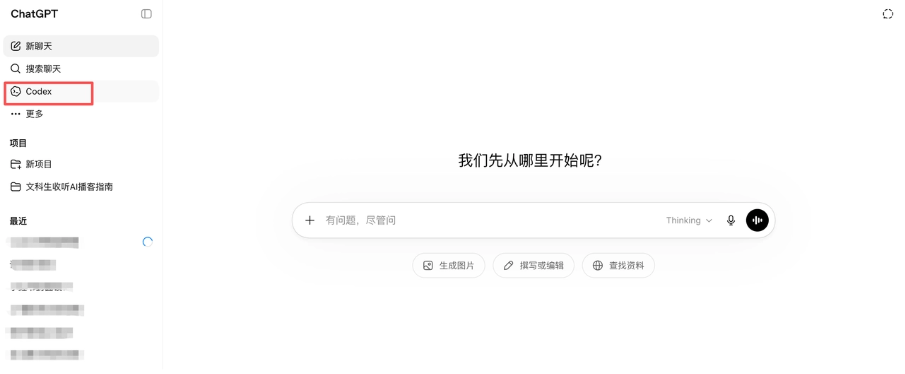
Go to the ChatGPT homepage, and in the left navigation bar there is a Codex 。
ChatGPT homepage:https://chatgpt.com/
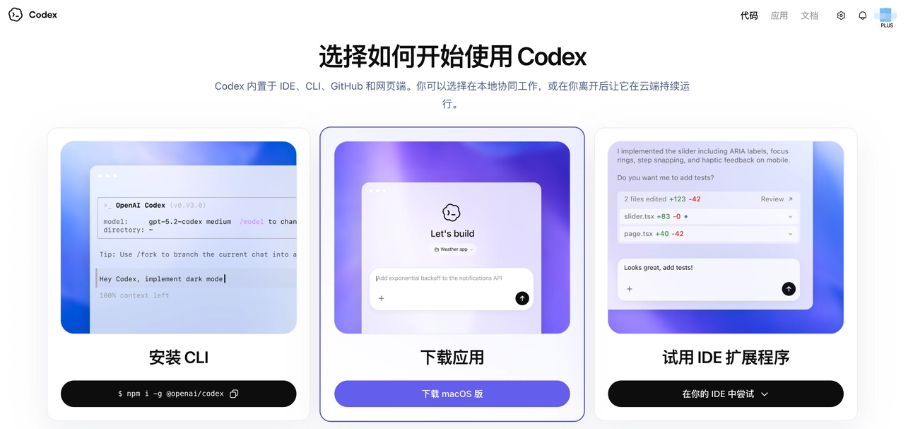
Click Codex to enter the download page. It currently has three ways to use it: CLI, App, and IDE. I used the App. The download was fast too—it took me about 2 minutes to download it.
After downloading, just like installing other software, drag the icon into Applications, then follow the prompts step by step. After installation, click the icon. On first login, you'll be asked to choose a login method.
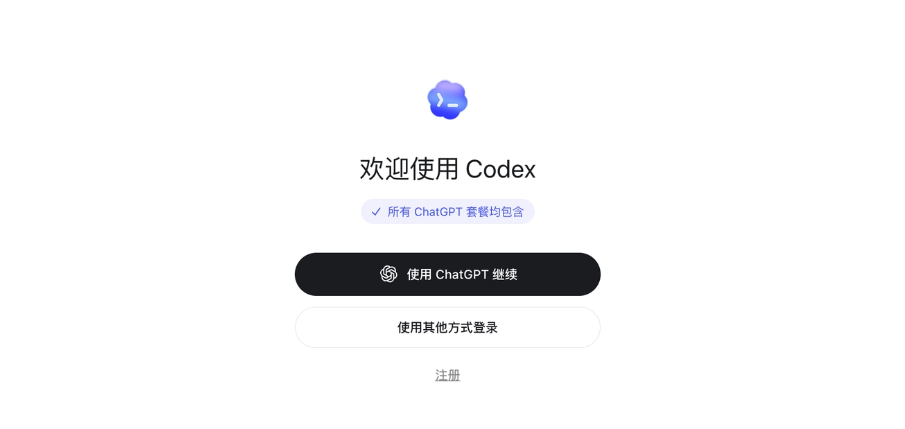
If you've subscribed to ChatGPT Plus/Pro, choose "Continue with ChatGPT." It will redirect to a webpage for a one-time authorization, and you just enter your login account. The whole process is quick, about 10 seconds. After logging in, Codex uses the GPT-5.5 quota in your subscription plan, with no additional payment needed.
For those without a subscription, you can go to platform.openai.com to generate an API Key, then paste it into the App and pay by token. However, this method isn't recommended—if you go over, it hurts. It's better to try the first method first to get a feel for Codex's consumption.
After logging in, you'll see the homepage dialog box like this.

What's truly impressive about Codex is that it comes preloaded with a large set of skills and plugins.
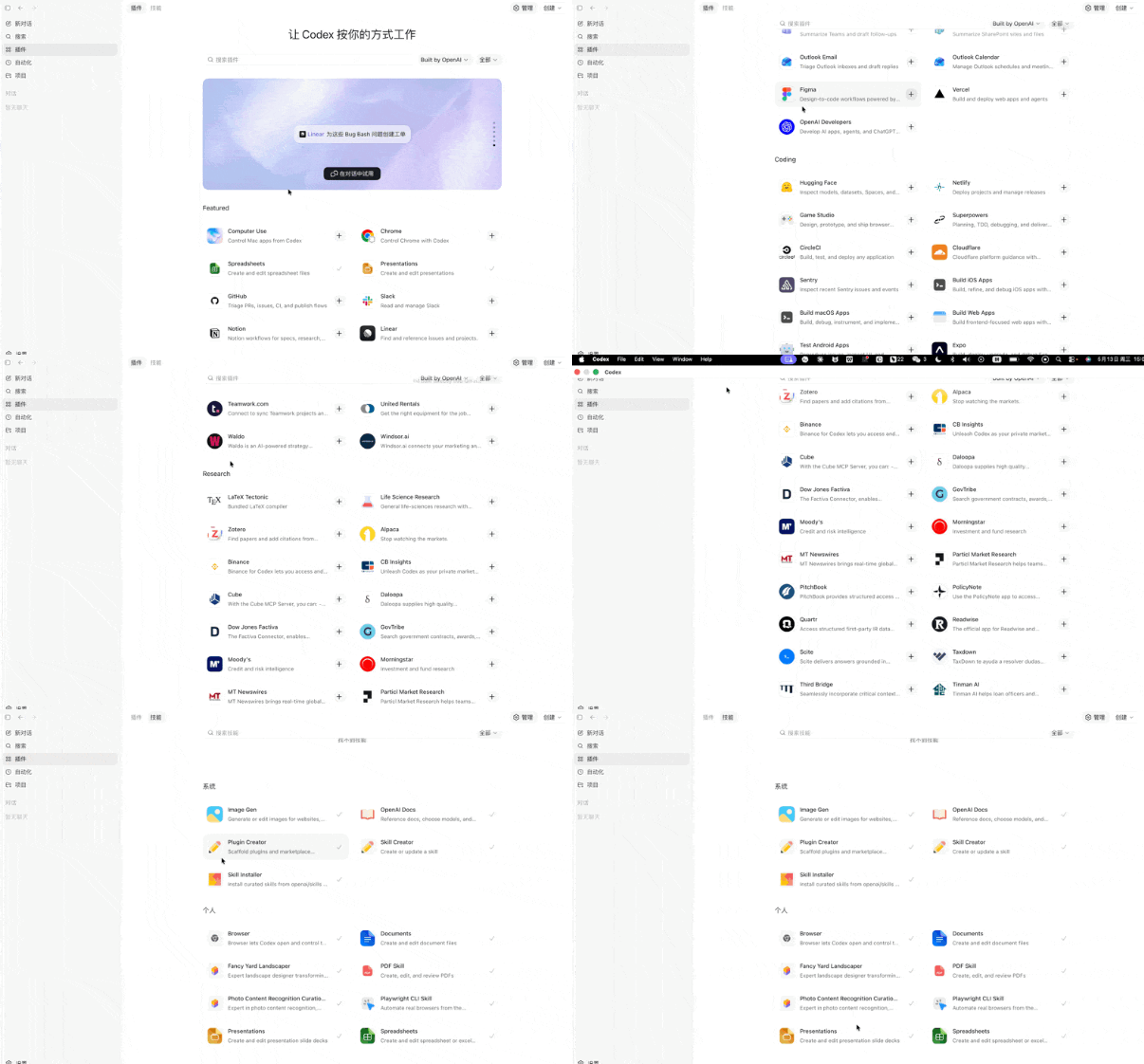
I put together a summary of Codex's most core plugins and Skills.
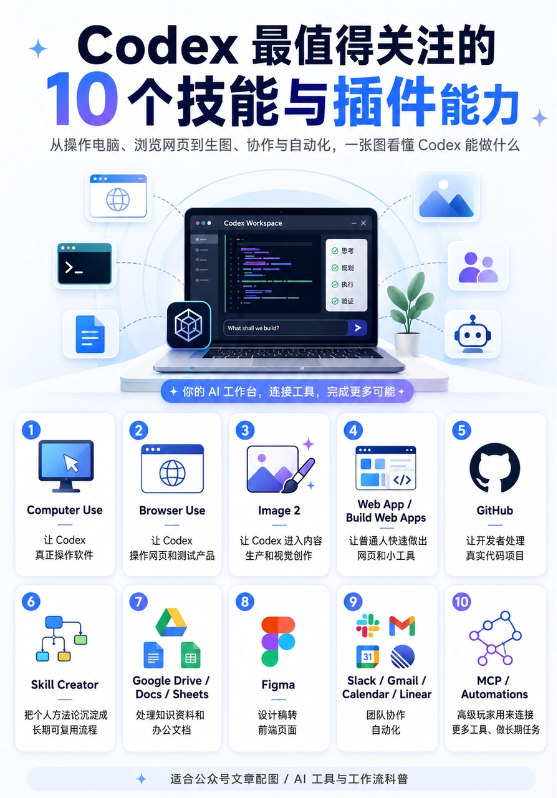
Now that we understand Codex well enough, let's start testing it directly.
02. Full-Stack Development
This time I'm going to use Codex to build a KOL order dispatch platform for media placement.
This case is big enough and close enough to real business. It cansimultaneously verify Codex's product understanding, frontend generation, business process structuring, transaction flow design, Browser Use self-testing, and cloud server deployment and launch capabilities。
The truly difficult part of this case isn't whether the pages look good, but whether the pages can help me judge: what AI products this influencer is suited for, on what basis he's considered suitable, where the content evidence is, whether the quote is confirmed, where the fulfillment risks are, and whether customers can directly choose a package, fill in a brief, and submit an order?
I threw the prompt directly at Codex, and the pages Codex generated were on the right track overall.

The frontend pages were done, but they felt too ugly, so I directly asked Codex to redesign the frontend by referencing Apple's official website. This time the presentation looked much better.

Then I completed the backend, and then bought a cloud server to deploy and launch it. It doesn't matter if you're a coding beginner—just let Codex guide you step by step.
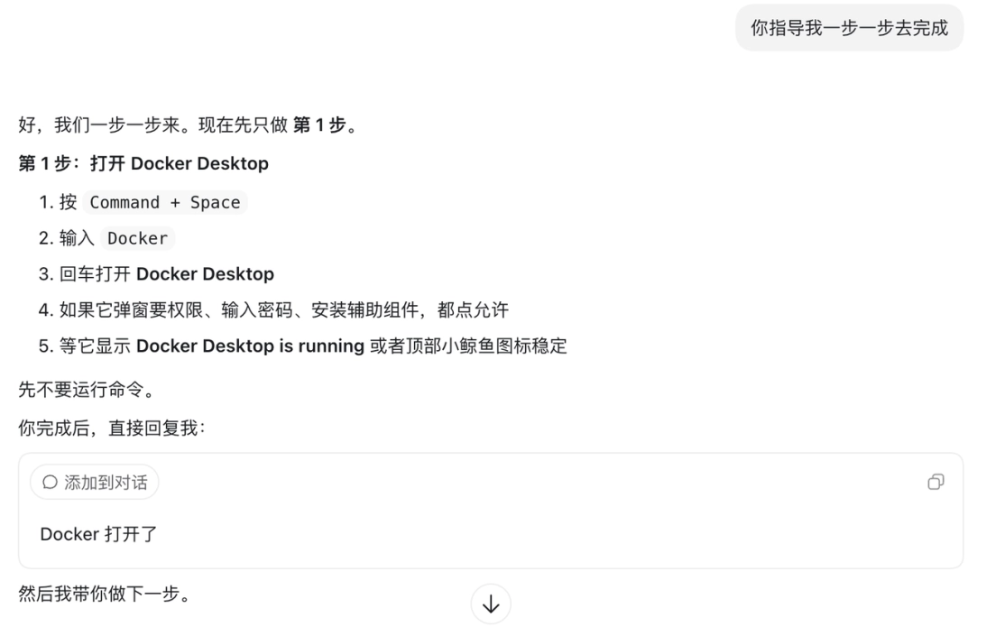
Under Codex's guidance, run it step by step in the terminal.
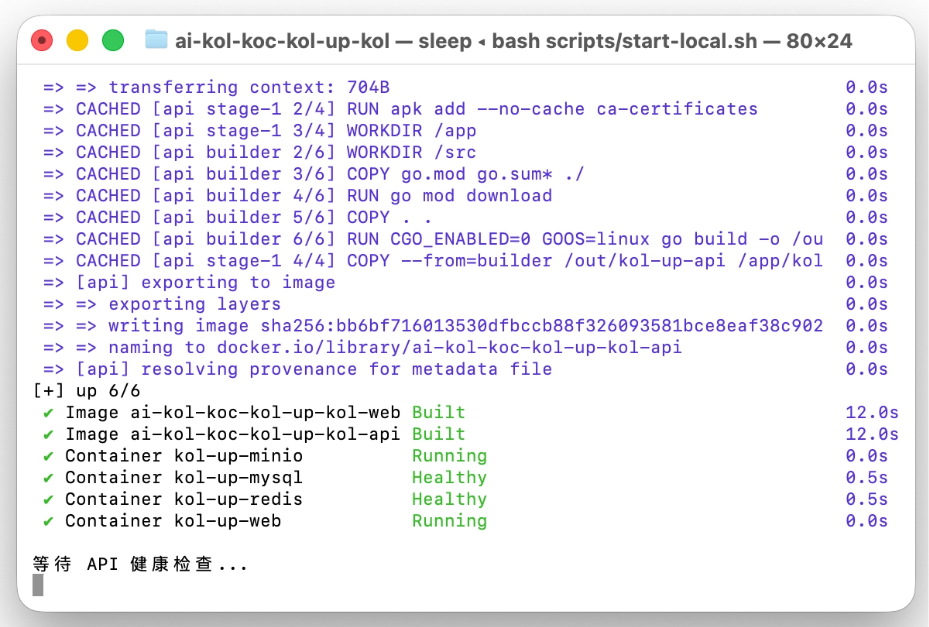
If you encounter an error, just copy the code and let Codex look at it. Based on the feedback, continue with the next step. None of this is hard; it just requires patience and grinding through it bit by bit.
For purchasing cloud services, this configuration is enough.
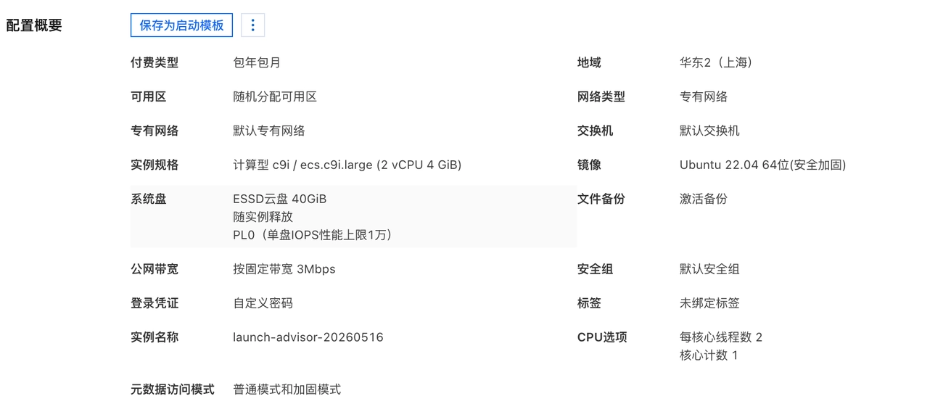
Then comes installing Docker on the server and uploading the project to the cloud server.
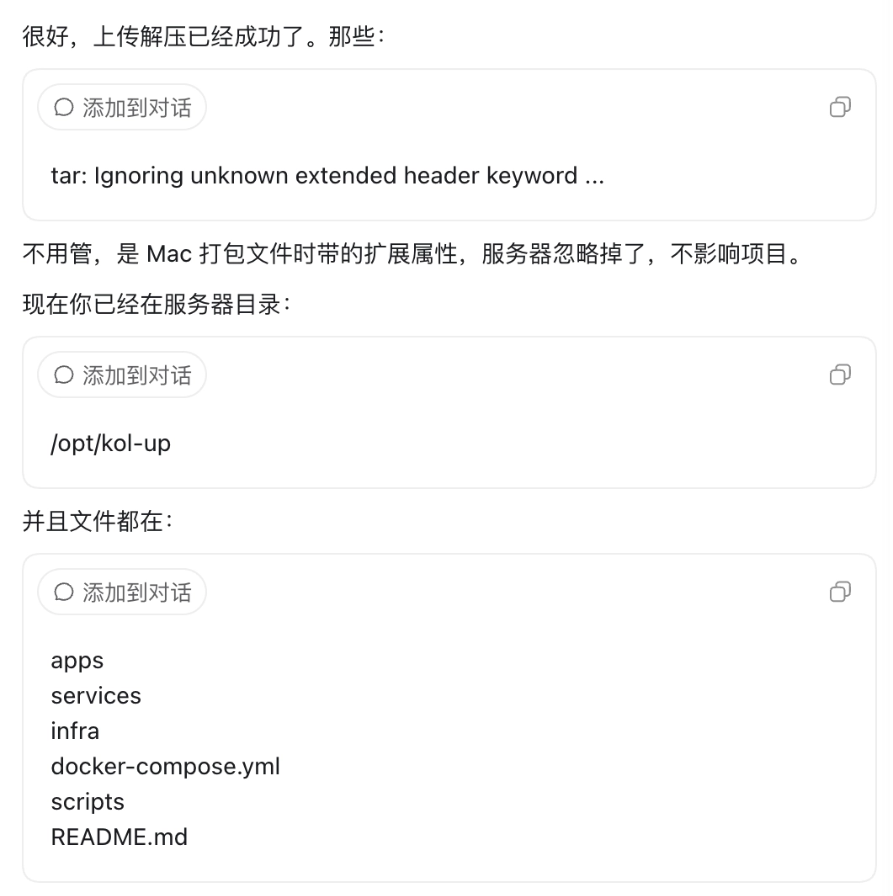
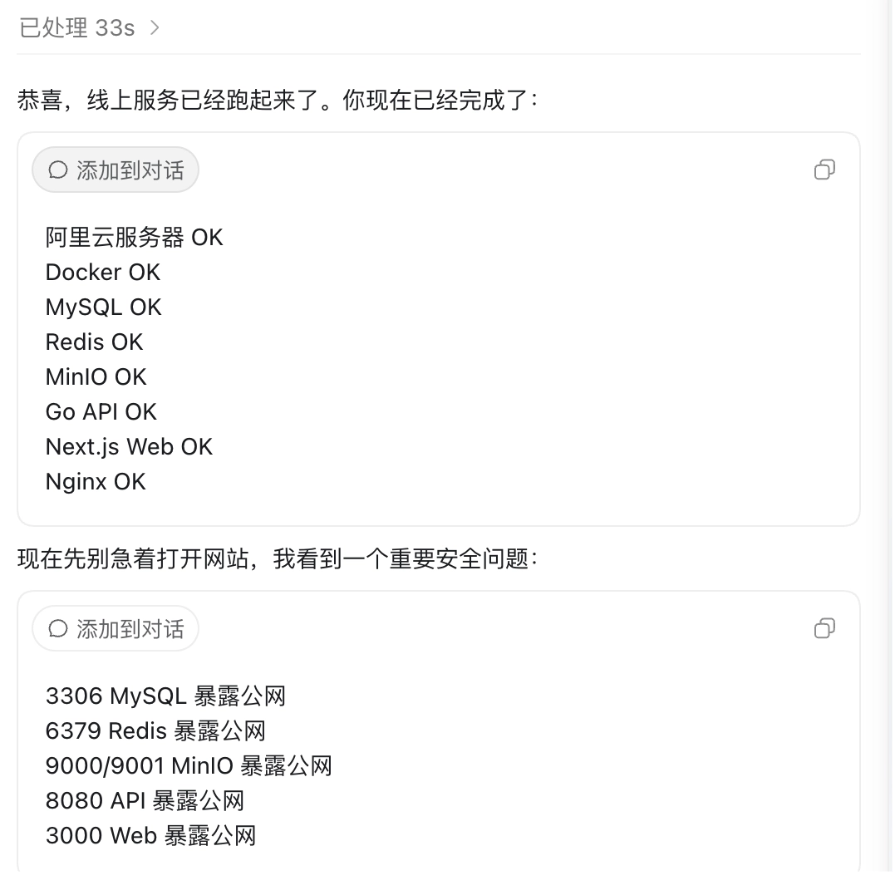
Codex can also automatically check for security risks and help us fix them.
And then my media placement website called KOL UP went live.
The development process for this project goes like this: the whole process is highly automated. I only need to describe the requirements, then Codex does the work, and I come back to check whether it has been implemented.
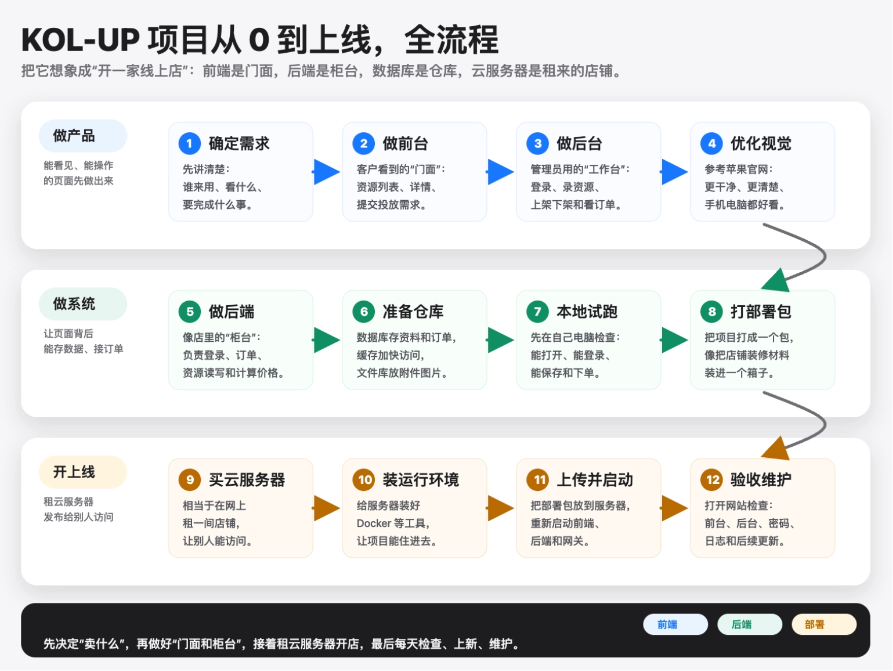
If I were to give a score, I would give Codex 95 points, with 5 points deducted for response speed.
03. Codex's 10 Core Features
In full-stack development scenarios, Codex is fully capable of handling most tasks, but Codex is not just a development tool. Next, let's introduce Codex's 10 core features. This round of upgrades is really both powerful and thoughtful.
Local File Operations
The prerequisite for Codex to be truly useful is that it can directly enter your project files to work.

It can view directories, modify files, check configurations, fix pages, and adjust styles. Local file operations are also the dividing line that turns Codex from a "Q&A tool" into a "work tool."
Context Management
A project is not completed with a single prompt. So when your context is too long, Codex will do this. Don't ask me how I know.
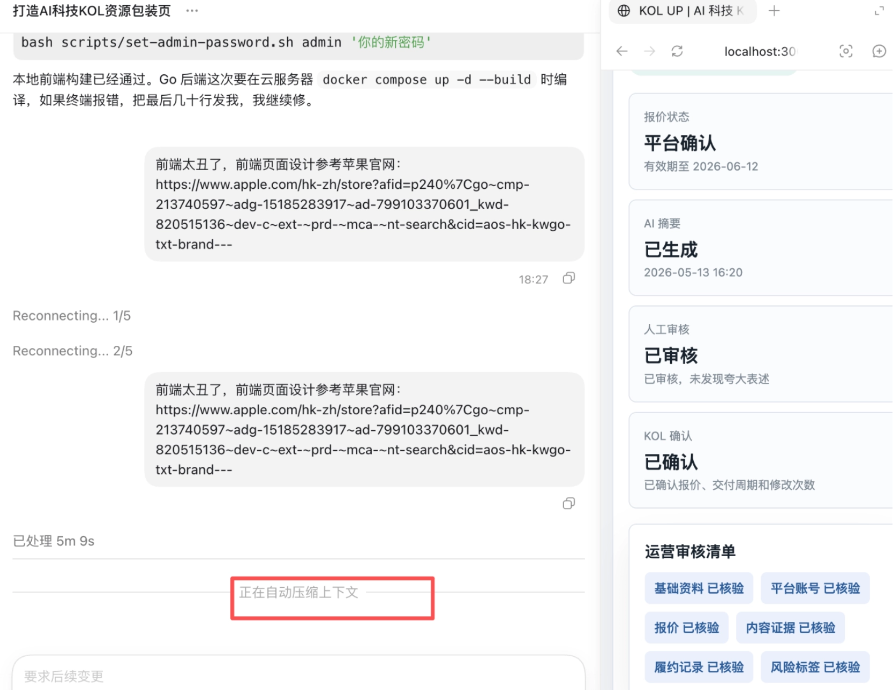
Although Codex can help you compress old conversations, compression also takes time, and the compressed context may not retain the details you truly care about.
When using Codex, you must break tasks into short sessions. One session should do only one thing. Planning, implementation, and error fixing should be placed in different sessions. Do not continuously do "design the page, modify the frontend, modify the backend, deploy, fix bugs, and then modify the visuals" in one session. This is the easiest way to blow up the context.。
You can also have Codex help you at key points bywriting a project handoff document。
Prompt: Please organize the current project status, completed content, key files, next tasks, and notes into docs/CODEX_HANDOFF.md. The content should be directly usable by the next Codex session to take over.
After that, every time you start a new session, just say:
Prompt: Please first read docs/CODEX_HANDOFF.md, then continue with the next step.
Command-line Tool Usage
Many non-programmers truly get stuck at not knowing how to install environments, run commands, or handle errors.
For example, installing software, configuring CLI, installing MCP, installing Skill, running projects, uninstalling dependencies, and checking versions are very ordinary things for programmers, but very discouraging for liberal arts students.
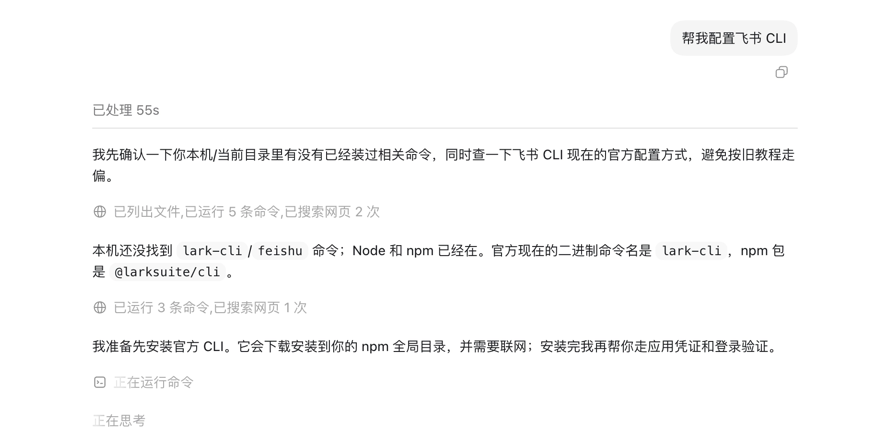
Now Codex can help you handle the command line, which is equivalent to helping you get past the most frightening hurdle in the technical threshold, and it is also very simple. You only need to directly make requests in the dialog box.
Preview Browser and Annotation Features
This feature is especially friendly to non-programmers. Because you do not need to read code to judge the result, you only need to look at the page effect. After Codex finishes writing a webpage, you can directly view in the preview browser whether buttons are misaligned, whether the page looks good, and whether there are interaction problems.
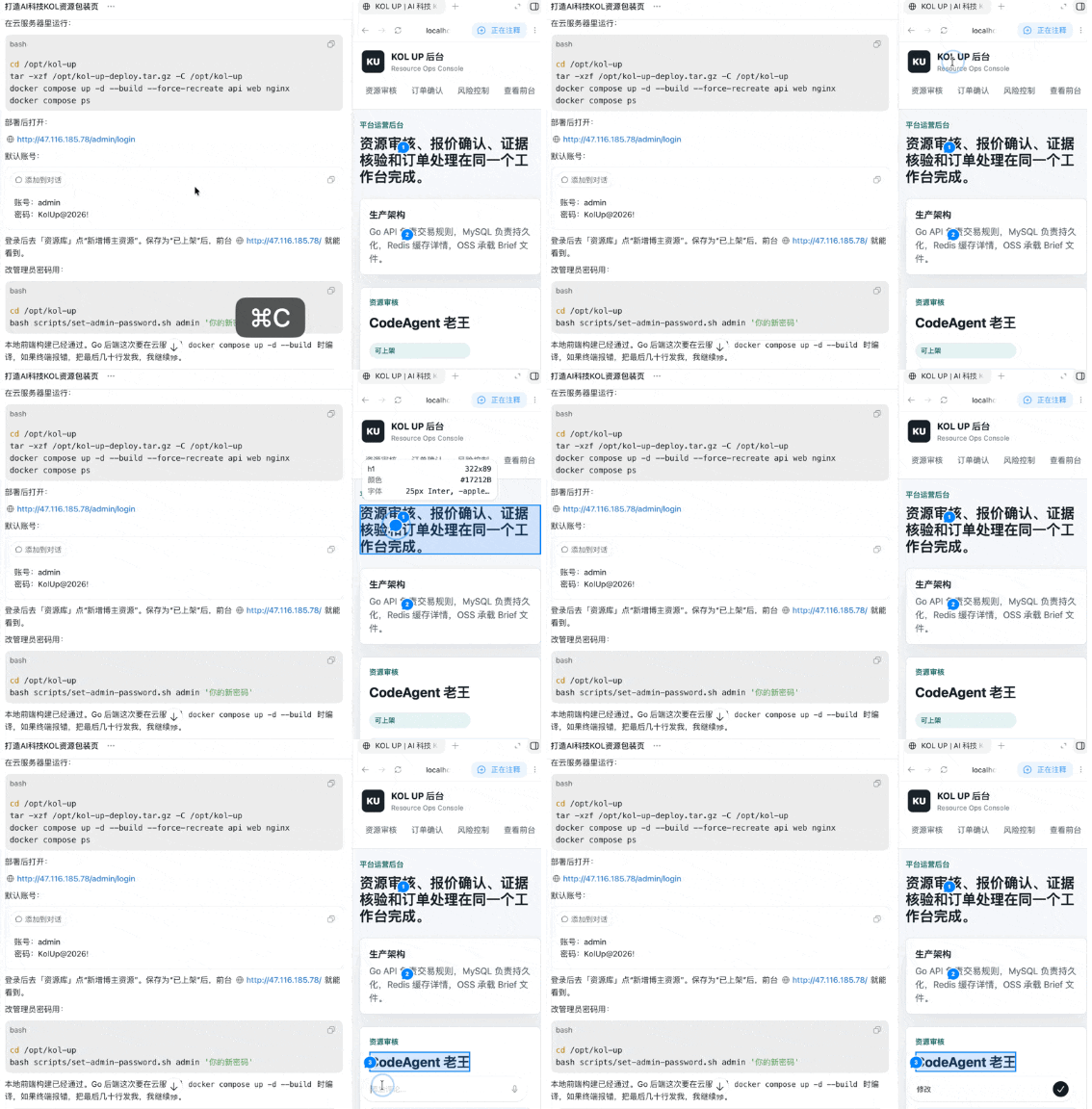
You can also make targeted modifications through the annotation feature.
Precipitating Processes into Skills
If we have to explain the requirements again every time for our daily workflows, it would be very wasteful. Precipitating processes into Skills is equivalent to turning your aesthetics, templates, experience, and standards into reusable assets.
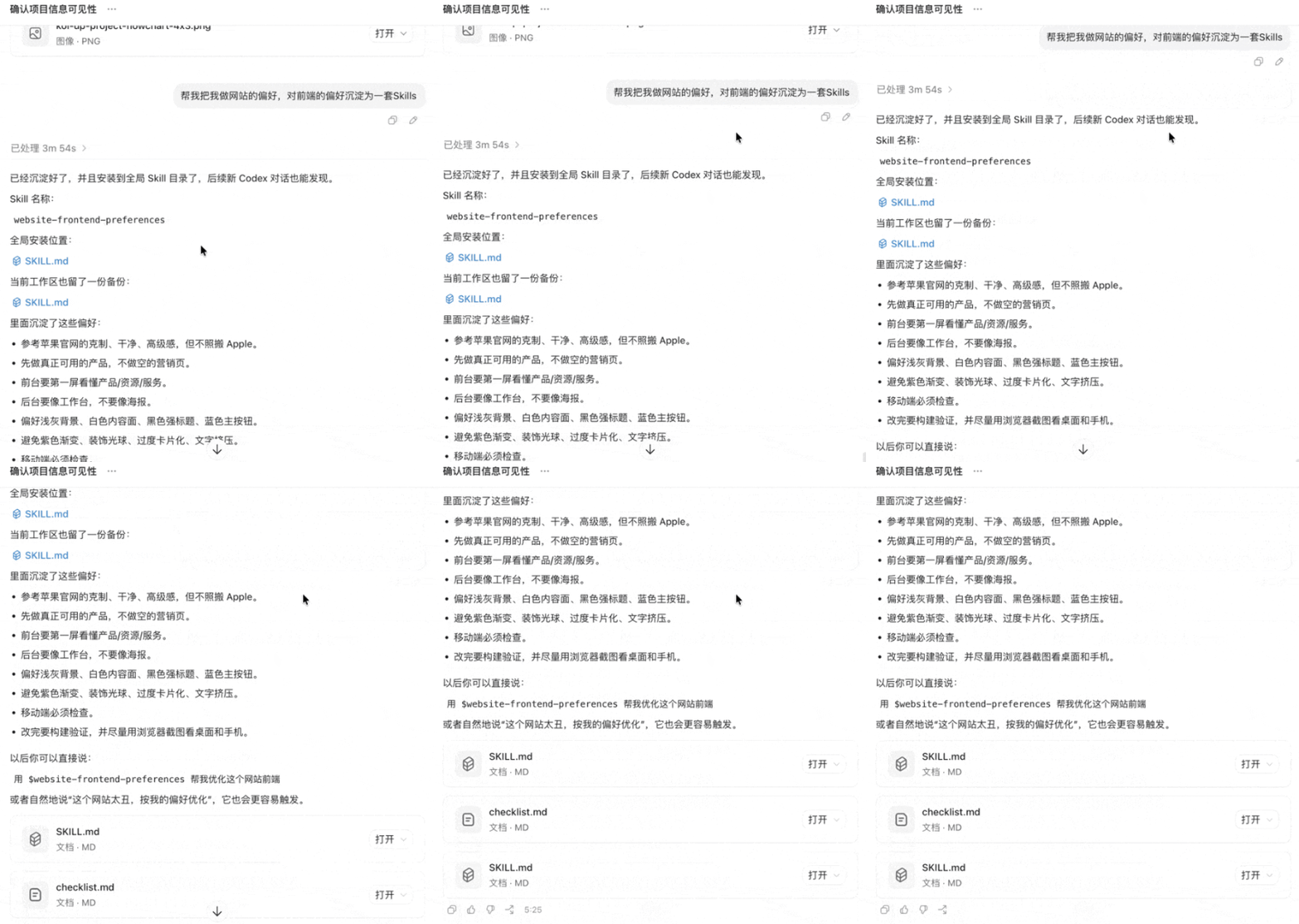
Of course, you can also directly install other people's Skills.
Persistent Memory
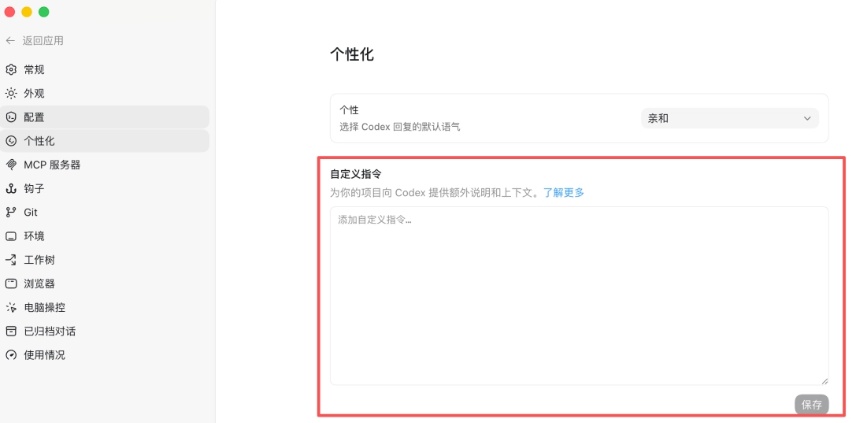
Persistent memory solves the problem of "not having to explain everything from scratch every time." Global memory is more like your long-term preferences, such as what writing style, cover style, code style, and commonly used tools you like. It can be configured in [Settings] - [Personalization].
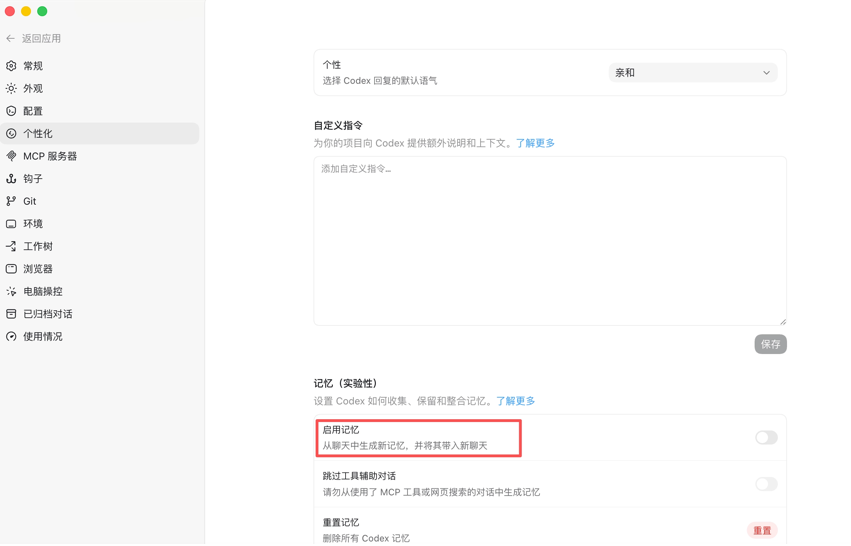
Experimental memory is also in [Settings] - [Personalization].
Parallel task processing
This capability is very critical. For example, you can have Codex do three things at the same time: one task to fix a webpage bug, one task to optimize the page visuals, and one task to organize the README. This will be much more efficient.
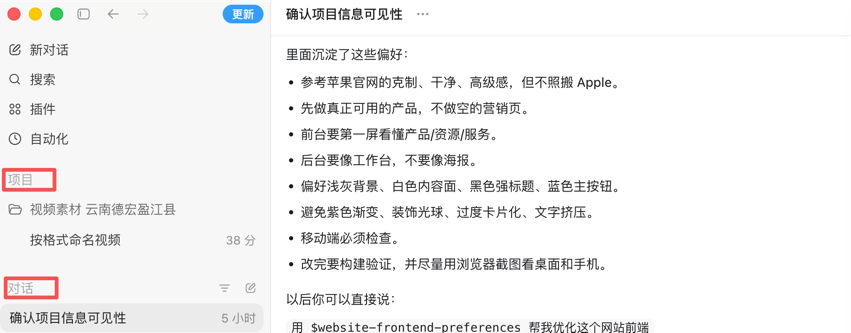
For beginners, running too many things in parallel at the beginning can easily get messy. For advanced users, parallel tasks are very useful, allowing Codex to advance multiple directions at the same time like a small team.
Model selection and quota checking
You need to know when to use a strong model and when to use a lightweight model.
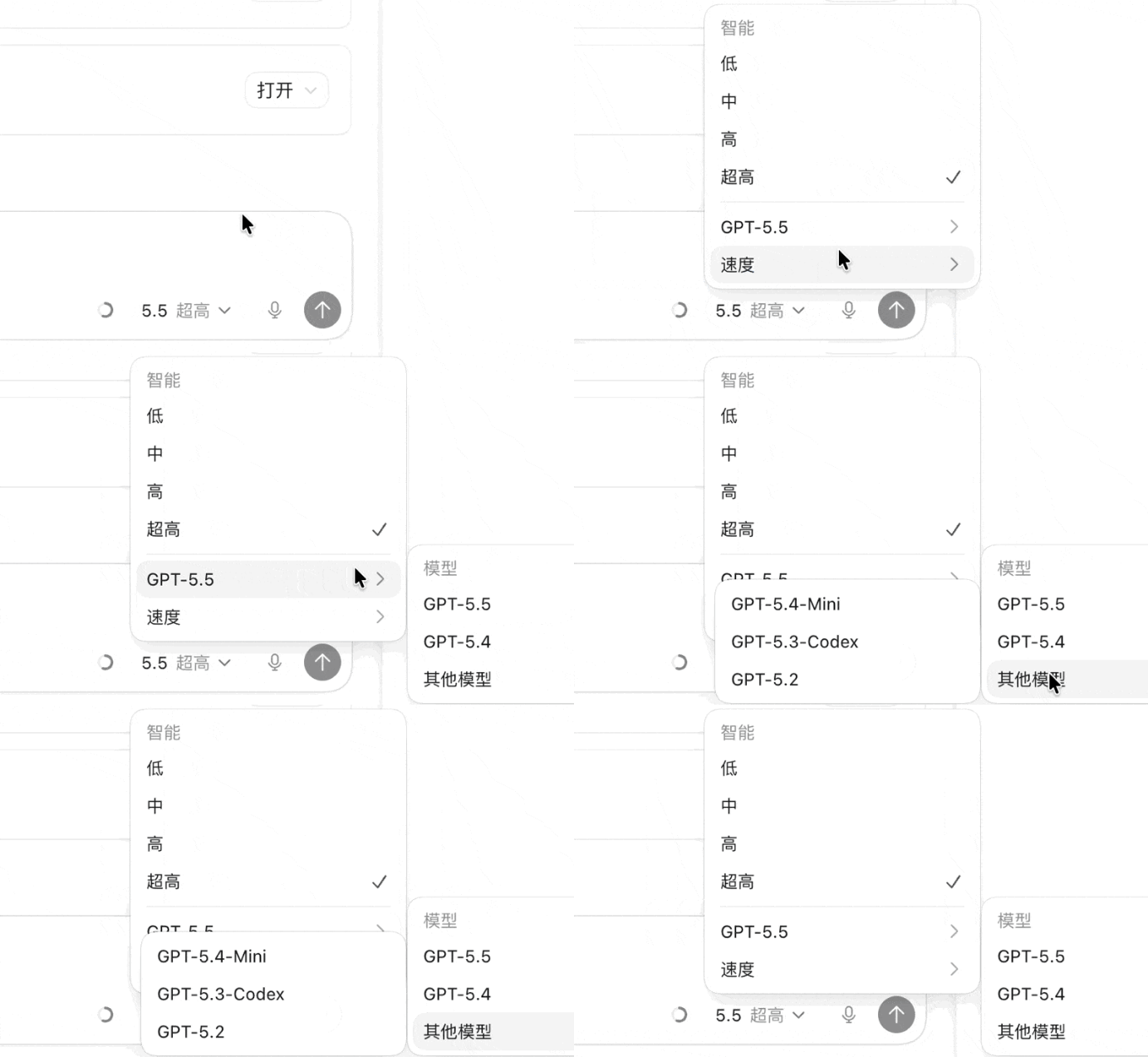
For simple tasks, such as changing copy, adjusting buttons, or explaining files, you can use a cheap or lightweight model. For complex tasks, such as refactoring a project, fixing deep bugs, or building a complete webpage, you need a stronger model. The value of this capability is that it helps you save quota and improve your success rate.
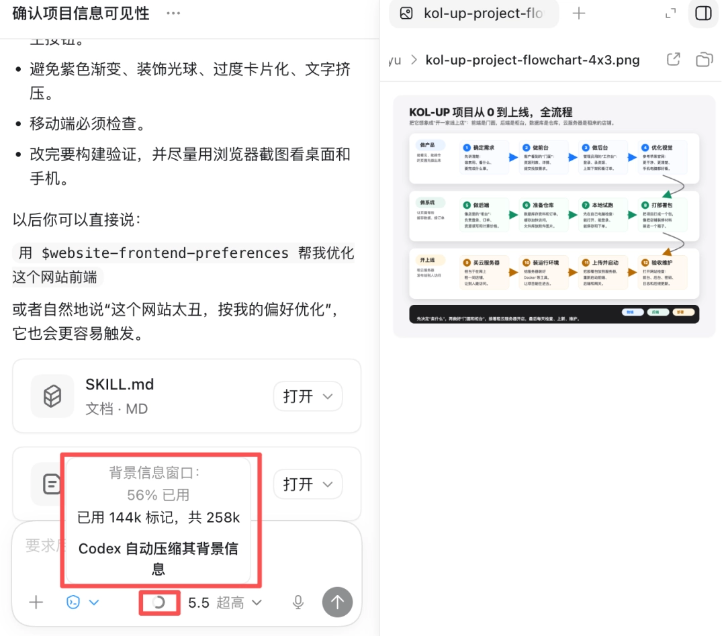
In addition, you can also see the context usage ratio here, which gives you peace of mind when using it.
You can also see the usage of the entire membership quota. To be honest, Codex is still quite generous with its quota.
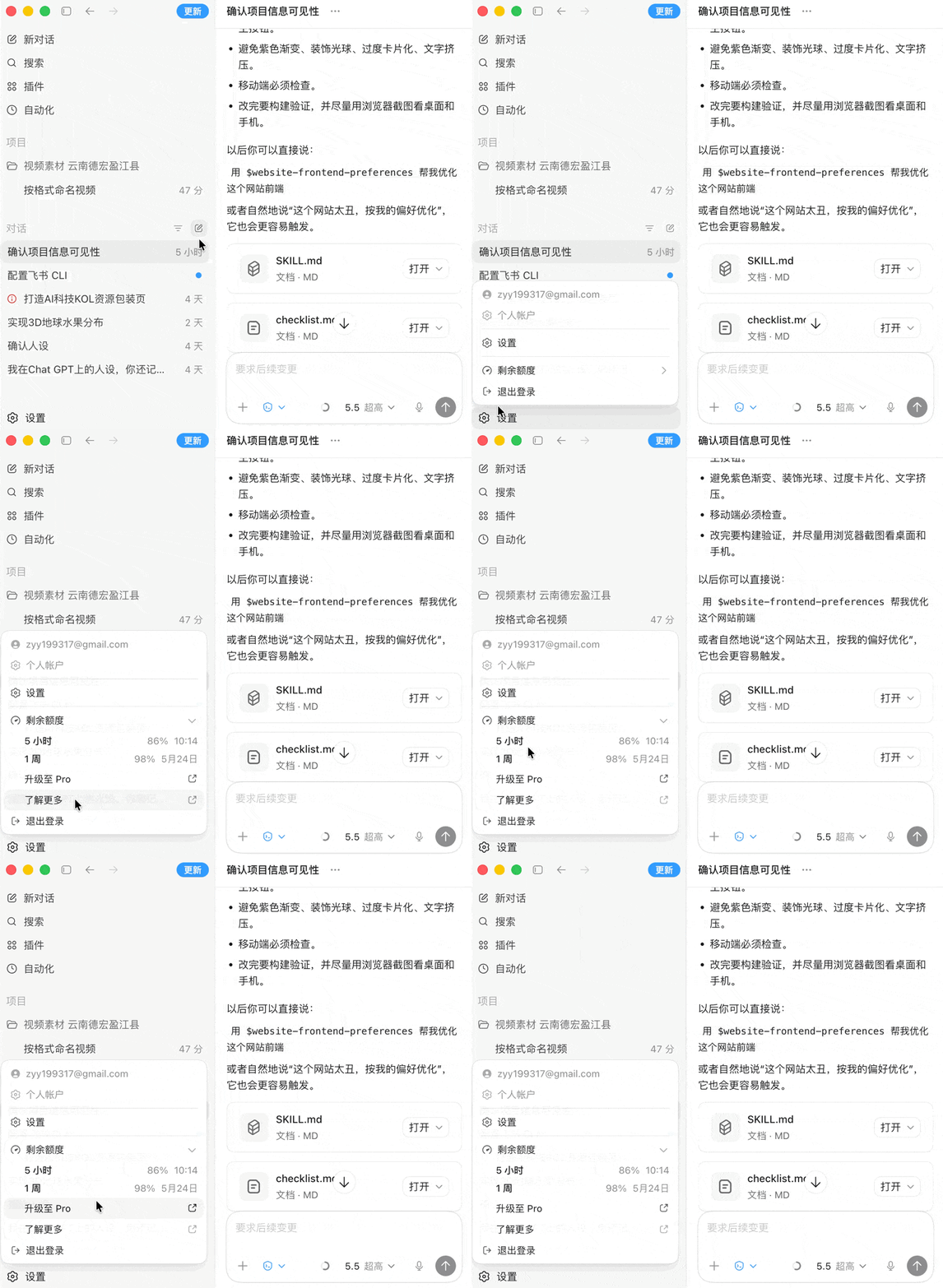
Image generation
Image generation directly calls the capabilities of Image2, which is very powerful. Codex is more focused on project implementation, while image generation is more focused on content packaging.
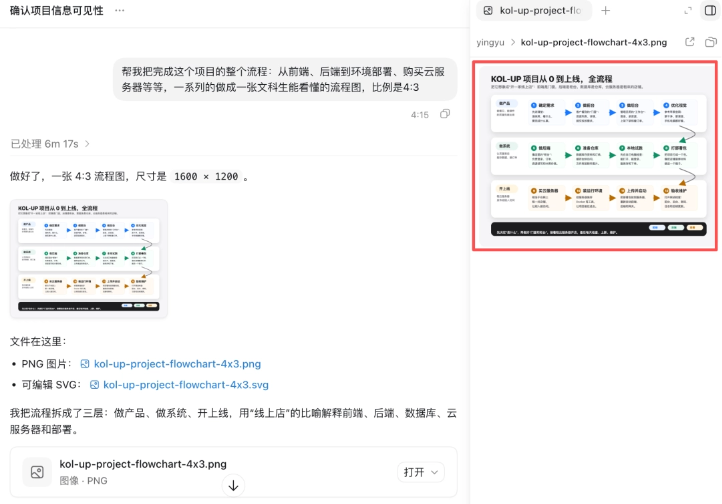
You can combine them: Codex builds webpages, tools, and interactive pages, while image generation creates covers, illustrations, and visual assets.
Plugins
The value of plugins depends on the maturity of the ecosystem and your specific needs. If a plugin can help you connect to GitHub, databases, browsers, design tools, or automation tools, then it is very valuable.
But more plugins is not necessarily better. For non-programmers, too many plugins can instead easily distract you。
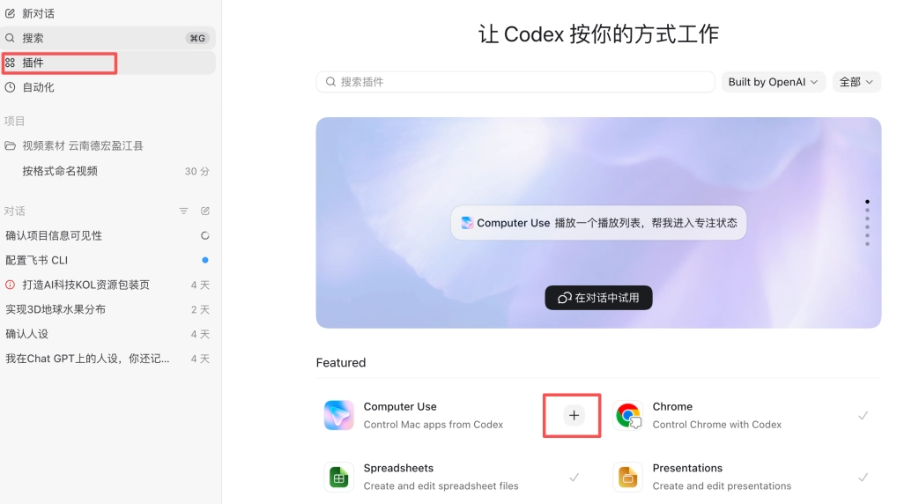
What you really need to focus on is whether this plugin can help you complete a clear workflow, such as publishing a webpage, reading files, connecting to an asset library, or generating reports.
04. Some sharing
After this hands-on test and experience, my impression is that Codex may not necessarily be better than Claude Code at writing code, but given that it does not ban accounts and does not impose all sorts of messy restrictions, being able to fulfill requirements of this difficulty is already very solid.
Claude Code is still very strong in complex code repositories, terminal development, refactoring, and engineering workflows.
But Codex's advantage lies in the fact that it puts Browser Use, Computer Use, Image 2, Skills, and plugins into one workflow. For example, when making a front-end page, Codex does not just write code; it can also open the page to see the result, continue adjusting the layout, and later generate supporting images, icons, and product display assets. For non-programmers, this experience of "being able to see results and continue iterating" is more intuitive.
Codex is responsible for writing the code, and people are responsible for thinking through the business. The real gap lies in insight into real needs and process breakdown。
Original link:Codex's nanny-level tutorial is here, and it may become a top hit! (Understand it in one article)