
What is ChatGPT Agent
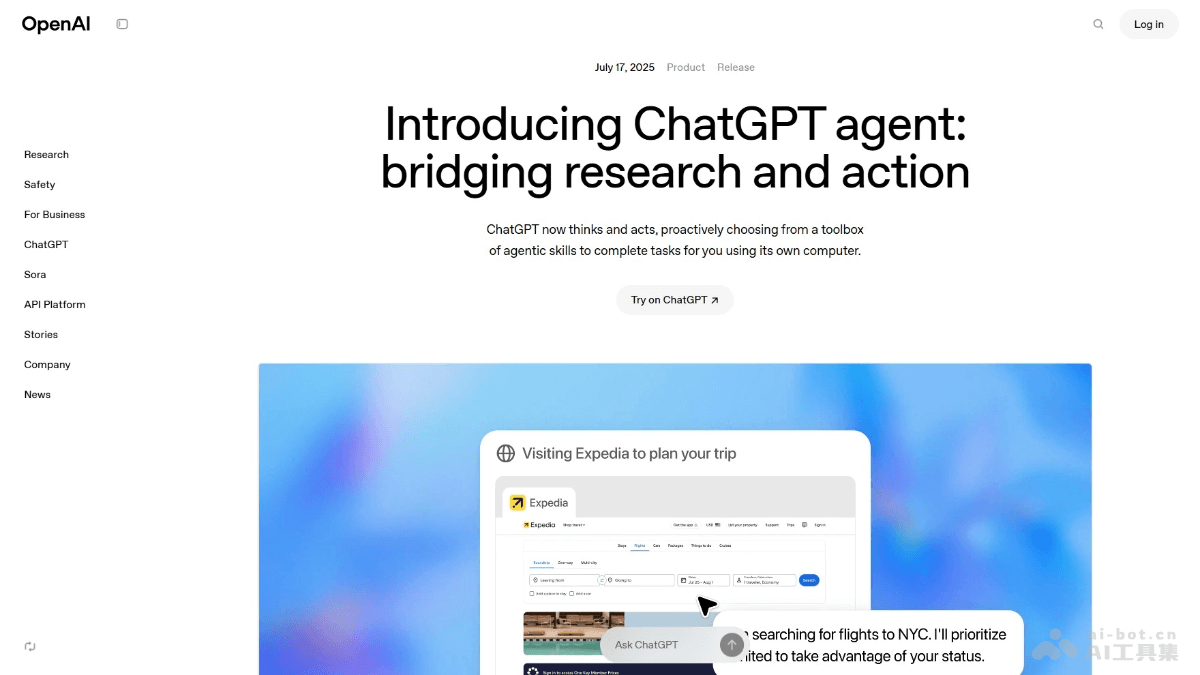
ChatGPT Agent is a powerful AI agent tool launched by OpenAI. The tool integratesOperator、Deep ResearchandChatGPTnative capabilities, can autonomously select tools (such as a visual browser, text browser, terminal, and API caller) to complete complex tasks, such as browsing web pages, extracting information, running code, generating PPTs or spreadsheets, etc. Users describe tasks in natural language, and ChatGPT Agent can display the operation process in real time, supporting task interruption, modification, and takeover. ChatGPT Agent has advanced security protection features to ensure user data security. ChatGPT Agent andManushave similar interaction interfaces, but their underlying principles are essentially different. ChatGPT Agent internalizes Agent capabilities into the model, achieving an end-to-end unified system, while Manus relies more on the "external stitching" of multiple underlying models. Currently, ChatGPT Agent has been opened to paid members (Pro/Plus/Enterprise users) and has achieved excellent results in multiple benchmark tests.
Main Features of ChatGPT Agent
- Autonomous Task Execution: Users only need to describe the task, and ChatGPT Agent can autonomously determine the required tools, automatically access web pages, extract information, run code, generate PPTs or spreadsheets, etc.
- Task Interruption and Modification: During execution, users can interrupt the task at any time, modify instructions, and support manually taking over the browser to continue operations, ensuring the task always meets the goals and requirements.
- Multi-turn Dialogue Support: Supports a multi-turn dialogue mechanism. Users can insert new instructions at any time during task execution, and the Agent will pause the current task to handle the new request.
- Real-time Progress Display: Operation steps are displayed on the screen in real time, allowing users to understand task execution progress at any time and request a progress summary when necessary.
- Three-in-One System: Integrates Operator (web interaction capabilities), Deep Research (information integration and analysis), and the ChatGPT core (natural language understanding and intelligent reasoning) to form a unified agent system.
- Built-in Tool Support: Built-in tools such as a graphical/text browser, terminal, and API caller, support mobile use, and automatically push results after task completion.
- Third-party Application Connection: Supports connection to third-party applications such as Gmail and GitHub, deeply embedding into users' real workflows.
- Security and Permission Control: Before performing sensitive operations (such as submitting forms or sending emails), explicitly obtains user permission, and automatically refuses high-risk tasks, such as financial transactions or providing legal advice.
Performance of ChatGPT Agent
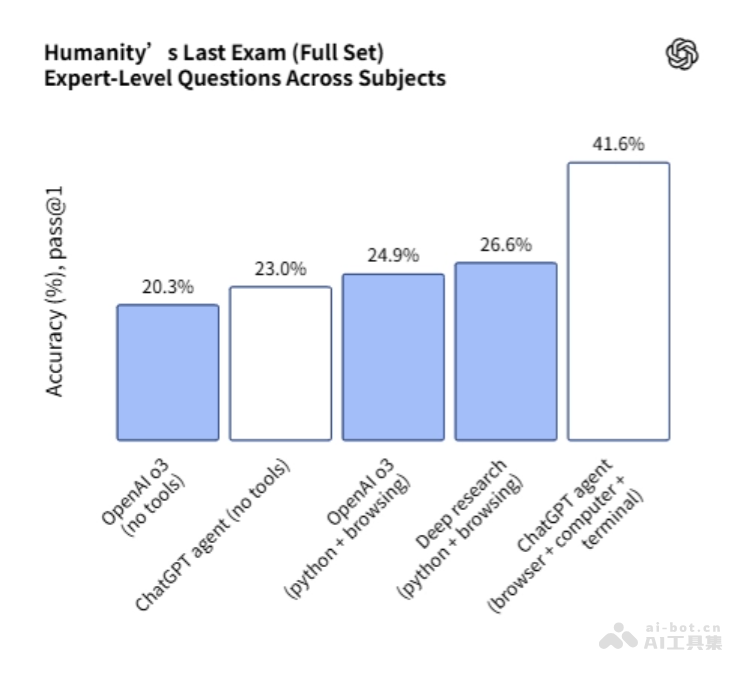
- Humanity’s Last Exam (HLE): Single-answer accuracy reaches 43.1 points (setting a new record), and with parallel eight-way reasoning enabled, accuracy further improves to 44.4%.
- FrontierMath Mathematical Benchmark: With terminal code execution capability, accuracy reaches 27.4%, far higher than previous models.
- DSBench (Data Science Tasks): Data analysis accuracy reaches 89.9%, and modeling accuracy reaches 85.5%, far exceeding the human average.
- SpreadsheetBench (Spreadsheet Editing Tasks): Performance reaches 45.5%, exceeding Copilot in Excel at 20.0%.
- BrowseComp (Web Browsing Tasks): Accuracy reaches 68.9%, setting a new industry-leading level (SOTA).
- WebArena (Web Task Execution Capability): Performance is better than the o3-based CUA model.
How to Use ChatGPT Agent
- Visit the official website: Web accessChatGPTofficial website, mobile downloadChatGPT App。
- Activate Agent mode:
- Desktop: Open the ChatGPT interface. In the editor, select "Agent mode" from the tools dropdown menu.
- Mobile: Open the ChatGPT App. In the chat interface, select "Agent mode" from the "Tools" dropdown menu in the lower-left corner.
- Describe the task: In the chat box, clearly describe the task you want to complete in natural language.
- Observe the operation process in real time: ChatGPT Agent displays the operation steps on the screen in real time, such as browsing web pages, filtering information, running code, etc. You can interrupt the task at any time, modify instructions, or take over the operation.
- Task execution and result generation: The Agent automatically selects the appropriate tools according to the task requirements. After the task is completed, the Agent generates downloadable output content, such as slides, spreadsheets, or documents.
- Set up recurring tasks: If certain tasks need to be executed regularly (such as generating a weekly report every week), set up recurring tasks in the Agent interface.
Application scenarios of ChatGPT Agent
- Travel planning: Plan a complete trip, including searching for flights, comparing hotel prices, booking car rental services, and generating a detailed itinerary.
- Data analysis: At work, access financial data sources, run data analysis code, generate charts and reports, and organize them into a PPT or spreadsheet.
- Document processing: Read and edit documents, extract key information, and generate concise summaries or reports to help users efficiently complete document organization work.
- Health and fitness: Based on physical condition and goals, create a personalized fitness plan, track diet and exercise records, and help users maintain a healthy lifestyle.
- Academic research: Access academic databases, search relevant literature, extract key information, and generate research reports to support users' academic research.