
What is Augment Agent
Augment Agent isAugmentlaunched byAI programming assistant, helping software engineers efficiently write high-quality code. Augment Agent can deeply understand large codebases and automatically learn and adapt to code style as users work. Augment Agent supports VS Code and JetBrains development tools, provides a context engine and memory functionality, and supports automatic updates and continuous optimization of code generation. Augment Agent's context capacity is as high as 200,000 tokens, supports handling complex tasks, and provides powerful support for developers.
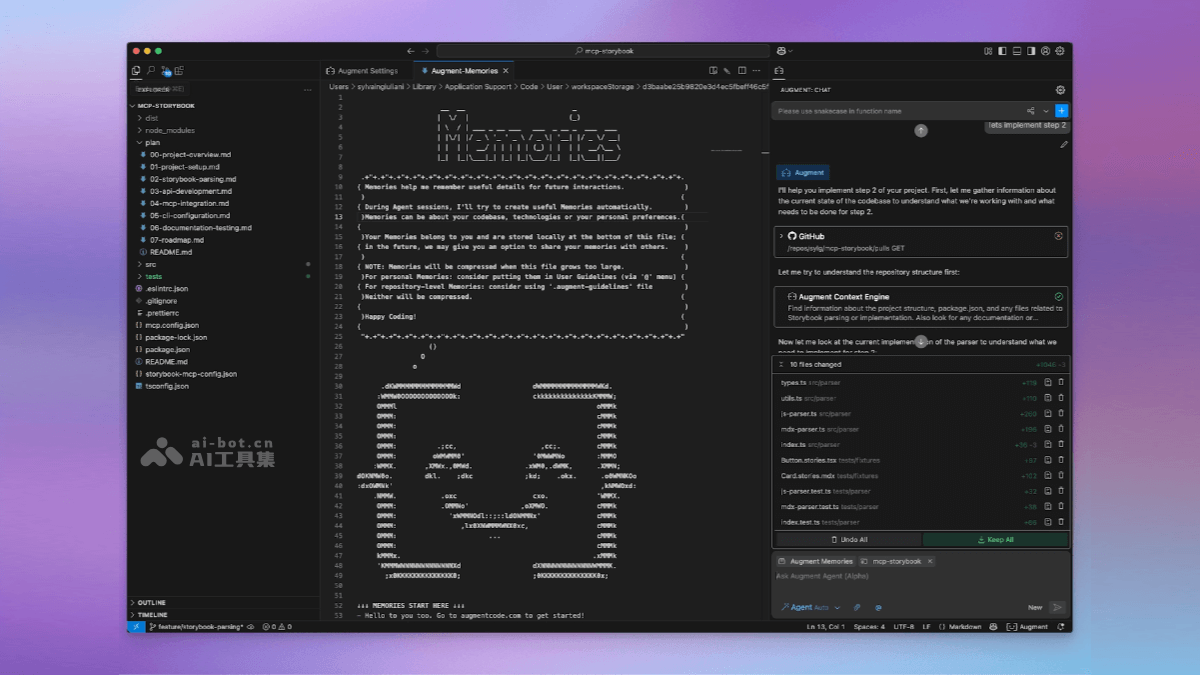
Main features of Augment Agent
- Powerful context support: Supports handling code context of up to 200,000 tokens.
- Plugin-based integration: Integrated as a plugin into mainstream development environments such as VS Code and JetBrains, without requiring users to adapt to a new development environment, lowering the barrier to use.
- Persistent memory: Learns the user's coding style, remembers previous refactorings and code standards, and accumulates memory over time
- Multimodal input support: Supports multimodal input methods such as screenshots and Figma files.
- Code Checkpoints: Automatically tracks changes and supports rollback, ensuring users can restore to previous code states at any time and maintain their preferred programming style.
- Terminal command support: Supports running commands in the terminal, such as npm install, run dev, or interacting with Git, helping developers complete development tasks more efficiently.
- Auto Mode: Users can choose to let Augment Agent automatically execute tasks without manually confirming each step, improving work efficiency.
- Supports multiple development tools: Supports integration with tools such as GitHub, Jira, Confluence, Notion, and Linear, helping developers better manage projects and collaborate.
- Interruption and guidance : Users can stop the agent at any time, correct actions, or suggest a different approach, and the agent automatically pauses and redirects.
How to use Augment Agent
- Register and log in: Visit Augment'sofficial website, and follow the prompts to complete registration and login. Augment Agent currently supports use with VS Code and JetBrains.
- Install the plugin: According to the IDE being used, download and install the corresponding plugin.
- Use the features: Launch Augment Agent through the plugin interface within the IDE and use its features. Augment Agent supports multiple features such as code checkpoints, multimodal input (such as screenshots and Figma files), and terminal commands.
Augment Agent's performance
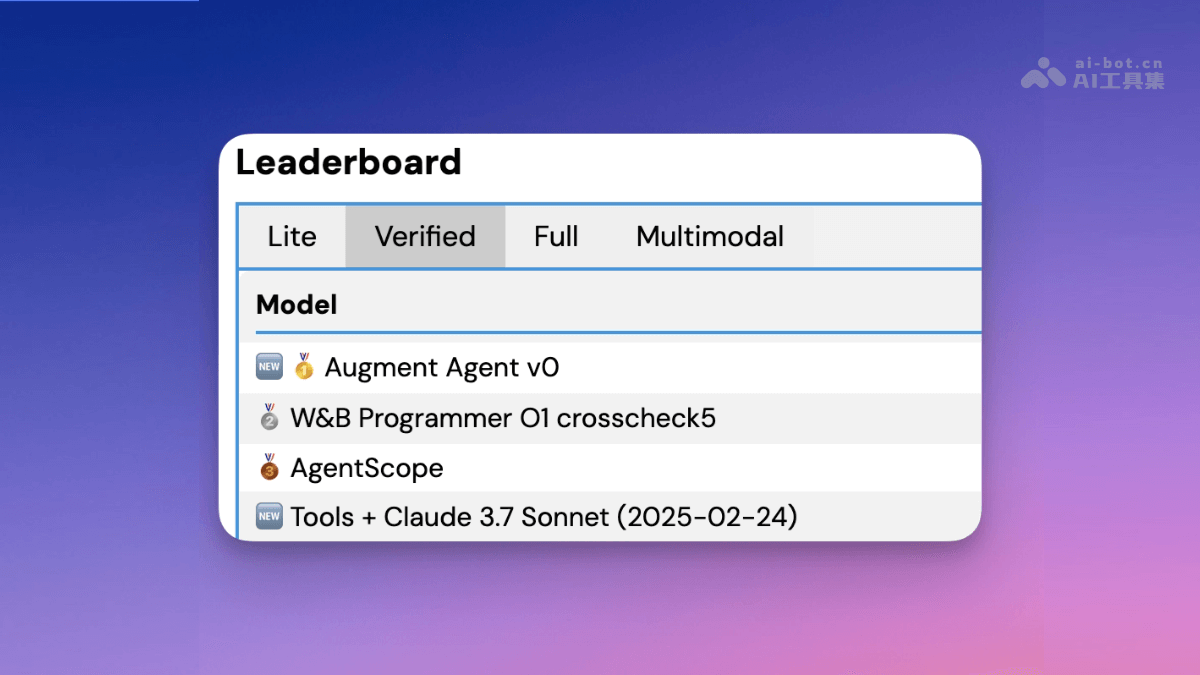
In the SWE-bench verified benchmark test, Augment Agent combines Anthropic's Claude Sonnet 3.7 and OpenAI's O1 reasoning model, achieving the highest score and reaching 1st place (65.4% on real-world tasks).
Augment Agent's product pricing
- Community Edition: Free, Agents are limited to 50 requests per month, additional agent requests cost $9 per 100 requests, provides a context engine, provides MCP and native tools, and supports AI training
- Developer Edition: $30/month, agents are limited to 550 requests per month (currently unlimited), additional agent requests cost $11 per 100 requests, provides a context engine, provides MCP and native tools, provides chat, instructions, and next edit.
- Enterprise: custom pricing, unlimited agents, custom additional agent request fees, provides a context engine, provides MCP and native tools, provides chat, instructions, and next edit, provides Slack, provides team management, provides usage analytics, provides SOC 2 Type II reports, provides custom terms.
Augment Agent use cases
- Large codebase development: helps developers quickly generate and optimize code in complex codebases.
- Code style consistency: automatically adapts to and maintains the team's code style, reducing conflicts.
- Cross-tool collaboration: integrates with tools such as GitHub and Jira to improve development collaboration efficiency.
- Complex task handling: with powerful context processing capabilities, handles complex code refactoring and migration tasks.
- Daily development assistance: runs terminal commands, fixes errors, implements UI designs, etc., improving development efficiency.