
What is Ark CLI
Ark CLI is a command-line tool launched by Volcano Engine under ByteDance. It is aimed at backend developers and Agent builders, providing a minimalist experience of accessing any Agent with a single command. Through a unified command-line interface, developers can seamlessly connect TRAE、Cursor、Claude Code、OpenClaw and other mainstream coding tools, invoke the full series of Ark multimodal models in natural language, and achieve full lifecycle management of Agent Plan, intelligent error diagnosis, and a closed loop for model fine-tuning, significantly lowering the barrier to enterprise adoption and development costs.
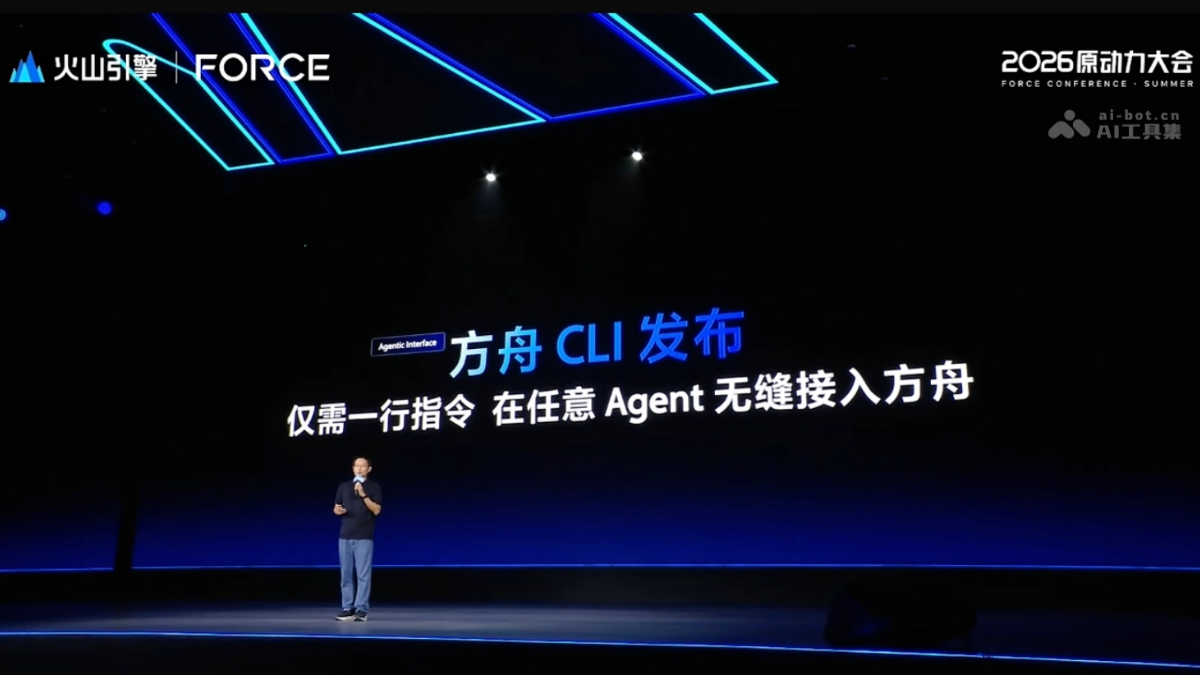
Main features of Ark CLI
- One-click connection to mainstream Agents: No manual configuration required; automatically identifies and connects to local mainstream Agents such as TRAE, OpenClaw, Claude Code, and Cursor, enabling plug-and-play use.
- Natural language invocation of the full model series: Supports model types such as chat, reasoning, and vision, automatically identifies intent and fills in parameters, so developers do not need to care about the underlying Schema.
- Full-cycle Agent Plan management: Complete plan subscription, usage detail queries, seat management, and renewal within the command line, with support for Agent automation.
- One-click error diagnosis: Built-in doctor tool quickly locates root causes such as authentication failure, rate limiting exceeded, and models not activated, provides solutions, and supports one-click repair.
- Fine-tuning and RL to customize exclusive models: Lets Agents participate throughout the complete debugging process from data preparation, training, and evaluation to deployment, forming a closed-loop data flywheel.
How to use Ark CLI
-
Install the CLI: Execute
npm i @volcengine/ark-cli@latest -gto globally install Ark CLI. -
Configure authentication: Obtain a Volcano Ark API Key, execute
ark configto select an Agent Plan package and log in. -
Automatic integration: The CLI automatically identifies locally installed Agent tools (such as Cursor and Claude Code) and completes one-click integration.
-
Invoke models: Directly invoke the full series of Ark models through natural language instructions, without manually filling in underlying parameters.
-
Operations diagnosis: When an error occurs, execute
ark doctorto quickly locate the root cause and obtain a repair plan. -
Customize models: Initiate fine-tuning tasks through the CLI and track the complete closed loop of Data Agent -> Train Agent -> Eval Agent -> Deploy Agent.
Core advantages of Ark CLI
-
Zero-configuration integration: Automatically identifies the local Agent ecosystem, eliminating cumbersome manual Base URL and API Key configuration.
-
Unified entry point for all modalities: Integrated command-line scheduling for text, reasoning, and visual generation, with no need to switch between multiple platforms.
-
Enterprise-grade operations: Built-in diagnostic tools and usage management reduce the operations troubleshooting costs for backend teams.
-
Closed-loop data flywheel: Agentization of the entire chain from data preparation to model deployment accelerates iteration of exclusive models.
Project address of Ark CLI
- Project official website:https://www.volcengine.com/docs/82379/2536875?lang=zh
Comparison of Ark CLI with similar competing products
| Dimension | Volcano Ark CLI | Alibaba Cloud Bailian CLI |
|---|---|---|
| Product positioning | For backend developers, a single command lets any Agent seamlessly connect to Ark, simplifying cloud model invocation and batch task scheduling. | Designed for Agents, a single command automatically schedules 150+ models and multimodal capabilities, lowering the barrier to AI application development. |
| Agent Ecosystem Integration | One-click connection to mainstream local Agents such as TRAE, OpenClaw, Claude Code, and Cursor, with no manual configuration required. | Native support for frameworks such as Claude Code, Qoder, OpenClaw, and Hermes Agent, ready to use upon installation. |
| Model Invocation Methods | Invoke the full Ark model series (chat, reasoning, vision) in natural language, automatically recognizing intent and filling in parameters, with no need to concern yourself with the underlying Schema. | Supports unified invocation of 150+ multimodal models for text, images, video, speech, visual understanding, and more, automatically routing to the optimal model. |
| Operations and Diagnostics Capabilities | Built-in doctor tool for one-click diagnostics, quickly identifying root causes such as authentication failures, rate limit exceeded, and models not activated, with support for one-click fixes. |
Provides usage statistics, Token Plan, and free quota inquiries, focusing on resource monitoring and cost management, without emphasizing automatic fixes. |
| Model Customization Capabilities | Supports fine-tuning and RL to customize dedicated models, enabling Agents to participate throughout the complete closed loop from data preparation, training, and evaluation to deployment, forming a data flywheel. | Supports application development, intelligent agents, and workflow orchestration, and can combine knowledge bases and memory bases to build enterprise-specific assistants, focusing on application-layer customization. |
Ark CLI Application Scenarios
- Enterprise-level Agent Integration: Backend development teams seamlessly connect local Agents such as TRAE, Cursor, and Claude Code to Volcengine Ark through a single command, eliminating the cumbersome process of manually configuring API Keys and Base URLs.
- Intelligent Operations and Diagnostics: DevOps teams use the built-in
doctortool to pinpoint root causes such as authentication failures, rate limit exceeded, and models not activated with one click, automatically generating and executing fix plans, reducing the cost of online troubleshooting. - Full Lifecycle Model Management: Complete Agent Plan subscription, usage monitoring, seat allocation, and renewal within the command line, achieving an automated closed loop from resource requests to cost control.
- Unified Multimodal Model Scheduling: Developers directly invoke the full Ark model series such as chat, reasoning, and vision through natural language instructions, with no need to concern themselves with the underlying Schema, suitable for mixed task scenarios such as text reasoning, code generation, and image understanding.