
In today's era of rapidly advancing digitalization, the way humans and machines interact is undergoing unprecedented change. From traditional keyboard typing to today's fingertip touch on screens, every technological leap has greatly improved our input efficiency and convenience. With the vigorous rise of artificial intelligence technology, a brand-new input method is quietly entering our lives. This article introduces 10 free AI voice input method tools and software. With just a gentle utterance, they can instantly convert speech into accurate text. Whether in a busy office scenario, a moment when both hands are occupied, or while driving, you can easily and freely record ideas and convey information. It is not only an innovation in input methods, but also a vivid manifestation of AI technology deeply integrated into daily life. It is gradually changing the way we communicate with the digital world and opening a new door to efficient, convenient, and intelligent communication.
Doubao Input Method
Doubao Input Methodis an intelligent input method application launched by ByteDance, focusing on a smooth and efficient input experience and deep AI empowerment. It can improve typing speed through intelligent prediction, precise error correction, and context association, supports multimodal input such as voice and handwriting, and is especially good at recognition in mixed Chinese scenarios. The built-in AI can intelligently generate expressions according to the scenario, such as chat scripts or holiday greetings, while also emphasizing privacy protection and prioritizing local processing to reduce data uploads. The interface is youthful and supports theme customization, making it suitable for users who pursue individuality and efficiency.
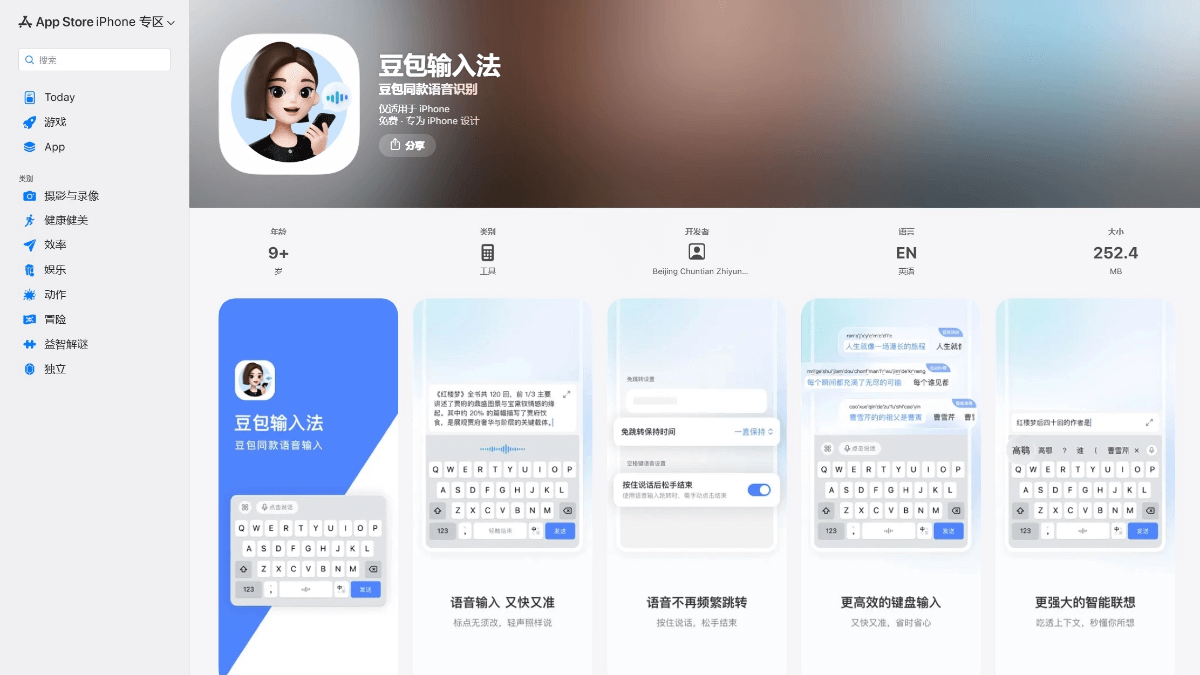
🌟Core Features
-
Powerful AI intelligent engine
- Intelligent prediction and completion: It can accurately predict subsequent words or entire sentences based on context, significantly improving the efficiency of long-form input.
- Semantic understanding and error correction: It can not only correct spelling errors, but also understand semantics for deeper error correction, making input more accurate.
- AI content creation: It integrates advanced AI large model capabilities and can quickly generate text content such as holiday greetings, copywriting, and emails based on simple instructions or keywords.
- Efficient and accurate multimodal input
- High-precision voice input: It supports speech recognition for Mandarin and multiple dialects, with fast conversion speed and high accuracy, suitable for scenarios where typing is inconvenient.
- Smooth handwriting input: It has a high recognition rate and is very friendly to users who are unfamiliar with pinyin or writing rare characters.
- Localized processing: It emphasizes that key data (such as input habits and commonly used word libraries) is processed locally on the device, minimizing the upload of personal information to the cloud and protecting privacy and security.
- Rich visual themes: It provides a variety of fashionable and trendy theme skins and dynamic effects, supports personalized customization, and meets the aesthetic needs of young users.
- Massive emoji pack library: It has a large number of popular emoji packs built in, making social chatting more fun.
- Scenario-based intelligent adaptation: It can intelligently identify whether the user is in different scenarios such as chatting, searching, or working, and adjust the candidate word recommendation strategy accordingly, providing input suggestions that better fit the current scenario
✅Supported device ends
- Android devices: It is the most comprehensively supported platform. You can use the officialapp store(such as Huawei AppGallery, Xiaomi GetApps, OPPO Software Store, etc.) or download the APK file from official channels for installation.Supports various Android devices such as smartphones and tablets.
- iOS devices:Supports iPhoneand iPad. You can search for "Doubao Input Method" in Apple's App Storeto download and install it.
Shandianshuo
Shandianshuois an efficient and intelligent AI voice input method. With on-device operation as its core, after the first installation, downloading the AI model enables offline use without an internet connection. Voice input latency is as low as 0.2 seconds, and it can input 220 characters per minute, 4 times that of traditional keyboard typing. Its AI intelligent error correction function can automatically filter out spoken-language fillers and optimize word order, making the text more fluent. Shandianshuo supports mixed input of Mandarin, Cantonese, dialects, and multiple languages, and provides a custom dictionary where professional terms and more can be added to improve recognition accuracy. It can be seamlessly embedded into office software, chat tools, and more, covering all application scenarios, and is suitable for meeting notes, online course notes, programming comments, and many other scenarios.
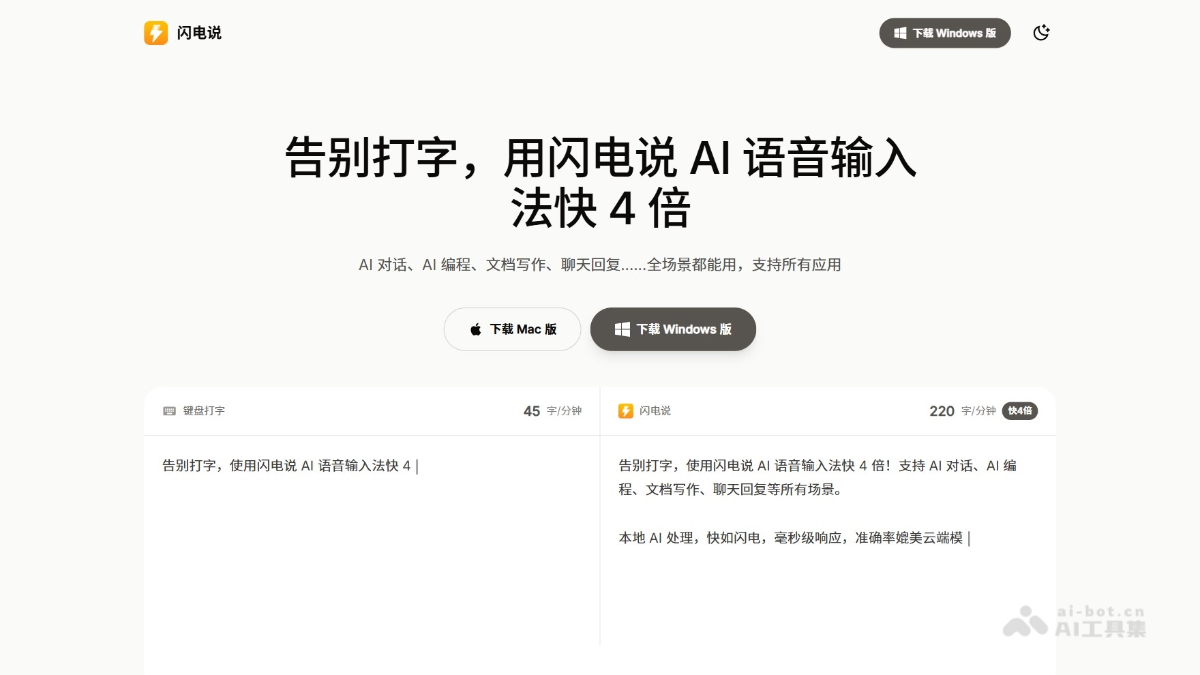
🌟Core Features
-
On-device first and offline availability: Shandianshuo's speech recognition model mainly runs locally and can be used without an internet connection, avoiding network latency and privacy leakage issues. After the first installation, downloading the model enables offline voice input, making it suitable for no-network environments.
-
Efficient input: Voice input speed can reach 220 characters per minute, 4 times the speed of traditional keyboard typing, with response time as low as 0.2 seconds, displaying as you speak, greatly improving input efficiency, and especially suitable for scenarios such as meeting notes and online course notes.
-
Intelligent error correction and optimization: Equipped with AI intelligent semantic error correction, it can automatically filter out spoken-language fillers such as "um" and "ah," restructure word order, and make the output text more fluent and more professional. It also supports custom error correction settings to meet personalized needs.
-
Multilingual and dialect support: Supports mixed input of multiple languages and dialects such as Mandarin, Cantonese, Jiangsu dialect, English, and Japanese, with high recognition accuracy, adapting to the needs of users in multilingual environments.
-
Full-scenario application coverage: Can be used directly in any window such as office software, code editors, social chats, and AI conversations without switching programs, seamlessly embedding into various work and life scenarios.
-
Data security and privacy protection: Voice data is completely processed locally and is not uploaded to the cloud, ensuring user privacy and data security, with sensitive information always kept in the user's hands.
-
Continuous optimization and personalization: The model self-learns and fine-tunes based on the user's usage habits, fitting the individual's expression style more closely the more it is used, providing deeply personalized services.
-
Flexible configuration and convenient operation: Supports shortcut key activation, and users can customize the shortcut keys for voice input. Operation is simple and convenient, and a custom dictionary can also be added to improve the recognition accuracy of specific vocabulary.
✅Supported device platforms
- Windows system : Supports mainstream Windows operating systems such as Windows 7, Windows 10, and Windows 11.
-
macOS system : Applicable to macOS system versions such as macOS Monterey, macOS Ventura, and macOS Sonoma.
Zhipu AI Input Method
Zhipu AI Input Method(AutoTyper) is an intelligent AI voice input tool launched by Zhipu AutoGLM. With voice input, you can create efficiently and say goodbye to tedious typing. It supports multiple styles of expression and allows you to add styles freely with DIY, making it suitable for a variety of scenarios. Voice recognition accuracy is as high as 97.8%, saving an average of 72% of input time.
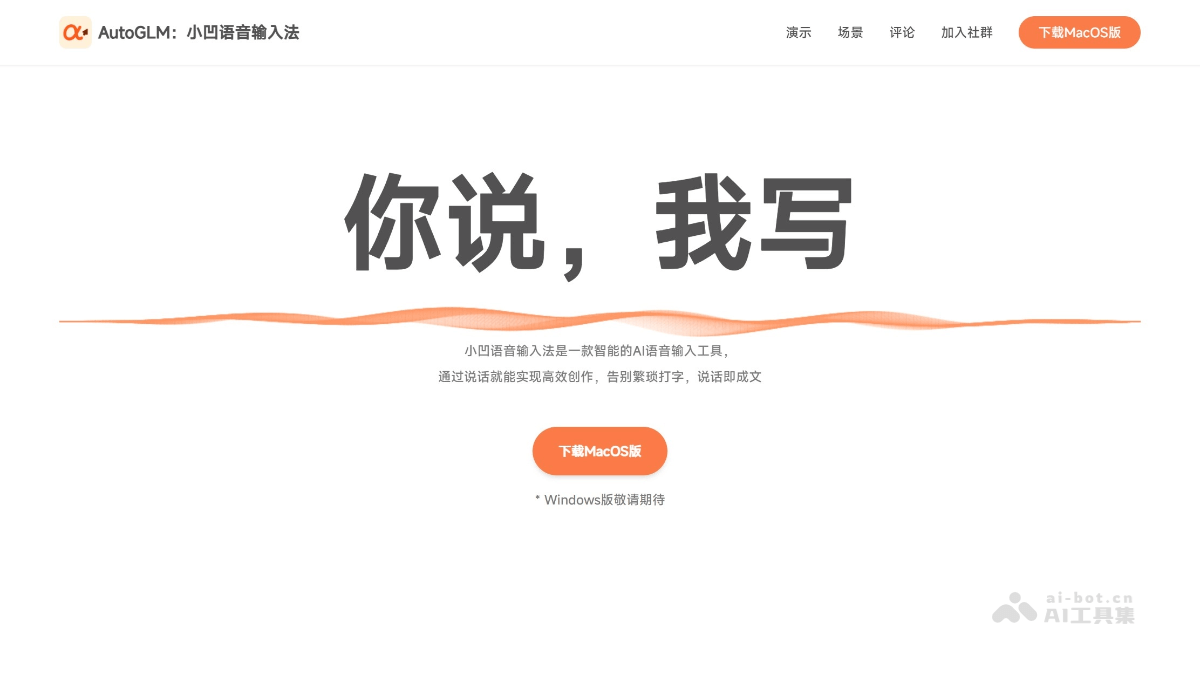
🌟Core Features
-
Efficient Voice Input: Voice input is 4 times faster than typing, greatly improving work efficiency.
-
Real-time Transcription and Polishing: While transcribing speech, it automatically polishes it to generate smooth and natural text.
-
Multilingual Support: Supports speech transcription and real-time translation in multiple languages, meeting multilingual needs.
-
Custom Styles: Provides a variety of preset styles and supports user customization to meet personalized expression needs.
-
Seamless Sync and Integration: Can seamlessly sync with tools such as Notion and supports export in multiple formats.
-
Global Invocation: Supports global shortcut invocation, allowing quick use in any application.
✅Supported Devices
-
MacOS Version: The MacOS version can be downloaded from the Xiaoao Input Method official website.
-
Windows Version: The Windows version is currently still in development. Stay tuned.
Wispr Flow
Wispr Flow is an efficient speech-to-text tool that supports use on Mac, Windows, and iPhone. Through voice input, it quickly turns users' ideas into clear, smooth text, 4 times faster than typing. The tool has powerful automatic editing capabilities, can remove verbal tics and redundant words in real time, and automatically add punctuation to ensure text is standardized and natural. Wispr Flow supports more than 100 languages, allowing users to switch easily and meet communication needs in multilingual environments. It also supports personalized writing styles, adapts to users' speech and writing habits, and generates coherent sentences.
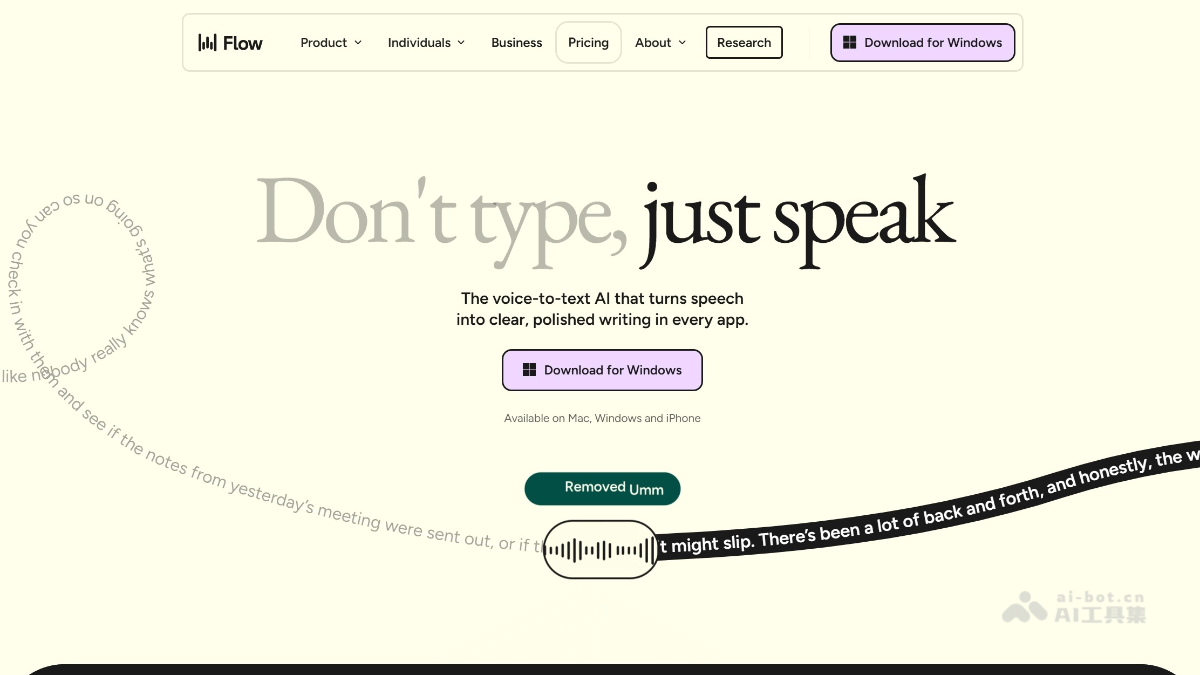
🌟Core Features
-
Efficient Voice Dictation: Through voice input, ideas are quickly turned into clear, smooth text, 4 times faster than typing, and it supports use on Mac, Windows, and iPhone.
-
Intelligent Automatic Editing: Removes verbal tics and redundant words in real time and automatically adds punctuation to ensure text is standardized and natural.
-
Multilingual Support: Supports more than 100 languages, allowing users to switch easily and meet communication needs in multilingual environments.
-
Personalized Writing Style: Adapts to users' speech and writing habits and generates coherent, natural sentences.
-
Cross-device Sync: Personal dictionaries and notes sync seamlessly across different devices for convenient use anytime, anywhere.
-
Privacy Protection: Provides a private cloud option to ensure data privacy and security.
-
Multi-scenario Applications: Suitable for document writing, emails, notes, programming, design, and many other scenarios, improving work efficiency.
-
Accessibility Support: Provides a convenient way to create documents for users with physical disabilities or neurological challenges.
✅Supported Devices
-
Mac Devices: Wispr Flow supports running on Mac, and users can use the tool on Mac computers for speech-to-text operations.
-
Windows Devices: Supports the Windows operating system, so users can use it on Windows computers.
-
iPhone devices: Wispr Flow provides an iPhone app, supports use on iPhone, and makes it convenient for users to perform voice input anytime and anywhere.
Typeless
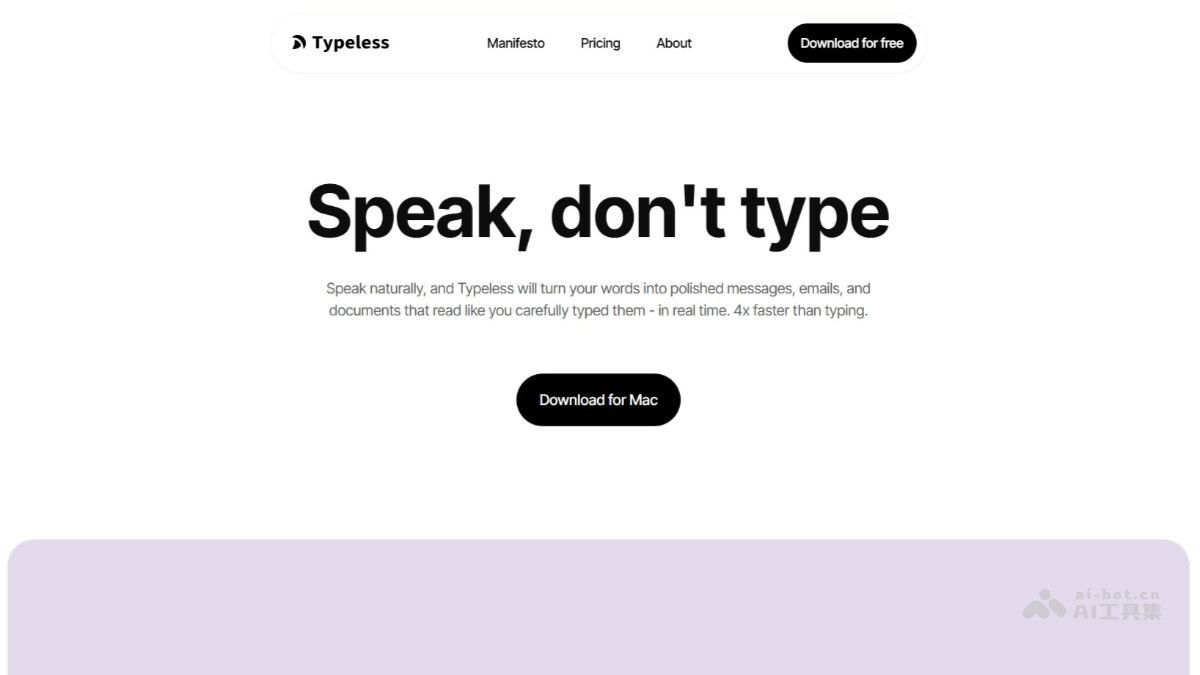
TypelessIt is an intelligent AI voice dictation tool that converts voice input into clear, professional text output. By automatically removing filler words and repeated content from speech, it ensures that transcription results are concise and clear. Typeless can automatically adjust tone and format according to context, organizing verbally expressed lists, steps, and key points into structured text, greatly saving time on manual editing. The tool supports voice input in more than 100 languages, can seamlessly mix multiple languages, and automatically detects and transcribes into the target language. Users can add custom vocabulary to a personal dictionary to ensure accurate recognition of specific terms or proper nouns.
🌟Core Features
-
Intelligent Voice Transcription: Automatically removes filler words and repeated content from speech, making transcription results clear and professional.
-
Automatic Editing and Formatting: Can automatically adjust tone and format, organizing verbally expressed lists, steps, and key points into structured text.
-
Multilingual Support: Supports more than 100 languages, can be used seamlessly in combination, and automatically detects and transcribes into the target language.
-
Personalized Dictionary: Users can add custom vocabulary to ensure accurate recognition of specific terms or proper nouns.
-
Privacy Protection: All data is processed and stored only locally, is not uploaded to the cloud, and is not used for data training or sharing.
-
Adapts to Different Scenarios: Automatically adjusts tone and style according to the usage scenario (such as work emails, chats, customer service, etc.), ensuring that the content fits the context.
✅Supported Device Platforms
-
macOS(Apple Silicon): Suitable for the latest Apple computers.
-
macOS(Apple Intel): Suitable for older Apple computers.
-
Windows: Supports the Windows desktop platform.
iFlytek Input
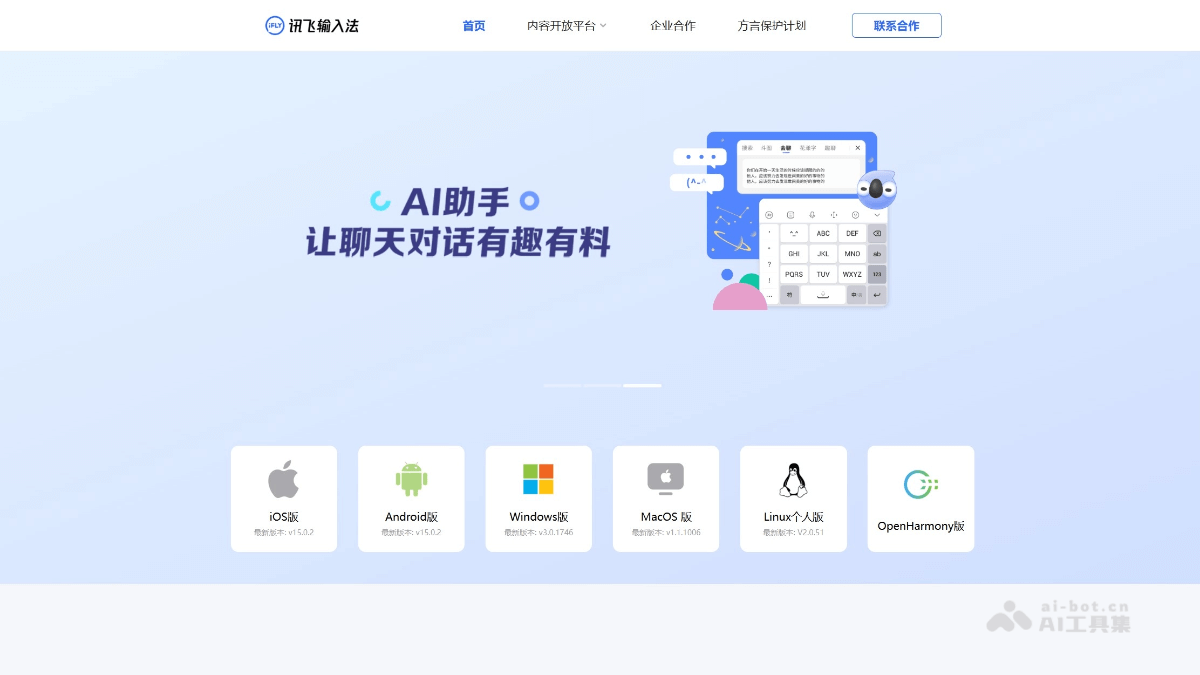
iFlytek InputIt is a benchmark intelligent input software launched by iFlytek, completely changing the traditional typing model. With ultra-fast voice recognition at nearly 98% accuracy, it supports voice input including Mandarin, 24 dialects, and multiple ethnic languages, and can perform offline recognition in no-network environments, fully protecting user privacy. iFlytek Input deeply integrates AI capabilities. Its built-in AI assistant can directly perform real-time translation, text polishing, content creation, and intelligent Q&A in the chat window. The innovative "cross-screen input" feature supports users speaking through their phones while text is displayed on the computer in real time, greatly improving office and study efficiency. It integrates youthful features such as the BiuBiu keyboard and smart meme battles.
🌟Core Features
- Powerful Voice Input: Relying on iFlytek's globally leading voice recognition technology, iFlytek Input performs excellently invoice recognition accuracy, response speed, and dialect support(supports 24 Chinese dialects), and can maintain a high recognition rate even in noisy environments.
- Efficient AI Features:
- AI Chat Assistant: Built-in AI assistant can directly perform content creation, polishing, translation, summarization, and more in the input interface.
- AI Quick Keys: Provides one-click generation of scenario-based templates such as social media captions and short video scripts.
- Offline Voice: Supports voice input without a network environment, protecting privacy.
- Rich Input Methods: In addition to voice, it also supports traditional methods such as Pinyin, handwriting, and strokes, and integrates fun features such as the BiuBiu keyboard and DouTu.
- Cross-Screen Input: Through the "iFlytek Input PC Version" or the mini program, you can achieve mobile voice input and directly display text on the computer, improving office efficiency.
✅Supported device ends
- Mobile device ends (core platform)
- Android: Fully supports various Android phones and tablets. Users can download and install through official app stores (such as Huawei AppGallery, Xiaomi GetApps, etc.) or the iFlytek Input official website.
- iOS: Perfectly adapted for iPhone and iPad. Users can obtain it through the Apple App Store.
- Desktop computer ends
- Windows: Provides a dedicated PC client, optimized for keyboard and mouse operations, and supports cross-screen collaboration with the mobile end (such as using mobile voice input and syncing text to the computer).
- macOS: Also provides a version suitable for Apple Mac computers, making it convenient for users in the Apple ecosystem.
- Linux: Supports Linux personal edition installation.
- Smart device ends
- Smart TV/TV box: Launched a TV version for the large-screen TV environment, making it convenient for users to perform operations such as search and input through voice.
- Smart watch/wearable devices: There is a simplified version for small-screen devices, supporting convenient input methods such as voice.
QuQu
QuQuis an open-source and free desktop Chinese intelligent voice tool, designed specifically for Chinese users. Through localized processing, it ensures that all voice and text data runs entirely locally and is not uploaded to the cloud, maximizing user privacy protection. QuQu adopts a two-stage engine of "ASR precise recognition + LLM intelligent optimization", which can accurately recognize Chinese speech, automatically filter filler words, correct erroneous expressions, and output clean and fluent text. It supports domestic AI models such as Tongyi Qianwen, Kimi, etc., with fast response speed and low cost.
🌟Core Features
-
Privacy Protection: All voice and text processing is completed locally, without relying on the cloud, ensuring data privacy and security.
-
Precise Recognition: Built in Alibaba's FunASR Paraformer model, accurately recognizes Chinese speech, and supports internet slang, dialects, and professional terminology.
-
Intelligent Optimization: Uses a two-stage engine to automatically filter filler words, correct erroneous expressions, and output clean and fluent text.
-
Cross-Platform Support: Compatible with the three major mainstream operating systems macOS, Windows, and Linux, with wide applicability.
-
Efficient Output: Supports multiple usage scenarios, such as writing, programming, office work, and content creation, quickly converting voice into optimized text.
-
Open Source and Transparent: The code is completely open source, and users can audit it independently to ensure there are no backdoors or data collection behaviors.
-
Developer-Friendly: Can recognize programming terminology and supports custom AI instructions, suitable for developers.
-
Free to Use: Completely free, all features can be enjoyed without payment, reducing usage costs.
✅Supported device ends
-
macOS: Supports macOS 10.14 and above.
-
Windows: Supports Windows 10 and above.
-
Linux: Compatible with mainstream Linux distributions.
Pea Sheep Input Method
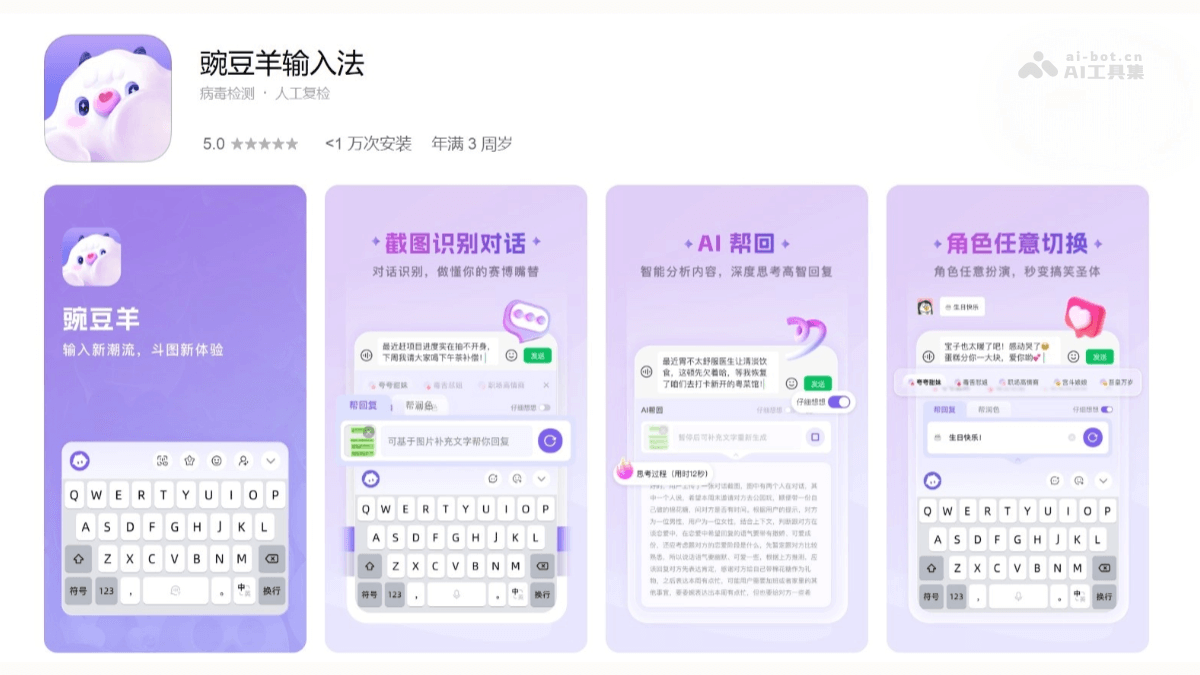
Pea Sheep Input Methodis a fun AI input method launched by Ant Cloud Connect, designed specifically for Gen Z young people. Through AI technology, it provides features such as intelligent avatar replies, creative emoji generation, and multi-scenario role-playing, satisfying young people's personalized and fun expressions in chats. The input method supports multiple input methods such as pinyin, handwriting, and voice, and features intelligent error correction and dynamic prediction to improve input efficiency. It offers a wealth of theme skins, custom dictionaries, and offline cloud backup functions, allowing users to enjoy an efficient and fun input experience.
🌟Core Features
-
AI Smart Replies: After users upload chat screenshots, the system can generate replies in various styles, such as sweet talk, comebacks, and compliments, meeting the needs of different social scenarios.
-
Creative Emoji Creation: Utilizing AI image generation technology, users can easily create personalized emojis, with support for image redrawing, meme matching, stickers, and more.
-
Diverse Input Methods: Supports multiple input methods such as pinyin, handwriting, and voice. Voice input supports multiple dialects, and handwriting input supports multi-character overlay and continuous writing.
-
Smart Assistive Features: Features intelligent error correction, dynamic prediction, and text polishing to improve input efficiency and text quality.
-
Personalized Settings: Offers a wealth of themes and fonts, and users can customize character templates to create a专属 input experience.
-
Note Management and Cloud Backup: Built-in note management function supports offline cloud backup and real-time synchronization, making it convenient for users to record and organize information.
✅Supported Device Ends
-
Android Devices: Pea Sheep Input Method supports Android 6.0 and above, and users can use this input method on Android phones and tablets.
-
iOS Devices: Pea Sheep Input Method also supports the iOS system, and users can use it on Apple phones and tablets.
Lovekey Keyboard
Lovekey Keyboardis a smart input method application designed specifically for social chatting. Through intelligent algorithms that analyze chat content, it provides users with context-appropriate reply suggestions. Featured functions include one-click replies, a massive collection of chat personas, romantic opening lines, and chat intimacy adjustment. Users can easily choose different chat styles and personas to adapt to various social scenarios, enhancing the fun and efficiency of chatting. Lovekey Keyboard supports personalized customization, allowing users to adjust the keyboard theme and style according to their preferences.

🌟Core Features
-
Smart Replies: One-click generation of replies in different styles such as high emotional intelligence, humorous, or formal, helping users easily handle various chat scenarios.
-
Chat Persona Switching: Provides a massive collection of chat personas. Users can freely switch according to the chat partner and scenario, from workplace to romance, meeting diverse needs.
-
Personalized Customization: Supports customization of keyboard themes, colors, and decorations, allowing users to create their own unique keyboard.
-
Privacy Protection: Uses end-to-end encryption technology; chat records are stored only locally, ensuring user privacy and security.
-
Easy to Use: By copying the conversation and tapping the keyboard floating ball, users can quickly get smart replies, making it simple to use.
✅Supported Devices
-
Android Devices: Lovekey keyboard supports the Android system, and users can download it from Android app stores such as Tencent MyApp.
-
iOS Devices: Supports the iOS system, and users can search for and download it from the Apple App Store.
-
Multi-platform Compatibility: Lovekey keyboard offers cross-platform compatibility and can be used seamlessly across multiple operating systems and devices.
Deal Input Method
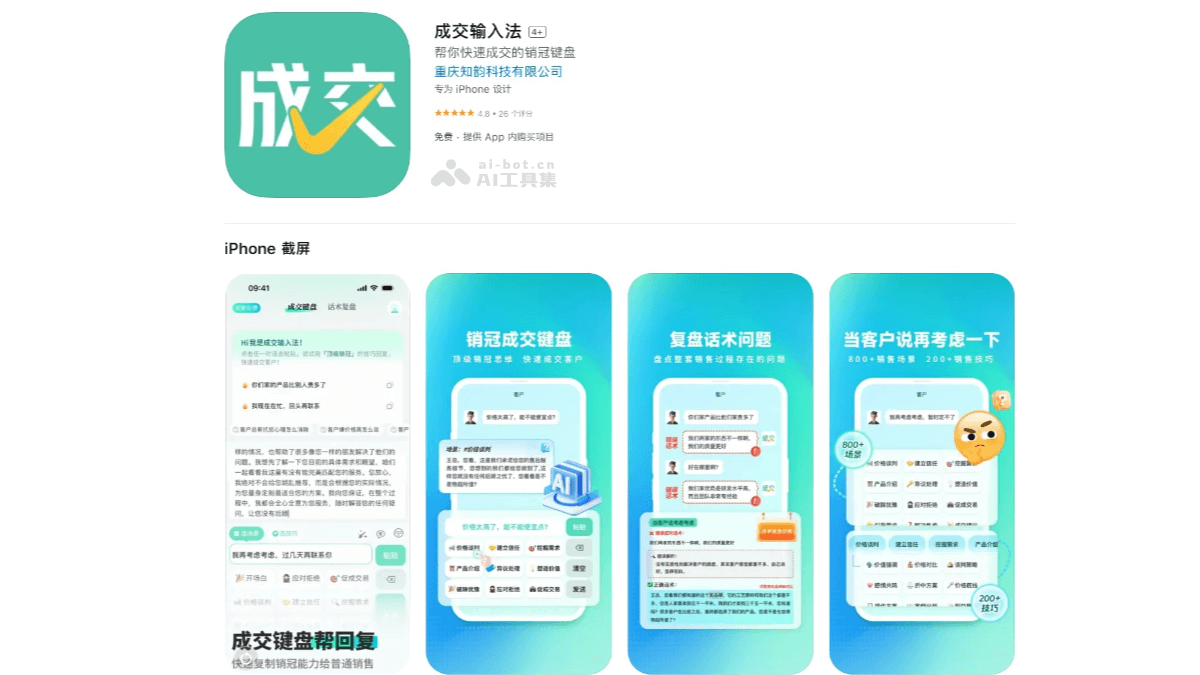
Deal Input Methodis an intelligent input method tool designed specifically for salespeople. It combines powerful AI technology with a rich library of sales scripts to help salespeople improve communication efficiency and closing rates. When communicating with customers, users only need to paste the customer's question into the input method and select the corresponding sales scenario, such as “price inquiry response” or “objection handling,” and the input method can quickly generate professional and precise reply scripts. Deal Input Method features a review function. By scanning screenshots of chat records, AI can automatically analyze problems in the conversation, such as logical loopholes or monotonous wording, and provide improvement reports to help salespeople optimize their communication skills. It supports multiple input methods, including voice, handwriting, and image input, adapting to various office scenarios.
🌟Core Features
-
Smart Script Recommendations: Built-in library of scripts for 800+ sales scenarios, covering the needs of multiple industries. After users paste a customer's question, they can select scenario tags to quickly generate professional replies and improve communication efficiency.
-
Review Function: By scanning screenshots of chat records, AI automatically analyzes problems in the conversation, such as logical loopholes and monotonous wording, and generates improvement reports to help users optimize their communication skills.
-
Multiple Input Methods: Supports multiple methods such as voice, handwriting, and image input, adapting to complex office scenarios. It also provides a floating ball shortcut entry, making it convenient to quickly access scripts in applications such as WeChat and WeCom.
-
Industry Customization: Users can select their industry, such as auto sales or real estate agency, and the system loads the corresponding script library to provide more precise text scripts.
-
Convenient to Use: The interface is simple and easy to get started with, supports multiple devices and applications, and can be quickly enabled after installation, improving the fluency and professionalism of daily communication.
✅Supported Devices
-
Mobile Phones: Deal Input Method supports use on mobile phones, and users can download and install the input method from mobile app stores.
-
Tablets: Deal Input Method also supports use on tablet computers. Tablets are mobile devices, and their operating systems and interaction methods are similar to those of mobile phones.