
What is Lightning Speak
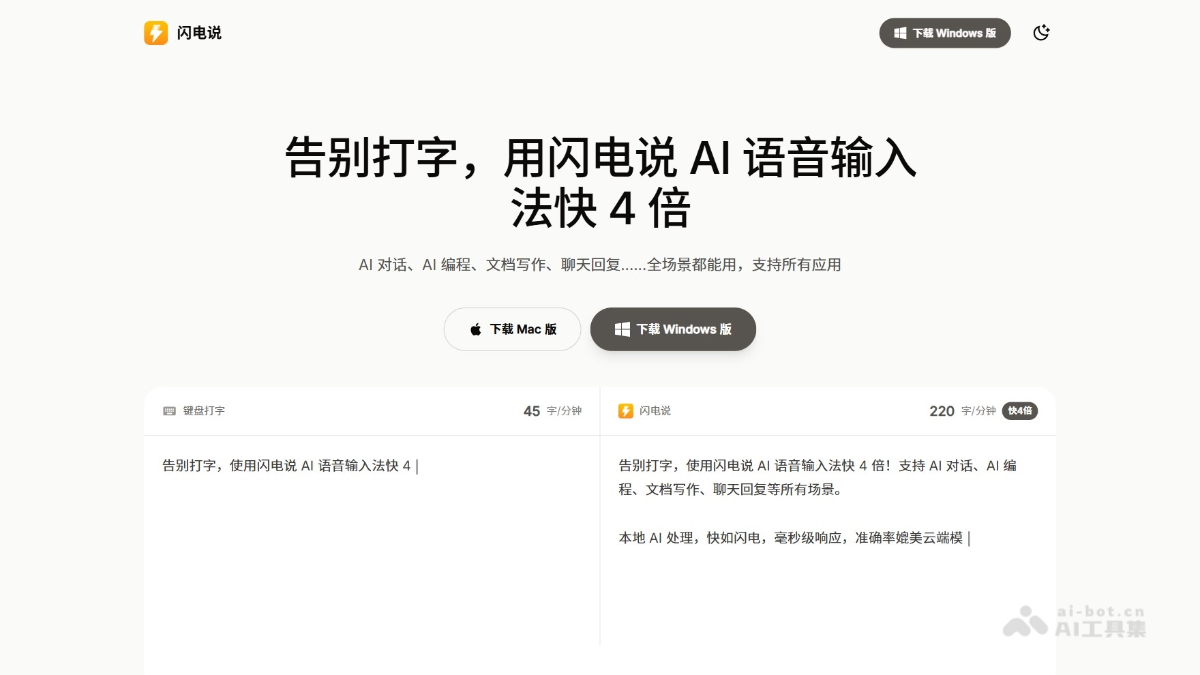
Lightning Speak is an on-device-firstAI voice input method, focusing on extremely fast response and efficient input. The tool uses a local voice model to achieve millisecond-level recognition without an internet connection, with a response time of only about 0.2 seconds, 4 times faster than traditional keyboard typing. The Lightning Speak AI engine can automatically optimize spoken expression and filter out extra words such as "um" and "ah," making the text more professional. Lightning Speak is suitable for scenarios such as writing documents, chatting, and programming, supports Mac and Windows systems, and is an ideal choice for users pursuing efficient input and privacy protection.
Main features of Lightning Speak
-
Ultra-fast voice input: The local voice model can achieve millisecond-level response, with an input speed of up to 220 characters per minute, 4 times faster than keyboard typing.
-
AI intelligent error correction: Automatically filters colloquial expressions (such as "um," "ah," and "that"), corrects typos and homophones, and optimizes sentence structure to make the text more professional.
-
Privacy protection: Voice data is processed entirely locally and is not uploaded to servers, ensuring user privacy and security.
-
All-scenario application: Supports document writing, chat replies, AI conversations, programming comments, and many other scenarios, and is compatible with Windows and Mac systems.
How to use Lightning Speak
-
Download and install: Visit the Lightning Speak official website https://shandianshuo.cn/,根据系统选择Windows或Mac版下载和安装。
-
Startup configuration: Open the software, make sure the microphone is working properly, and set a shortcut key (such as
Ctrl+Win) to quickly activate voice input. -
Start inputting: Open a text input application, press the shortcut key to activate Lightning Speak, and start speaking.
-
AI optimization: The software automatically filters colloquial expressions, corrects typos, optimizes sentence structure, and improves text quality.
-
Adjust settings: Privacy, language, and AI preferences can be customized to ensure the experience meets individual needs.
Application scenarios of Lightning Speak
-
Document writing: Suitable for writing various types of documents, such as reports, papers, novels, and more, quickly converting dictated content into text and improving writing efficiency.
-
Chat replies: In chat tools such as WeChat and QQ, quickly reply to messages through voice input, saving typing time.
-
Programming assistance: Programmers can dictate code comments, with support for mixed Chinese and English input, improving programming efficiency.
-
Meeting notes: Record speech content in real time during meetings without manual typing, ensuring accurate and complete records.
-
Self-media creation: Helps self-media creators quickly generate content for platforms such as Xiaohongshu and WeChat Official Accounts, producing drafts while speaking.