
What is Deal Input Method
Deal Input Method is designed specifically for salespeoplesmart input method software, through built-in sales scripts and review features, it helps salespeople quickly improve communication skills and closing rates. It has the basic functions of an ordinary input method and also incorporates a high emotional intelligence script library, supports multilingual input, and meets the needs of different user groups. It helps users be more adept in work chats and improve sales ability.
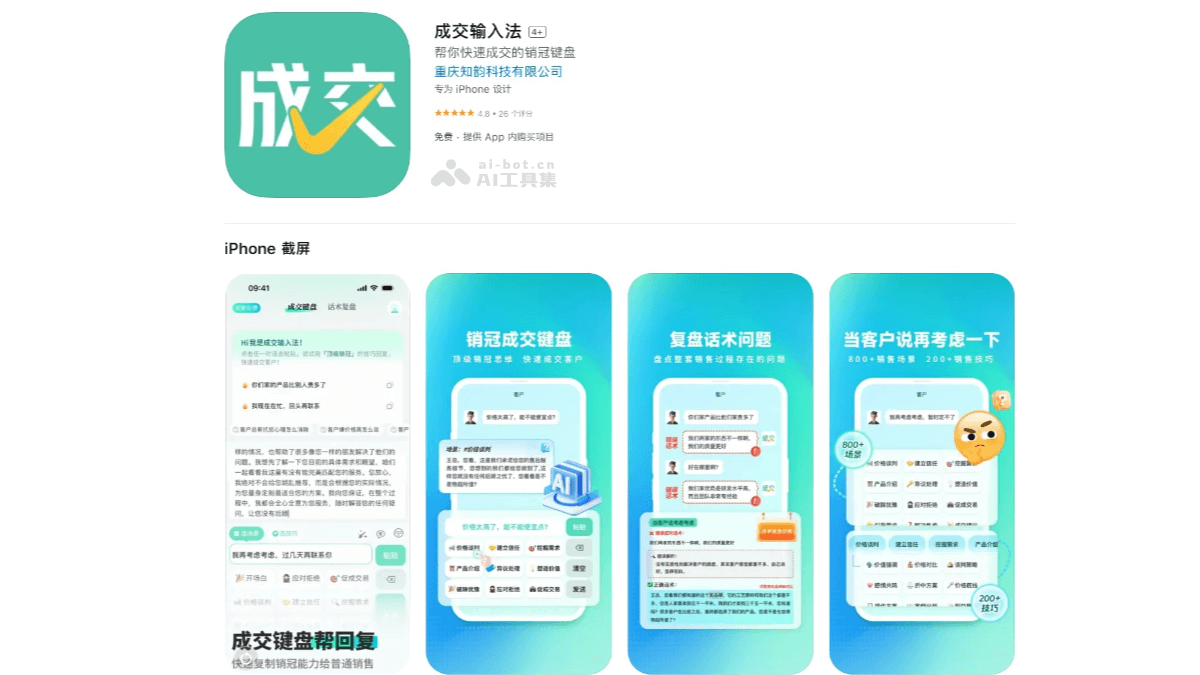
Main features of Deal Input Method
- Smart script recommendations: Deal Input Method has a rich built-in sales script library and supports one-click automatic generation, making it convenient for users to answer customer questions in an organized way. Users only need to paste the customer's words and select the corresponding scenario and technique keys to quickly generate reply sentences.
- Review feature: Provides a review feature, where industry sales champions help review the problems in the entire sales process, helping salespeople summarize experience and lessons and improve sales skills.
- Multiple input methods: Supports voice, handwriting, and image input, adapting to various input scenarios.
- Personalized customization: Users can customize the synonym library to meet personalized input needs.
- Smart prediction: Based on the user's input habits, intelligently predicts words and speeds up input.
How to use Deal Input Method
- Download and install: VisitApple App Store, or download and install from your phone's app store.
- Initial setup
- Log in: Open Deal Input Method and tap "Agree and Use". You can choose one-click WeChat login or log in with a mobile phone number.
- Choose industry: Choose the industry you work in, which helps the software provide you with more accurate text scripts.
- Generate exclusive sales champion keyboard: After choosing the industry, tap "Generate exclusive sales champion keyboard".
- Enable Deal Input Method: Tap "Enable Deal Input Method" and turn on the Deal Input Method button.
- Turn on floating ball: Tap "Turn on floating ball" to start using Deal Input Method.
- Smart reply:
- When communicating with a customer, copy and paste the customer's dialogue into the input box of Deal Input Method.
- Check the corresponding scenario and technique keys below, and the software will automatically generate suitable reply sentences.
- If you think the script is too plain, you can tap the nearby "Polish" mode to polish it with one click and make the script more vivid.
- Review feature: By scanning chat screenshots, the software automatically parses the dialogue content and helps you discover and improve incorrect scripts. It is especially suitable for sales beginners and can help you summarize experience and lessons and improve sales skills.
- Custom settings:Lexicon customization: according to personal needs, customize the input method lexicon and add commonly used sales terms and phrases.
Application scenarios of Deal Input Method
- Price inquiry scenario: Helps salespeople quickly reply to customers' price inquiry requests and provide professional answers.
- Closing scenarios: Provides effective closing scripts at critical moments to increase the transaction rate.
- Daily communication: Whether for daily communication or professional text editing, it provides a smooth and fast input experience.