
In the digital age, visualizing information has become an important means of communication and collaboration. Whether in project management, market analysis, or daily office work, a clear and intuitive chart can often speak louder than words. This article introduces 9 free AI drawing tools and software. The tools are simple and easy to use, and powerful enough to meet most office drawing needs. Through intelligent algorithms, the drawing process is simplified, so even users without a professional drawing background can quickly create professional-level charts and graphics.
1. Napkin
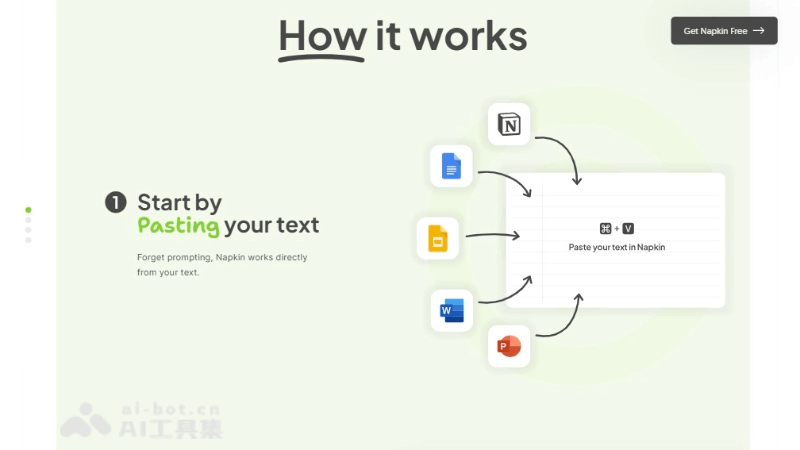
NapkinIt is an AI office tool that can quickly convert text content into visual images and charts. Just paste the text, and Napkin can automatically identify and generate corresponding visual materials, such as infographics, flowcharts, etc. It is customizable and supports editing to meet personalized needs. Napkin is suitable for multiple scenarios such as presentations, social media, and documents, helping users effectively convey complex concepts visually. It supports multiple export formats, including PNG, SVG, and PDF, making it convenient to use on different platforms.
🚀Supported Drawing Types
- Infographic: Suitable for displaying a comprehensive view of concepts, data, and relationships.
- Flowchart: Used to depict steps or processes and clarify ideas.
- Chart: Such as pie charts, bar charts, line charts, etc., suitable for data display.
- Mind Map: Suitable for organizing and displaying complex concepts or ideas.
- Pyramid Chart: Suitable for displaying hierarchical structures.
- Radar Chart: Suitable for comparing multi-dimensional data.
💰Product Pricing
- Starter Plan: Permanently free, suitable for individuals and small teams exploring AI-driven visual tools. Includes access to all editing tools and allows creating up to 3 Napkins.
- Professional Plan: Free during the Beta test period, suitable for full-time visual creators and planners expanding their projects. Includes all features of the Starter Plan, allows creating an unlimited number of Napkins and generating an unlimited amount of visual content.
- Enterprise Plan: Coming soon, suitable for large teams and organizations with extensive visual needs. Napkin can enjoy the Pro Plan for free during the Beta test period.
2. EdrawMax AI
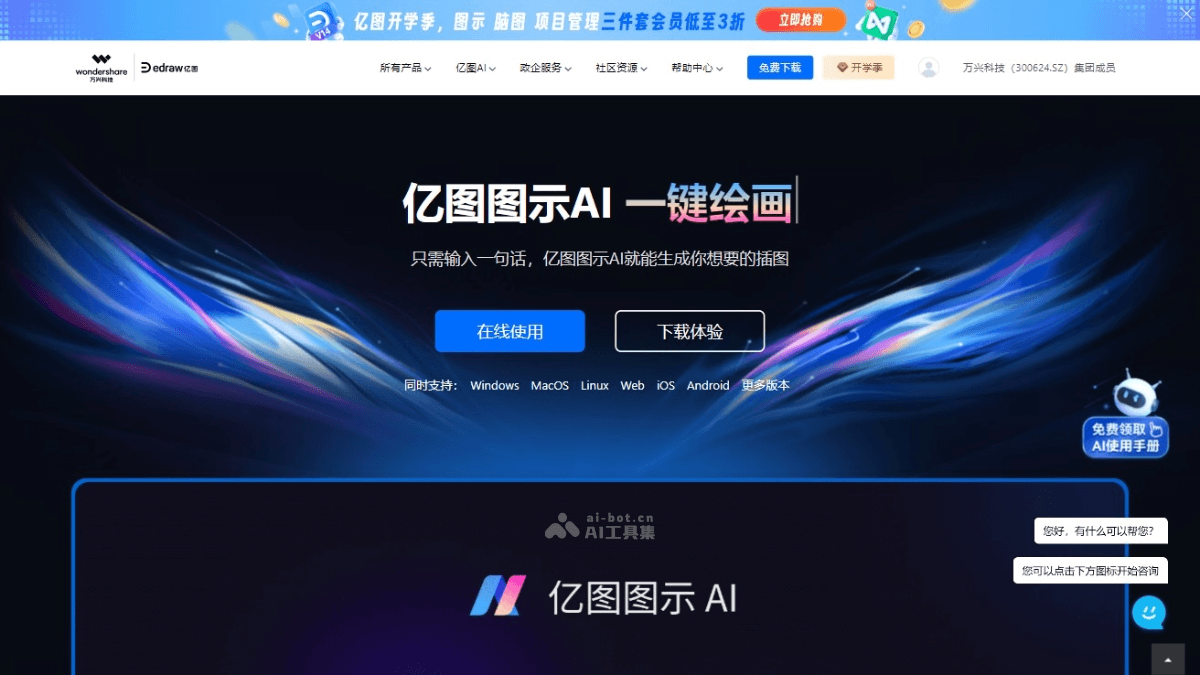
EdrawMax AIis professional AI office drawing software that helps users easily draw various charts and graphics, such as flowcharts, organizational charts, mind maps, network topology diagrams, UML diagrams, etc. The software provides a rich library of templates and symbols, supports drag-and-drop operation, and makes the drawing process simple and quick. EdrawMax has AI-assisted functions that quickly generate charts through simple voice or text commands, improving work efficiency. EdrawMax AI supports use on multiple platforms, including PC, web, and mobile devices, and is suitable for professionals in fields such as enterprise, education, and scientific research.
🚀Supported Drawing Types
- Flowchart Creation: Can create various flowcharts, BPMN diagrams, workflow diagrams, and data flow diagrams.
- Mind Map: Used to organize ideas, conduct brainstorming and decision-making, and draw mind maps.
- Organizational Chart: Design organizational charts, suitable for human resource management and organizational planning.
- Project Management: Use Gantt charts, timelines, and PERT charts to plan and track project progress.
- Floor Plan Design: Design floor plans for homes, offices, or gardens, and plan furniture layouts.
- Network Diagram Drawing: Provide a variety of computer symbols to draw network topologies.
- AI-Assisted Drawing: Based on AI technology, quickly generate charts and graphics, simplifying the drawing process.
- AI One-Click Diagramming: After entering a description, AI automatically generates diagrams, such as flowcharts, mind maps, SWOT analysis diagrams, PEST analysis diagrams, lean canvases, etc.
- AI One-Click Analysis: Intelligently summarize, evaluate, analyze, and predict content such as text, flowcharts, data charts, and organizational charts.
💰Product Pricing
- Free Version: 60 limit (mind maps, organizational charts, floor plans, circuit diagrams 120 limit), cannot export free playback 5 pages, free use 5 times export Visio, has watermark.
- Membership Version: Continuous annual subscription ¥198; one year ¥268; lifetime authorization Pro ¥618; includes all benefits or unlimited use.
3. ProcessOn
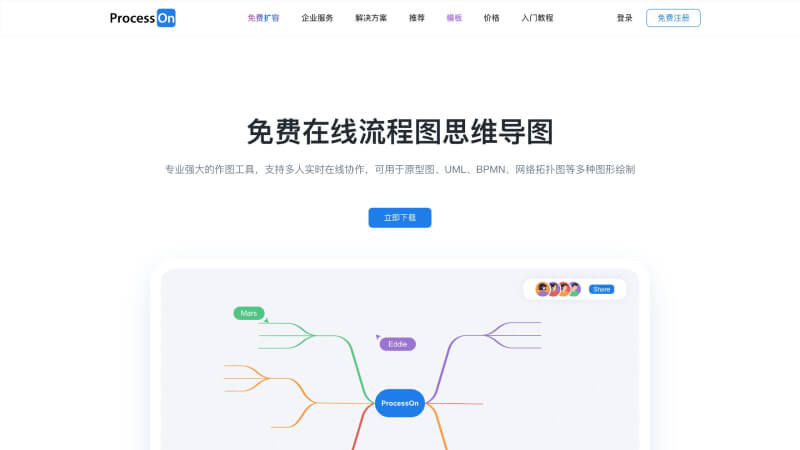
ProcessOnis an online drawing tool that supports creating flowcharts, mind maps, and many other types of diagrams. It provides real-time collaboration, rich templates, and AI assistant features, making it convenient for users to create diagrams quickly. It supports use across multiple platforms, with files stored in the cloud to ensure data security.
🚀Supported Drawing Types
- Flowchart: Users can enter topic keywords, and AI generates a flowchart with one click; the content is concise and clear, and the logic is intuitive and rigorous.
- Mind Map: ProcessOn's AI function supports entering topic keywords to quickly generate a mind map content outline.
- Sequence Diagram: AI can generate a sequence diagram with one click based on the topic entered by the user.
- Organizational Chart: Users can use the AI function to enter relevant information and generate an organizational chart with one click.
- Class Diagram: AI supports users entering a topic to generate a class diagram with one click.
- Swimlane Diagram: ProcessOn supports AI generation of swimlane diagrams, suitable for showing processes with multiple processing steps.
- UML Diagram: The AI function also supports one-click generation of UML diagrams, suitable for software design and system analysis.
- Network Topology Diagram: AI can assist in generating network topology diagrams to show network structures and connection relationships.
- Architecture Diagram: AI assists in generating architecture diagrams, suitable for showing system architecture and component relationships.
- E-R Diagram: AI supports one-click generation of E-R diagrams for designing database conceptual models.
💰Product Pricing
- Free Edition: Meets basic drawing needs, multiple drawing tools, personal file count 9, mind map custom styles 1, some official theme styles, has watermark.
- Personal Edition: ¥95/year; multiple drawing tools, file count, unlimited theme styles, no watermark, unlimited VIP templates.
- Team Edition: ¥155/person/year; multiple drawing tools, basic team space management, includes all capabilities of the Personal Edition, team component library, enterprise files, unlimited number of project spaces.
- Private Deployment Edition: Appointment consultation customization, includes all capabilities.
4. Miaoban Whiteboard
Miaoban Whiteboardis a multifunctional online drawing tool that integrates AI creation, mind maps, flowcharts, and other drawing functions, providing rich templates and intelligent drawing assistance, enabling quick drawing through simple drag-and-drop operations and intelligent color matching. It supports real-time team collaboration, helping users improve work efficiency and creativity.

🚀Supported drawing types
- Flowchart: Users can generate flowcharts with one click based on AI, simplifying the drawing process.
- Mind map: Miaoban Whiteboard supports one-click AI generation of mind maps, helping users quickly organize and present ideas.
- Organizational chart: Users can use AI tools to draw organizational charts, displaying the structure of a company or team.
- Analysis model: Suitable for building various analysis model diagrams, helping users conduct data analysis and presentation.
- Prototype: Supports product managers and designers in drawing product prototypes and planning functional modules.
- Rich template library: Built-in more than 30,000 templates, covering project management, internal training, higher education, and many other fields
💰Product pricing
- Free version: Has watermark, multi-format export, 5 editable files, free templates.
- Membership version: No watermark, multi-format export, unlimited editable files, free + member templates.
- 1-month membership:¥29 (original price ¥40), with an additional gift of AI word count: 1200.
- 3-month membership: ¥59 (original price ¥144), additional gift: AI word count 4000.
- 12-month membership:¥168 (original price ¥576), additional gift: AI word count 20000.
- Lifetime membership: ¥398 (original price ¥999), additional gift: AI word count 100000.
5. Douhui AI
Douhui AIis an online AI drawing and design platform that supports one-click generation of photos, designs, and paintings. Its main functions include AI drawing, panoramic creation, hotspot transition guidance, and more. Users can easily create 720° VR panoramic tours. It contains multiple powerful AI drawing functions, and users can input descriptions for AI to generate images based on the descriptions, enabling rapid creation.

🚀Supported drawing types
- AI drawing: Users can input descriptions for AI to generate images based on the descriptions, enabling rapid creation.
- AI design assistant: Provides intelligent suggestions to help designers make the best choice among many design options.
- AI panoramic synthesis: Creates 720° VR panoramic tours, generates panoramas with one click, and provides hotspot transition guidance and work sharing and display functions.
- Design tool set: Provides design assistance tools such as color floor plans, roughcast interior finishing, and style and material replacement.
- 3D model rendering: Supports 3D rendering, helping users create three-dimensional design works.
- Multi-image fusion: Supports users in fusing multiple images to create new visual works.
💰Product pricing
- Free: Log in and check in daily to receive 10 beans, and use basic functions for free.
- Pro membership basic version: 2000 beans are gifted each month, valid for the current month, and are expected to generate 1000 images. Pro member-exclusive features can be used. The monthly price is 39 yuan; the quarterly price is 99 yuan; the annual price is 299 yuan.
- Pro Member Unlimited Edition: Generating images does not require beans, and Pro member-exclusive features can be used. The monthly price is 59 yuan; the quarterly price is 159 yuan; the annual price is 499 yuan.
- Permanent Bean Top-up: 1 yuan = 10 beans, image generation costs at most 2 beans per image, and beans are permanently valid. 100 beans for ¥9.9; 300 beans plus 100 bonus beans for ¥29; 1000 beans plus 400 bonus beans for ¥99; 2000 beans for ¥199.
6. Boardmix
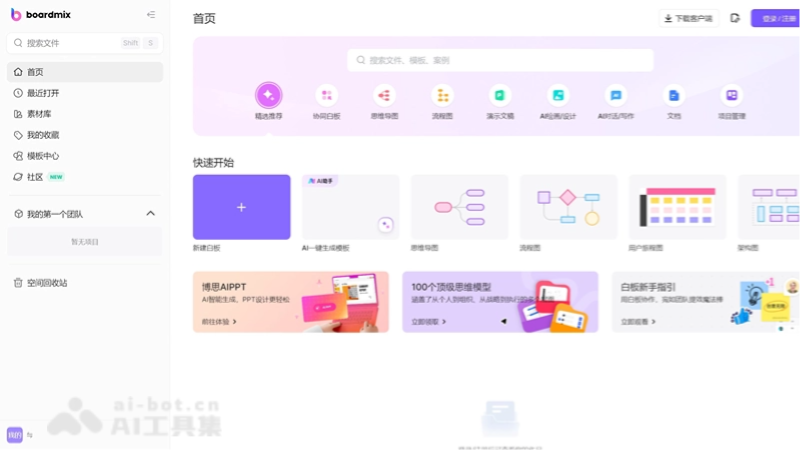
Boardmix(boardmix) is a multifunctional online collaboration tool that integrates a pen, documents, slides, tables, and other functions. It supports real-time online editing by multiple people and promotes team collaboration. Boardmix is suitable for enterprises, education, and personal creation, and provides a rich set of templates and drawing tools to meet the needs of different scenarios. It supports cross-platform use, requires no installation, and offers cloud storage, making it convenient for users to access and edit files anytime and anywhere.
🚀Supported Drawing Types
- Flowchart: Users can draw flowcharts on Boardmix to show the steps, process, or workflow of a system.
- Mind Map: Boardmix provides tools for creating mind maps, helping users organize and visualize complex ideas and concepts.
- Business Canvas: Boardmix supports one-click intelligent generation of business model canvas templates, suitable for business strategy and planning.
- SWOT Analysis Template: Users can use Boardmix to conduct SWOT analysis and evaluate the strengths, weaknesses, opportunities, and threats of a project or product.
- User Persona Template: Boardmix provides user persona templates to help users understand and analyze the characteristics of target user groups.
- Document and Table Functions: Integrated document and table tools make it convenient to organize and present information.
- Sticky Notes and Stickers: Provides sticky note and sticker functions, making it convenient to record ideas and make annotations.
💰Product Pricing
- Free Edition: 5 editable files, 10 historical versions, basic creation functions, standard-definition export.
- 6-Month Membership: ¥99; 4000 AI experience points, unlimited number of edits/collaborations, unlimited number of elements per file, advanced creation functions, HD/UHD/paginated export.
- 12-Month Membership: ¥168; 10000 AI experience points, unlimited number of edits/collaborations, unlimited number of elements per file, advanced creation functions, HD/UHD/paginated export.
- 36-Month Membership: ¥368; 30000 AI experience points, unlimited number of edits/collaborations, unlimited number of elements per file, advanced creation functions, HD/UHD/paginated export.
- Lifetime Membership Pro: ¥511; 100000 AI experience points, unlimited number of edits/collaborations, unlimited number of elements per file, advanced creation functions, HD/UHD/paginated export.
7. Visily
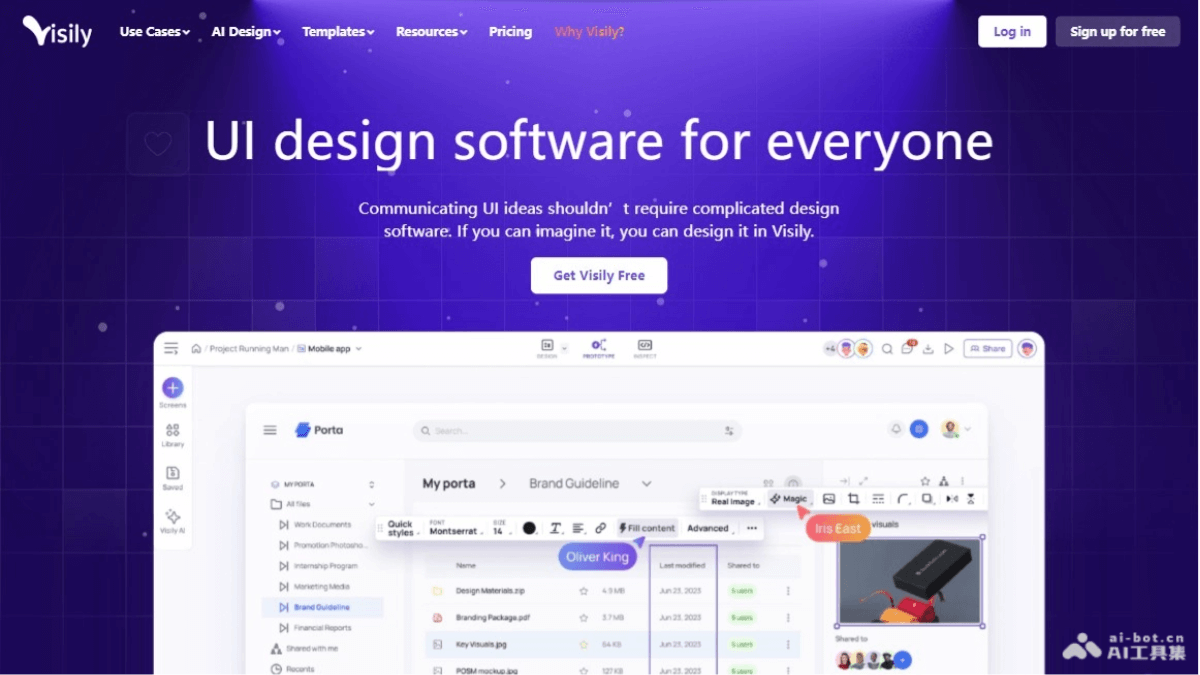
VisilyIt is AI-driven UI design software that, through simplified processes and intelligent functions, enables users without a professional design background to quickly create high-fidelity interface designs. Its main features include instant generation from text to design, conversion of screenshots and sketches into editable wireframes, and one-click application of magic themes. Visily provides functions such as prototyping, collaboration, and brainstorming.
🚀Supported Drawing Types
- Text to Design: Quickly generate editable UI designs through simple text prompts.
- Screenshot to Design: Upload a screenshot of an app or website and convert it into an editable wireframe.
- Sketch to Design: Convert hand-drawn sketches into customizable wireframes.
- Text to Flowchart: Input a process description to generate a logically clear flowchart.
- Magic Theme: Switch between wireframe and high-fidelity design versions with one click to change the app's appearance.
- Magic Image: Find similar images based on images in the design board.
💰Product Pricing
- Starter Plan: Free
- 2 editable boards per workspace, unlimited read-only boards.
- 2,500 elements per board.
- 100 AI credits/workspace (second month and beyond).
- 150 template credits/workspace (second month and beyond).
- 3 conversions to Figma.
- Export to JPG, PNG, PDF (1 time, with watermark).
- Pro Plan: $11/month
- Unlimited private folders and boards.
- Unlimited boards per workspace.
- Unlimited elements per board.
- 3000 AI credits/edit/month.
- 8000 template credits/edit/month.
- Unlimited conversions to Figma.
- Export to JPG, PNG, PDF (high resolution, no watermark).
- 7-day version history.
- Unlimited team members and visitors.
- Guest editors based on team size.
- Business Plan: Contact us for pricing
- Includes all Pro plan features.
- Custom AI credits.
- Unlimited template credits.
8. Kujiale AI
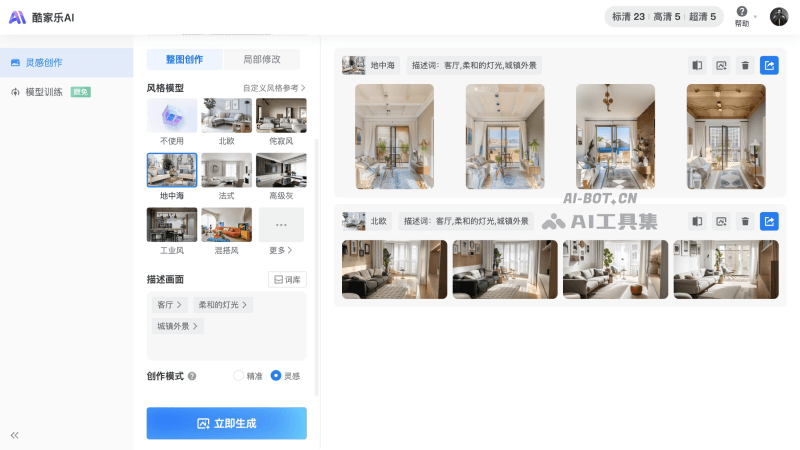
Kujiale AIis a home design software launched by Manycore Tech, based on self-developed AI models. It is mainly aimed at home design scenarios, opening up creative inspiration for home design professionals. Through "image-to-image" and "text-to-image" forms, the tool can generate renovation renderings from real-scene photos, generate creative plans from floor plans, and replace product scenes with one click using AI, meeting the needs of three major scenarios: homeowners, designers, and store sales guides.
🚀Supported Drawing Types
- AI-generated inspiration images: Users can select a style model and input keywords describing the scene, and AI will generate renderings based on this information.
- Rapid rendering generation: Kujiale AI can quickly generate renderings without long rendering waits, completing them in just over ten seconds.
- Floor plan to rendering: The system can automatically recognize uploaded floor plans and quickly generate renderings based on the layout assistant and AI inspiration drawing features.
- Switch styles at will: Users can switch styles at any time, modify descriptions, and easily generate images with one click, achieving renderings in multiple styles.
- Unfinished room/hand-drawn image to rendering: By uploading photos of unfinished rooms or hand-drawn images through the mini program, AI can generate renovation renderings in the desired style.
💰Product Pricing
- Free version: Standard images/top views up to 1K, panoramas up to 2K, 360 spins up to 2K, video rendering up to 720P 3 times/week, AI-generated small images 5 times/day.
- Basic membership: ¥399/year; standard images/top views up to 3K, panoramas up to 4K, 360 spins up to 2K, video rendering up to 720P 20 times/week, unlimited AI-generated small images, HD quality 20 times/day, Ultra HD quality 10 times/day, panorama watermark removal.
- Advanced membership: ¥999/year; standard images/top views up to 4K, panoramas up to 5K, 360 spins up to 2K, custom professional drawings, video rendering up to 720P 20 times/week, unlimited AI-generated small images, HD quality 20 times/day, Ultra HD quality 10 times/day, panorama watermark removal.
- Professional membership: ¥3000/year; standard images/top views 4K and below, panoramas 5K make a note, 360 spins up to 4K, custom professional drawings, custom basic material quotation templates, video rendering up to 1080P 5 times/week, unlimited AI-generated small images, HD quality 20 times/day, Ultra HD quality 10 times/day, panorama watermark removal.
9. Xiaohuazhuo
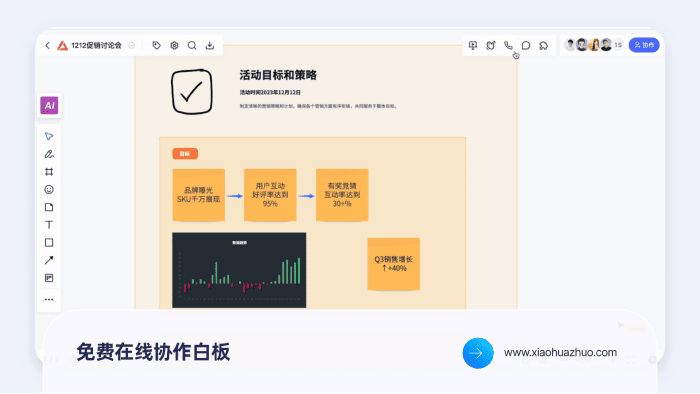
Xiaohuazhuois an online collaborative whiteboard tool that supports multiple people editing online in real time, suitable for team collaboration and creative discussions. It provides file sharing, mind mapping, flowchart editing, and other functions, with a variety of built-in templates to suit different scenario needs. Xiaohuazhuo features voice calls, real-time interaction, whiteboard notes, and more, enhancing the efficiency and fun of collaboration. It supports presentation mode, comment functionality, and a timer, helping users better manage meetings and project progress.
🚀Supported drawing types
- Brush drawing: Provides three states: brush, marker, and selection pen. Users can choose the brush type, color, and stroke thickness for drawing as needed.
- Line tool: Users can insert straight lines or arrows. When the end of the line touches other elements, it automatically connects, and the angle and length can be changed.
- Text: Users can add text content anywhere on the canvas and modify text color, font size, font style, alignment, etc.
- Sticky note: Users can add sticky notes within the canvas, add text in the sticky notes, modify the sticky note fill color, font size, add links and annotations, etc.
- Shapes: Provides a shape library. Users can select the desired shape to insert into the canvas and modify the shape's border thickness, style, color, fill color, text color, font size, etc.
- Mind map/Flowchart: By entering keywords, quickly generate a high-quality mind map and flowchart, with support for custom styles and themes.
- emoji: Provides 6 emojis with animations that can be created anywhere on the whiteboard.
- Canvas: You can create canvases with custom sizes and colors to manage discussion content.
- Kanban: You can insert kanbans with custom colors to manage project progress and make personal plans.
- Embed webpage: You can quickly insert webpages into the whiteboard to share streaming media information.
💰Product pricing
- Free version: Comes with 3000 AI points, suitable for small teams or individuals. Features are limited, but basic collaboration and editing functions are free.
- Team size 3 people
- Number of external visitors per whiteboard team: 9 (free trial)
- Number of editable whiteboards for team files: 3
- Number of editable whiteboards for default project groups: 1
- Number of canvas pages in a whiteboard: 2
- Maximum monthly voice usage duration: 600 minutes
- Standard Edition: ¥26/month or ¥190/year, offering more AI credits and visitor count, suitable for teams that need more collaboration and editing features.
- Includes 18,000 AI credits
- Team size: 3 people
- Number of external visitors per whiteboard team: 60
- Unlimited editable whiteboards for team files
- Unlimited editable whiteboards for default project groups
- Unlimited canvas pages in a whiteboard
- Maximum monthly voice usage duration: 1,200 minutes
- Advanced Edition: 3 people ¥39/month or ¥280/year, the most comprehensive service, suitable for large teams or users who need advanced features.
- Includes 30,000 AI credits
- Team size: more than 3 people
- Unlimited external visitors per whiteboard team
- Unlimited editable whiteboards for team files
- Unlimited editable whiteboards for default project groups
- Unlimited canvas pages in a whiteboard
- Maximum monthly voice usage duration: 1,200 minutes
- Team members enjoy personal team spaces
- Create project groups