

What is Napkin
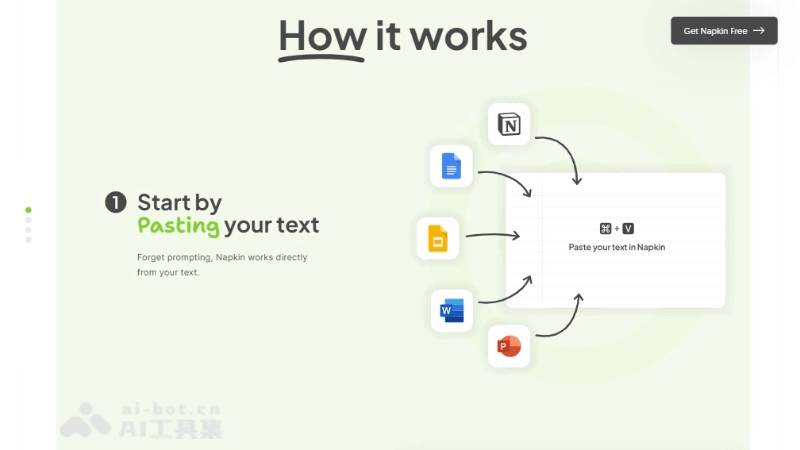
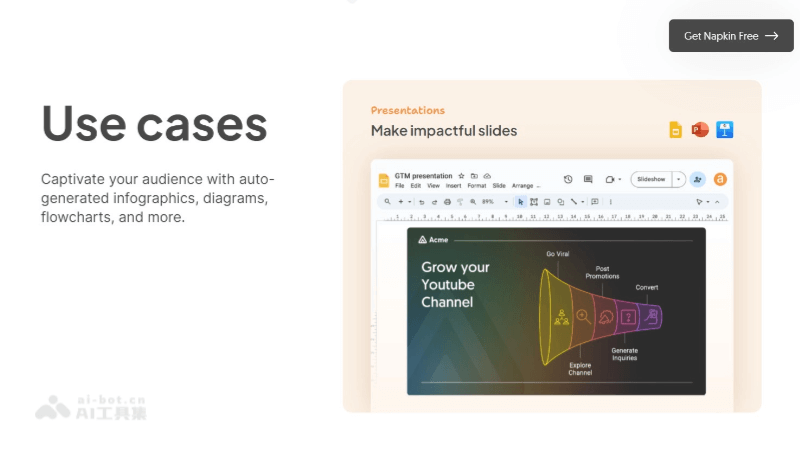
Napkin is an AI office tool that quickly converts text content into presentation images. Users only need to paste text, and Napkin automatically generates related visual assets, which can be edited to meet personalized needs. It is suitable for multiple scenarios such as presentations, social media, and documents, helping users convey complex concepts more effectively in a visual way.
Napkin's main features
- Text-to-visual conversion: Napkin can directly generate related visual effects from the text entered by the user.
- One-click generation: When the user clicks the generate button, the system recommends the most suitable visual image based on the text content.
- Fully editable: The generated images support adjustments to content and style by the user to maximize their impact.
- Icons and decorations: Provides a rich icon library and decorative elements, which users can add or replace as needed.
- Dynamic connections: Supports dynamically connecting elements, making it easy to create flowcharts or other visual elements that need connections.
- Color and font selection: Provides a variety of color schemes and font styles to suit different visual and content needs.
- Multi-format export: Supports exporting images as PNG, PDF, or SVG formats, making them convenient to use on different platforms.
How to use Napkin
- Visit the website: Visit the Napkin official website https://www.napkin.ai/ , register a new account or log in directly.
- Paste text: Paste or enter the text content you want to convert into a visual image in Napkin's editing area.
- Generate visual images: Click the generate button, and Napkin will analyze the text and suggest visual images.
- Select and edit: Choose the visual image from those provided by Napkin that best expresses your intention, and edit it as needed. You can adjust the content, style, icons, colors, fonts, and more.
- Add elements: Use the tools provided by Napkin to add or replace icons, decorative elements, connectors, and more to enrich the visual effect.
- Export images: After editing is complete, export the images as PNG, PDF, or SVG format as needed.
Napkin's product pricing
- Free plan: There are usage limits on quotas and customization features; Napkin is inBeta testing stage, and you can enjoy the Pro plan's services for free.
Who Napkin is suitable for
- Content creators: Writers, bloggers, or content planners who need to present complex concepts or information in a visual form.
- Business professionals: Managers and analysts who need to use charts and infographics in business presentations, reports, or strategic planning.
- Educators: Teachers or trainers who need to create teaching materials or explain complex concepts to increase students' interest in learning and understanding.
- Designers: Visual designers looking to quickly generate preliminary design concepts or sketches.
- Marketing personnel: Marketing experts who need to use attractive visual elements in social media or other marketing materials to enhance brand influence.
- Product Manager: Product managers who need to quickly create product demos, user flow diagrams, or feature descriptions.

