

What is Bosi Whiteboard
Bosi Whiteboard is an online collaborative whiteboard tool that integrates AI creation, one-click AI PPT generation, and other multi-functions, supporting real-time editing, drawing, brainstorming, and more. Users can freely add text, images, shapes, and other elements to the whiteboard for team collaboration and creative sharing. It is suitable for education, business meetings, remote work, and many other scenarios, effectively improving communication and work efficiency.
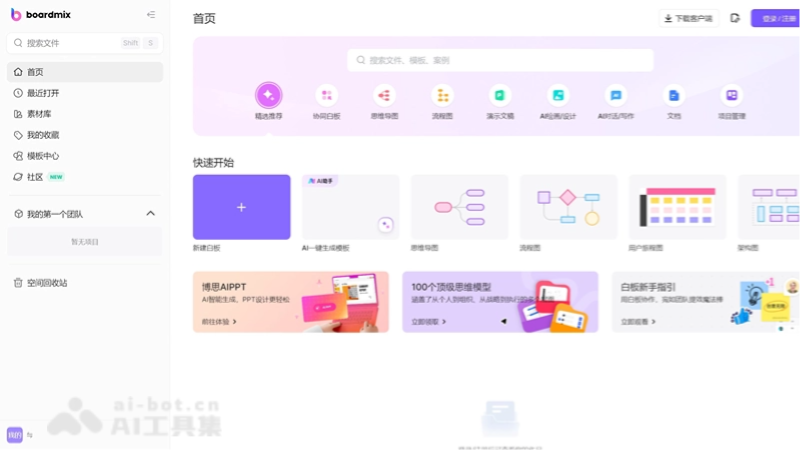
Main features of Bosi Whiteboard
-
Real-time collaboration: supports multiple people editing online at the same time, enabling instant communication and collaboration among team members.
-
Infinite canvas: provides an infinitely expandable canvas, allowing users to freely add content as needed without being limited by time or space.
-
Diverse drawing tools: provides a rich set of drawing tools, such as pencil, marker, straight line, curve, shapes, text boxes, and more, meeting different creative needs.
-
Multimedia support: allows users to insert images, videos, web links, and other media content to enrich the whiteboard content.
-
Template use: provides a variety of preset templates, such as meeting minutes, project planning, educational courses, and more, helping users quickly start projects.
How to use Bosi Whiteboard
-
Create an account: visit the official website of Bosi Whiteboard (https://boardmix.cn/ai-whiteboard), register, and create a personal account.
-
Create a whiteboard: after logging in, click the “New Whiteboard” or “Create” button, and choose a template or start from a blank whiteboard.
-
Add content: use the various tools in the toolbar to add content, or insert images, files, or links into the whiteboard by dragging and dropping.
-
Edit and adjust: select elements on the whiteboard to move, scale, rotate, or delete them, and change element styles such as color, font, and size.
-
Use multimedia: insert videos, audio, or document files to enhance the expressiveness of the whiteboard.
-
Save and share: save the edited whiteboard and generate a link or share it to social media; the whiteboard can also be exported as an image or PDF file.
-
Third-party integration: integrate Bosi Whiteboard with third-party applications such as Google Drive and Slack to improve work efficiency.
Who Bosi Whiteboard is suitable for
-
Product managersand development teams: product managers can use Bosi Whiteboard for product prototype design, feature planning, and requirements organization. Development teams can use it for technical solution discussions and technology stack selection.
-
Marketing personnel: marketing teams can use the whiteboard for marketing strategy planning, advertising creative ideation, event process design, and more, improving the efficiency of creative output.
- Creative designers: designers can use Bosi Whiteboard for concept sketching, design element layout, color scheme discussions, and more, quickly presenting and iterating ideas.
-
Educators and students: Teachers can use Bosi Whiteboard for displaying teaching content, interactive teaching, and remote teaching. Students can use it for group discussions, homework collaboration, and knowledge organization.
-
Corporate Trainer: Trainers can use the whiteboard for preparing training materials, planning training processes, and implementing online training.

