
What is Office Raccoon 2.0
Office Raccoon 2.0 is an AI office assistant launched by SenseTime, and isOffice RaccoonIt is an upgraded version of Office Raccoon. Office Raccoon 2.0 adopts the "Raccoon Three-Step Method (PAW)"—Plan, Analyze, Write—to help users work efficiently. It supports building a personal knowledge base, information retrieval, document creation and editing, and one-click conversion of conversation information into documents. With enhanced data analysis and document parsing capabilities, it enables data analysis and insights without programming or spreadsheet skills. Office Raccoon 2.0 proposes a one-stop creation space solution, integratingdata analysis, document parsing, intelligent planning, and content creation and other AI functions. Users complete all work tasks within the platform without switching tools.
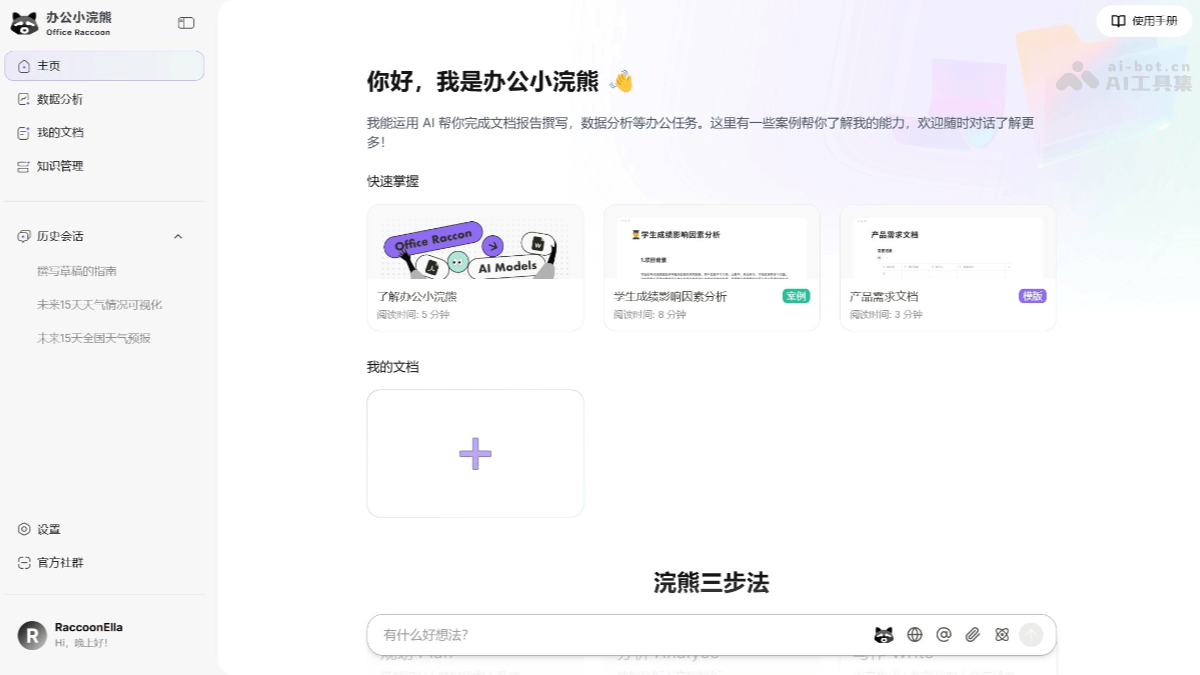
Main features of Office Raccoon 2.0
- Raccoon Three-Step Method: Plan, Analyze, Write—complete tasks in Office Raccoon in one place, with no need to switch applications.
- Plan : Intelligent planning. Based on web-connected retrieval, world knowledge, and reasoning capabilities, Raccoon AI helps you efficiently break down tasks and formulate plans.
- Analyze
- Data analysis: No programming skills required. Raccoon AI performs complex data analysis, processing, and visual display for you.
- Document parsing: Raccoon AI extracts key information from data and documents, generating intuitive summaries and insights.
- Write
- Content generation: Based on your needs, Raccoon AI quickly generates high-quality articles, reports, emails, and various other documents.
- Intelligent proofreading: Automatically detects and corrects grammar, spelling, and formatting errors to improve the professionalism of your writing.
- Creative assistance: AI provides writing ideas and material recommendations to spark your creative inspiration.
- Exclusive Personal Knowledge Base
- Exclusive knowledge management: Build a personal knowledge base that belongs only to you, integrating notes, documents, data, and drafts for easy access anytime, anywhere.
- Knowledge base retrieval: Raccoon AI automatically provides fast and accurate search for your knowledge base, efficiently obtaining the information you need.
- Personalized generation: Based on your knowledge base and preferences, Raccoon AI provides personalized planning, analysis, and writing assistance.
- Secure and private: Uses advanced encryption technology to fully protect your data privacy, ensuring your knowledge base is visible only to you.
- Information retrieval and solution output: Provides web search capabilities, quickly organizes and summarizes the latest materials and news, and inserts the results into documents with one click.
- Document creation and editing: Supports one-click conversion of conversation information into documents for editing, achieving seamless conversion from conversation to document.
- Data visualization: Provides powerful data visualization capabilities to handle complex requirements, such as time series charts, dual Y-axis charts, etc., and provides analysis and forecasting.
- AI text capabilities: Provides a variety of AI text capabilities, including translation, finding inspiration, expansion, and error correction, helping users quickly complete writing tasks in the editing interface.
- Multimodal capabilities: Can analyze various types of documents and images, providing more comprehensive office support.
How to use Office Raccoon 2.0
- Registration and Login: VisitOffice Little Raccoon 2.0 official website and follow the prompts to complete registration and login.
- Get to Know the Interface: After logging in, familiarize yourself with the various functional modules and toolbars.
- Plan Tasks: Based on web search and AI reasoning capabilities, break down tasks and formulate plans.
- Data Analysis: You can provide documents or data that need to be analyzed for data analysis and document parsing to gain data insights.
- Knowledge Base Management: Upload files, documents, and data to the platform to build a personal knowledge base.
- Content Creation and Editing: On the homepage, you can converse with Little Raccoon AI, such as for translation, finding inspiration, expanding content, and error correction.
- Generate Documents Through Conversation: Use the conversation-to-document feature to quickly convert conversation content into document form.
- Document Export: After completing document editing, use the export feature to save the document in the desired format for easy sharing or archiving.
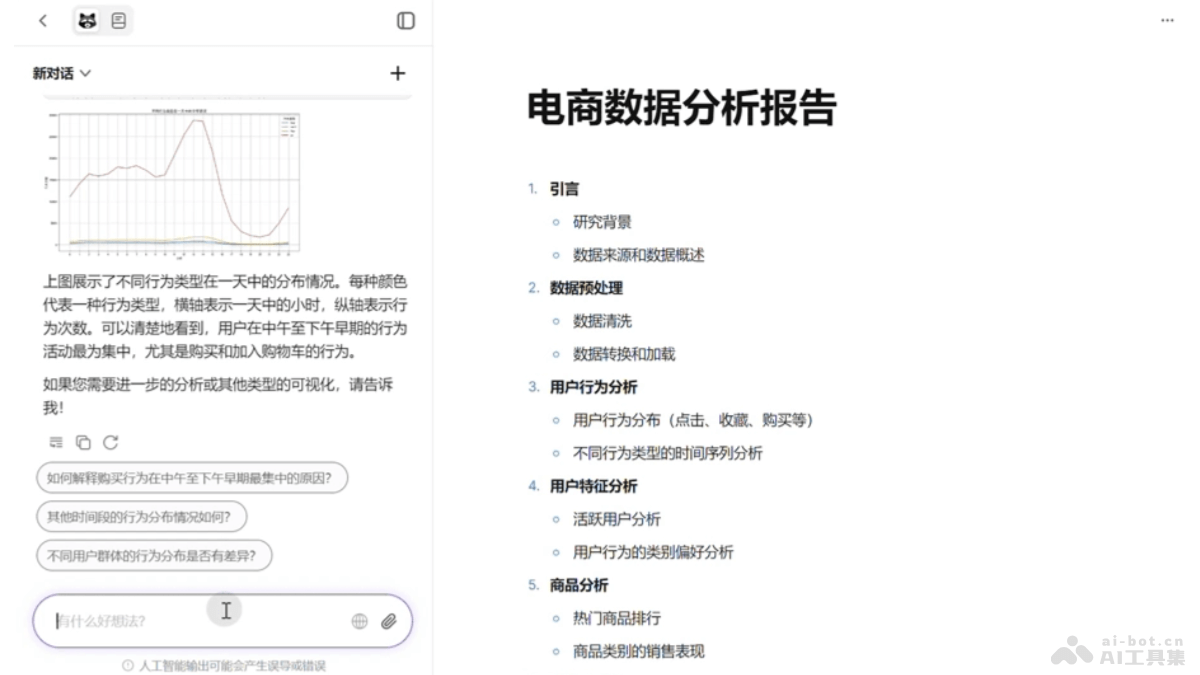
Application Scenarios of Office Little Raccoon 2.0
- Efficient Office Assistant: Task planning, automatically breaking down tasks based on AI and generating clear execution plans to help you quickly get started with complex work. Supports routine office needs such as document writing, spreadsheet processing, and email drafting, saving time and effort.
- Analysis and Decision Support: Easily complete data cleaning, calculation, and visualization without programming, supporting data-driven decision-making. Conduct in-depth analysis through AI models to discover patterns and opportunities behind the data. Assist in quickly generating professional data analysis reports, presenting intuitive charts and key information.
- Free Creation: Article writing, automatically generating high-quality articles, reports, proposals, or emails according to needs. Detect and correct grammar, spelling, and formatting issues to improve document professionalism. AI provides writing ideas, title suggestions, and material recommendations to inspire creative inspiration.
- Learning and Research: Web-based retrieval, quickly obtaining external information resources and organizing them into structured content. Automatically extract key information from literature, generate summaries, or comparative analyses.
- Project Management and Planning: Plan project progress, manage task assignments, and track project status. Suitable for project management and team collaboration.
- Knowledge Management: Build a personal or enterprise knowledge base, integrate documents, data, and information for easy retrieval and use.