

What is Office Raccoon
Office Raccoon is an AI office agent launched by SenseTime, based on the self-developed SenseNova large model, positioned as an "AI assistant that can get work done." Core features includedata analysis、AI PPT generation, task planning, knowledge base Q&A, and "Understand at a Glance," supporting natural language processing of more than 20 types of files such as Excel and PDF. In 2026, it launched a desktop agent that can automate operations on local files and browsers, and users have exceeded 20 million.SenseNova U1 Pro The official version is now online and can now be used on the SenseTime Raccoon platform.

Main features of Office Raccoon
-
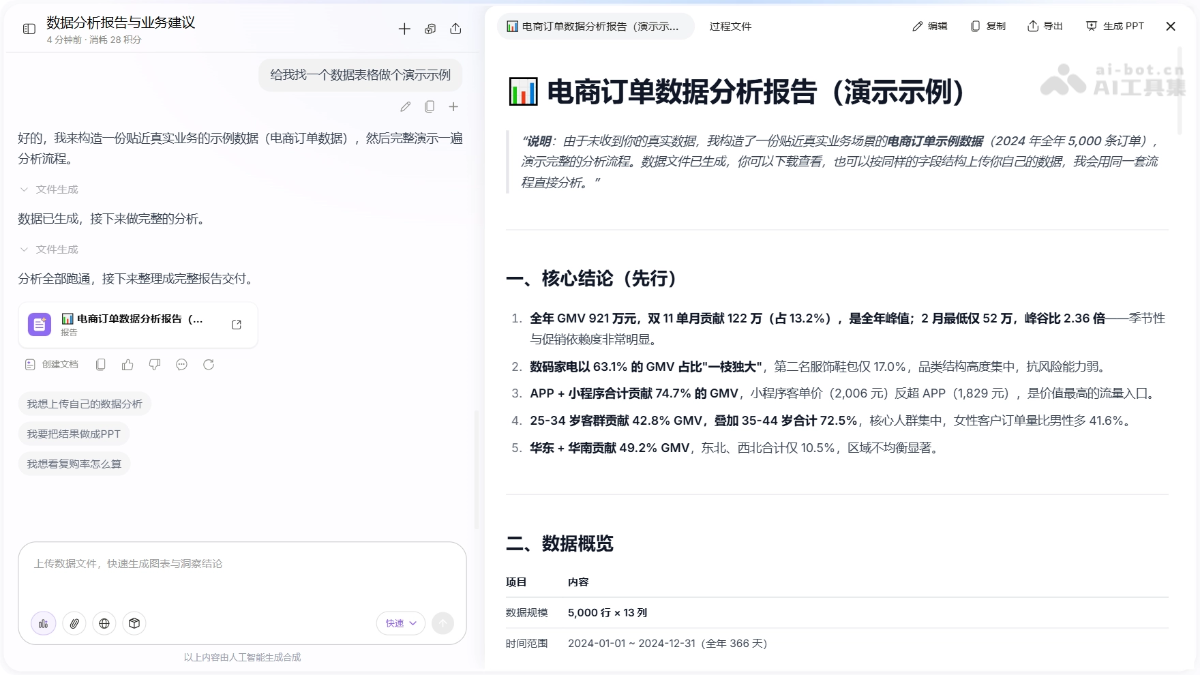
Data analysis: Upload Excel/CSV and other files, and use natural language to complete cleaning, calculations, and visualization without writing formulas or code.
-
Generate PPT: Enter a topic or document to generate a high-quality presentation that can be edited page by page with one click, with multiple built-in professional templates.
-
Task planning: Automatically break down complex problems into executable steps to assist in in-depth research and decision analysis.
-
Understand at a Glance: Transform long documents and data charts into an intuitive and easy-to-understand infographic (Beta).
-
Knowledge base Q&A: Build a private knowledge base based on uploaded documents and quickly and accurately retrieve answers using natural language.
-
Desktop agent: Automatically process files locally on the computer, control the browser, and execute scheduled repetitive tasks.
-
Skill templates: Turn repetitive data analysis tasks into reusable skills, with one-click extraction and creation from conversations.
-
Memory center: Record user preferences and habits so the AI understands your needs better the more you use it.
How to use Office Raccoon
- Register and log in: Visit theOffice Raccoon official website, register and log in to your account, or download the desktop client, install it, and log in.
- Choose a feature: On the web, select a feature from the left navigation bar; on desktop, press ⌘K / Ctrl+K to bring up the Quick Bar.
- Upload/input: On the web, directly upload files or enter requirements; on desktop, after authorizing a local directory, the AI automatically reads computer files.
- AI processing: Issue instructions in natural language, and the AI automatically completes analysis, generates content, controls the browser, or breaks down tasks.
- View and edit: View results in the conversation area; PPTs and charts support direct modification, and on desktop you can preview local file processing progress in real time.
- Save and reuse: Results can be downloaded and exported; on the web, data analysis sessions can be saved as skill templates; on desktop, results can be synced to office software such as Feishu with one click.
Core advantages of Office Raccoon
-
Zero-code data analysis: Use natural language to replace Excel formulas and SQL, greatly lowering the threshold for data analysis.
-
Editable AI PPT: Generate with one click and edit every page, not a one-time output, truly ready for practical use.
-
Understand at a Glance: The industry's first multimodal capability that transforms long documents and data charts into infographics.
-
Desktop agent: Evolves from "chat Q&A" to "hands-on execution," automatically handling local files and browser tasks.
-
Skill Template Reuse: Configure once and reuse permanently, enabling repetitive analysis tasks to be automated and accumulated.
-
Gets to Know You the More You Use It: The memory center records occupational preferences and terminology habits, continuously personalizing the output.
-
SenseTime Self-Developed Large Model: Based on the SenseNova series of large models, with stronger understanding and generation capabilities in Chinese office scenarios.
Usage Examples of Office Raccoon
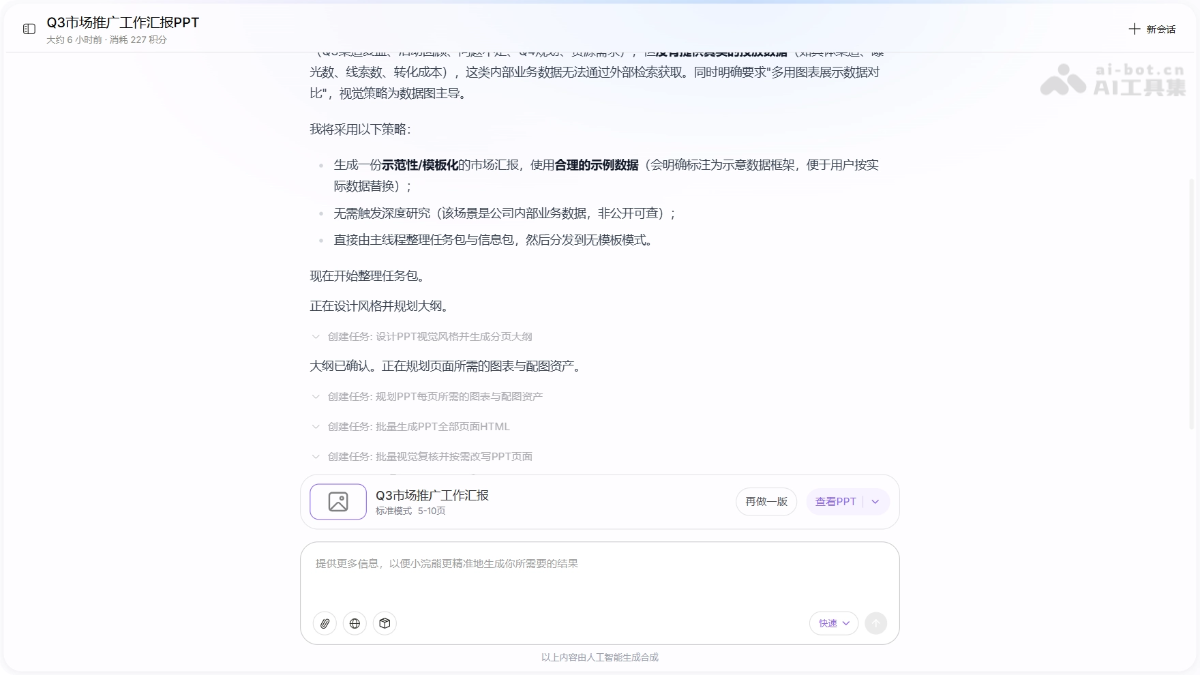
PPT Generation:
Prompt: Help me generate a Q3 marketing promotion work report PPT, aimed at the company's internal management. It needs to include: Q3 placement channel performance review (with core data: impressions, leads, conversion cost), key campaign execution review, existing problems and shortcomings, Q4 budget allocation and strategy planning. The style should be concise and professional, use more charts to show data comparisons, and give clear resource requirements at the end.
Data Analysis:
You are a senior data analyst. Please complete an analysis of the data I upload:
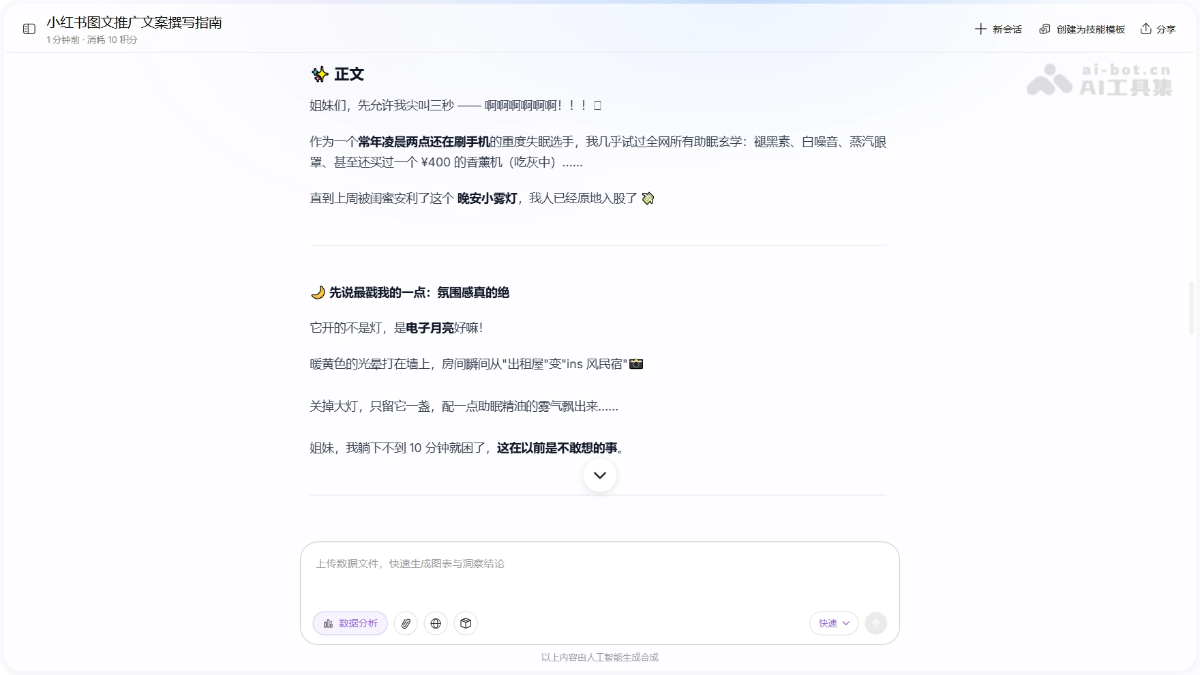
Prompt: You are a content creator familiar with Xiaohongshu writing style. Please write a graphic promotional copy suitable for publishing on Xiaohongshu based on the following information. The writing style should be authentic and natural, the structure clear, and emojis should be used appropriately to enhance readability and emotional appeal.
Comparison of Office Raccoon with Similar Competing Products
| Comparison Dimension | Office Raccoon | WorkBuddy |
|---|---|---|
| Product Positioning | AI office agent (data analysis + content generation) | All-scenario AI desktop agent workbench |
| Core Slogan | "The AI assistant that can get work done" | "The digital employee that works for you" |
| Data Analysis | ⭐⭐⭐⭐⭐ Stronger depth, supports skill template reuse, completes cleaning, calculation, and visualization in natural language | ⭐⭐⭐⭐ Supports Excel cleaning and chart generation, but analysis depth is slightly inferior |
| PPT Generation | ⭐⭐⭐⭐ Every page is editable, multiple style templates, focused on office reporting | ⭐⭐⭐⭐ Supports multiple output formats (Markdown/Word/PPT/HTML), editing flexibility is average |
| Desktop Agent | ⭐⭐⭐⭐ Local file processing, browser automation, scheduled tasks, Quick Bar invocation | ⭐⭐⭐⭐⭐ More mature, three working modes, multiple agents in parallel, remote control |
| Task Execution Mode | Conversational + automated execution | Ask (chat only, no action) / Craft (execute directly) / Plan (confirm first, then act) |
| Remote Control | ❌ Not supported | ⭐⭐⭐⭐⭐ Supports remote commands via WeChat/WeCom/QQ/DingTalk/Feishu |
| Multimodal Capabilities | ⭐⭐⭐⭐⭐ Understand a diagram at a glance (long document to infographic, the industry's first) | ⭐⭐⭐ Basic multimodal generation, no dedicated infographic conversion |
| Knowledge Base | ⭐⭐⭐⭐ Supports building enterprise knowledge bases and whole-base Q&A | ⭐⭐⭐⭐ Deeply integrates the Tencent ima knowledge base, answering based on internal materials |
| Memory and Personalization | ⭐⭐⭐⭐⭐ The memory center records professional preferences and terminology habits, continuously adapting | ⭐⭐⭐ Basic personalization, mainly adapted through Skills |
| Model Support | SenseTime's self-developed SenseNova large model | Five models—Hunyuan, DeepSeek, GLM, Kimi, and MiniMax—can be switched freely |
Application Scenarios of Office Raccoon
-
Data Report Analysis: Upload sales or financial data, and AI automatically cleans and computes it and generates visualized charts and business insights, replacing traditional manual Excel processing.
-
Work Report PPT: Enter a report topic or upload a document outline to generate a professional presentation editable page by page with one click, greatly shortening production time.
-
Complex Task Planning: Break down complex problems such as career planning and investment analysis into executable steps, refine the plan through multi-turn dialogue, and output a structured document.
-
Enterprise Knowledge Management: Build a private knowledge base so employees can ask questions in natural language and accurately retrieve answers from massive policy documents with sources cited.
-
Automated Office Execution: Through the desktop agent, regularly complete repetitive work such as daily report generation, competitor monitoring, and batch processing of local files, without manual supervision.

