
What is SenseRaccoon
SenseRaccoon is the "Raccoon" series of AI intelligent assistants launched by SenseTime. It has provided hundreds of thousands of users with billions of intelligent assistance services, including Code Raccoon and Office Raccoon, which respectively help developers easily handle various software and code needs, and enable everyone to become a data analyst or document processing expert.
Code Raccoon, covering software requirements analysis, architecture design, code writing, software testing, and other stages, meeting users' various needs such as code writing, enterprise-level project R&D, and programming learning. It can help developers improve programming efficiency by more than 50%.
Office Raccoon, is a data analysis product based on large models. It supports the analysis and understanding of complex tables, multiple tables, and multiple files, and can complete data analysis tasks such as data cleaning, data computation, comparative analysis, trend analysis, predictive analysis, and visual chart generation.
SenseRaccoon received the highest rating (Level 4+) in the first round of the Trusted AI Code Large Model evaluation by the China Academy of Information and Communications Technology (CAICT), performing excellently in multiple evaluation dimensions including general code capabilities, specialized scenarios, and application maturity.
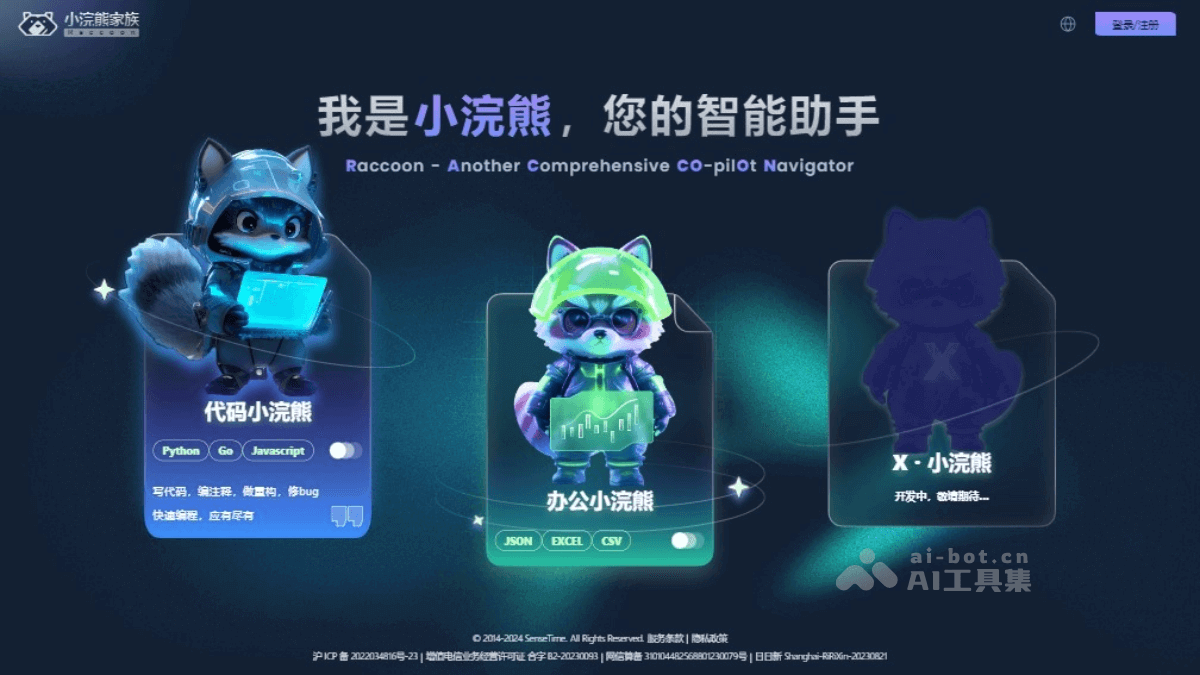
Main functions of SenseRaccoon
Code Raccoon 's main functions include:
- Code writing suggestions: Covers more than 30 mainstream programming languages and automatically generates code based on context.
- Open dialogue function: Understands users' natural language requirement descriptions and conducts technical domain knowledge Q&A.
- Preset functions: Includes functions such as generating code based on comments, cross-programming-language translation, unit test case generation, code correction, and code refactoring.
- Supports custom requirements: Includes requirement document generation, code comment generation, code explanation document generation, technical document generation, etc.
- Code completion: Triggers code completion in the editor automatically or manually.
- Multilingual support: Supports Chinese and English, as well as 90+ mainstream programming languages such as Python, Java, JavaScript, C++, Go, and SQL.
- IDE plugin support: Supports IDE plugins (Integrated Development Environments) such as VS Code, IntelliJ Idea, and Android Studios.
- Chinese language understanding: Performs excellently in code generation test sets, with a one-time code generation pass rate of 75.6%, ranking at the industry-leading level.
Office Raccoon 's main functions include:
- Data analysis: Supports the analysis and understanding of complex tables, multiple tables, and multiple files, and completes data analysis tasks such as data cleaning, data computation, comparative analysis, trend analysis, predictive analysis, and visual chart generation.
- File support: Supports file types such as xlsx, xls, csv, txt, and json.
- Multi-file processing: A single round of dialogue supports the upload of no more than 3 files, with a single file size not exceeding 20MB; a single session supports the upload of no more than 10 files, with a total file size not exceeding 80MB.
- Data visualization: Can generate visual charts, as well as downloadable data files of various types.
- Natural language input: Through the user's natural language input, automatically transform data into meaningful analysis and visualization results.
- Data cleaning: Able to identify and handle missing values and erroneous data in the data.
- Predictive analysis: Able to perform trend forecasting and data analysis based on historical data.
How to use SenseRaccoon
Using SenseRaccoon is mainly divided into two products:Code Raccoon and Office Raccoon
- Code RaccoonHow to use: You can interact with Code Raccoon through the sidebar, in-editor, or terminal panel code assistant, enter questions, or use preset prompts to start a conversation.
- Office RaccoonHow to use: Visit the official website to use it, submit data analysis requirements through natural language, and Office Raccoon will automatically process and generate analysis results.
SenseRaccoon product pricing
Code Raccoon pricing and benefits
- Personal Free: Requirements document generation; technical architecture framework generation; code generation, code generation comments, code refactoring; comment generation code; code translation, code explanation, code error correction; API interface document generation; unit test generation, test data generation; code completion; code favorites.
- Personal Upgrade: Price: ¥49/month; includes all features of the Personal Free version; includes knowledge base-based conversations.
- Enterprise Standard: Price: ¥899/person/year; includes all features of the Personal Upgrade version; deployment script generation.
- Enterprise Private Deployment: Customization available upon consultation; includes all features of the Enterprise Standard version.
Office Raccoon pricing and benefits
- Basic: A free version for individual users, providing basic data analysis functions. Suitable for users whose daily work needs are not particularly complex.
- Professional: Provides more comprehensive functions, including complex data analysis, etc. For more information, please log in to the official website.
SenseRaccoon application scenarios
- Software development: Code Raccoon covers software requirements analysis, architecture design, code writing, software testing, and other stages, meeting users' needs for code writing, enterprise-level project research and development, programming learning, and more.
- Data analysis: Office Raccoon supports understanding of complex tables, multiple tables, and multiple files, and can complete common data analysis tasks such as data cleaning, data computation, comparative analysis, trend analysis, predictive analysis, and visualization.
- Programming education: Code Raccoon can help programming learners improve learning efficiency through automatically generating code, providing programming suggestions, and answering questions.
- Project management: Office Raccoon can help project managers solve issues such as multi-data source processing, agile management, cost control, and delivery work-hour scheduling.
- Procurement management: Through integrated correlation analysis, Office Raccoon helps procurement personnel conduct cost control, supplier management and development, inventory management, procurement planning, and more with greater accuracy and efficiency.
- Market analysis: Through combined correlation analysis of historical reports, industry trends, competitor reports, and more, quickly formulate more scientific and feasible sales or operations plans.