
What Are Workspace Agents
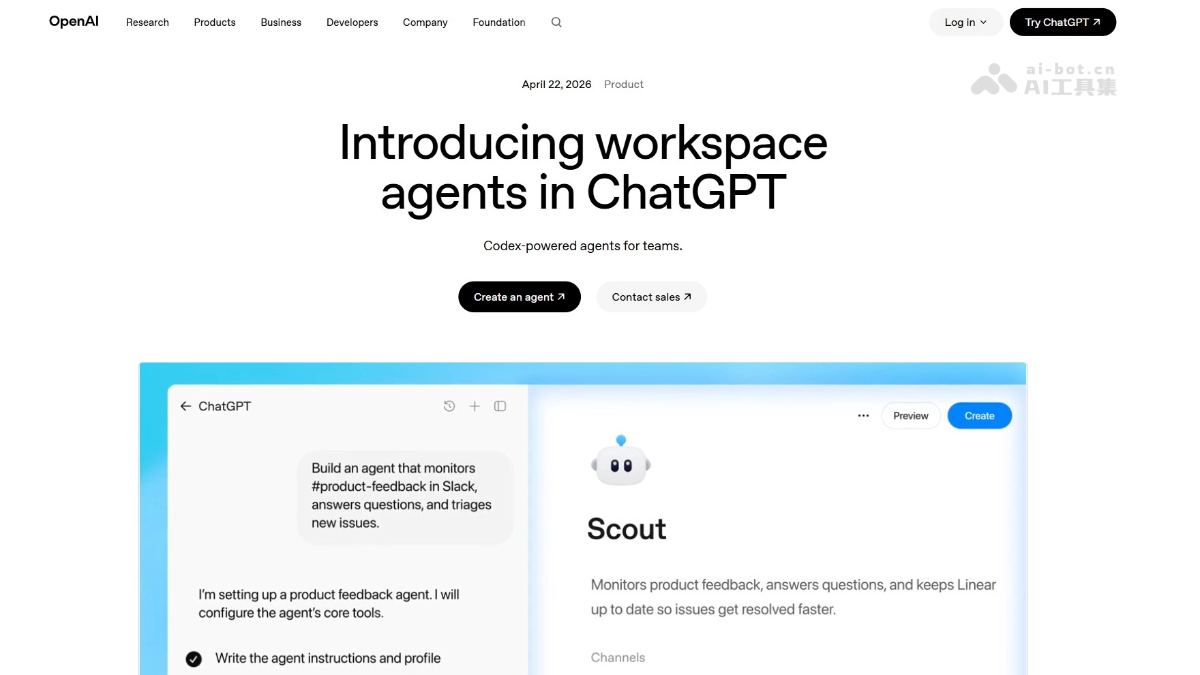
Workspace Agents are team collaboration agents launched by OpenAI, powered by Codex and running in the cloud. They can handle complex workflows such as report generation, code writing, and customer follow-up. Workspace Agents support shared use in ChatGPT and Slack. They can connect to enterprise tools, request approvals on demand, and execute tasks continuously 24/7, helping teams turn scattered knowledge into standardized collaboration processes, reducing coordination costs, and improving business efficiency.
Main Features of Workspace Agents
-
Shared Agent Creation: Teams can create Agents shared within the organization, build once and reuse by multiple people, and collaborate in ChatGPT or Slack.
-
Complex Workflow Automation: Supports long-running tasks across multiple steps, such as preparing reports, writing code, replying to messages, and aggregating data.
-
Multi-Tool Integration: Can connect to dozens of enterprise tools, obtain context across systems, perform actions, and synchronize data.
-
Continuous Cloud Operation: Agents work in the cloud, so even when users are offline, they can continue executing tasks according to schedules or triggers.
-
Enterprise-Level Permissions and Approvals: Administrators can configure data access permissions, and sensitive operations require human approval before execution.
-
Team Directory and Analytics: Provides an Agent team directory and usage analytics dashboard to track run counts and active users.
-
Preset Industry Templates: Built-in templates for scenarios such as sales, finance, and marketing, including suggested tools and skills, enabling rapid deployment and customization.
How to Use Workspace Agents
- Access Point: Visit the ChatGPT official website, select a Business, Enterprise, Edu, or Teachers plan account, and click "Agents" in the sidebar to enter the workspace.
- Describe the Workflow: Describe in text the workflows your team often executes, or directly upload relevant files, and ChatGPT will guide the transformation of requirements into an Agent.
- Define and Configure: The system assists in defining execution steps, connecting required tools, and adding skills, and continuously tests until the expected behavior is met.
- Set Permissions and Approvals: Configure the tools and data scope the Agent can access, and enable human approval for sensitive operations such as sending emails and editing spreadsheets.
- Share and Deploy: Publish the Agent to the team directory for members to invoke within ChatGPT; or deploy it to Slack channels to automatically respond to requests.
- Monitor and Iterate: View run data and usage through the analytics dashboard, and correct and optimize Agent behavior in conversations based on team feedback.
Key Information and Usage Requirements for Workspace Agents
-
Plan Requirements: Currently available in research preview only for ChatGPT Business, Enterprise, Edu, and Teachers plans.
-
Administrator Switch: For Enterprise and Edu plans, administrators must enable the Agent feature through role-based permission controls.
-
Free Period: Free to use until May 6, 2026, after which it will switch to a Credits-based billing model.
-
GPTs Compatibility: Existing GPTs can still continue to be used, and one-click conversion to Workspace Agents will be supported later.
-
Compliance API: Provides a Compliance API, allowing administrators to view each Agent's configuration, updates, and run history, and to pause Agents at any time.
Core Advantages of Workspace Agents
-
Zero-Code Building: Non-technical staff can create Agents by describing them in natural language, without the need for engineering team involvement.
-
Cross-Platform Collaboration: Natively integrates with ChatGPT and Slack, allowing Agents to step in directly in the conversations and tools where work happens.
-
Memory and Evolution: The tools have memory capabilities and can continuously improve through team corrections during use, fitting internal processes better the more they are used.
-
Secure and Controllable: Enterprise-grade monitoring, anti-prompt-injection attack mechanisms, and mandatory approval for sensitive operations ensure AI behavior aligns with organizational policies.
-
Knowledge Assetization: Transforms knowledge scattered across individuals and systems into reusable, shareable, standardized workflows.
Project Address of Workspace Agents
- Project Official Website:https://openai.com/index/introducing-workspace-agents-in-chatgpt/
Comparison of Workspace Agents with Similar Competitors
| Dimension | ChatGPT Workspace Agents | Microsoft Copilot Studio | Salesforce Agentforce |
|---|---|---|---|
| Positioning | Team-shared Agent based on Codex, embedded in ChatGPT/Slack | Low-code enterprise Copilot building, deeply integrated with Microsoft 365 | Autonomous AI Agent based on CRM data, serving sales and service scenarios |
| Deployment Method | Cloud-based operation, supporting scheduled tasks and Slack triggers | Relies on the Azure and Teams/Outlook ecosystem | Natively embedded in the Salesforce platform and Slack |
| Tool Connections | Supports dozens of tools for cross-system operations | Mainly connects to the Microsoft ecosystem and custom APIs | Deeply calls Salesforce data and third-party applications |
| Sharing and Collaboration | Team directory sharing, transparent usage data | Enterprise-grade publishing and permission management | Cross-department collaboration based on CRM permissions |
| Security and Compliance | Compliance API, approval workflows, anti-prompt injection | Unified management through the Microsoft Security and Compliance Center | Einstein Trust Layer data privacy protection |
| Target Users | ChatGPT Enterprise/Education plan users | Microsoft 365 enterprise users | Salesforce customers |
Application Scenarios of Workspace Agents
-
Sales Lead Follow-Up: Automatically researches prospect information, scores against scoring criteria, drafts personalized follow-up emails, and updates the CRM.
-
IT Ticket Handling: Reviews employee software requests, checks against approved tools and policies, recommends next steps, and automatically submits tickets.
-
Product Feedback Aggregation: Monitors Slack, support channels, and public forums, converts feedback into prioritized tickets, and generates weekly summary reports.
-
Finance Month-End Closing: Automatically completes journal entries, balance sheet reconciliations, and variance analysis, and generates workpapers with control totals.
-
Supplier Risk Assessment: Investigates third-party suppliers, assesses sanctions risk, financial health, and reputational signals, and outputs structured due diligence reports.