
What is Vibe Kanban
Vibe Kanban is an open-source Kanban tool that helps developers efficiently manage AI coding Agents, such as Claude Code、Gemini CLI and Codex , etc. Through a visual Kanban board, users can easily switch and orchestrate multiple coding agents, support running tasks in parallel or sequentially, and track task status in real time. Vibe Kanban provides centralized agent configuration management, as well as remote project access, supporting connections to remote servers via SSH.
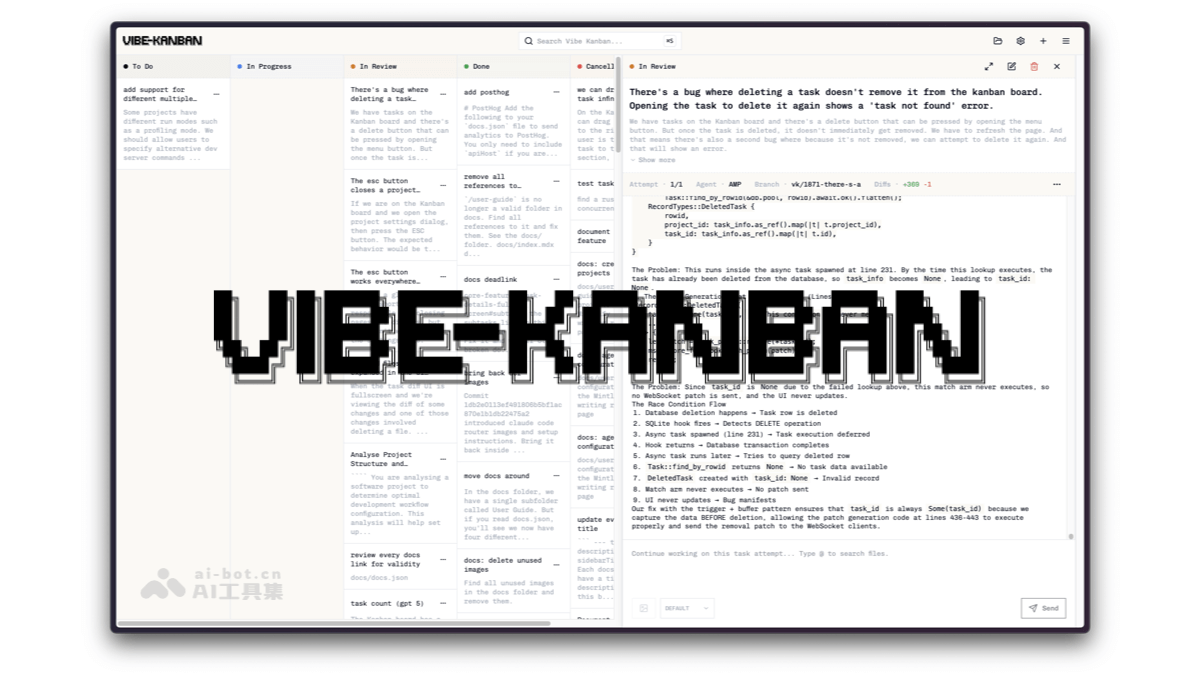
Main features of Vibe Kanban
-
Multi-agent support: Supports multiple AI coding agents, such as Claude Code, Gemini CLI, and Codex, allowing users to switch flexibly.
-
Task orchestration: Can run multiple coding agent tasks in parallel or sequentially, efficiently managing complex development workflows.
-
Real-time task tracking: View task status in real time through the Kanban board, making it easy to monitor progress and adjust plans.
-
Quick review and development: Quickly start the development server, making it convenient for users to review work results immediately.
-
Centralized configuration management: Centrally manage coding agent configurations, simplifying the setup process and improving management efficiency.
-
Remote project access: Supports remote project access via SSH, making it convenient to develop on different devices.
-
Integration and extension: Supports integration with development tools such as VS Code, improving the development experience and efficiency.
How to use Vibe Kanban
-
Installation preparation: Ensure that development tools such as Rust, Node.js, and pnpm are installed, and complete authentication with supported AI coding agents.
-
Clone the repository: Clone the Vibe Kanban project from GitHub to your local machine.
-
Install dependencies: Run the command to install the dependencies required by the project.
-
Start the development server: Execute the command to start the backend service; the frontend service will start automatically.
-
Configure environment variables: Set environment variables as needed, such as port numbers, remote access configuration, etc.
-
Access the Kanban board: Access the locally or remotely deployed Vibe Kanban board through a browser.
-
Add a project: Add a Git repository as a project to the Kanban board.
-
Create a task: Create a task on the Kanban board, specifying the agent and task parameters.
-
Task execution: Start the task; the Kanban board will automatically schedule and execute the task.
-
Task management: Track task progress, view task execution logs, and manage task status.
-
Code review: After the task is completed, quickly start the development server through the Kanban board for code review.
-
Remote development: Configure remote SSH to remotely access and edit code through tools such as VS Code.
Vibe Kanban project address
- Github repository:https://github.com/BloopAI/vibe-kanban
Vibe Kanban application scenarios
-
AI coding agent management: Efficiently manage and schedule multiple AI coding agents, such as Claude Code, Gemini CLI, and Codex, improving development efficiency.
-
Multi-task parallel development: Supports running multiple tasks in parallel or sequentially, suitable for synchronous development of multiple modules in complex projects.
-
Remote Development Collaboration: Remotely access projects via SSH, making it convenient for team members to develop and collaborate from different locations.
-
Code Review and Optimization: Quickly start the development server, making it convenient for developers to instantly review and optimize AI-generated code.
-
Project Progress Tracking: Track task status in real time, helping team managers monitor project progress and adjust development plans promptly.
-
Centralized Configuration Management: Centrally manage the configuration of coding agents, simplify the setup process, and ensure that team members use unified configuration standards.