
What is Tutti · VM
Tutti · VM is the industry's first live-level multiplayer multi-Agent parallel collaboration space. Through multi-layer virtualization technology, the platform allows local Claude Code、Codex and other Agents to connect in real time to the same cloud-based persistent workspace while retaining their existing subscriptions and credentials. The platform enables Agents to collaborate in parallel like Google Docs, with zero-latency sharing of outputs and automatic conflict resolution.
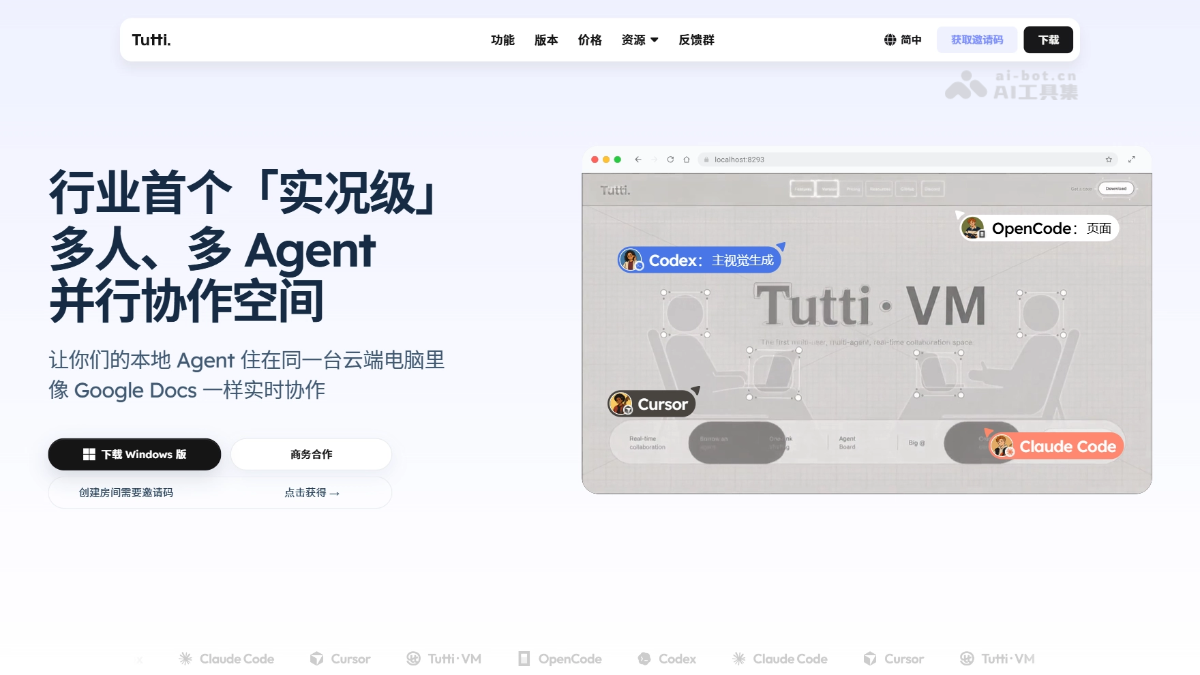
Main features of Tutti · VM
-
Client-cloud amphibious: Agents still run locally using your subscriptions and credentials, while collaboration state syncs to the cloud in real time, keeping sensitive data off your computer.
-
Persistent workspace: Project files, configurations, and running services maintain a single latest state in the cloud and do not disappear when any person or Agent leaves.
-
On-demand Agent composition: Agents are no longer bound one-to-one to sandboxes and can freely join or leave different projects on demand.
-
Real-time collaboration: Agents from different people and different vendors work in parallel like Google Docs, automatically avoiding and resolving collaboration conflicts.
-
Real-time sharing: Code, documents, images, and even localhost outputs are shared instantly, with no upload or download and zero-latency delivery.
-
Borrow Agents: Call on others' capabilities just like using your own Agents, while continuing your own runtime environment without fragmenting your workflow.
How to use Tutti · VM
- Get beta access: Visit the Tutti · VM official website https://tutti.sh/zh , download and install the desktop client.
- Keep your local environment: Keep your existing Agents (such as Claude Code, Codex) and subscription credentials unchanged on your local computer.
- Connect to a cloud Room: Connect local Agents to Tutti · VM and enter a shared cloud Room through the virtualization layer.
- Enter a project workspace: Create or join a persistent cloud project workspace.
- Start real-time collaboration: Invite collaborators or borrow others' Agents into the same Room and start real-time parallel collaboration.
- Automatic output sync: Files, code, and services produced by local Agents automatically sync to the cloud and are shared with all members with zero latency.
Core advantages of Tutti · VM
- Client-cloud amphibious, sensitive data stays local: Identity, subscriptions, and credentials always remain on the local computer, while collaboration state syncs to the cloud in real time, balancing privacy and sharing efficiency.
- Persistent workspace, single project state: Files, configurations, and running services maintain the same latest state in the cloud and do not disappear when any member or Agent leaves.
- Real-time parallel collaboration, no more serial handoffs: Agents from different people and different vendors work simultaneously like Google Docs, with the live process instantly visible to everyone.
- System-layer automatic conflict resolution: A self-developed file-system-level collaboration engine that pushes conflict handling down to the kernel layer, without the need for post-hoc merging or manual coordination.
- Zero-latency artifact sharing: Code, documents, images, and even localhost are synced to the cloud the instant they are generated locally, with no upload or download required.
- Cross-vendor Agents combined on demand: Any Agent such as Claude Code or Codex is no longer tied to a fixed sandbox, and can freely join, leave, or switch according to project needs.
- Borrow Agents without fragmenting the environment: Call on others' capabilities as if using your own Agent, while continuing your own runtime environment and context.
Tutti · VM comparison with similar competitors
| Comparison dimension | Tutti · VM | Devin |
|---|---|---|
| Collaboration mode | Multiple people and multiple Agents collaborate in real time in parallel in the same cloud Room | A single Agent executes tasks serially in an independent cloud sandbox |
| Agent ownership | Agents belong to individuals, join projects on demand, and are not tied to a sandbox | Agents are bound one-to-one with sandboxes, and the environment is destroyed when the task ends |
| Execution location | Agents run locally, and identity credentials never leave the computer | Runs entirely in the cloud, requiring the account and resources provided by the platform |
| Conflict handling | The system layer automatically resolves collaboration conflicts in real time | No built-in multi-Agent conflict mechanism, relying on post-hoc manual merging |
| Artifact sharing | Local output is synced to the cloud with zero latency and is instantly visible | Sharing via links or export after task completion, with lag |
| Memory continuity | Project state is persisted, and Agent experience accumulates across tasks | A new sandbox is created for each task, and context and experience are lost when the task ends |
| Vendor compatibility | Supports Agents from any vendor, such as Claude Code and Codex | Supports only Cognition's self-developed Agent |
Tutti · VM application scenarios
-
Multi-person parallel software development: Multiple engineers bring their own Claude Code / Codex into the same project Room to collaboratively code, debug, and deploy in real time, saying goodbye to branch merge conflicts.
-
Cross-role intelligent document co-creation: The Agents of product managers, designers, and developers simultaneously write PRDs, draw prototypes, and generate technical documents in parallel in the same workspace, with output synced instantly.
-
Organization-level Agent capability sharing: Team members can "borrow" each other's specialized Agents and directly call on their capabilities in their own environments.
-
Real-time technical review and pair programmingMentors and mentees' Agents collaborate in real time at the same work site, with code changes and debugging processes instantly visible to both parties, without the need for screen sharing.
-
Multi-Agent Automated Operations: Monitoring Agents, log analysis Agents, and deployment Agents simultaneously connect to the same persistent workspace, coordinating in real time to handle online incidents and avoid working in isolation.