
What is Toast AI Face Swap
Toast AI Face Swap is anToast TusiArtplatform-launchedAI portrait face swapComfyUI Workflow image processing tool that can achieve fast and high-quality portrait face swap effects. Users only need to upload the target image and the face image to be replaced, and can complete the face swap through simple operations, generating natural and realistic results. It supports refined mask processing, further enhancing the realism of the face swap effect. The ComfyUI Workflow in the latest V4 version improves facial restoration, adds skin texture enhancement, and a face ID blended face swap solution. Users can choose different functional modules according to their needs, such as quick upscale, high-definition upscale, etc., to obtain the best face swap effect.
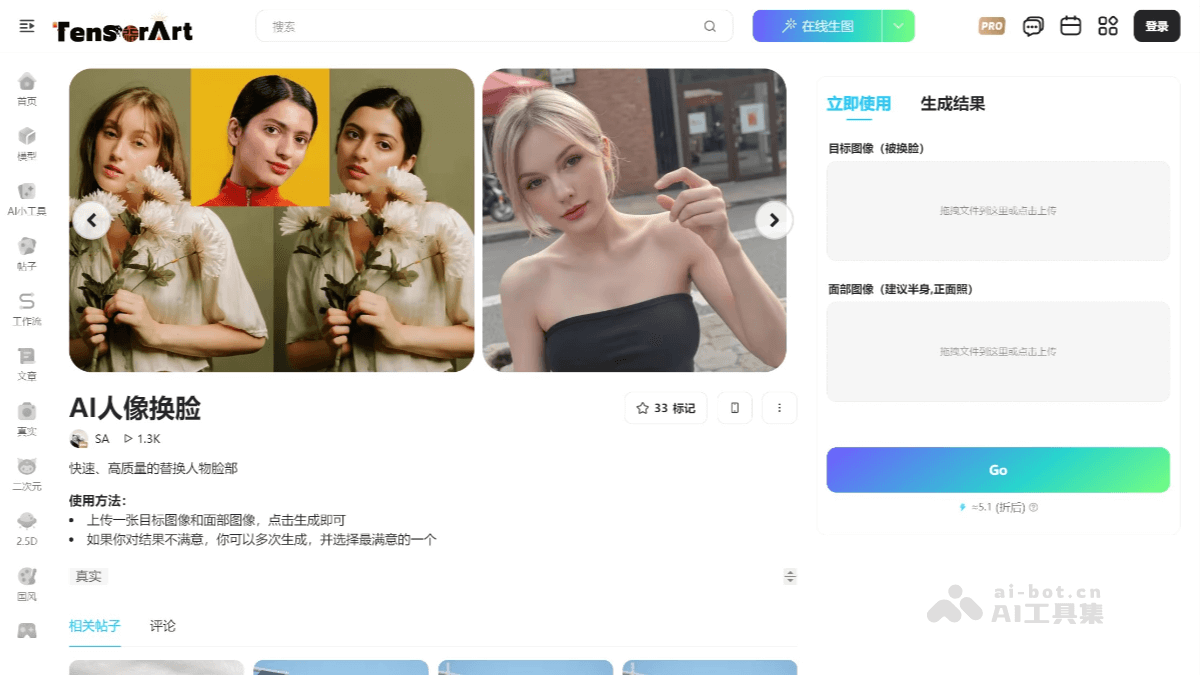
Main features of Toast AI Face Swap
- Quick face swap: Users only need to upload the target image and the reference face image, and high-definition face replacement can be achieved through the ReActor node.
- Multi-person face swap: Supports face swap operations for multi-person images, and can flexibly handle multiple faces by setting different face indices.
- Refined mask processing: Through the portrait mask node, separation of areas such as the face, hair, and body is achieved, enabling refined mask editing and ensuring a natural face swap effect.
- Face restoration and optimization: Uses models such as CodeFormer and GFPGAN for face restoration, improving the clarity and realism after face swap.
- Style consistency: Uses the ipadpter node to perform style consistency processing on the face-swapped image, making the overall effect more coordinated.
- Strong compatibility: Supports multiple face detection models and face swap models, is compatible with SDXL and 1.5 versions, and has low hardware requirements.
How to use Toast AI Face Swap
- Visit the platform: Log in to the official website of Toast TusiArt and enterToast AI Face Swap's workflow mode.
- Upload images: In the workflow interface, upload two images, one is the target image (the image that needs face swap), and the other is the reference face image (the face used for replacement).
- Select nodes:
- AddReActor Fast Face Swapnode, connect the target image and the reference face image.
- Set the face swap model (such as
inswapper_128.onnx) and the face detection model (recommendedretinaface_resnet50)。
- Face restoration:
- To improve the blurriness after face swap, addface_restore_modelnode, select a restoration model (such as CodeFormer, GFPGAN, etc.).
- Adjust parameters (such as
face_restore_visibilityandcodeformer_weight) to optimize the restoration effect.
- Preview and save: AddPreview Imagenode, preview the face swap effect, and save the final image.
Application scenarios of Toast AI Face Swap
- Film and television production and special effects: In film and television post-production, AI portrait face swap can be used to replace an actor's face, achieving the rejuvenation or aging of a character or replacing shots of a deceased actor.
- Advertising and commercial photography: In commercial advertising, AI portrait face swap can quickly replace a model's face to adapt to the needs of different markets.
- Creative art and digital painting: Artists and designers can use AI portrait face-swapping to blend different faces into the same artwork, creating unique artistic styles.
- Personal Entertainment and Social Media: Users can perform face-swapping on photos of themselves or others to generate fun and creative content for sharing on social media.
- Virtual Reality and Game Development: In virtual reality and game development, AI portrait face-swapping can be used to generate realistic character faces and enhance players' sense of immersion. By quickly replacing characters' faces, developers can create diverse characters more efficiently.