

TusiArt is an AI painting model sharing community and online image generation platform launched by Shanghai Biyou Huixiang Intelligent Technology.AI paintingmodel sharing community and online image generation platform. TusiArt not only provides a convenient channel for users to download and experience various AI painting models, but also allows users to run these models online for free to generate images without installing any additional software or hardware. TusiArt provides users with a rich selection of models; whether professional artists or hobbyists, they can find creative tools that suit them on this platform.
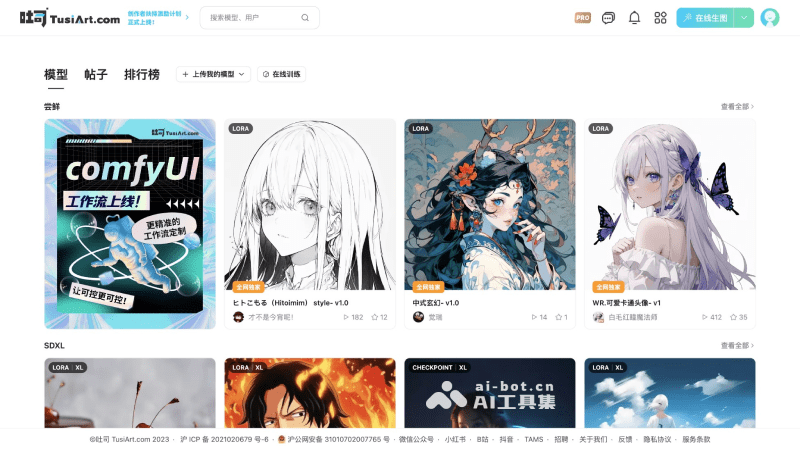
Main features of TusiArt
- Simple and easy-to-use online image generation tool: The interface is friendly and intuitive, so even beginners in artistic creation can quickly get started. It provides two image generation modes: classic prompt-based image generation and ComfyUI-based workflows.
- Open model sharing platform: All models can not only be downloaded but also run online. Users can enjoy a high-quality AI painting experience without expensive hardware support, and can easily run these AI models on mobile devices as well.
- Massive model library: The platform supports a diverse range of AI models, covering various painting styles from anime style to realism, allowing users to choose suitable models according to their preferences or project needs.
- Community interaction and sharing: Users can share generated image works to the community with one click and share artistic inspiration and results with other users. Works in the community can also be used with one click to make the same style, creating images similar in style to others' works.
- Online model training: Allows users to upload their own photos or images to train and customize their own exclusive AI art models
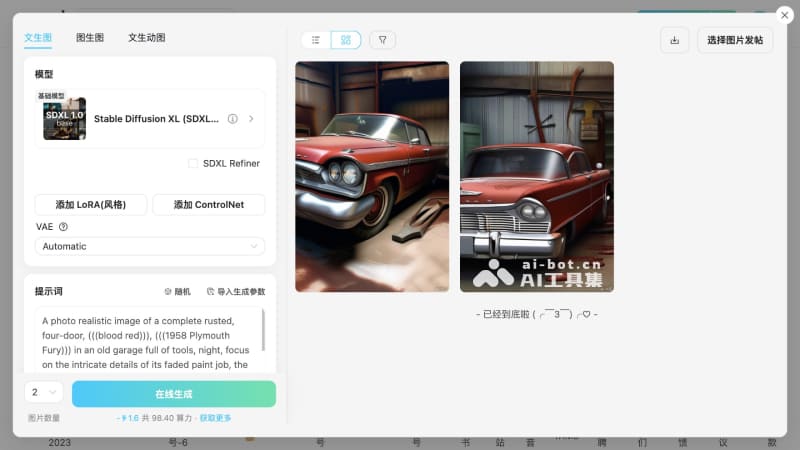
How to use TusiArt
- Visit the TusiArt official website (tusiart.com) and click the login button in the upper right corner
- After successful login, return to the homepage and click Online Image Generation - Classic Mode
- Taking text-to-image as an example, select the model and VAE, enter the prompt, and set parameters such as image size and sampling algorithm
- Finally, click the Online Generate button and wait a moment, and the image will be generated
TusiArt product pricing
- Free version: 100 compute power gifted daily, can perform 1 queued image generation task, generate up to 2 images at a time, high-definition restoration resolution上限 is 2.07 million pixels (1920 * 1080), high-definition/sampling steps上限 is 30 steps, LoRA+ControlNet上限 is 3, history records are kept for 14 days, models must be public, 10 posts per day, 1 parallel training task
- Paid membership version: 300 compute power available daily. Prices are 3 yuan for a 1-day trial (extra 100 compute power gifted), 24.9 yuan for 30 days (extra 1000 compute power gifted), and 39.9 yuan for 90 days (extra 5000 compute power gifted). Can run 3 parallel image generation tasks, 10 queued image generation tasks, generate up to 4 images at a time, high-definition restoration resolution上限 is 8.3 million pixels (3840 * 2160), high-definition/sampling steps上限 is 60 steps, LoRA+ControlNet上限 is 6, history records are kept for 60 days, models can be visible only to yourself, 20 posts per day, 2 parallel training tasks
Frequently asked questions
Is TusiArt free?
TusiArt provides a free version and gifts 100 compute power for free every day.
Which platforms does TusiArt support?
TusiArt supports use through the online web version, WeChat Mini Program, and iOS APP.
What large models is TusiArt based on?
TusiArt is based on image generation models such as Stable Diffusion and FLUX.


