
What is Trae China Edition?
Trae China Edition is China's firstAI IDE, launched by ByteDance, designed specifically for domestic developers. It supports features such as code completion, code understanding, bug fixing, and generating code based on natural language. Trae introduces the Builder mode, allowing developers to describe requirements in natural language and achieve end-to-end application generation. The new version released by Trae, The Real AI Engineer, is a dedicated AI engineer tool that enables deep collaboration with developers through a dialog box, elevating AI's assistance capability from 30% to a higher level. Developers only need to @ summon their own agent in the dialog box and provide context, and the AI can proactively understand and respond quickly, making complex tasks as simple as chatting. Developers can flexibly define tools, skills, and task logic to build their own AI agent team. No need to remember complex commands; simply @ to summon an agent, and users can freely configure the agent system according to different needs and scenarios.
Trae China Edition is equipped withDoubao-1.5-pro, supports switching to the full version ofDeepSeek R1andV3models, and can meet the needs of different development scenarios. Trae China Edition has been optimized for the usage habits of domestic developers, with a concise and easy-to-use interface, suitable for all kinds of users from beginners to senior programmers.
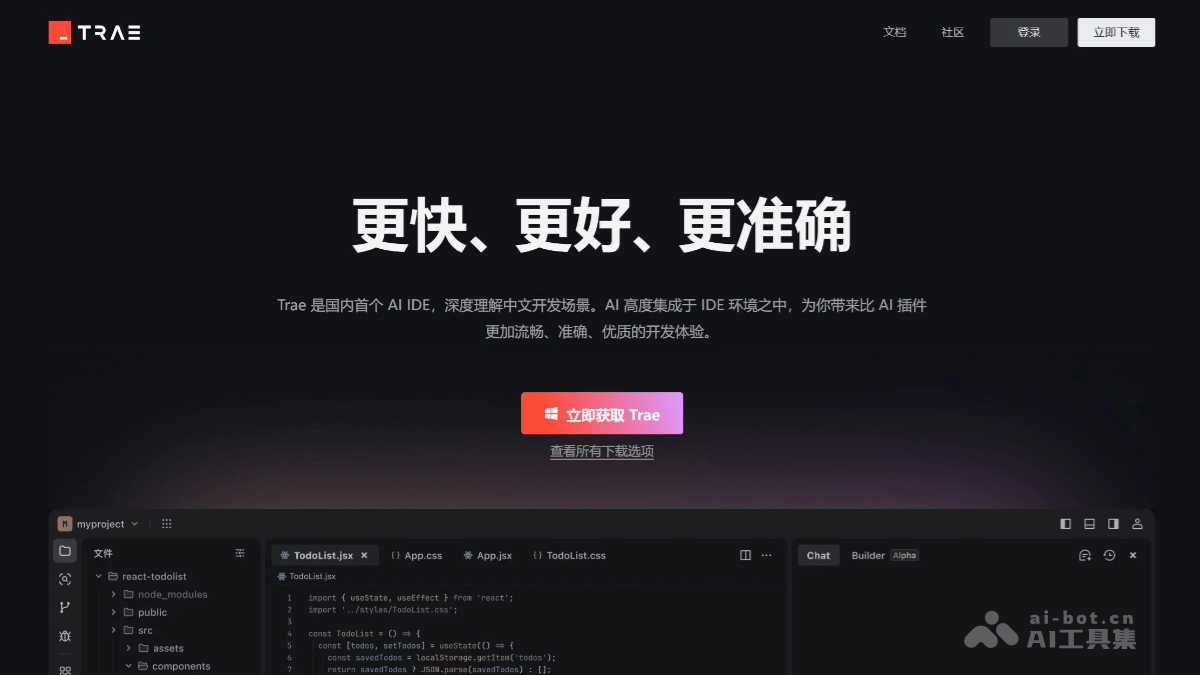
Main features of Trae China Edition
- New collaboration mode: Trae enables deep collaboration with developers through a dialog box. Developers only need to @ summon their own agent in the dialog box and provide context, and the AI can proactively understand and respond quickly, making complex tasks as simple as chatting.
- Agent ecosystem: Trae has built an open agent ecosystem, allowing users to freely configure the agent system according to different needs and scenarios. Developers can flexibly define tools, skills, and task logic to build their own AI agent team.
- Dedicated AI engineer: Supports personalized capabilities and integration with various external tools, such as through MCP, enabling developers to give agents the ability to call external resources.
- Intelligent code generation and completion: Trae can generate and continue code in real time based on developers' natural language descriptions or code snippets, supporting automatic code completion, bug fixing, and code optimization.
- Builder mode: This is a major innovative feature of Trae. It supports developers describing requirements in natural language, and Trae will automatically break down tasks and generate a complete project framework, taking ideas from conception to implementation in one go.
- AI collaboration: Trae supports seamless collaboration between developers and AI. AI can take over some development tasks, and developers can adjust instructions at any time and preview the effects of AI-generated code.
- Context understanding: Trae can deeply understand context information in code repositories and the IDE, accurately identify developers' needs, and provide better solutions.
- Multimodal interaction: Supports uploading images to clarify requirements and generate more accurate code in combination with context.
- Native Chinese support: The interface and interaction fully support Chinese, lowering the barrier to use for Chinese developers.
- Model switching and customization: Equipped with Doubao-1.5-pro, and supports switching to the full version of DeepSeek R1 and V3 models. In the future, model customization will be supported, allowing users to connect other large model APIs as needed.
How to use Trae China Edition
- Installation and startup:
- VisitTrae official website, download the installation package suitable for your operating system.
- After the download is complete, double-click the installation package and follow the prompts to complete the installation.
- When starting for the first time, select the interface language (Chinese recommended) and theme, then click "Get Started".
- Configuration and Login
- Import Configuration: If you have used VS Code or Cursor before, you can click "Import from VS Code" or "Import from Cursor" to quickly migrate plugins and settings.
- Install Command Line Tool: Click the "Install
traeCommand" button, enter the administrator password, and complete the installation. After installation, you can use it in the terminaltraecommand to quickly start or open a project. - Log In to Your Account: Register and log in using your mobile phone number or a third-party community account (such as Juejin Community).
- Using Trae for development:
- Builder Mode: In Builder mode, through a simple description (such as "generate a forum with a user login function"), Trae will automatically generate the project code framework. During the generation process, Trae may seek the user's opinion (such as whether to execute a command), which requires manual confirmation.
- Code Completion and Optimization: Trae supports intelligent code completion, optimization, and refactoring, and can generate accurate code snippets based on context. When editing code, Trae will provide suggested code in real time.
- Notes: The domestic version of Trae currently only supports local project development and does not support directly reading external network links. When using Builder mode, it is recommended to manually create a virtual environment in advance (such as Python's venv or Conda) to avoid environment variable issues.
Application Scenarios of the Domestic Version of Trae
- Rapid Project Construction: The Builder mode of the domestic version of Trae can help developers quickly generate project frameworks through natural language descriptions. Developers only need to enter "make a forum with a user login function," and Trae can generate a basic code framework including front-end pages, database connections, and more in a short time, saving the cumbersome steps of starting from scratch.
- Code Generation and Completion: Trae supports real-time code continuation and intelligent completion. It can predict and continue code snippets based on context, seamlessly extending unfinished code sections and improving coding efficiency.
- Intelligent Collaboration and Problem Solving: Trae's AI collaboration feature supports developers in applying AI-generated code to multiple modules with one click, and adjusting instructions at any time to preview front-end effects in real time.
- Beginner-Friendly and Efficient Development: The domestic version of Trae is suitable for beginner developers and users with no coding background. It supports a Chinese interface and interaction, lowering the barrier to use.