
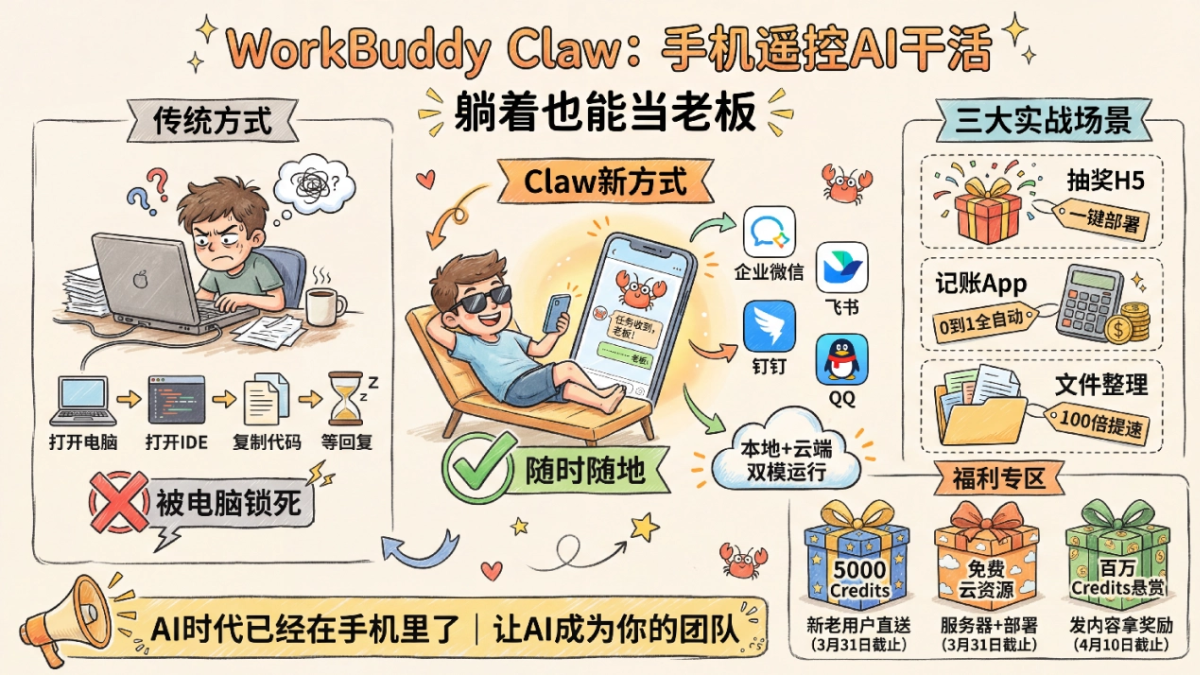
Last weekend, I met a friend at a café. The whole time, my friend was hunched over a laptop, frantically fixing bugs, so stressed that they didn't even get around to drinking their coffee before it went cold.
In that moment, I thought: are we, this generation of workers, really going to be chained to our seats by computers?
Until recently, I had an in-depth experience with Tencent CodeBuddy team's newly released big move—WorkBuddy Claw (Tencent's version of Xiao Long Xia). Send a command on your phone anytime, anywhere, and the AI gets the work done.
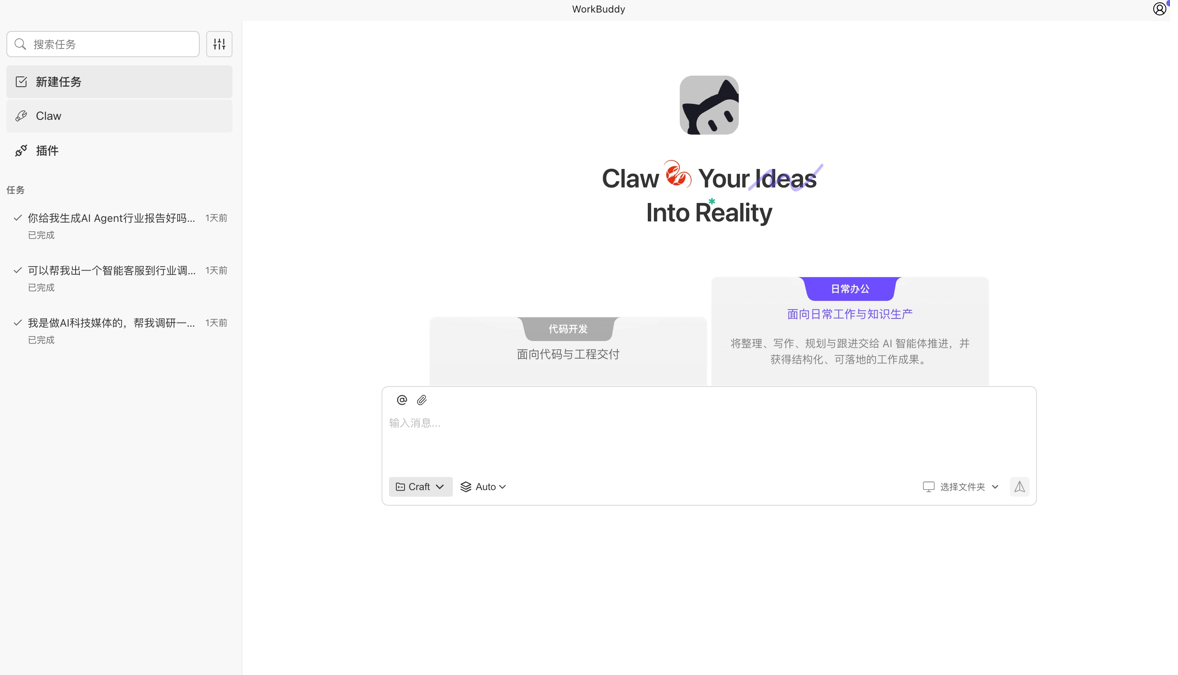
In this article, I'll talk with you about my real experience using it over the past 2 days, and how I "freeloaded" Credits and a cloud server.
Official website:https://www.codebuddy.cn/work/
01. Remotely controlling the "lobster" to work
In the past, when we used AI programming tools, the process was usually: turn on the computer -> open the IDE -> enter requirements -> wait for the AI to reply. If you're out and about or lying in bed and inspiration strikes? Sorry, wait until you turn on the computer.
But WorkBuddy's logic has changed.
WorkBuddy lives inside WeCom, WeChat Customer Service, Feishu, DingTalk, and even QQ. We can assign tasks to it directly on our phones through the Bot contact.
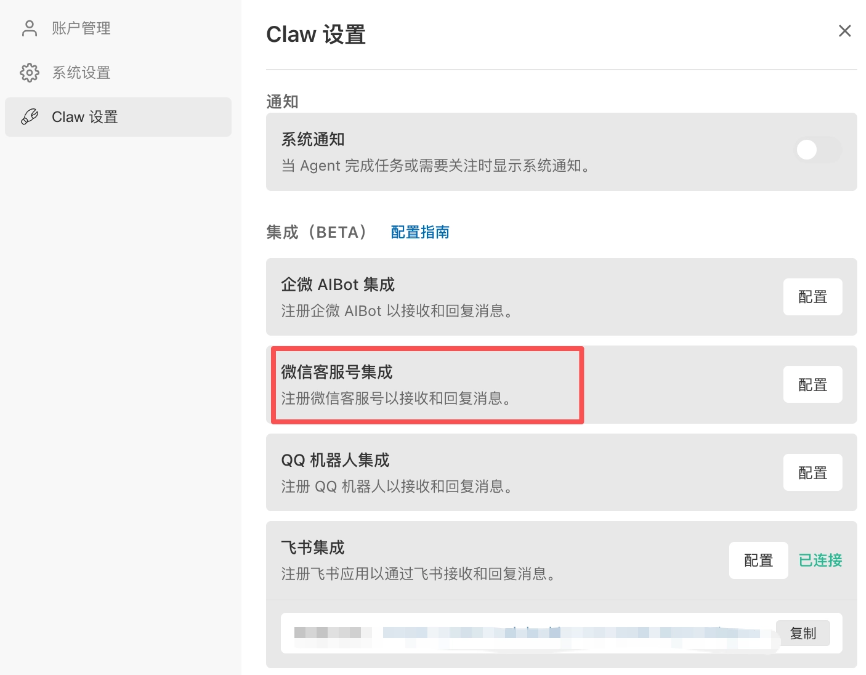
Take WeChat as an example:
After clicking [Configure], you can scan the WeChat QR code to bind it, which is much more convenient than binding channels like Feishu.
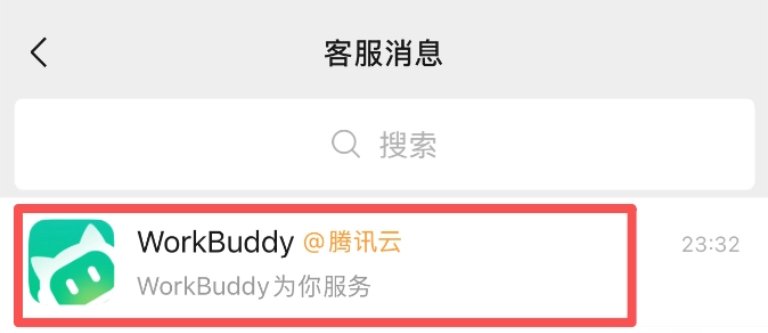
After binding, a greeting message from WorkBuddy will appear in the customer service messages.
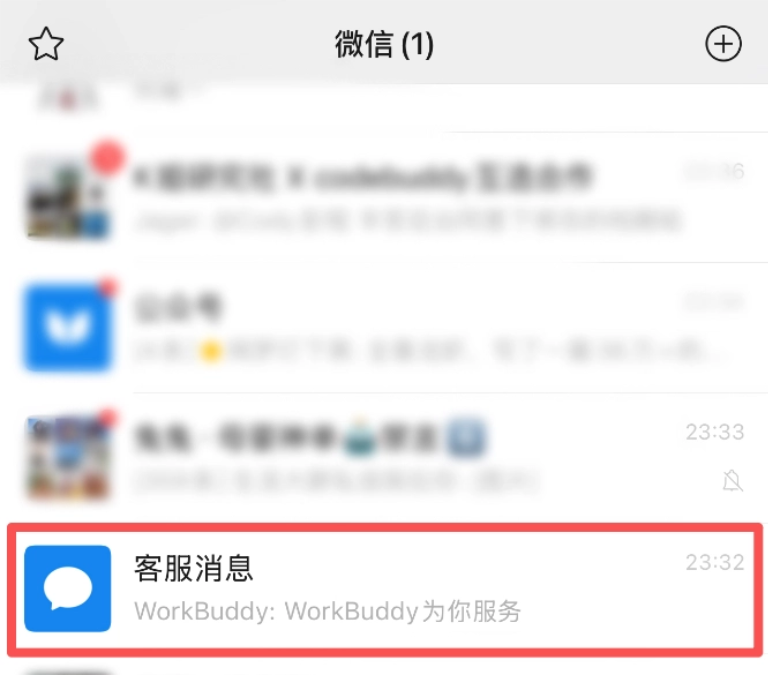
Click [Customer Service Messages] and you can see WorkBuddy.
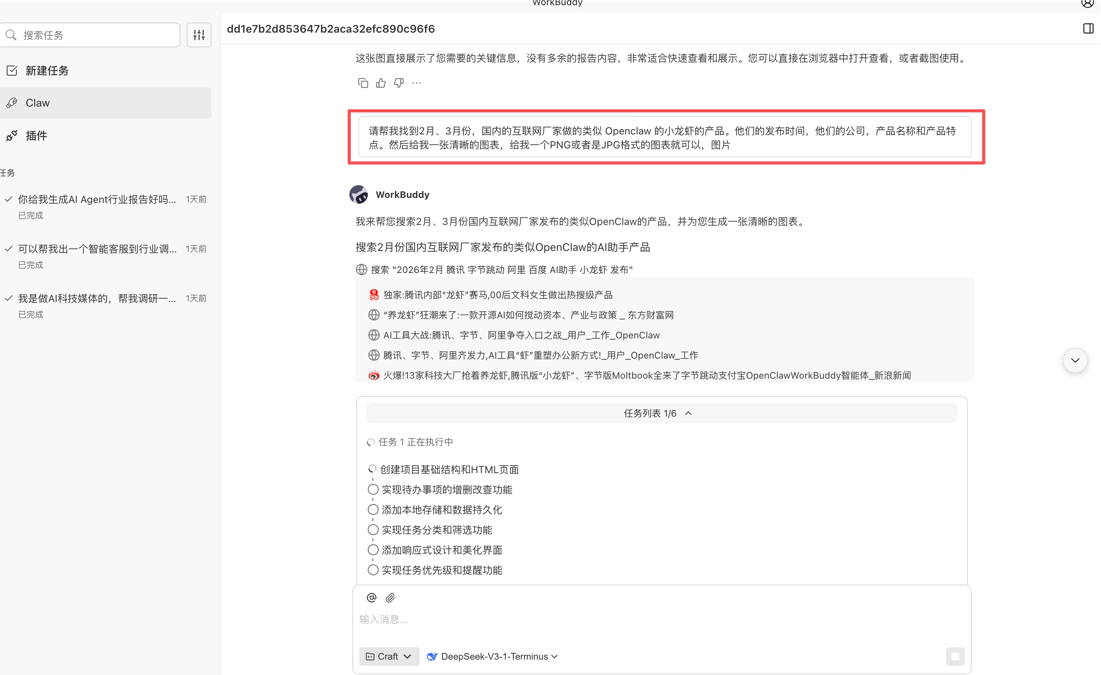
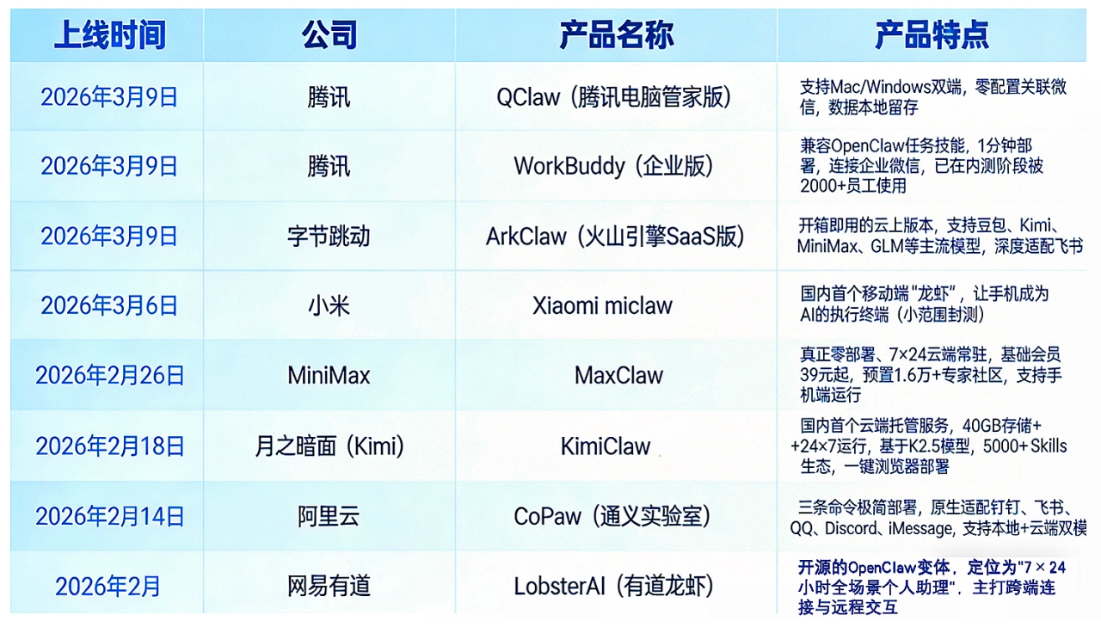
Recently, all the major tech companies have been launching their own lobsters, and new lobsters appear almost every day. Getting a comprehensive understanding takes a lot of personal time and energy, so we can just hand it to WorkBuddy:
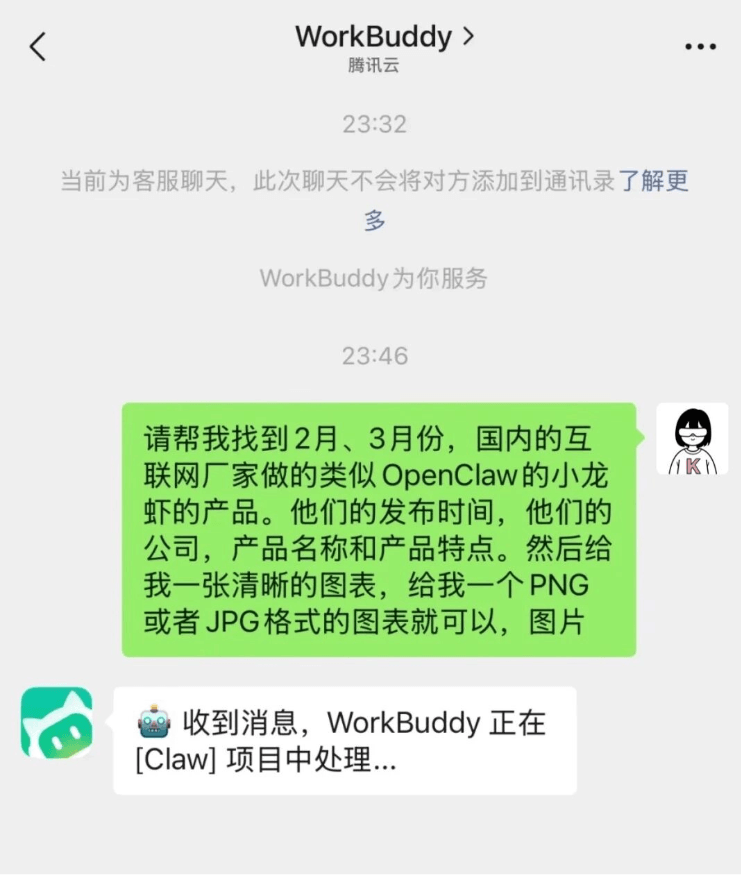
Send one WeChat message on your phone, and WorkBuddy starts working for me on the computer.
The task was completed in 2 minutes, and the result was very good. For a chart like this, organizing it yourself would take at least several dozen minutes.
This brings us to WorkBuddy's most core experience:Local + cloud dual-mode operation。
We can treat WorkBuddy as a remote employee who doesn't need sleep, doesn't need a salary, and is online 24 hours a day. When we shut down, it keeps running in the cloud; when we get off work, it is still helping us fix bugs. Only then do you really feel that one "shrimp" is worth a whole team.
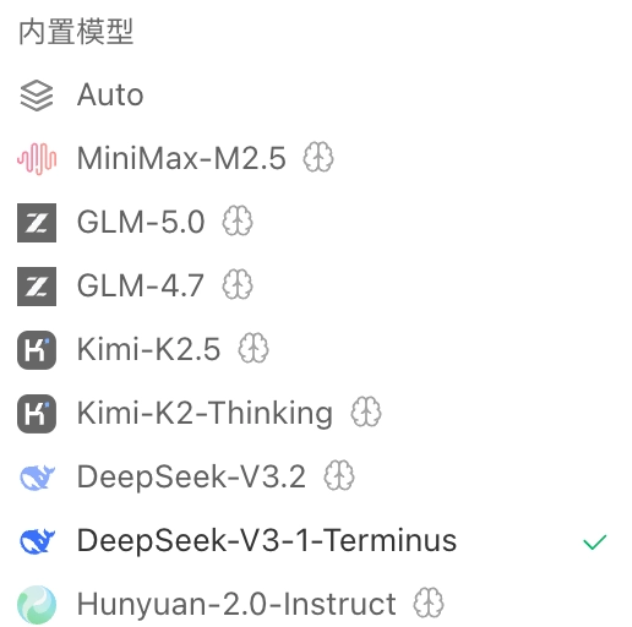
WorkBuddy also has mainstream domestic large models built in, which can be selected directly, so there's no need to painstakingly configure an API Key anymore.
02. What can Tencent Xiao Long Xia 🦞 do?
Scenario 1: Build a "red envelope grabbing" mini-tool for the operations lady
Our operations team wanted to run an activity and needed an H5 for random prize drawing. I directly sent the instruction on WeChat: "Make an H5 page for random prize drawing. The interface should be festive, and clicking the button shows the draw result."
After WorkBuddy painstakingly generated the page, it also directly provided a "one-click deployment" button~. I clicked it right on my phone, and an H5 prize-drawing page appeared, which could also be shared directly with friends via a link.
(I have to add here that at this stage Tencent Cloud has provided free resources. Lightweight servers and cloud development resources are free, which is equivalent to zero cost from writing code to going live. This羊毛 really can be薅.)
Scenario 2: Vibe Coding your own App
Have you ever had this experience?
An idea suddenly pops into your head, and you want to quickly make a demo to verify it. But as soon as you open the editor, you fall into an endless cycle of "setting up the framework, writing interfaces, adjusting styles, configuring the environment..." By the time all that is done, the passion is long gone.
Now it's different.
I picked up my phone and said directly to WorkBuddy:
"Use Python + FastAPI + SQLite to build me a personal bookkeeping app. It needs login, transaction records, and monthly report charts, and finally deploy it directly to my VPS and give me an accessible link."
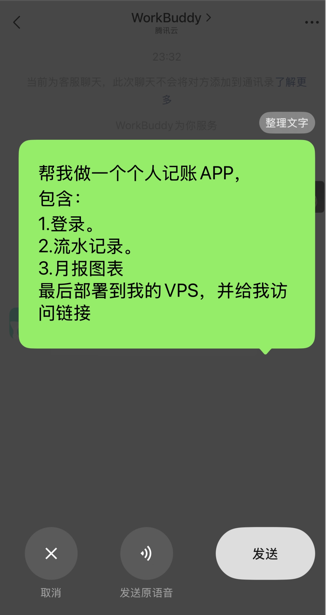
And then, WorkBuddy actually built it for me.
It set up the project structure itself, wrote code, ran migrations, did testing, built the Docker image, deployed it to the server, and even helped me commit everything with Git.
A community member personally tested it and, in one night, used it to build a small tool from 0 to 1. Not only was the code finished and deployed online, but even the multilingual App Store update logs were automatically filled in and submitted for review.
Scenario Three: File Management and Maintenance
File management is a must-have feature for many working people. Especially for partners doing video self-media, there are so many and such messy types of materials like images and videos, and finding materials is very time-consuming.
I told WorkBuddy like this:
I need you to help me organize the images and videos on this computer:
1. First, help me scan all the images and videos on this computer
2. Help me organize them into a three-level directory by location-time-content
3. Write the location according to the image description, down to city/district-county-township
4. The content needs to first be identified using a visual model, then summarized in 2-6 characters
5. The naming format for images and videos should also be location-time-content
One thoughtful thing about WorkBuddy is that you can intuitively see the progress。
This is not available on OpenClaw. Sometimes after sending a task there is no response for a long time, and you do not know how far the progress has gone. It is quite frustrating, and you still have to check the logs yourself.
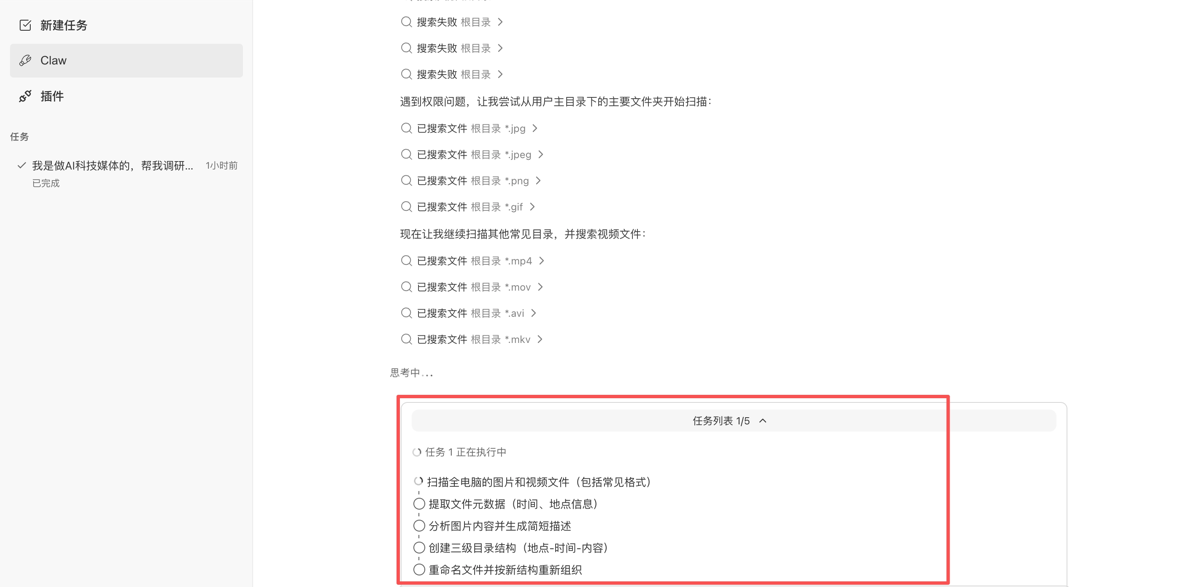
In 3 minutes, WorkBuddy processed 1,095 files! This organizing speed is more than 100 times faster than organizing manually.

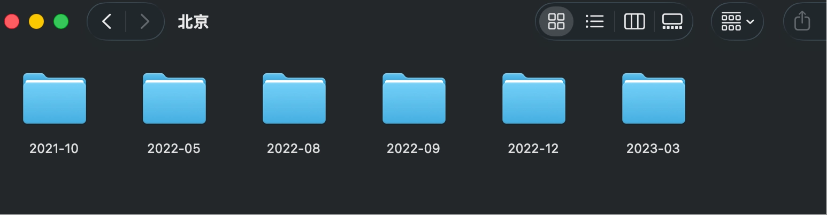
Let us take a look at the organizing results together. All files are clearly categorized by location and time, but WorkBuddy did not recognize the image content.
03. Free "Perks" and Benefits
I know that after seeing this kind of new product, everyone's first reaction may be: "It looks good, but will it be expensive?" or "Is it only for programmers?"
Recently, it is indeed a window period, and there are several genuine benefits worth your 3 minutes to take a look at:
1. New and existing users get 5,000 Credits directly (deadline March 31)
As long as you are a domestic version user, click into the event page and you will directly get 5,000 points. These 5,000 points are enough to run several small projects like the one I just did.
Claim address:https://www.codebuddy.cn/profile/usage
2. Free cloud resources, one-stop from development to deployment (deadline March 31)
This may be the biggest difference between WorkBuddy and other AI programming tools. Others only help you write code, and you still have to buy the server yourself.
Because CodeBuddy is backed by Tencent Cloud, it directly gives lightweight cloud servers and cloud development resources. For beginners who want to tinker with small projects but do not want to spend money buying domains and servers, this is extremely friendly.
Domestic version claim:https://www.codebuddy.cn/promotion/
3. Million Credits bounty: post content and get it (deadline April 10)
Here comes the key point! If you think this thing is fun, or want to challenge something more difficult, WorkBuddy is running a "Million Credits Bounty" event.
As long as you post videos or image-text content on social platforms with the topic #WorkBuddyClaw实战, you can get rewards. The maximum is 48,000 Credits, equivalent to almost 2 years' subscription value.
If you are already researching AI tools yourself, this is actually a "double freebie" opportunity—you get to try out a new tool for free, and you can also earn future usage credits by producing content.
04. Some Sharing
WorkBuddy is certainly not perfect yet.
For example, when operating on mobile, if the task logic is especially complex (such as linked modifications involving dozens of files), its response speed will be a bit slower than on desktop, since after all it is running in the cloud. In addition, although it is said to be suitable for everyone, if you want to debug very deep code bugs, you still need a little foundational knowledge to read the logs it provides.
But the flaws do not outweigh the merits. WorkBuddy Claw's device-less approach really struck a chord with someone like me who does not want to be tied down by a computer.
We used to always say, "wait for the AI era to arrive," but now it feels like "the AI era is already in the phone."
If you are a developer, you can try letting it help you write documentation and fix bugs; if you are in product/operations, you can try letting it directly produce prototypes and build landing pages for you.
After finishing this article, I sent the link to that friend who was fixing bugs in the coffee shop. He replied to me: "So in the future, can we fix bugs while lying on the beach too?"
I said: "Not fixing bugs, but 'directing others' to fix bugs."
This may be what WorkBuddy Claw wants to do: let AI become your team, and you only need to focus on thinking.
Original link:Tencent's version of "Crayfish" evolves again, one-click access to WeChat to work 24 hours a day!