

What is Muse
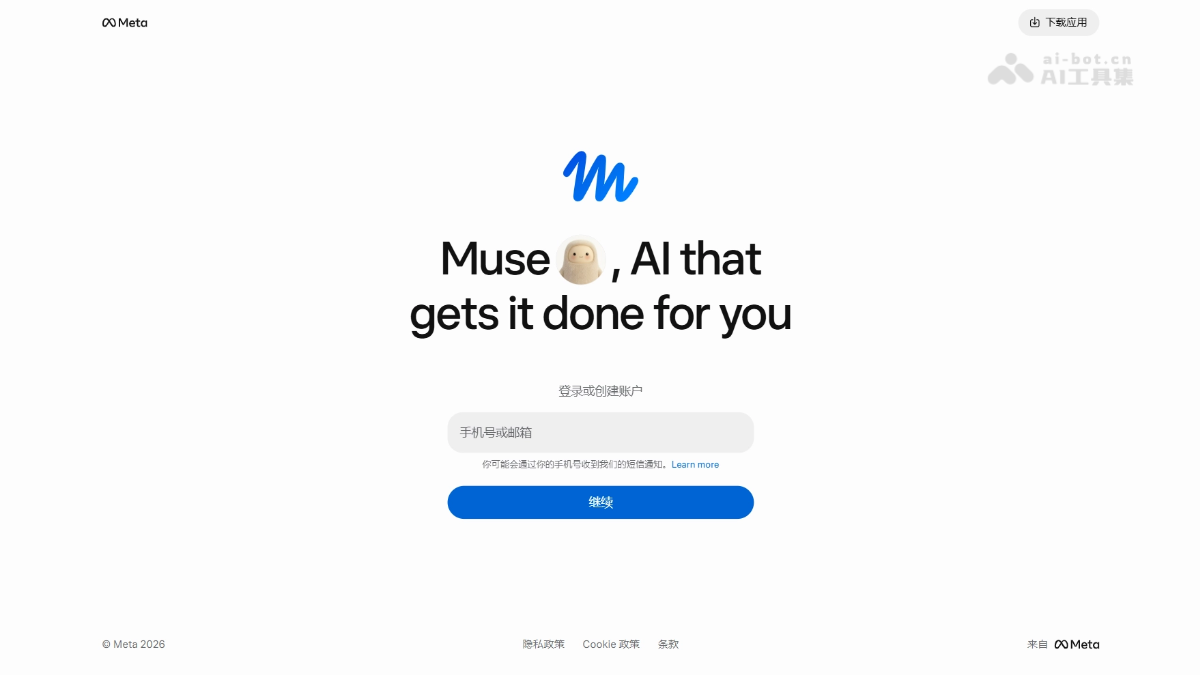
Muse is a personal AI agent app launched by Meta, driven by theMuse Sparkmodel, designed as a 'superintelligence that completes tasks for users around the clock.' Each user has an independent secure virtual machine in the cloud, supporting continued task execution in the background after the app is closed, such as organizing emails, booking travel, comparison shopping, and canceling unused subscriptions. Sensitive operations such as payments and sending emails must be confirmed by the user and are approved by an independent security agent, Sentinel.
Muse's main features
-
Autonomous task execution: State a high-level goal (such as 'sell my old car within two weeks at the highest price'), and it automatically breaks down the steps and executes them to completion.
-
Continuous background operation: Relying on an independent cloud virtual machine, it can still monitor ticket prices and wait for appointment slots 24/7 after the app is closed.
-
Email management: Reads authorized mailboxes, automatically organizes the inbox, flags important emails, and drafts and sends emails on the user's behalf.
-
Price comparison and money saving: Cancels unused subscriptions, compares car insurance prices, tracks refunds, with the focus on 'AI helps you get your money back.'
-
Booking and shopping: Books restaurants, flights and hotels, and tennis courts, generates shopping lists, and places orders on the user's behalf; user confirmation is required before payment.
-
Cross-app collaboration: Connects to third-party services such as Gmail, Google Calendar, and Stripe, enabling workflows across multiple platforms.
-
Persistent memory: Remembers recipes the user saved on Instagram and dietary restrictions mentioned on WhatsApp, and recalls them across scenarios.
-
Multi-entry access: Supports use on iOS, Android, Mac, the web, and the WhatsApp chat window.
How to use Muse
-
Download entry: Visit the Muse official website https://muse.ai/ , download Muse, or use it within WhatsApp.
-
Register and log in: Register a Meta account with a phone number or email and verify it.
-
Grant permissions: Follow the prompts to connect third-party accounts such as Gmail and Google Calendar, and authorize it to manage emails and schedules on the user's behalf.
-
State a goal: Describe a high-level task in natural language, such as 'help me find the cheapest car insurance plan.'
-
Use task suggestions: If you don't know what to request, browse the Ideas/Feed page and let Muse proactively recommend tasks.
-
Confirm key operations: When sensitive steps such as payments or sending emails are involved, tap approve in the app or WhatsApp.
-
Wait in the background: You can exit the app; Muse continues executing on the cloud virtual machine and pushes progress notifications at key points.
-
View results: View progress, adjust plans, or terminate tasks at any time in the app, on the web, or in WhatsApp.
Muse's core advantages
-
Ecosystem distribution: Relying on the massive user bases of WhatsApp, Instagram, and Facebook, customer acquisition costs are extremely low.
-
Uninterrupted in the background: The independent cloud virtual machine supports 24/7 continuous operation, and tasks are not interrupted even when the app is closed.
-
Secure isolation: Muse Secure VM isolates data by user, Sentinel independently approves sensitive operations, and credentials never fall into the hands of the AI.
-
Low barrier to entry: The WhatsApp entry point + free quota + Ideas task suggestions mean even non-technical users can use it directly.
-
Focuses on saving money: Enters through "visible return" scenarios such as unsubscribing, price comparison, and payment recovery, giving it strong viral momentum.
-
Diverse entry points: Covers five platforms—iOS, Android, Mac, web, and WhatsApp—for seamless cross-device continuity.
-
Persistent memory: Remembers user preferences and context across platforms, fitting personal habits better the more it is used.
Comparison of Muse's similar competitors
| Comparison dimension | Meta Muse | Manus |
|---|---|---|
| Product positioning | An always-on personal agent made by Meta, emphasizing continuous background task handling | A general-purpose autonomous AI Agent, focused on "delivering complete results in one sentence" |
| Underlying model | Self-developed Muse Spark 1.3 (Meta Superintelligence Labs) | Multi-model hybrid architecture (Claude/GPT, etc. dispatched on demand) |
| Runtime environment | An independent Muse Secure VM per user; tasks can continue across days | Cloud virtual machine; tasks are mainly single-delivery |
| Background capabilities | Core selling point: 24/7 monitoring, waiting, and resuming after the app is closed | Supports long tasks, but weaker in the "unattended continuous operation" mindset |
| Security mechanism | Sentinel independent approval + credential isolation + multi-layer permission control | Sandbox isolation; sensitive operations require user confirmation |
| Entry channels | iOS/Android/Mac/web/WhatsApp + Meta social graph traffic referral | Web + mobile app, with no super traffic entry point |
| Core scenarios | Saving money (unsubscribing/price comparison/payment recovery), handling life errands | Deep research, report generation, code development, data analysis |
| Target users | Ordinary consumers (mass-market C-end) | Professionals, developers, early tech users |
Muse's application scenarios
-
Money-saving management: Scans idle subscriptions and cancels them, compares car insurance/insurance prices, tracks refunds; officially positioned as "AI that saves you money".
-
Travel booking: Compares transportation and accommodation options, fills in booking information, monitors fare fluctuations, and returns control to the user for confirmation before payment.
-
Email and calendar: Organizes the inbox, marks important emails, drafts and sends emails, automatically schedules the calendar, and coordinates meeting times.
-
Selling idle items: Posts listings, replies to buyer inquiries, coordinates times to view cars/goods, and handles the entire second-hand transaction.
-
Family affairs coordination: Organizes school emails reminding about registration deadlines, generates dinner menus based on dietary restrictions, generates shopping lists, and places orders on behalf of the user.
Muse's frequently asked questions
Q1: What is Muse?
A1: A personal AI agent launched by Meta on September 8, 2026, capable of proactively performing tasks for users such as organizing email, comparison shopping, and booking travel, rather than passively answering questions.
Q2: Which regions can use Muse?
A: Currently only available to users aged 18 and above in the United States and Canada; other regions are not yet open.
Q3: How do you use Muse?
A3:Download the iOS/Android App, visit the muse.ai web version, or use it in a WhatsApp chat window. After registering with a phone number/email, you can assign tasks in natural language.
Q4: Is Muse paid?
A4:A free version is available (with a weekly token quota), and there are also two monthly subscription tiers at $20/$100, corresponding to higher computing power and task limits.
Q5: Will tasks be interrupted after closing the App?
A5:No. Muse runs in an independent cloud virtual machine and can continue executing in the background 24/7. At key points, it will send push notifications for you to confirm.
Q6: How does Muse ensure security?
A6: Each user's data is isolated in an independent Muse Secure VM. Sensitive operations are approved by the independent security agent Sentinel, and the AI cannot directly read passwords or payment card numbers.
Q7: Why did Amazon ban Muse?
A7: Amazon believes that Muse accessed its website without authorization, did not identify itself as an AI agent, and scraped and stored user credentials, violating the platform's terms of use.


