
What is Floatboat
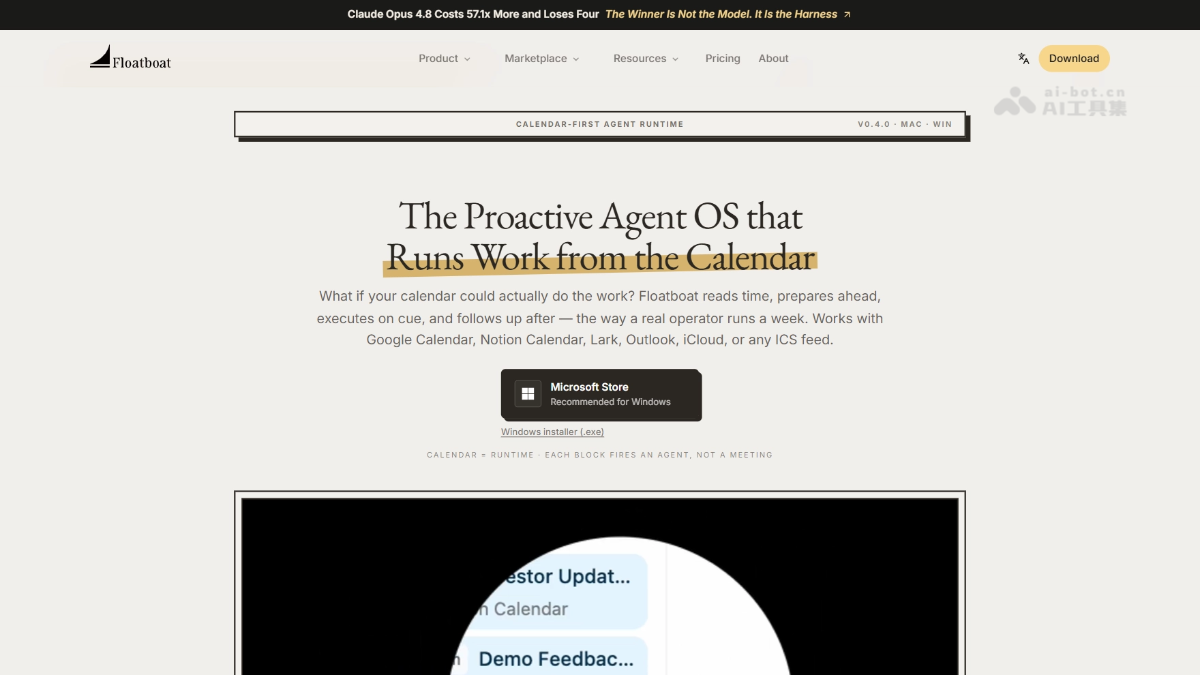
Floatboat is an AI Agent workspace launched by AOE Tech Labs, positioned as the "first AI work operating system built for the one-person company (OPC)". The product's core Flow Mode presents files, browser, and AI conversations side by side, enabling seamless context flow; the Tacit Engine silently learns the user's work style. Floatboat covers an AI scheduling assistant, file manager, FloatIM communication network, and Skills marketplace, integrates 3,500+ tools, and supports multi-model orchestration.
Floatboat's main features
-
Flow Mode: Supports presenting files, browser, and AI conversations side by side, with information freely draggable and flowing between panels, without repeated uploading and downloading.
-
AI scheduling assistant: Calendar blocks are Agent execution units, automatically planning time blocks for preparation, drafting, and follow-up, providing a briefing before meetings and producing minutes after them.
-
AI file manager: Directly connects to local and cloud file systems; the Agent can directly read and write local files and supports preview and editing of multiple formats.
-
FloatIM communication network: People and Agents, and Agents and Agents, collaborate in the same network, with multiple Agents automatically dividing work to advance tasks.
-
Skills marketplace: Packages repetitive workflows into one-click-start Combo Skills, integrating 3,500+ tools.
-
Tacit Engine™: Silently observes the user's work habits, builds a personalized style model, and makes the AI understand you better the more you use it.
How to use Floatboat
- Access and installation: Visit the Floatboat official website https://floatboat.ai/ , download the macOS or Windows native client, and complete installation.
- Connect account services: In settings, bind calendar accounts such as Google, Outlook, and iCloud as well as cloud storage services such as iCloud Drive, so the Agent can access schedules and files.
- Enable Flow Mode: After starting Flow Mode, freely arrange the file manager, browser, and AI conversation panels, with support for up to four columns side by side, and information can be dragged and flow directly between panels.
- Configure the AI scheduling assistant: Tell the AI scheduling assistant the specific tasks to be delivered this week, and it will automatically plan time blocks on the calendar for preparation, drafting, overnight runs, and follow-up.
- Manage local files: Directly browse, preview, and edit local files in the AI file manager; the Agent can read local file contents in real time and automatically perform related operations.
- Save a Combo Skill: After completing a repetitive workflow, save it as a Combo Skill, and the next time you encounter a similar task, you can start automated execution with one click.
- Collaborate via FloatIM: Collaborate and communicate with multiple Agents in the FloatIM communication network; Agents will automatically divide work to advance tasks and request confirmation from you at key nodes.
Floatboat's core advantages
-
Flow Mode: Files, browser, and AI conversations are presented side by side, and information can be freely dragged and flow between panels, without repeated uploading and downloading.
-
Local-first architecture: The Agent directly reads and writes local files; after operations are completed, the files remain on your computer, and data sovereignty belongs entirely to you.
-
Calendar as runtime: The AI scheduler turns calendar blocks into Agent execution units, automatically completing preparation, drafting, and follow-up rather than merely giving time reminders.
-
Tacit Engine silent learning: Continuously observes the user's editing, decision-making, and execution habits, building a personalized work style model that understands you better the more you use it.
-
Multi-Agent collaboration network: FloatIM lets humans and Agents, and Agents and Agents, divide labor and collaborate within the same communication network, confirming with the user only at key nodes.
-
One-person company native design: Built from the ground up for independent workers, enabling one person plus a group of Agents that understand you to independently run a company.
Floatboat's product pricing
- Free: Free entry plan, offering a standard processing queue, partial model access, 5MB HTML publishing, unlimited local storage, AI browser, Telegram/Feishu integration, audio and video processing, and a massive number of free skills, suitable for individuals trying it out lightly.
- Lite: $116.58/month, 5,000 credits per month, supports 20MB HTML publishing and 300 FloatSchedule credits per day, but is limited to the DeepSeek model, retains the standard processing queue and all basic features, suitable for individual users with regular light needs.
- Pro: $33.98/month, offering 10,000–30,000 customizable credits, unlimited concurrent tasks, a priority processing queue, full model access, and early access to beta features, suitable for professional creators and small teams with heavier workflows that need efficient processing.
- Max: $166.98/month, 50,000 credits per month, adding dedicated account manager support on top of all Pro features, suitable for enterprises and advanced users with high-frequency heavy usage that need continuous large-scale AI workflows.
Floatboat's comparison with similar competitors
| Dimension | Floatboat | Claude Cowork |
|---|---|---|
| Product positioning | Cross-platform All-in-One Agent workspace, designed specifically for one-person companies and small teams | Anthropic desktop Agent, focused on delegated knowledge work automation |
| Runtime environment | macOS / Windows native client, with direct access to the local file system and native applications | Runs within the Claude desktop application, requiring manual authorization for folder access |
| Core driver | Calendar-driven, with each event automatically triggering a complete Agent workflow including preparation, execution, and follow-up | Goal/folder-driven, where users set goals and delegate multi-step execution |
| Model support | Built-in GPT, Claude, DeepSeek, GLM, Kimi, Gemini, etc., with Auto Mode automatically routing to the optimal model | Only supports the Claude series of models |
| Workspace | Modular UI, with Chat, File Manager, and Browser freely combinable and draggable, supporting multi-column layouts | Mainly a conversational interface, supplemented by folder batch processing, with a relatively fixed layout |
| Collaboration capabilities | FloatIM supports humans collaborating in the same group with multiple local Agents, and Agents can self-organize into temporary teams | Mainly oriented toward single-person delegation, with limited multi-Agent collaboration and group chat features |
| Open protocols | Open-source IACT (Interactive Agent Chat Text) and Selfware (files as software) protocols, compatible with MCP | Mainly relies on Anthropic's closed ecosystem, with less support for open protocols |
| Pricing model | Free installation + usage-based credit system | Bound to Claude subscription tier, subject to regional availability |
| Use cases | Calendar-intensive hybrid workflows (content, files, scheduling, communication integrated) | Single deep tasks such as deep research, long document iteration, and spreadsheet processing |
Floatboat use cases
-
Solo entrepreneur daily operations: A one-person company founder uses calendar-driven automation to complete client meeting preparation, follow-up email drafting, and desktop file organization without hiring an additional assistant.
-
Creator content production: Bloggers and video creators chain material organization, script writing, and multi-platform publishing scheduling into Combo Skills, achieving fully automated flow from inspiration to publication.
-
Small business customer management: Small business owners use a three-stage Agent workflow of pre-meeting briefings, in-meeting notes, and post-meeting follow-ups to automatically maintain customer relationships and categorize files such as contracts and invoices.
-
Studio project collaboration: 2-5 person studios use FloatIM group chats to let humans and multiple Agents jointly handle project files, scheduling, and deliverables, reducing the cognitive burden of switching between tools.
-
Developer hybrid workflows: Independent developers unify code writing, technical documentation writing, customer communication, and release scheduling in the same desktop workspace, replacing a fragmented SaaS tool stack.
Floatboat FAQ
Q: What is Floatboat?
A: Floatboat is a proactive Agent operating system that connects to your existing calendar and turns meetings, deadlines, and plans into Agent workflows that run automatically on time, with a persistent Agent Workspace for each task.
Q: Which calendars are supported?
A: Supports Google Calendar, Notion Calendar, Lark, iCloud, Outlook, and any online calendar that provides an ICS subscription feed; connect once to continuously read your schedule rhythm.
Q: How is it different from chat-based AI like ChatGPT?
A: Chat-based AI waits for user prompts and resets context with each session, whereas Floatboat is a system that runs continuously on schedule; Agents prepare in advance, execute on time, follow up afterward, and collaborate across devices and with team members.
Q: What is an Agent Workspace?
A: Each calendar event has its own persistent workspace, where context, files, decisions, and Agent action records remain organized; users can review, edit instructions, and rerun automations at any time without losing history.
Q: Can it integrate with existing tools?
A: Floatboat integrates with over 3,500 tools including Slack, Google, Notion, GitHub, and Office, while also deeply integrating with macOS and Windows system features through native clients.
Q: Is it free?
A: The client is free to download; paid plans are billed by credits usage and unlock advanced features such as higher quotas, priority queues, and full model access.
Q: Is it a web app or a desktop app?
A: Floatboat is a native macOS and Windows desktop app, enabling deep integration with local files, calendars, and native operating system features.


