

What is Cline
Cline is an open-source and free AI codingagent that runs in multiple forms—plugin, CLI, Kanban, and SDK—across VS Code, JetBrains, and terminal environments. It can read and write code, execute commands, operate browsers, and complete automated tasks. Cline uses a dual-mode design that separates planning and execution; every change requires approval and can be rolled back with one click. It also supports any mainstream large model and local models, and can connect to external systems via the MCP protocol, helping developers safely and efficiently complete the entire process from coding to deployment.
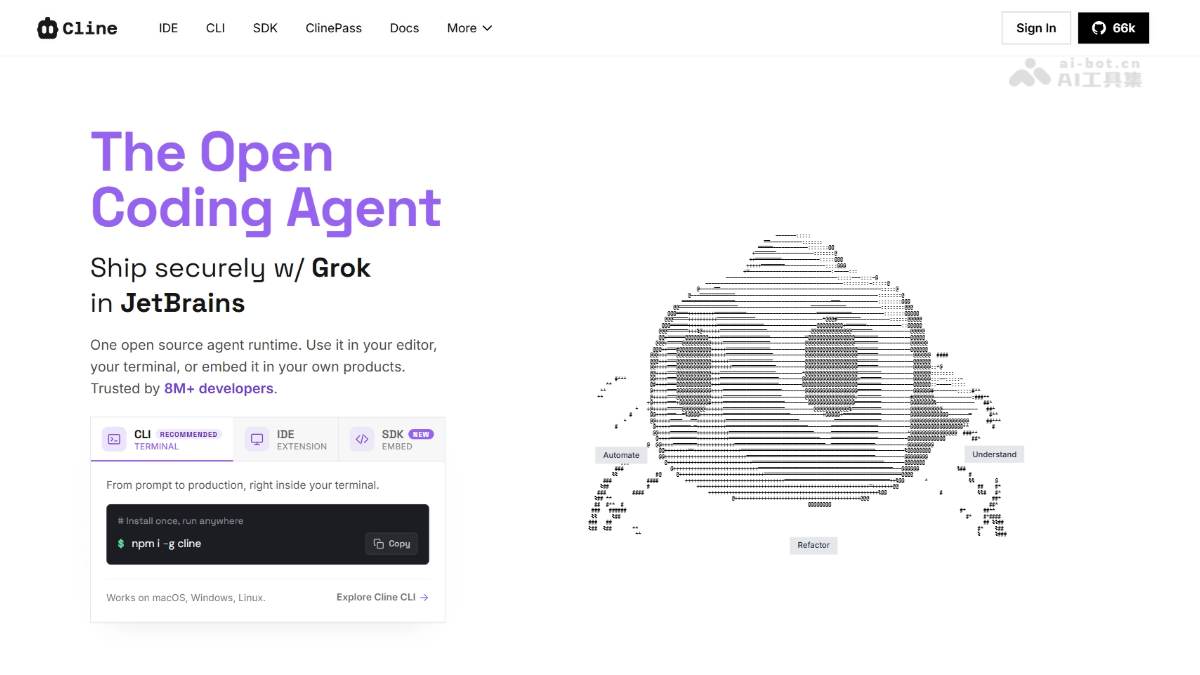
Cline's main features
-
Cross-file code editing: Understands project structure and file dependencies, makes coordinated multi-file modifications, monitors linter and compilation errors in real time, and fixes them automatically.
-
Terminal command execution: Runs commands directly in the terminal and observes output in real time, capable of handling dependency installation, running tests, deployment, and long-running development servers.
-
Plan / Act dual mode: First explore the codebase, clarify requirements, and formulate a strategy in Plan mode; after confirmation, switch to Act mode for execution. Every operation requires approval, and automatic approval can be enabled for autonomous operation.
-
Rules and skills: Define project coding standards, architectural conventions, and deployment processes through .clinerules files; the CLI and editor plugins automatically load and apply them.
-
Full model support: Compatible with Claude, GPT, Gemini, OpenRouter, AWS Bedrock, Ollama local models, and any OpenAI-compatible interface. Use it with your own key.
-
MCP and plugin extensions: Register custom tools and lifecycle hooks through the SDK, or connect to MCP servers to link databases, APIs, and cloud infrastructure.
-
Multi-agent teams and scheduled tasks: A coordinator agent breaks down tasks and delegates them to specialist agents, and supports cron-based periodic automation.
-
Multi-platform access: Chat with the agent from messaging platforms such as Slack, Telegram, Discord, and Linear, and support headless operation in CI/CD pipelines such as GitHub Actions.

Follow WeChat and reply "open source" to join theAI open-source project communication group
How to use Cline
-
Install the tool: Run
npm i -g clinein the terminal to install the CLI, or search for and install the corresponding editor plugin in the VS Code / JetBrains plugin marketplace. -
Configure the model: Choose Cline official billing login, the ClinePass subscription at $9.99/month, or enter your own Anthropic, OpenAI, etc. API key and local model endpoint.
-
Start a task: Describe your requirements in natural language in the dialog box, for example, implement user authentication and write tests.
-
Plan the approach: First enter Plan mode and let Cline explore the codebase and provide an implementation strategy; switch only after confirming it is correct.
-
Approve execution: Switch to Act mode and approve file modifications and terminal commands step by step, or enable automatic approval to let it complete them autonomously.
-
Review and roll back: Review every change via diff, and when unsatisfied, use checkpoints to undo to a previous state with one click.
-
Extension integration: Author .clinerules specifications on demand, connect to MCP servers, or use
cline connectto connect to platforms such as Slack and Telegram for remote use.
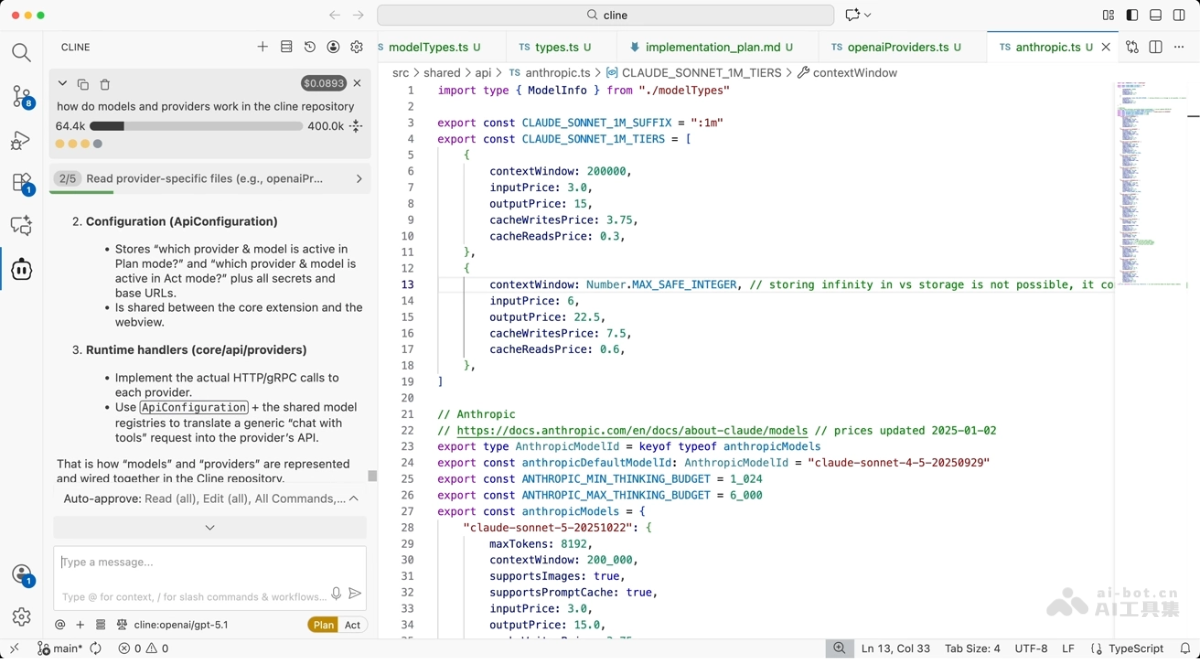
Cline's working state
Understand codebases
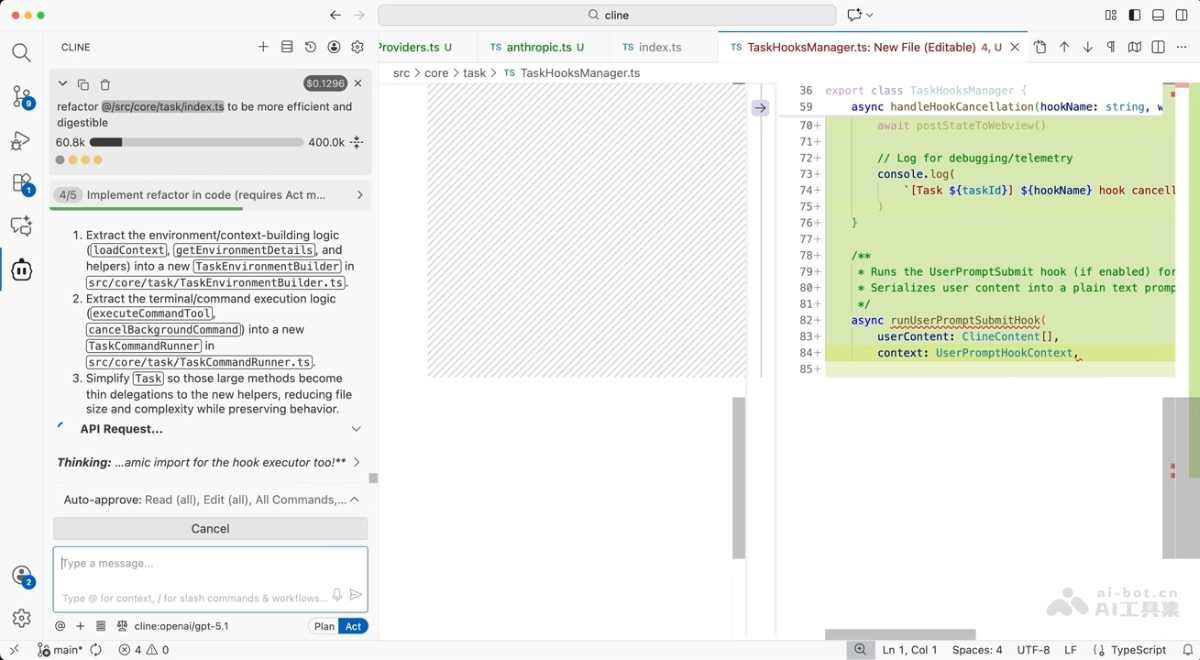
Refactor large codebases
Cline's core advantages
-
Fully open source and transparent: Uses the Apache 2.0 license; the code is auditable and self-hostable, with no black-box risk.
-
No vendor lock-in: Supports all mainstream providers such as Claude, GPT, Gemini, and local models. It can run with your own keys or your own compute, and switching models does not change the workflow.
-
Full-form coverage: A single core runs through VS Code, JetBrains, the terminal CLI, the Kanban board, and the SDK, seamlessly connecting from the editor to CI/CD pipelines.
-
Secure and controllable: Every step requires explicit approval, and with diff previews and checkpoint rollback mechanisms, it stays under control no matter how high the level of automation.
-
Enterprise-grade capabilities: Provides SSO, role-based access control, OpenTelemetry observability, and team management to meet organization-level security and governance needs.
-
Extensible ecosystem: Compatible with the MCP protocol and plugin system, it can connect to external systems such as databases, APIs, and messaging platforms, continuously expanding the boundaries of what it can do.
Comparison of Cline with similar competitors
| Dimension | Cline | OpenCode | Kilo Code |
|---|---|---|---|
| Open source license | Apache 2.0 | MIT | Apache 2.0 / MIT |
| Product positioning | Full-form open agent (IDE + CLI + SDK + board) | Terminal-first open source coding agent | An integrated agent platform originating from the Cline fork chain |
| Runtime form | VS Code、JetBrains、CLI、Kanban、SDK | Terminal TUI, desktop app, IDE plugin | VS Code, JetBrains, CLI, Slack, cloud agent |
| Model support | Any mainstream model and local models | 75+ providers, supports local models | 500+ models, including Auto Model intelligent routing |
| Working mode | Plan / Act dual modes + checkpoint rollback | Build / Plan modes, Tab switching | Multiple customizable modes such as Code, Architect, and Debug |
| Approval mechanism | Explicit approval for every step + diff preview | File-by-file change confirmation | Ask / Auto modes, with more granular permissions |
| Extension ecosystem | MCP + SDK plugins + multi-agent teams | MCP + custom agents | MCP server marketplace |
| Community size | Trusted by 8 million+ developers | About 190,000 GitHub stars, the most popular open source coding agent | Mainly users migrating from the Roo Code ecosystem |
| Pricing model | Free and open source + ClinePass $9.99/month | The tool is free; pay based on model usage | The tool is free, with optional Kilo Pass credits and cloud agent subscription |
| Target users | Teams that value controllable approvals and enterprise governance | Heavy terminal users and multi-model enthusiasts | Developers who want comprehensive functionality and the freedom to switch across IDEs |
Cline use cases
-
Taking over legacy projects: When facing an old project that is unfamiliar or missing documentation, let Cline quickly parse the architecture and call relationships, acting as a code guide that answers questions on demand.
-
Cross-module refactoring: For systematic multi-file changes such as renaming interfaces, upgrading frameworks, and unifying standards, Cline coordinates completion and automatically fixes related issues.
-
Test-driven development: After describing requirements, Cline automatically generates and runs test cases, then iteratively fixes them based on failure output until all pass.
-
Intelligent pipeline inspection: Integrate Cline's headless mode into CI/CD to automatically review commits, fix build failures, and output change risk analysis.
-
Periodic code governance: With scheduled tasks, automatically generate dependency update reports, TODO list summaries, and weekly code quality reports to continuously safeguard code health.
Cline FAQs
Q: Is Cline free?
A: Cline itself is open source and free (Apache 2.0), but calling models requires paying API fees yourself; you can also subscribe to ClinePass for $9.99 per month or use free and local models.
Q: Which editors does Cline support?
A: It supports VS Code, Cursor, Windsurf, the full JetBrains suite, and Zed, and can also connect to Neovim via ACP mode.
Q: Which models can Cline use?
A: It is compatible with Claude, GPT, Gemini, OpenRouter, AWS Bedrock, local Ollama models, and any OpenAI-compatible interface.
Q: Will Cline automatically modify my code?
A: No, every file edit and command execution requires explicit user approval; it runs autonomously only after automatic approval is enabled.
Q: Can I recover from a mistaken operation?
A: Yes, all changes are recorded in checkpoints, and one-click rollback to any historical state is supported.
Q: Can Cline be used in CI/CD?
A: Yes, the CLI supports headless mode and JSON output, and can be directly embedded into pipelines such as GitHub Actions and GitLab.
Q: What is the difference between Cline and Cursor?
A: Cursor is a standalone AI editor that requires migration, while Cline enters your existing editor as a plugin, and is fully open source and does not lock you into models.

