

What is 724Claw永动虾
724Claw永动虾 is a Windows desktop AI assistant application packaged based on OpenClaw, focusing on a barrier-free "out-of-the-box" experience. Users do not need to configure a complex environment; they can chat with the AI as soon as they log in, and the system automatically selects the optimal model. 724Claw永动虾 has a built-in Skills store that supports one-click installation of extended capabilities such as weather, calendar, and PDF processing; the visualized scheduled task feature can automatically perform repetitive work such as daily reports, reminders, and backups. It supports integration with multiple platforms such as Feishu, QQ, DingTalk, and WeChat, allowing the AI to be "on duty 24 hours" in commonly used communication tools.
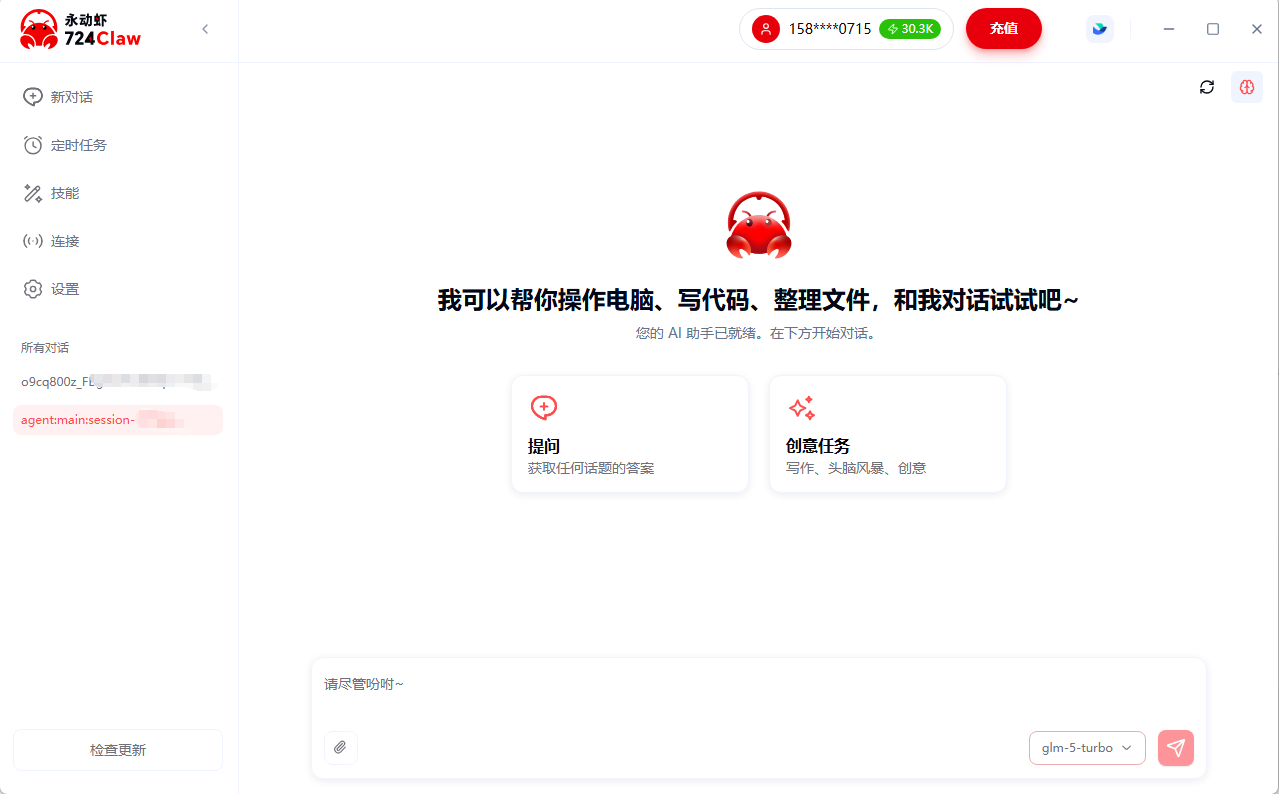
Main features of 724Claw永动虾
-
Out of the box: No environment configuration required; chat immediately after logging in, and the system automatically selects the optimal model.
-
Skills store: Accelerated by domestic mirrors, one-click installation of extended capabilities such as weather, calendar, and PDF processing.
-
Scheduled task management: Visual configuration, automatically executes repetitive work such as daily reports, reminders, and backups.
-
Multi-platform integration: Supports Feishu, QQ, DingTalk, and WeChat, allowing the AI to be "on duty 24 hours" on commonly used platforms.
-
Conversation management: The sidebar clearly displays all conversations and supports category management and history review.
-
Multi-model support: Covers seamless switching among mainstream large models such as DeepSeek, Qwen, MiniMax, Kimi, and GLM.
-
Shrimp Coin points system: The free version lets you claim 300 Shrimp Coins per day, while the paid version offers more quota and faster response speed.
How to use 724Claw永动虾
-
Download and install: Visit the official website https://www.724claw.cn/ and download the Windows client; supports Windows 10/11 systems.
-
Register and log in: After opening the application, complete account registration and login; no additional runtime environment configuration is required.
-
Claim Shrimp Coins: Free users automatically claim 300 Shrimp Coins per day, while paid users receive monthly quotas based on their tier.
-
Start chatting: After logging in, you can chat with the AI, and the system automatically selects the optimal model to respond.
-
Install Skills: Enter the Skills store and install extension plug-ins such as weather, calendar, and PDF processing with one click.
-
Configure scheduled tasks: In the scheduled task management interface, visually set up automated tasks such as daily reports, reminders, and backups.
-
Connect communication platforms: Bind Feishu, QQ, DingTalk, or WeChat, allowing the AI to "be on duty" and respond on commonly used platforms.
-
Manage conversation records: View all historical conversations through the sidebar, organize them by category, and quickly review them.
Application scenarios of 724Claw永动虾
-
Personal efficiency assistant: Daily Q&A, information queries, and schedule management, online 24 hours a day and ready to respond at any time.
-
Automated office work: Automatically perform repetitive work such as daily report generation, meeting reminders, and data backup through scheduled tasks.
-
Multi-platform intelligent customer service: Integrate with Feishu, QQ, DingTalk, and WeChat groups to provide uninterrupted automatic reply services for enterprises.
-
Content creation assistance: Leverage multi-model capabilities for copywriting, translation, PDF document processing, and summarization.
-
Skill Extension Office: Install Skills plugins such as weather and calendar to build a personalized AI workflow.
-
Zero-Barrier AI Introduction: No environment configuration required, suitable for beginners to quickly get started and experience various large models.


