

What is SkillHub
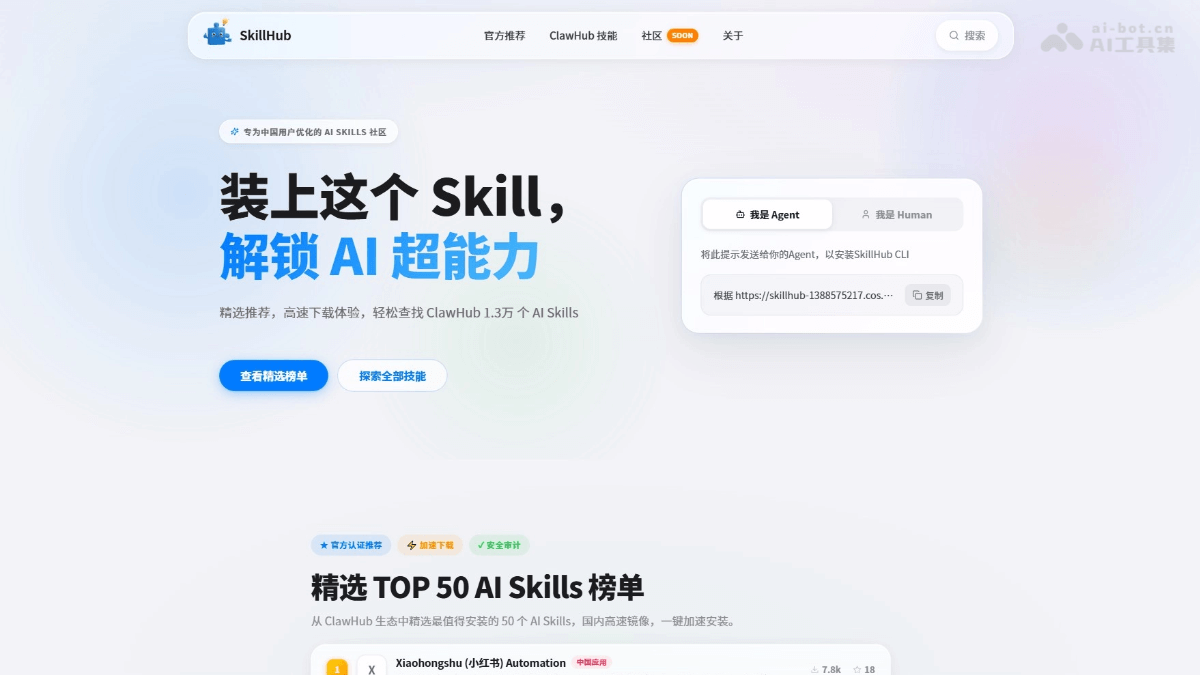
SkillHub is a Skill ultra-fast installation tool launched by Tencent Cloud specifically for Chinese users. Leveraging domestic high-speed mirrors, SkillHub solves the pain points of slow and failure-prone downloads from the official ClawHub, enabling "instant" Skill installation. SkillHub features a curated Top 50 quality list, provides Chinese search, and offers 8 major categories, helping users efficiently discover the tools they need from 13,000 Skills. It also supports one-click CLI installation, with skills not included automatically falling back to the official source for seamless integration.
Main features of SkillHub
-
Ultra-fast download: Leveraging Tencent Cloud domestic node mirrors, it completely solves the problems of slow and frequent failures when downloading from overseas ClawHub, enabling instant Skill installation.
-
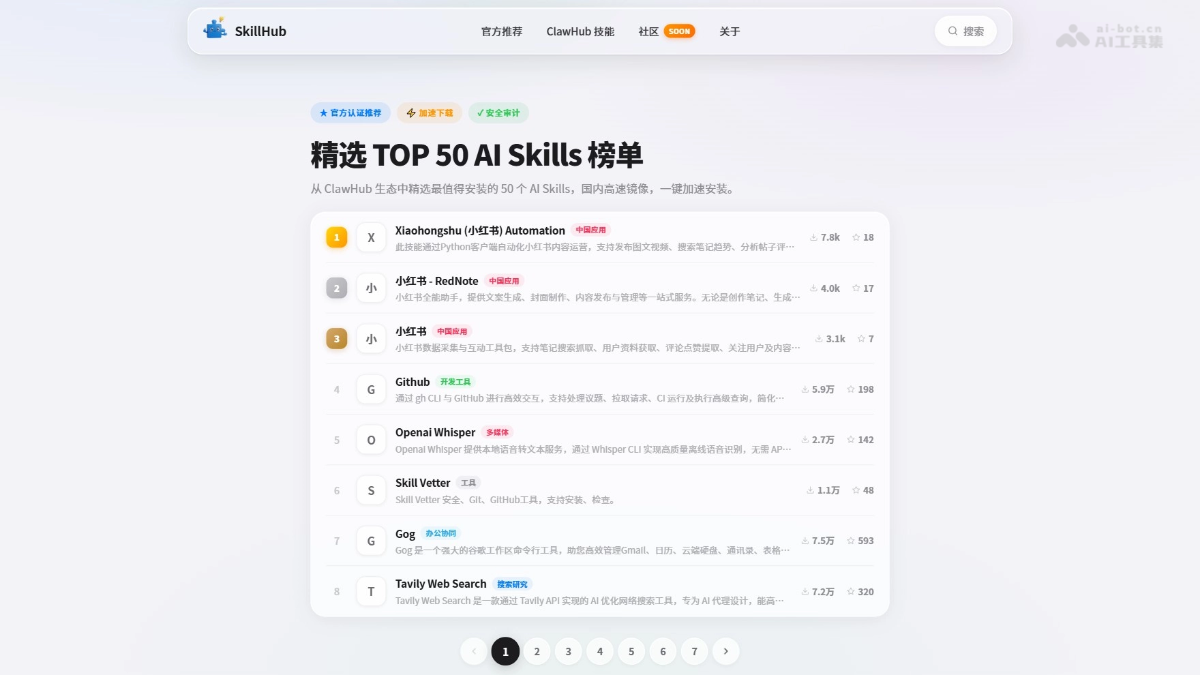
Curated list: The team selected the Top 50 quality skills from 13,000 Skills, officially certified and security-audited, providing users with reliable recommendations.
-
Chinese search: Rebuilt the search engine and classification system, supports Chinese keyword search, and organizes Skills into 8 major categories, helping users quickly and accurately locate their target tools.
-
CLI tool: Provides a command-line installation method; run
skillhub install <skill-name>to complete Skill deployment with one click, with no complex configuration required. -
Smart fallback: During installation, it preferentially pulls from domestic high-speed mirrors; if the skill is not included, it automatically switches to the official repository for download, ensuring installation success.
-
Open community: A Chinese developer community will be launched soon, supporting Skill sharing, framework discussions, and exchange of usage insights, building an open AI Agent ecosystem platform.
How to use SkillHub
- Visit the official website: Visit the SkillHub official website https://skillhub.tencent.com/ to browse the curated Top 50 list or search for the Skill you need.
- Copy the installation command: Find the target Skill and click to copy the provided installation command.
- Install the CLI tool: For first-time use, run
curl -fsSL https://skillhub-1251783334.cos.ap-guangzhou.myqcloud.com/install/install.sh | sh。 - Verify installation: Run
skillhub -hto confirm that the command-line tool is ready. - Install Skill: Run
skillhub install <skill-name>, which automatically prioritizes pulling from domestic high-speed mirrors; if not included, it intelligently falls back to the official ClawHub for download.
Core advantages of SkillHub
- Download speed advantage: Leveraging Tencent Cloud domestic nodes, it completely solves the problems of slow and failure-prone downloads from overseas ClawHub, enabling instant Skill installation.
- Content discovery advantage: Provides a curated Top 50 list, Chinese search, and 8 major categories, helping users efficiently filter quality tools from 13,000 Skills.
- User experience advantage: No complex configuration required, supports one-click CLI installation, automatically prioritizes domestic mirrors, and intelligently falls back to the official source for items not included.
- Security and trust advantage: Curated Skills are officially certified and security-audited, reducing the security risks of users using third-party Skills.
- Localization advantage: Fully Chinese interface and community, more precise search, better suited to the usage habits of domestic developers.
SkillHub Use Cases
-
Social Media Operations: Quickly install Skills such as Xiaohongshu Automation to automate content publishing, data analysis, and comment management, improving operational efficiency.
-
Development Collaboration: One-click deployment of Skills for development tools such as GitHub and Notion, simplifying code management, project collaboration, and document processing workflows.
-
Content Creation: Install Skills such as OpenAI Whisper and YouTube Watcher to complete multimedia processing tasks such as speech-to-text and video summarization.
-
Smart Search: Integrate Skills such as Tavily Web Search to provide AI Agents with real-time, precise web information retrieval capabilities.
-
Office Automation: Connect Google Workspace and note repositories through Skills such as Gog and Obsidian to automate schedule management and file processing.


