

What is MiniMax Agent
MiniMax Agent is a general-purpose agent launched by MiniMax that can complete long-horizon complex tasks, supported by a Multi-agent System. MiniMax Agent can autonomously plan expert-level solutions, flexibly break down requirements, execute multiple subtasks in parallel, and deliver results. As an AI-native workspace, MiniMax Agent has launched desktop applications for both Windows and Mac, capable of deeply operating desktop applications, automatically handling local files and web pages, and transforming complex industry experience into dedicated expert assistants. MiniMax Agent's core capabilities cover full-stackdevelopment, high-qualityPPT generation, deep research, multimodal input and output, and MCP ecosystem integration.MaxClawAs its cloud platform, it supports 10-second deployment and 24-hour online availability, and can be used in Feishu, DingTalk, WeCom, etc. It has a built-in Skill generator, supports creating dedicated Skills through conversation, and one-click publishing to the OpenClaw open-source community. The expert agent community provides preset assistants for PPT creation, investment research analysis, AI programming, etc., making complex work in office, finance, development, and other fields easy and efficient.
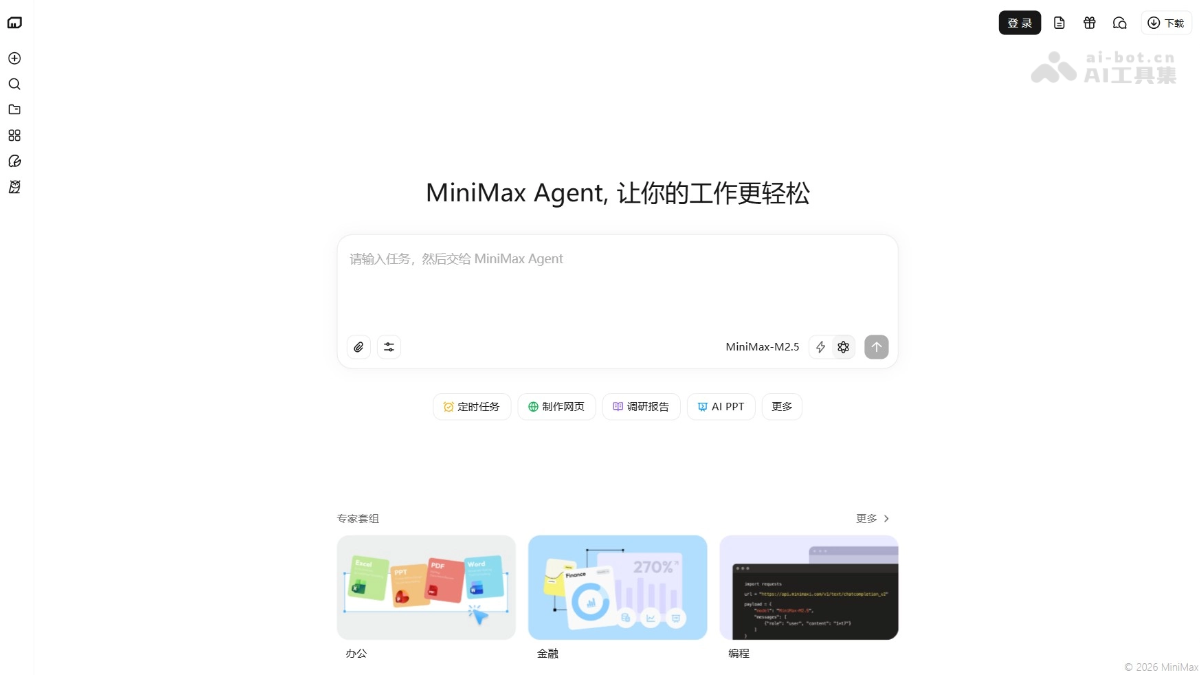
MiniMax Agent's main features
- Code development: Supports full-stack development of web applications with authentication, databases, and payment functions, and automatically tests to ensure quality.
- PPT generation: Can create professional presentations with flexible and beautiful layouts, and supports high-quality export to HTML, PPTX, or PDF formats.
- Deep research: Combines multiple tools such as search, API calls, and browser use to generate research reports with comprehensive insights.
- Multimodal processing: Input supports text, video, audio, and images, and output supports generating image, audio, and video content.
- MCP ecosystem: Supports custom or preset MCPs (such as GitHub, Figma) to extend the Agent's tool capabilities.
- MiniMax: A cloud intelligent assistant platform that supports 10-second ultra-fast deployment and 24-hour online use, and allows direct conversations in chat applications such as Feishu and DingTalk. It supports user-defined names and personalities to create personalized dedicated intelligent assistants.
- Expert ecosystem: Provides preset expert agents covering fields such as office work, finance, and programming, ready to use out of the box.
-
Pocket feature (Beta version): Supports integration with mainstream IM software such as Feishu, WeChat, WeCom, and Slack. Users can send instructions directly in the chat window, and the Agent completes tasks on the computer and sends the results (files, links, screenshots) back to the original conversation, realizing a "carry-with-you" desktop agent.
-
Computer Use feature: The Agent can look at the screen and operate the mouse and keyboard like a human, directly operating local software on the user's computer (design tools, internal systems) and graphical interfaces (system preferences), solving desktop tasks that command lines cannot reach.
- Mavis mode: Supports creating multi-role Agents for parallel collaboration, dividing work like forming a virtual team to handle complex long tasks, solving pain points such as single-Agent mid-task stoppage, long-task drift, and response delays.
How to use MiniMax Agent
- Register and log in: Visit the MiniMax Agent platform official website https://agent.minimaxi.com/ to log in and use or download the client.
- Submit tasks: Upload files or select MCP in the input box to let the Agent clarify task requirements.
- Task interaction: During Agent execution, it will ask for supplementary information or require configuration, and new instructions can be added at any time.
- Get Results: After the task is completed, download the generated files, or directly access the web deployment link.
- Multi-platform Use: Deeply operate local files in the Windows/Mac desktop app, or chat directly in Feishu and DingTalk.
- Expert Invocation: Choose preset expert agents in the community (such as PPT creation and investment research analysis), ready to use without configuration.
MiniMax Agent usage examples
Scheduled Tasks
Every day at 10:00, provide me with a summary of key news in the technology and science fields from the past 24 hours. Distill one core point from each news item and include web search sources to ensure clarity and readability.
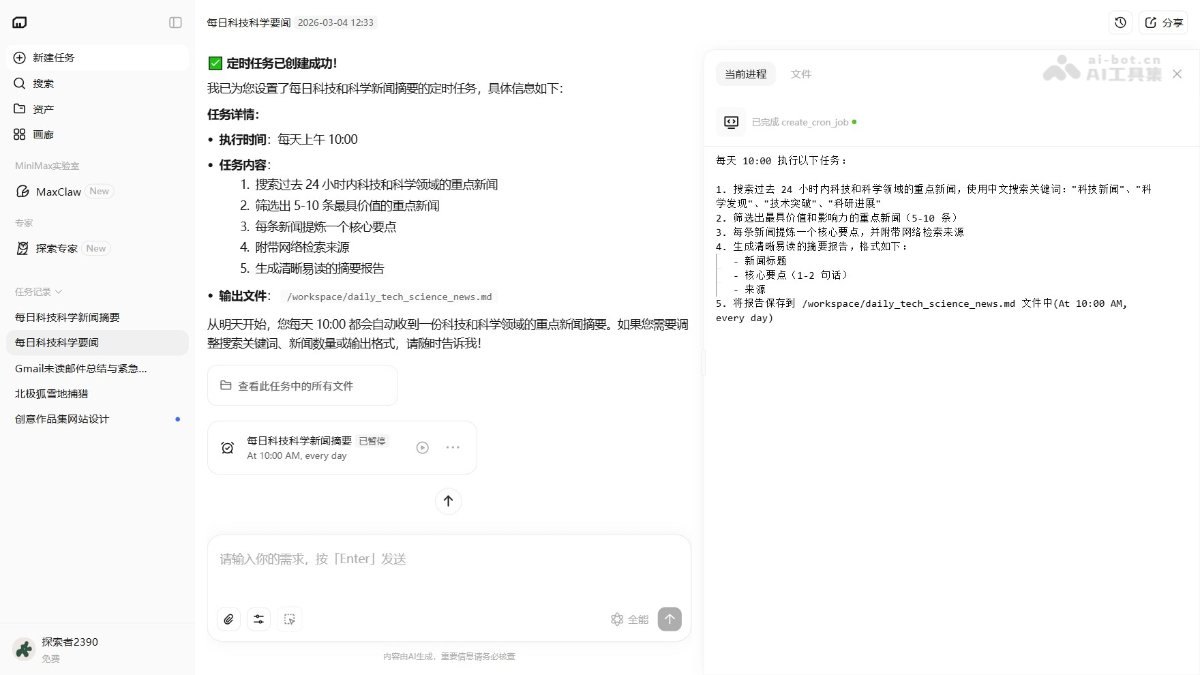
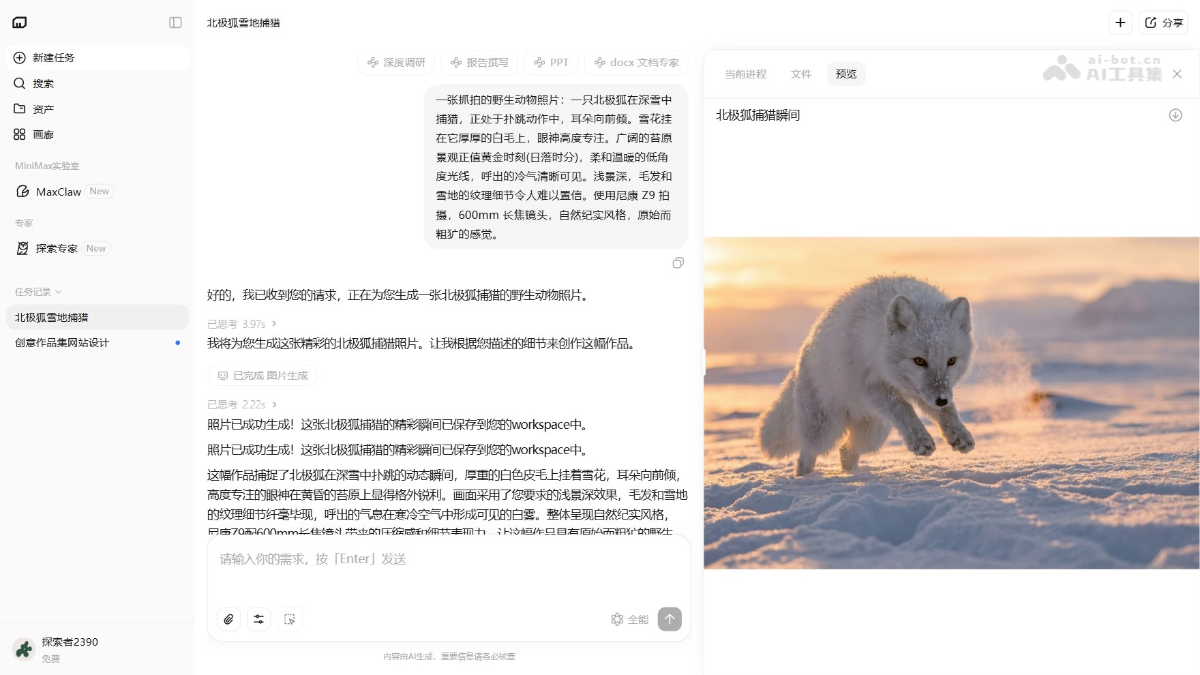
Image Generation
A candid wildlife photo: an Arctic fox hunting in deep snow, caught mid-pounce with its ears tilted forward. Snowflakes cling to its thick white fur, and its gaze is highly focused. The vast tundra landscape is at golden hour (sunset), with soft, warm, low-angle light, and its breath clearly visible. Shallow depth of field, with incredible detail in the texture of the fur and snow. Shot with a Nikon Z9, 600mm telephoto lens, natural documentary style, raw and rugged feel.
MiniMax Agent product pricing
- Free: 200 credits per day, refreshed daily at 00:00, including 1,000 free credits and 200 daily credits, suitable for light trial users.
- Basic: ¥39/month, 5,000 credits per month, can complete about 45 professional mode tasks, including 200 daily credits, peak priority, watermark removal, custom domains, and 24/7 cloud MaxClaw deployment.
- Professional: ¥119/month, 16,000 credits per month, can complete about 150 professional mode tasks, enjoy all Basic benefits, suitable for high-frequency professional users.
MiniMax Agent application scenarios
- Office Efficiency: Automatically generate professional PPTs, organize local files, and process Excel spreadsheets, completing tedious office tasks with one click.
- Financial Analysis: Use multi-agent collaboration for stock value analysis, industry research report writing, and investment risk assessment to assist investment decisions.
- Programming Development: Use the platform to develop web applications, review code quality, and fix security vulnerabilities, accelerating the entire software development process.
- Content Creation: From trend tracking and image generation to AI short drama production, complete multimodal creation of text, images, audio, and video in one stop.
- Deep Research: Combine search and API tools for market research and competitive landscape analysis, generating data-driven insight reports.


