
What is Mixboard
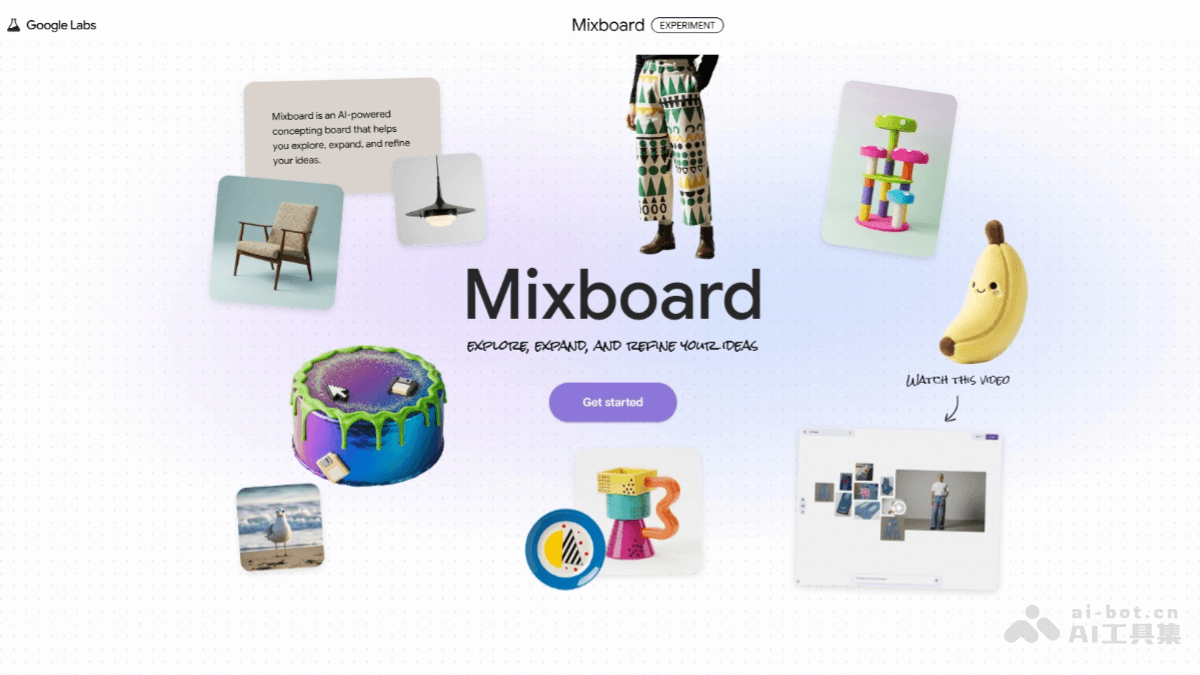
Mixboard is an AI infinite canvas tool launched by Google Labs, based on the Nano Banana series of image models, allowing users to directly generate, edit, and combine images through natural language descriptions. Users can freely drag materials on Mixboard and perform one-click color changes, style transfer, background removal, and other operations on selected images. Mixboard integrates the more powerful "Nano Banana Pro" model and adds a one-click professional presentation generation feature, which can quickly transform messy inspiration on the canvas into structured slides.
Mixboard's main features
- Infinite canvas and multi-format support: Provides an open digital whiteboard for freely organizing and piecing together creative materials. In addition to uploading your own images, it now supports more file formats, including PDF, HEIC, and TIFF files.
- AI image generation and smart editing
- Text-to-image and image-to-image: Generate images with natural language descriptions, or generate stylistically similar variants based on existing images.
- Intuitive image editing: Modify image details through natural language instructions (such as "turn the cup pink"), or use the "scribble editing" feature: scribble over an area on the image and describe your idea, and the AI will make precise modifications based on your scribble and description.
- One-click presentation generation: Users only need to choose a presentation style and focus, and the AI will automatically integrate all images, notes, and other content on the canvas, generating a fully structured, professionally designed slide deck within minutes (with export support), achieving a seamless transition from inspiration to presentation.
- Project and multi-board management: The newly added "multi-board projects" feature supports managing multiple canvases under a single project, making it easy to separately organize brainstorming, reference materials, and final solutions while keeping the workspace tidy.
How to use Mixboard
-
Log in to your account : Visit the Mixboard official website https://labs.google.com/mixboard/ and log in with your Google account.
- Choose a canvas : After entering, choose a blank canvas or use a template to start creating.
- Enter instructions : Enter a text description on the canvas, such as "a seaside sunset landscape," to generate an initial image.
- Upload images : You can upload reference images or existing images as the basis or auxiliary elements for your creativity.
- Edit and adjust : Modify the image through text instructions, such as "make the sky bluer" or "enlarge the trees."
- Generate variants : Use the "one-click regenerate" or "more like this" features to quickly obtain multiple creative versions.
- Combine and lay out : Move and combine different elements on the canvas to build a complete visual layout.
- Export and share : After completing the design, you can export the canvas as an image or share it with others.
Who Mixboard is for
-
Interior designers : Can be used to quickly build visual effects of interior spaces and showcase different decoration styles and layout plans.
-
Product developers : In the early stages of product design, explore multiple design directions by generating product concept images and variants in different styles.
-
Event planners : Provide visual solutions for event theme design, scene layout, etc., quickly presenting the overall style and atmosphere of the event.
-
Content creators : Such as social media operators, self-media professionals, etc., used to generate visual materials for creative content and enhance content appeal.
-
Students and educators : In art, design, and other courses, used as a creative tool to help students quickly express and explore design ideas.
-
General creative enthusiasts : Anyone who has creative ideas but lacks professional design skills can use it to realize their own creativity and explore different visual effects.


