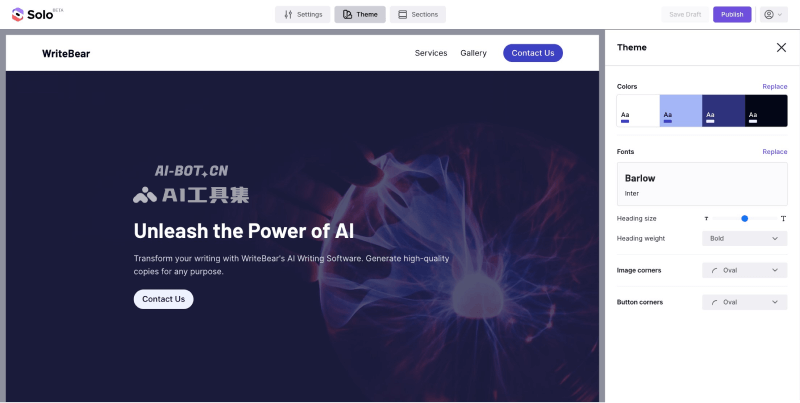
Solo (Solo AI Website Composer) is an innovative project recently launched by Mozilla, the parent company of the Firefox browser—an artificial intelligence website creation tool for individual entrepreneurs and freelancers. With the power of AI, users do not need programming experience or coding knowledge; they can create beautifully designed web pages and websites by entering text prompts and visually adding content blocks, images, layouts, and themes.
Main features of Solo
- No-code website creation: Quickly generate web pages with just a few simple inputs
- Search engine optimization: Intelligently suggest website SEO meta keywords, descriptions, and more
- Responsive design: Automatically perform responsive web design for desktop and mobile
- Comment import: Fetch post text and comments from social media and display the best content
- Company name generator: Generate a company name by describing the company's main business
- Startup idea generator: Randomly generate startup ideas in different industries to spark inspiration
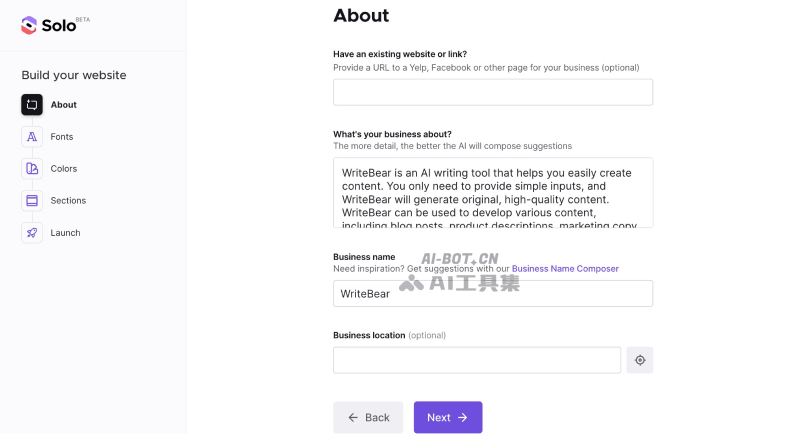
How to use Solo to create a website
- Visit Solo's official website (soloist.ai) and click Build Your Website to start creating a website
- Fill in preliminary information, such as business introduction, company name, business location, etc.
- Proceed to the next step to choose the website font style –> choose the website color theme
- Choose the website content sections to add, such as header, service introduction, Banner, contact box, footer, etc.
- Then click Compose your site and wait for Mozilla to automatically generate the web page; it will be generated after a short wait
- The generated website can be freely modified, or you can click Publish in the upper right corner to publish it
The AI tool collection tested this tool, and the generated web pages are fairly clean and impressive. If you need to quickly launch a website landing page, it is a pretty good choice. However, compared with the previously introducedFramer AIwebsite building tools, the effect is slightly inferior.