

What is Dakou
Dakou isiFlowAn asynchronous AI agent development platform under the AI assistant, focused on providing developers with one-stop development task support. Through natural language interaction, the platform assists users end-to-end in completing the full development process from ideation, coding, testing, to deployment, and features an independent cloud-based isolated sandbox environment to ensure code security. Dakou's core features include asynchronous batch parallel task processing, template management, and support for integrating GitHub and third-party MCP Servers, improving R&D efficiency.
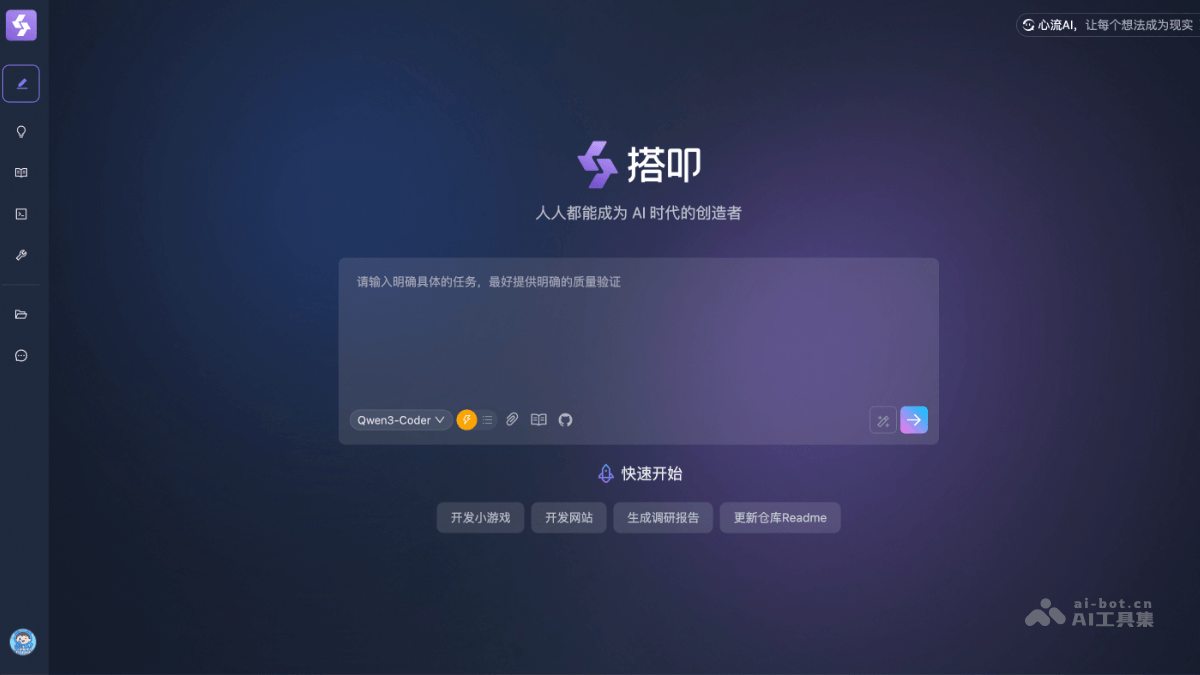
Main Features of Dakou
- Asynchronous Agent Task Processing: Supports batch parallel execution of AI tasks, handling the entire R&D process end-to-end through natural language interaction (including research, analysis, design, coding, testing, and deployment), improving efficiency.
- Cloud-based Isolated Sandbox Environment: Provides an independent secure cloud environment, ensuring data isolation and security during code execution, and avoiding external interference.
- Template Management and Open Integration: Built-in template library supports quick invocation, and can integrate GitHub and third-party MCP Servers (such as custom toolchains), expanding development capabilities.
- Multi-scenario Creation Support: Covers scenarios such as website development, mini-game generation, and research report writing, lowering technical barriers so users can create efficiently without a deep programming background.
- Full R&D Process Automation: AI-driven automation completes the entire process from requirements analysis to deployment, reducing manual intervention and enabling efficient collaboration.
How to Use Dakou
- Log in to the Platform: Visit the Dakou official website https://dakou.iflow.cn/ and log in with an activated account.
- Quick Start (Example): Dakou provides some preset example tasks. You can choose one and start it directly to familiarize yourself with the entire process from task initiation to completion, and view the final generated product (such as an official website).
- Preparation (Optional): To complete tasks more efficiently, you can do some preparation work:
- Import Business Knowledge: Upload relevant materials for the AI Agent to automatically invoke during tasks.
- Create Scripts: Define standard operating procedures (SOPs) for specific types of tasks so they can be quickly invoked later.
- Enable Tools: Enable the required external tools in the MCP Server marketplace (such as connecting to a code repository).
- Delegate Tasks: This is the core operation step:
- Describe the Task: Fill in your requirements clearly and in detail in the dialog box.
- Select a Script (Optional): If a relevant script has already been created, you can select it directly to standardize the execution process.
- Select a Code Repository (Optional): Authorize and link your GitHub or other code repositories so code can be submitted directly.
- Submit the Task: After confirming the information, submit it, and the task will enter the automatic processing queue.
- Task Execution and Viewing: After the task is submitted, 搭叩 will begin automatic execution. You can view the generated code in real time through the built-in editor, and use the preview function to view the running results (such as the generated webpage).
- Result Evaluation and Iteration: If you are not satisfied with the current result, you can continue to issue new instructions to ask the AI to optimize it. At the same time, you are welcome to evaluate the execution results and provide feedback on problems encountered during use.
Application Scenarios of 搭叩
- Website and Application Development: Users can describe requirements in natural language, and the platform can automatically complete the entire process from requirements analysis, UI design, front-end and back-end coding to testing and deployment, quickly generating websites or Web applications.
- Data Analysis and Report Generation: The platform can handle tasks such as research and analysis, automatically generating data reports or visualization dashboards, and is suitable for business intelligence scenarios that require quickly obtaining insights.
- Mini-game Development: Users can propose ideas, and AI completes game logic design, coding, and testing, lowering the threshold for independent game development.
- System Integration and Extension Development: The platform supports integration with third-party tools such as GitHub through MCP Server, and can be used to develop API gateways, data integration modules, or add new features to existing systems.
- Process Automation: It is suitable for building automated workflows, such as automatically handling repetitive R&D tasks, approval processes, or business form generation, improving operational efficiency.

