

What is Tbox
Tbox is a general-purpose AI Agent with multi-agent collaboration under Ant Group. It consists of a team of multiple agents that can collaborate efficiently to complete tasks, such ascreating PPTs, writing reports, designing webpages, etc. Users can customize agents to build exclusive workflows. Tbox supports multiple mainstream models, provides rich forms of content output, and adapts to different task scenarios. Tbox is a tool, and more importantly an open ecosystem. Users can list agents and earn revenue, promoting the widespread application of AI in work and study.
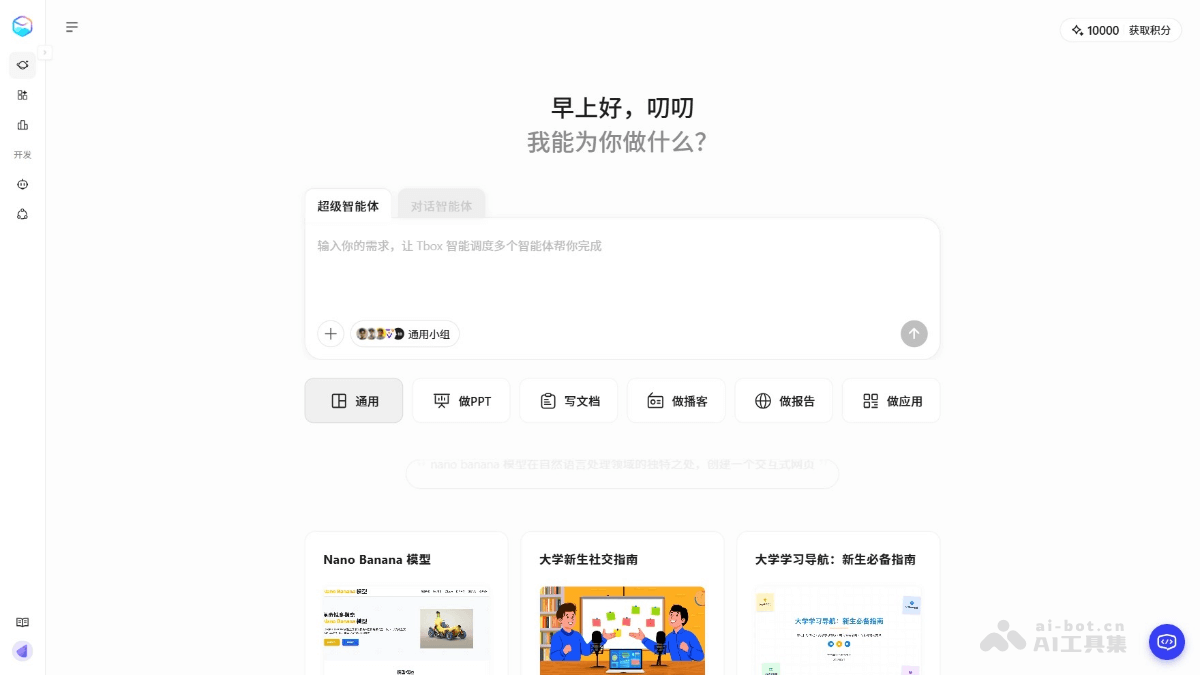
Main features of Tbox
-
Multi-agent collaboration: Through multiple agents working collaboratively, complex tasks are completed efficiently, such as creating PPTs, writing reports, designing webpages, etc.
-
Custom agents: Users create and configure exclusive agents according to their needs to build personalized workflows.
-
Content generation: Supports generating multiple content forms, including text, images, webpages, etc., meeting the needs of different scenarios.
-
Task decomposition and allocation: Automatically decomposes tasks into multiple subtasks and assigns them to different agents for parallel execution, improving efficiency.
- Agent plaza: Used to collect excellent agents submitted by users, making it convenient for users to discover and use them.
-
Result delivery: Provides reliable and high-quality result delivery, ensuring users obtain the expected outcomes.
-
Open ecosystem: Supports users in creating and listing their own agents, forming an open ecosystem for creation and consumption.
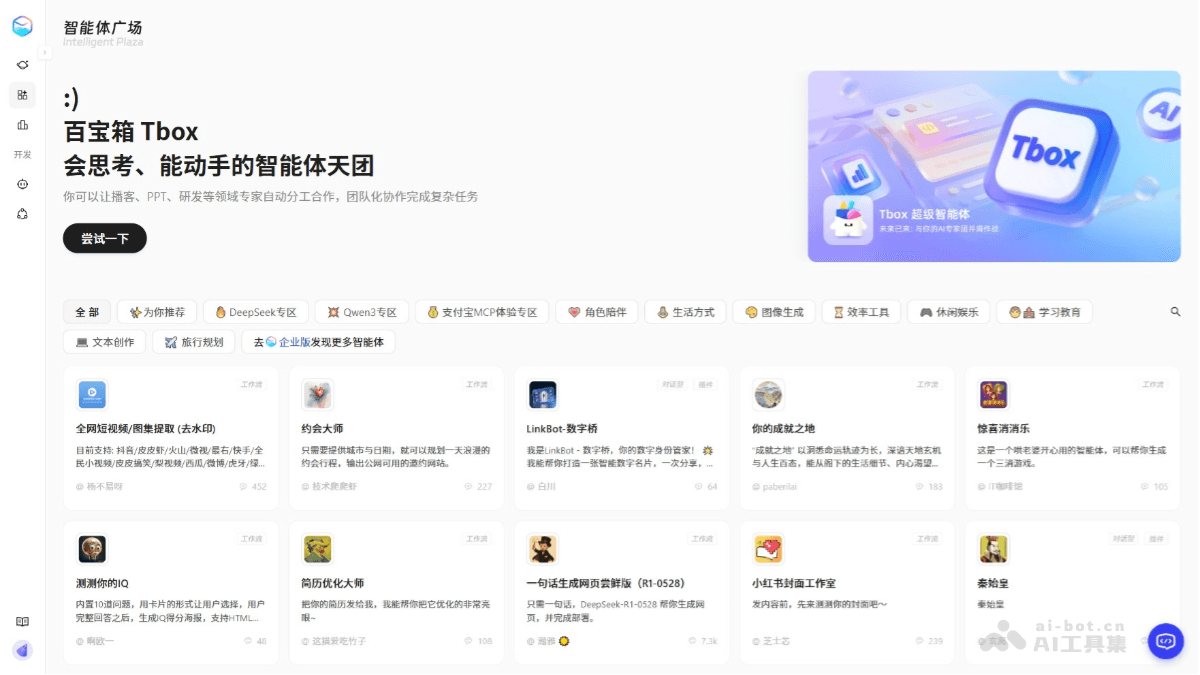
How to use Tbox
-
Visit the platform: Log in to the Tbox official website https://www.tbox.cn/ , register and log in to your account.
-
Switch modes: On the homepage, click the tabs above the dialog box to switch between the super agent and the ordinary conversational agent.
-
Create a task: In Tbox mode, enter the task requirements, such as "generate a PPT about artificial intelligence".
-
Configure agents: If needed, customize the agent team and specify agents with different roles to complete the task.
-
Execute the task: Click "Start Execution", and Tbox automatically decomposes the task and assigns it to the corresponding agents.
-
View results: After the task is completed, view the generated content, such as PPTs, reports, etc.
-
Optimize and share: Optimize based on the results, and publish the application to the Alipay mini program or list it in the Agent Plaza.
Application scenarios of Tbox
-
Education: Students can organize study notes, write papers, and create PPTs, while teachers can quickly generate teaching materials, improving learning and teaching efficiency.
-
Office and enterprise: Automatically generates various reports and meeting materials, assists project management, and improves enterprise office and project execution efficiency.
-
Content creation: Quickly generates copy, designs creative drafts, and produces multimedia content, providing creators with inspiration and preliminary results.
-
Technical development: Generates code frameworks and technical documentation, improving development efficiency and quality.
-
Personal life: Create travel plans, fitness and diet plans, financial reports, etc., helping individuals efficiently manage their life and health.


