

What is Zeabur
Zeabur is a cloud deployment AI agent designed for vibe coding. Zeabur enables one-click deployment through AI technology and supports multiple programming languages and frameworks, including frontend, backend, and databases. Users can quickly launch projects through simple drag-and-drop or code push. Zeabur offers multiple deployment options such as shared clusters, self-owned servers, and managed VPS, while also supporting pay-as-you-go billing to help users save costs. Zeabur has powerful features such as auto-scaling, object storage, and variable management, helping developers focus on code without worrying about complex deployment details.

Zeabur's main features
- One-click deployment: Users can quickly deploy code to the cloud by simply dragging and dropping a project folder or browsing files, without complex configuration.
- AI deployment support: Deployment can be completed by chatting with Zeabur AI, without manually configuring complex environments, making project launch easy.
- Multi-language and framework support: Supports multiple technology stacks such as frontend, backend, and databases, including code generated by large language models (LLM), meeting different development needs.
- Multiple deployment options: Provides multiple deployment methods such as shared clusters, self-owned servers, and managed VPS, allowing users to choose flexibly according to their needs.
- Zero-config CI/CD: After code is pushed to GitHub, the new version will be automatically deployed online, without manually configuring continuous integration and continuous deployment processes.
- Auto-scaling: Automatically adjusts resource capacity according to service demand, ensuring applications run stably even under high traffic.
- Object storage service: Provides object storage services similar to S3 or GCS, making it convenient to store user-uploaded files with simpler operation.
- Variable and configuration management: Manage all complex variables in one configuration file, without multiple .env files, simplifying the configuration management process.
- Domain management: Users can generate a Zeabur-provided domain for deployed services with one click, or use a custom domain and add a CNAME record.
- File management: Easily manage service files through the visual interface of the web console, with an operation experience similar to cloud drive.
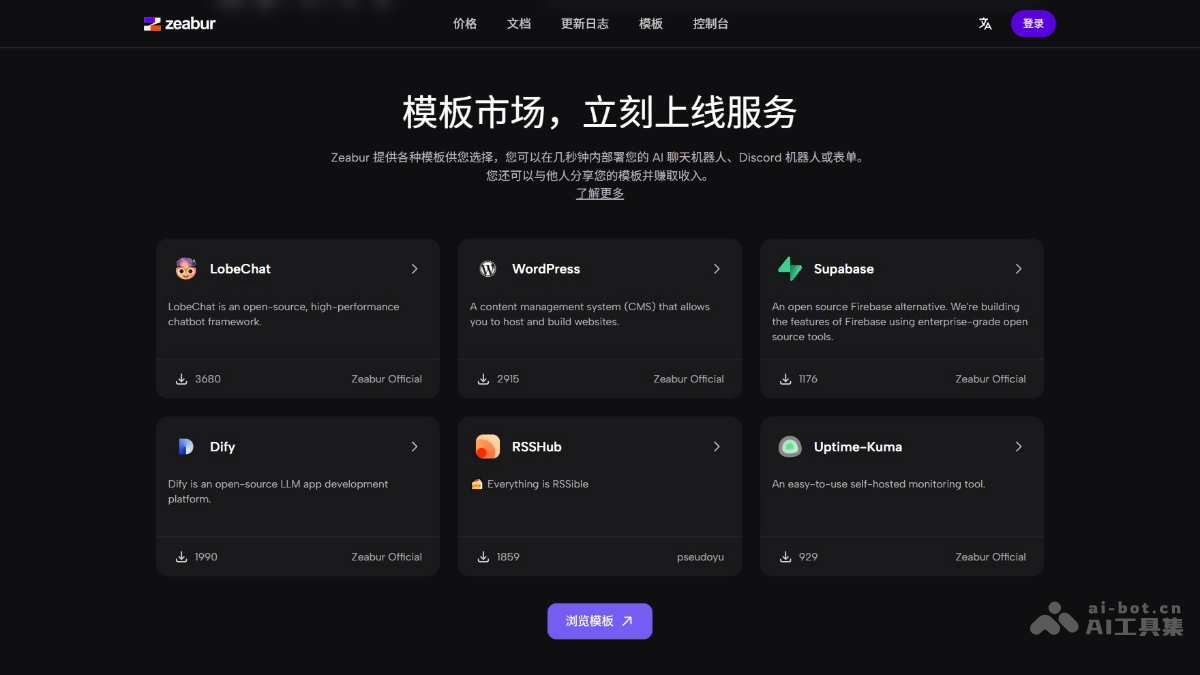
- Template marketplace: Provides various preset templates, allowing users to quickly deploy common services such as AI chatbots, WordPress, and more.
- Template sharing: Users can share their own templates with others and profit from them through the template marketplace.
- Pay-as-you-go billing model: Users only pay for the resources actually used, without purchasing an entire server, saving costs.
How to use Zeabur
- Create an account: Visit the Zeabur official website, click the "Login" button on the homepage, click "Sign in with GitHub", and authorize Zeabur to access the GitHub account. Click the "Authorize" button on the GitHub authorization page to complete authorization.
- Create a project: After successful authorization, you will be automatically redirected to the Zeabur console. On the console page, click the "Create Project" button. Select the region where you want to deploy the service (such as different AWS regions). The system automatically generates a random project name, which can be modified in the project settings.
- Deploy a service: Click the project you just created to enter the project details page. On the project details page, click the "Add Service" button.
- Select Service Type:
- Git Service: Deploy source code, and Zeabur automatically builds and deploys it.
- Configure GitHub Access Permissions: If this is your first time using it, you need to configure GitHub access permissions for Zeabur.
- Prebuilt Services: Deploy services from the commonly used service marketplace (such as databases or open-source tools).
- View Service Marketplace: View the list of available services in the Zeabur template marketplace.
- Once Service: Deploy services purchased from Once (such as Campfire).
- Configure Service: Manage environment variables in the project settings to ensure that the program can correctly read the configuration at runtime.
- Bind a Domain (Optional): In the console, select "Domain Management" to bind a custom domain or use the domain automatically generated by Zeabur.
- Monitoring and Optimization: View the service's running status and logs in the console. Adjust resource configurations such as CPU and memory according to service requirements.
Zeabur's Application Scenarios
- Rapid Launch for Startups: Startup teams use Zeabur's one-click deployment feature to quickly launch their products, saving time and effort and focusing on product iteration.
- Developers' Personal Projects: Individual developers deploy personal projects through Zeabur, without the need for complex server management, making the transition from code to the cloud easy.
- AI Project Deployment: Supports deployment of code generated by large language models (LLM), suitable for developers who need to quickly launch AI applications.
- Full-Stack Development: Frontend, backend, database, and other services are deployed all in one place on Zeabur, suitable for full-stack development teams.
- Open-Source Project Deployment: Through Prebuilt Services, users can quickly deploy open-source projects (such as WordPress, Supabase, etc.), suitable for open-source enthusiasts.


