
What is SayIt
SayIt is an open-source AI voice input method, built on Rust, supporting Windows desktop. Users hold a shortcut key to speak, and it can convert spoken language into ready-to-use written text in real time. The product offers three speech recognition modes: local, cloud API, and server. It has a built-in AI organization engine that can automatically remove filler words, correct typos, organize word order, and translate between Chinese and English. It supports automatically matching Prompt rules by application, balancing efficiency and privacy.
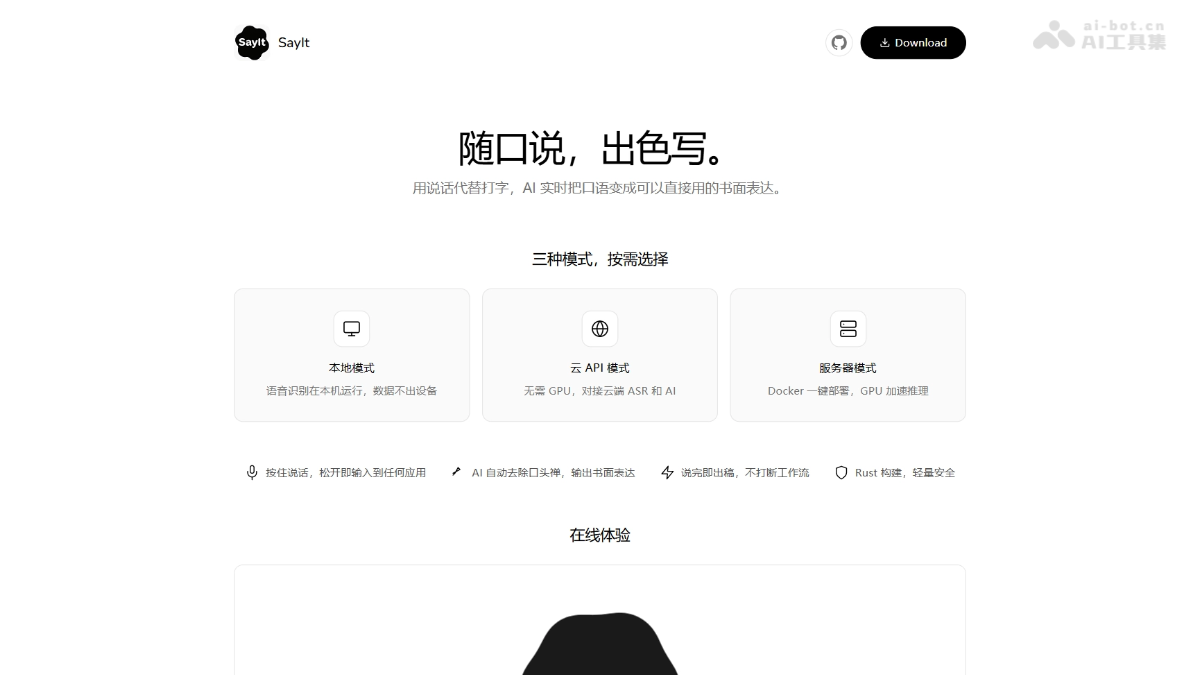
Main features of SayIt
- Speech transcription: Supports three speech recognition modes: local, cloud API, and server, balancing privacy, accuracy, and hardware requirements as needed.
- AI organization: Built-in three polishing modes: intent organization, faithful proofreading, and Chinese-English translation, automatically converting spoken language into logically clear written expression.
- Application rules: Automatically matches Prompt rules based on the application where the cursor is located. It has built-in adaptations for common software such as Teams, Outlook, VSCode, Cursor, and Notepad.
- Hotword customization: Supports custom hotword libraries, effectively improving the recognition accuracy of technical terms, personal names, and proper nouns.
- Theme appearance: Provides light, dark, and warm themes and multiple floating window styles, supporting custom waveforms and window lengths.

Follow WeChat and reply "open source" to join theAI open-source project communication group
How to use SayIt
-
Download and install: Visit the SayIt official website https://sayitapp.site to download the Windows client and complete installation.
-
Mode selection: On first launch, enter the voice engine page and switch between local, cloud API, or server modes as needed.
-
Configure shortcut keys: By default, the Alt key to the right of the spacebar is used as the voice trigger key. It can be customized in settings.
-
Start speaking: In any text box, hold the shortcut key and speak into the microphone. After releasing, the organized text is automatically inserted.
-
View history: On the history page, click to expand details to review the original transcription, model used, audio length, and recognition time.
Core advantages of SayIt
-
Privacy first: Supports pure local recognition and self-hosted deployment, so audio data does not leave the device or is immediately deleted after processing.
-
Open-source transparency: Front-end and back-end code is fully open source, using the AGPL-3.0 license, auditable and supporting community co-construction.
-
Lightweight and safe: The client is built on Rust, with low resource usage, stable operation, and high security.
-
Intelligent organization: AI automatically converts spoken language into written language, supporting multiple polishing modes such as bullet points, translation, and removing filler words.
-
Scenario adaptation: Automatically switches Prompt rules based on the current application, seamlessly integrating into workflows such as Teams, Outlook, and VSCode.
SayIt project address
- Project official website:https://sayitapp.site/
- GitHub repository:https://github.com/crosswk/SayIt
Comparison of SayIt with similar competitors
| Comparison dimension | SayIt | AudioClaw(SenseTime) |
|---|---|---|
| Product positioning | Open-source AI voice input method, focused on desktop spoken-to-written text | An AI voice input tool launched by SenseTime, focusing on multi-platform intelligent input |
| Deployment method | Supports three modes: local/cloud API/self-hosted server, fully open source | Mainly relies on cloud services, closed-source product |
| Privacy protection | In local mode, data does not leave the device; in server mode, it is not retained after processing and can be self-hosted | Mainly relies on cloud processing, with privacy policy controlled by the service provider |
| AI organization | Built-in multiple polishing modes, supports application-level Prompt rule customization | Focuses on speech recognition and basic input assistance, with relatively limited AI organization capabilities |
SayIt's application scenarios
-
Office documents: Quickly write emails, documents, and code comments in Word, Outlook, VSCode, and other software, improving input efficiency.
-
Meeting notes: Convert meeting speeches into structured minutes in real time, automatically organize them into bullet points, and remove redundant filler words.
-
Cross-language communication: Speak Chinese while outputting English text, assisting international team collaboration and foreign-language content creation.
-
Content creation: Provides dictation-based creation capabilities for self-media authors and novelists, with AI automatically organizing it into fluent articles.
-
Accessible input: Provides an efficient voice input alternative for users who have difficulty typing or limited hand mobility, lowering the barrier to operation.