
What is SenseTime Input Method AudioClaw
SenseTime Input Method AudioClaw is launched by SenseTime based on the SenseNova multimodal large model, anintelligent voice input tool. The tool integrates speech-to-text, intelligent polishing, instant translation, spoken language purification, and AI meeting assistant, supporting millisecond-level accurate recognition and multilingual and dialect mutual translation. Users can complete translation, expansion, summarization, style rewriting, and other operations through voice commands, and it can automatically generate meeting minutes and a knowledge base. The product focuses on "install and use immediately" and can seamlessly connect to applications such as WeChat, making AI interaction more natural and convenient.
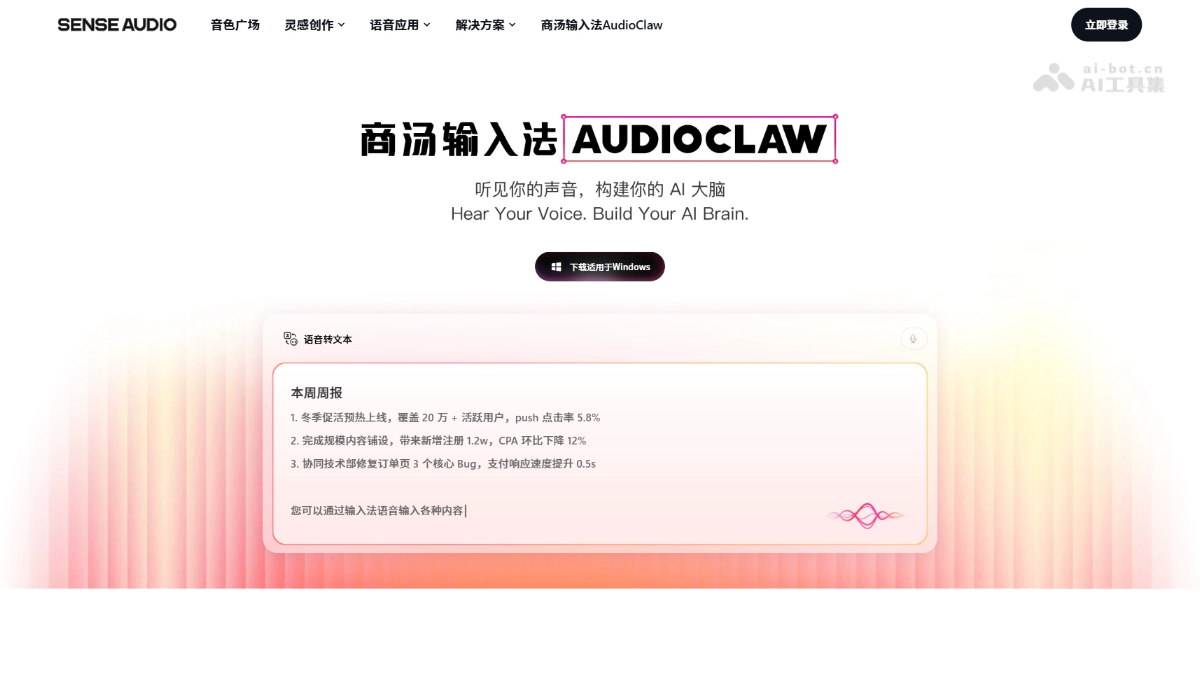
Main features of SenseTime Input Method AudioClaw
- Speech-to-text: Supports millisecond-level accurate recognition. Users can press and hold the shortcut key to input by voice, greatly improving typing efficiency.
- Intelligent polishing: Automatically expands content and adjusts tone according to the communication scenario, making expression more appropriate and professional.
- Instant translation: After selecting any text, activate translation by voice. Supports accurate mutual translation among Chinese, English, French, Korean, German, Turkish, and many other languages.
- Intelligent processing: Automatically purifies redundant words in spoken language, recognizes users' corrected content, and directly outputs the final confirmed conclusion.
- AI meeting: Like an all-weather invisible host, automatically identifies speakers' identities, marks precise timestamps, deeply restores the meeting scene, intelligently generates multimodal meeting summaries, and supports cross-meeting question-answering retrieval.
- Multilingual support: Covers major global languages and authentic dialects, still maintains accurate recognition capability in complex environments, and achieves ultra-fast interaction with millisecond-level response.
- Seamless access: Can connect to mainstream communication software such as WeChat, and directly call AI in the chat interface to complete various task processing.
Key information and usage requirements of SenseTime Input Method AudioClaw
- Product positioning: An intelligent voice input tool launched by SenseTime based on the SenseNova multimodal large model, integrating a voice input method, a fully automatic meeting assistant, an exclusive knowledge base, and a Lobster assistant.
- Core features: Focuses on the experience of "making AI more convenient," completing tasks such as input, translation, rewriting, and meeting recording through voice interaction, without the need to switch between different tools.
- How to use: Install and use immediately, supports shortcut keys to activate voice input, and can seamlessly connect to mainstream communication software such as WeChat.
- System requirements: Requires downloading and installing the client, supports remote operation and multi-device synchronization.
Core advantages of SenseTime Input Method AudioClaw
- Full-link voice interaction: No need to switch tools. Voice can complete the entire process of input, translation, polishing, rewriting, and other operations, truly realizing the ultimate experience of "forgetting input."
- Millisecond-level accurate recognition: Can accurately recognize in complex environments, with response speed reaching the millisecond level and efficiency increased by 4 times.
- Intelligent spoken language processing: Original correction recognition and spoken language purification technology automatically filters redundancy, corrects slips of the tongue, and reaches the final conclusion directly.
- AI meeting super brain: Automatically identifies speakers, marks timestamps, generates multimodal summaries, supports cross-meeting question answering, and becomes an all-weather invisible host.
- Seamless ecosystem access: Ready to use immediately, deeply adapted to mainstream applications such as WeChat, with AI capabilities directly invoked from the chat interface.
- Continuous evolution capability: Automatically accumulates a dedicated knowledge base, understands users better with use, and continuously expands the skill library.
How to use SenseTime Input Method AudioClaw
- Download and install: Visit the SenseTime Input Method AudioClaw official website https://senseaudio.cn/audioclaw to download the client and complete installation.
- Quick activation: Press and hold a specific shortcut key on the keyboard (such as the ~option key) to start the voice input function.
- Voice input: Speak the content directly, and the system will automatically convert speech to text, supporting millisecond-level accurate recognition.
- Smart commands: After input, commands can be issued by voice, such as "help me rewrite it in the style of Xiaohongshu" or "help me translate this sentence into French", completing polishing, translation, expansion, summarization, and other operations.
- Meeting notes: When used in meeting scenarios, the system automatically identifies speakers, marks timestamps, and generates multimodal meeting summaries.
- WeChat integration: After installation, it can seamlessly integrate with communication software such as WeChat, directly invoking AI functions in the chat interface to handle tasks.
Comparison of SenseTime Input Method AudioClaw with similar competing products
| Comparison dimension | SenseTime Input Method AudioClaw | iFlytek Input Method | Tongyi Tingwu |
|---|---|---|---|
| Product positioning | AI-native smart input method integrating input, meetings, and assistant | Traditional voice input method focused on efficient input | Alibaba Cloud meeting AI assistant focused on meeting scenarios |
| Voice input | Millisecond-level recognition, supports spoken language cleanup and correction recognition | High recognition accuracy, supports multiple dialects | Strong recognition in meeting scenarios, supports real-time transcription |
| AI processing capability | Full-process voice commands for polishing, rewriting, translation, expansion, and summarization | Mainly basic voice input, with relatively simple AI functions | Meeting summaries, to-do extraction, chapter overview |
| Meeting features | Automatically identifies speakers, marks time, generates multimodal summaries, and supports cross-meeting Q&A | No dedicated meeting function | Core function, supports real-time transcription, smart summaries, and multilingual translation |
| Knowledge base | Automatically accumulates a personal knowledge base and continuously evolves | None | Supports storage and retrieval of meeting content |
| Access method | System-level input method, seamlessly integrates with applications such as WeChat | System input method, full-scenario coverage | Standalone application/webpage, requires actively uploading recordings |
| Translation capability | Voice-activated instant translation, supports multilingual translation | Basic translation function | Real-time meeting translation, supports multiple languages |
| Large model foundation | SenseTime SenseNova multimodal large model | iFlytek Spark large model | Tongyi Qianwen large model |
Application scenarios of SenseTime Input Method AudioClaw
- Efficient daily input: Suitable for scenarios requiring fast typing, such as WeChat chats, email writing, and document editing, greatly improving efficiency through voice input, ideal for mobile office work and situations where typing is inconvenient.
- Cross-language communication: Suitable for scenarios requiring frequent language switching, such as international business communication, foreign language learning, and cross-border e-commerce communication.
- Content creation polishing: Suitable for scenarios such as self-media writing, copywriting planning, and report writing, quickly completing intelligent processing such as style rewriting, expansion, and summarization through voice commands.
- Meeting recording and summarization: Suitable for scenarios such as online and offline meetings, interviews, and training, automatically identifying speakers, marking timestamps, generating structured meeting minutes, and supporting cross-meeting question-answering and retrieval after the meeting.