

AI Agents are exploding across the board, but it's still hard for ordinary people to actually put them to use.
Overseas tools are costly, the network is unstable, and API credits get used up too quickly. Run a couple of automated workflows casually, and your wallet starts to feel the pinch.
Recently, Alibaba launched QoderWork China Edition, touted as the world's first AI Native customizable workbench, and it's giving all new users a free 1-month Pro membership trial. Individual users can also check in daily to earn 100 credits.
If you're a teacher or student, completing verification gets you an extra 4,000 credits... Alibaba is truly generous!
But while the free credits are appealing, they're worthless if you can't use them well. Today let's do a hands-on test together to see what useful features QoderWork has, and whether it's really a good fit for your workflow.
01. How to Use QoderWork
QoderWork is very simple to operate. Just download and install it like ordinary software, and it's ready to use once opened.
Customizable AI Workbench
One of the biggest changes in this launch of QoderWork is the introduction of the AI Native customizable workbench, offering three main directions:Design Workbench, PPT Workbench, and Writing Workbench。
After entering different workbenches, the AI will plan the process around the corresponding task, call tools, and turn the results into finished products that can be further modified and delivered.
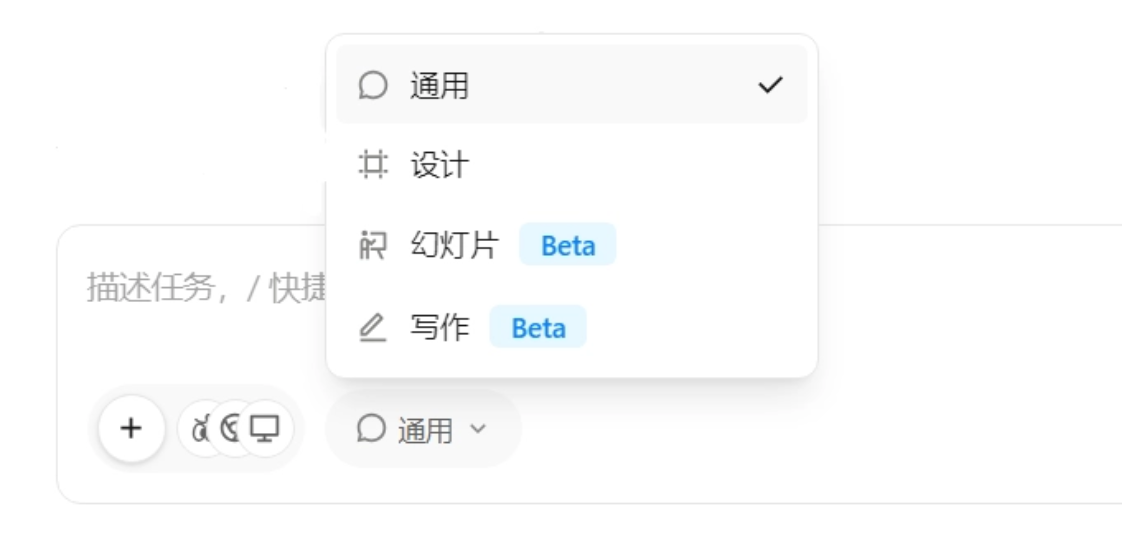
Let's switch to writing mode.
Prompt: Recently, "everything can be Vibe Coding" has become very popular. Please focus on this hot topic, independently explore the most valuable angle, and complete the entire process from topic selection, material organization, content planning to article creation, ultimately outputting an original article suitable for publishing on a WeChat public account.

Choose the article tone, and QoderWork can start working on its own.
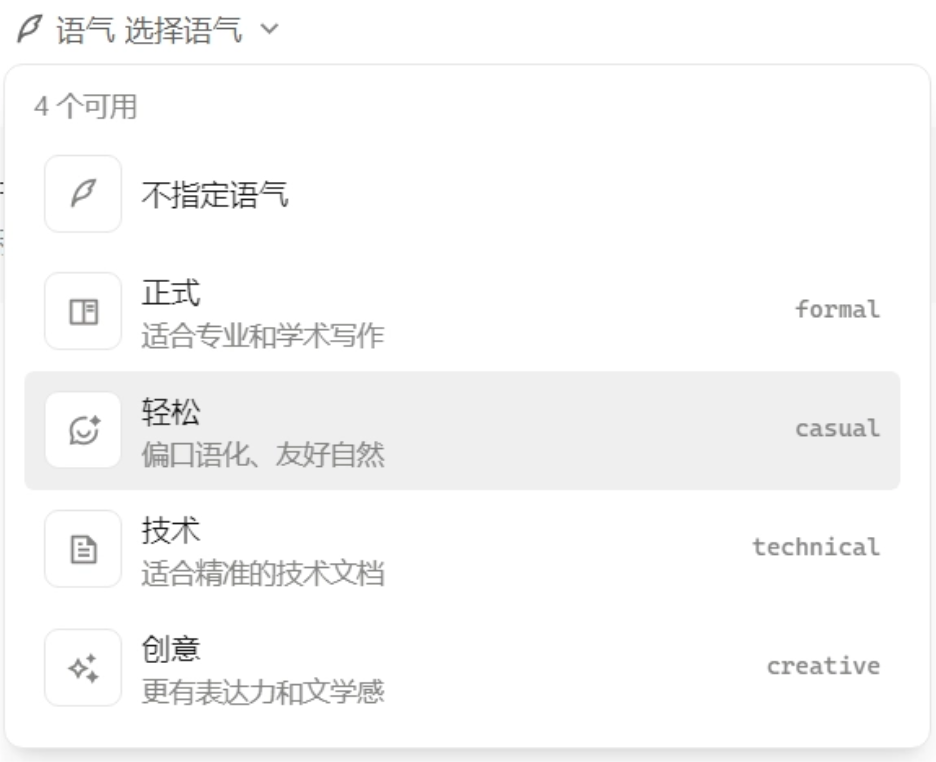
In writing mode, QoderWork's topic-selection awareness is clearly stronger than ordinary AI tools.QoderWork will first search for materials and research to find the most valuable angle。
An ordinary AI might write a conceptual introduction to what Vibe Coding is. The angle QoderWork found, however, is: when more and more people write programs in natural language, who is responsible for this "vibe code" that hasn't undergone professional review?
QoderWork's topic selection isn't just chasing hot trends; it digs into a question very much worth discussing.

After the materials are gathered, QoderWork continues to plan the structure and write the main text.After the article is completed, it will review the content again and automatically fix structural and expression issues。
Let's take a look at the final generated article together:
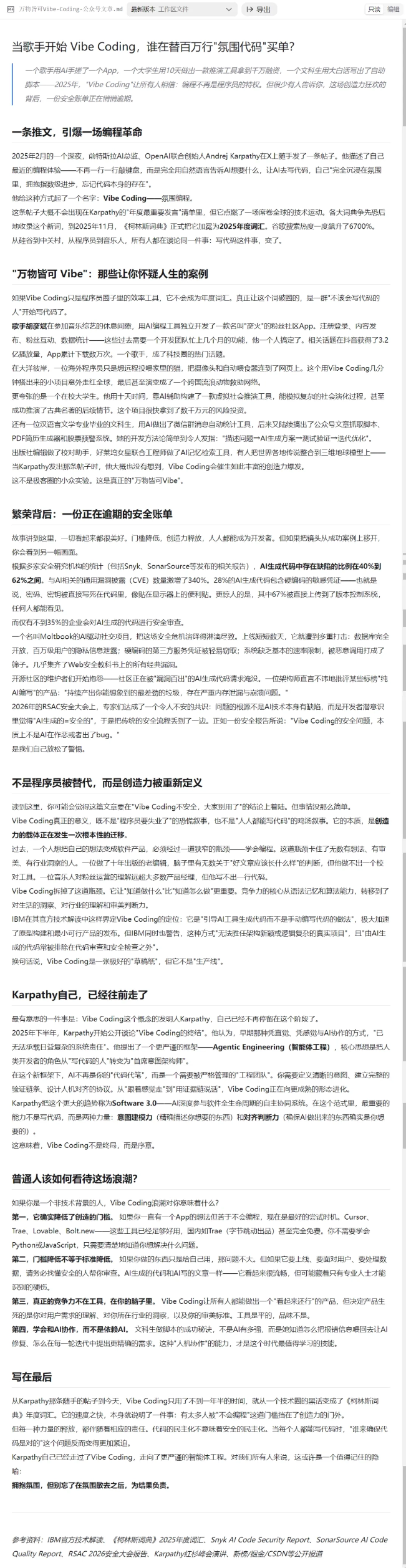
The article's structure is very smooth. QoderWork first presents cases such as a singer hand-building an app with AI, a university student creating a product in a short time, and a liberal arts student writing scripts in natural language, using real cases to let us feel that everything can be Vibe Coding.
Then, through the programming experience of former Tesla AI director and OpenAI co-founder Andrej Karpathy, it explains how the concept of Vibe Coding emerged.
Finally, it brings up the core question: when more and more people who don't know how to program start producing software, what about code quality, data security, and accountability?
The article's logic is complete and the materials are sufficient, but it lacks a bit of personal emotion, so it can be further improved manually.
Let's switch to slides mode and upload the article.
Prompt: Generate a PPT based on the article.
The original text is about 3,500 words, and QoderWork finally compressed it into a 10-page PPT while retaining the complete storyline. The information distillation is very good.
Control the browser yourself with AI using just one sentence
AI can do more than answer questions—it can also operate the browser, or even the computer, on our behalf。
For everyday industry research, competitor analysis, or customer background checks, you need to manually open dozens of web pages, switch back and forth between different pages, and mechanically copy and paste into Excel—time-consuming and laborious.
We open the connectors in the extension, follow the prompts and click through, and install the browser and computer control features.
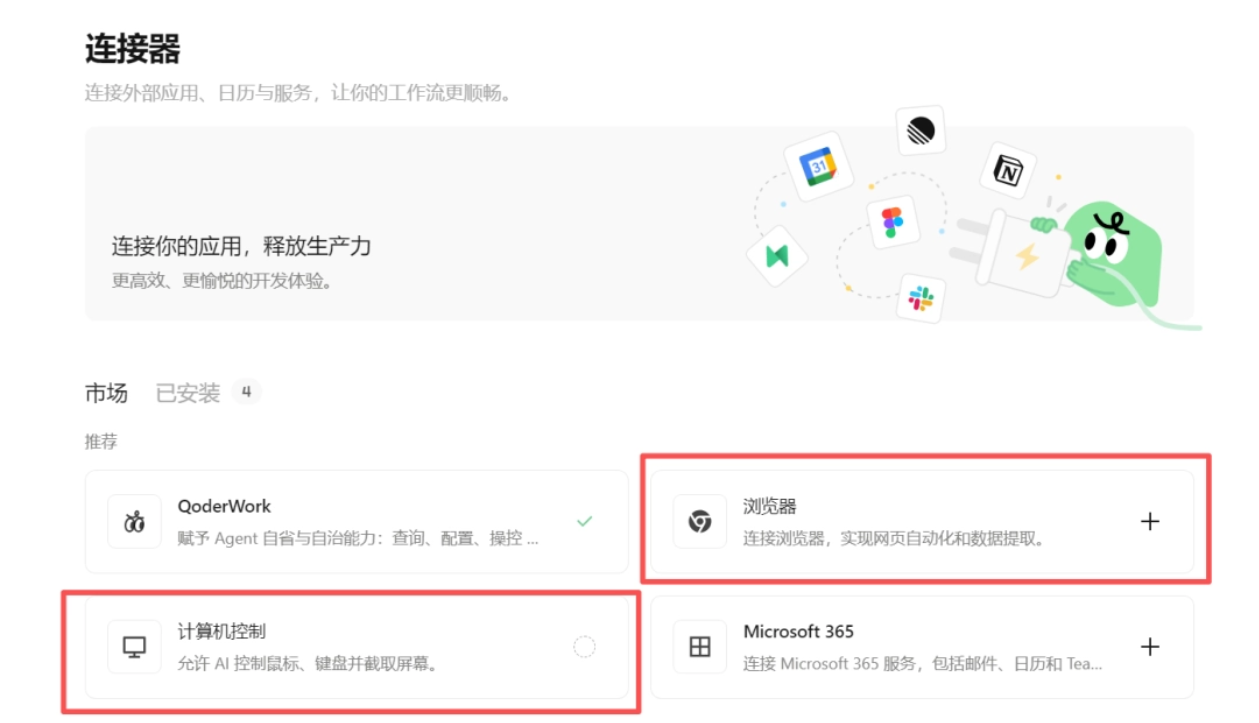
Prompt: Open the browser and search for flights from Wuhan to Beijing tomorrow.
QoderWork will act like a human: first minimize other foreground applications, find and open the browser on the desktop, and start working。
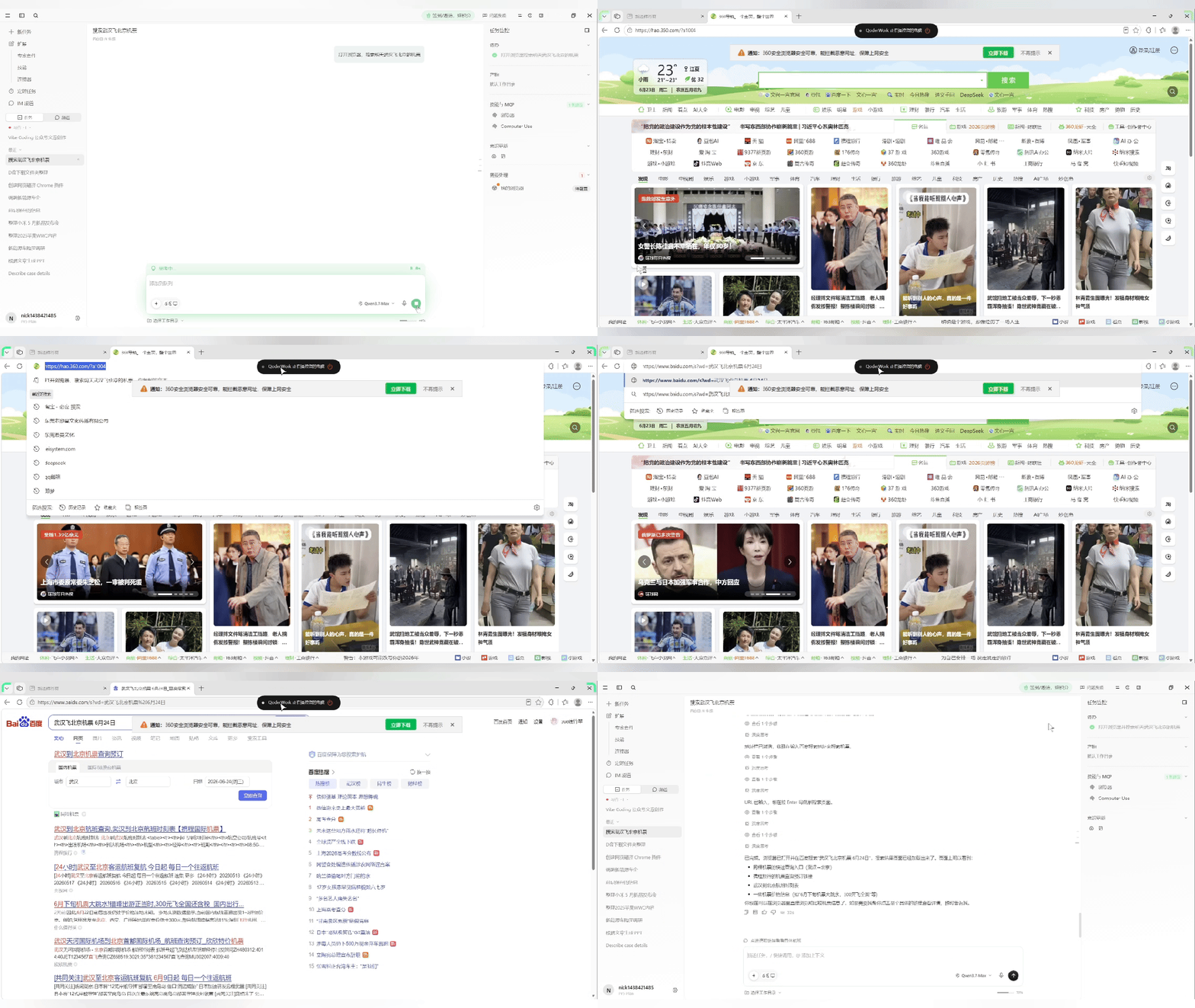
Repetitive work like looking up information can be fully handed over to the Agent, but when it comes to spending money and submitting important forms, you still need to keep an eye on things yourself.
China's first Agent product with a "consciousness" feature
Unlike ordinary AI's burn-after-reading behavior, the "consciousness" feature gives the Agent memory, reflection, and self-evolution capabilities.
QoderWork's consciousness is divided into long-term memory and short-term memory. It automatically records our daily work habits and proactively adjusts its strategy during daily interactions, getting smarter the more it is used.
Prompt: Help me organize the content of Apple WWDC 2026.
Requirements: follow this approach:
What ordinary users most need to know
Which features are truly worth looking forward to
Which content is the focus of the keynote
Which content is just developer updates
After the task is completed, I continue to ask QoderWork to save this method:
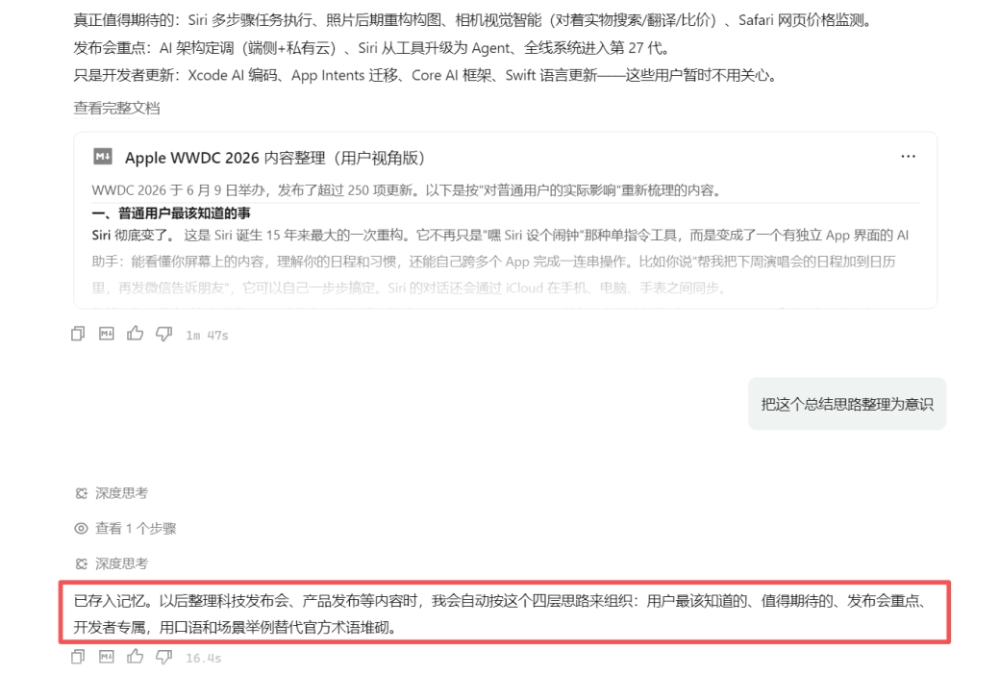
Try running a similar task again:
Prompt: Help me organize Xiaomi's May new product launch event.
This time we did not repeat the formatting requirements,and QoderWork proactively followed the previous method. It first distilled the information ordinary users need to know, the most anticipated content, the key points of the launch event, and developer-specific content.

Expert Suites and Skills
A major difficulty for ordinary people using Agents is that they know what they want to do, but do not know how to teach the AI.
QoderWork has launched Expert Suites, allowing us to package a professional process so that the AI completes tasks according to a fixed method, without having to teach it from scratch every time。
For example, in a corporate legal scenario, you can call the Case Search Skill:
Prompt: @[skill:查案例] Describe the case, for example: An employee has worked for 3 years without signing a labor contract and now demands double wage compensation

QoderWork will act like a real legal professional and first confirm information with us: Which party am I in the case? What is the employee's approximate monthly salary range? Which region did it happen in, etc., and then provide an analysis report based on the specific information:

Command AI from WeChat/DingTalk to work remotely on your behalf
You are on the subway after work, and a client suddenly asks for urgent data; at this moment you only have a phone, no computer.
We can configure the IM channel in advance. Click Configure and follow the page prompts.

Send messages to QoderWork via DingTalk, Feishu, Lark, WeChat, WeCom, etc. from your phone to run tasks.
Prompt: Help me find the image named K姐研究社 avatar on the D drive and send it to me.
QoderWork can then find the file on the computer and send the result to the Feishu chat window.

In addition to finding files, you can also have it organize Excel, generate reports, and process PDFs received on your phone, but QoderWork on the computer must remain running.
Runs in a local sandbox
When an Agent can operate a computer, the first thing everyone worries about is definitely security.
QoderWork runs tasks in a local sandbox. Before use, we can proactively choose the working directory. Code execution, file modifications, and intermediate artifacts are all saved in the local workspace, and the entire execution process can be viewed and taken over at any time. Even if a task goes wrong, the scope of impact is easier to control.
02. China Edition vs International Edition Easy to use, and cheaper!
Many people's previous impression of QoderWork was: the international edition works well, but it's expensive, and credits are consumed quickly.
Because the international edition uses overseas models.
This time, the China Edition of QoderWork uses entirely Chinese SOTA models, including Qwen3.7-Max、GLM-5.2, as well as DeepSeek and other cost-effective models.
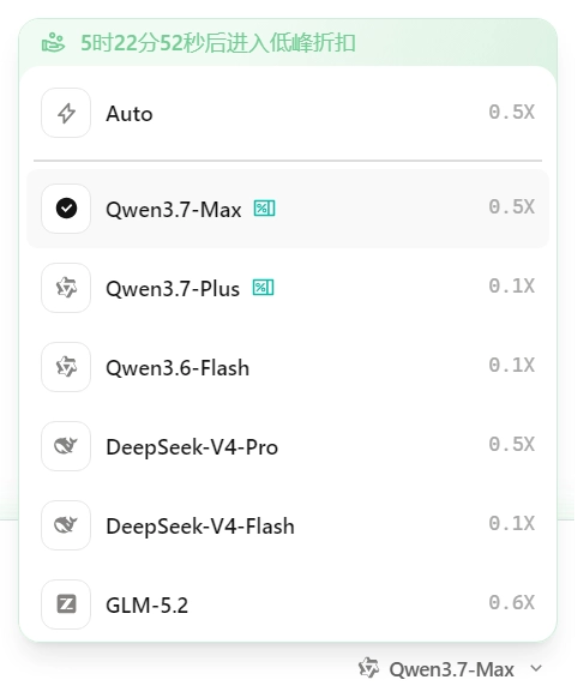
For the same operations, fewer credits are consumed on the China Edition, and there is a large amount of free quota.
Chinese comprehension is also stronger, and it fits local work scenarios better.
03. Some sharing
The 100 credits from QoderWork's daily check-in, plus the 1-month PRO credits given, make it almost zero-cost for daily light to moderate use.
QoderWork is not just a chat box; it is an AI Native workstation. It frees people from tedious operations and truly makes it possible to get a business flow done in one sentence.
The boundary between programmers and non-technical people is being erased. Through MCP and expert kits, ordinary people can also quickly build their own AI digital employee teams.
In the past, we worked by following software menus; now, AI coordinates software based on our natural language.
Original link:First month of Pro free! QoderWork China Edition hands-on test