
Everyone in e-commerce knows that launching a new product is often a race against time.
Main images, detail images, model images, and promotional images all have to be rushed out, and different platforms require different sizes, plus you need detail displays...
The more requirements pile up, the more the designers' schedules can't keep up, and every round of communication and rework costs money.
Sometimes, even after finally finishing it in Photoshop, the window for a hit product may have already passed.
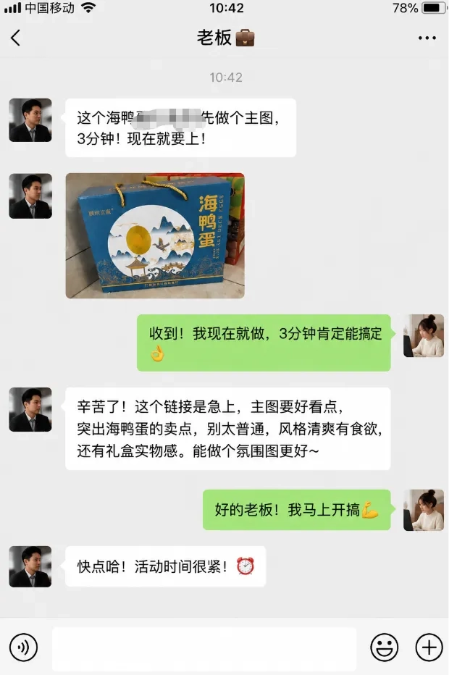
But now, as long as you have a single product image in hand, even a casually taken photo, you can let AI quickly produce a whole set of e-commerce materials.
If you're struggling with making images for a new launch, you can try PixoLet (pixolet.ai), a tool.
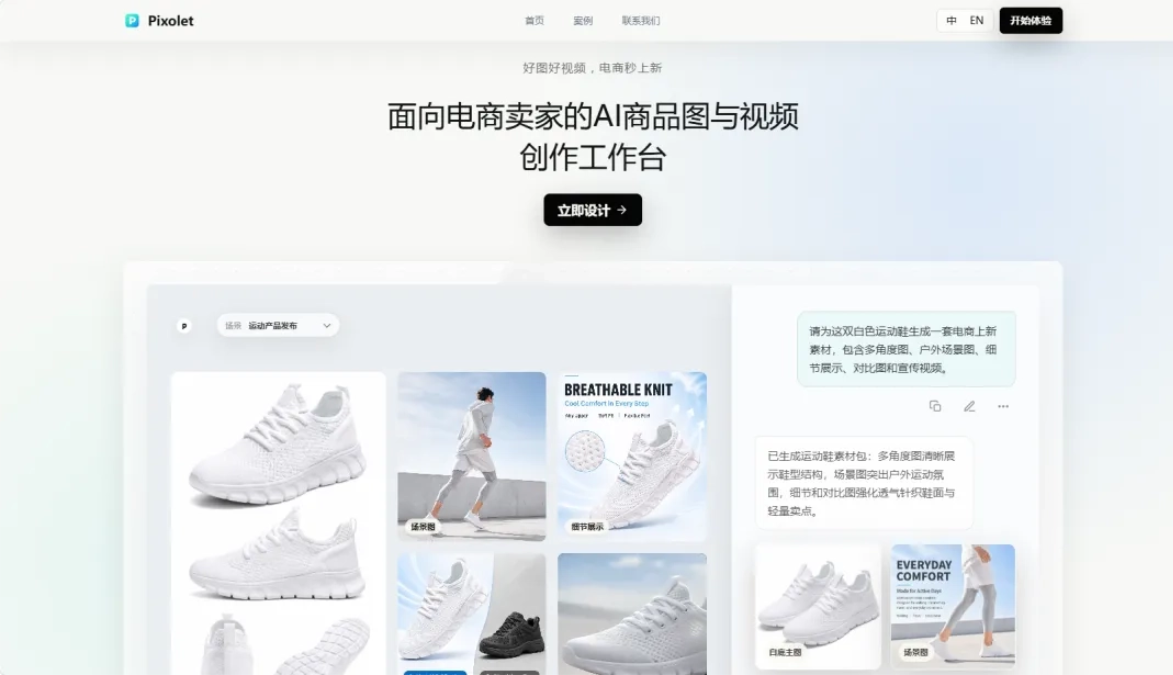
PixoLetisan AI image-making website built specifically for e-commerce sellers, equipped withGPT-image-2.5and other latestAI drawingmodels。
Just upload a reference image and state your requirements, and it can quickly generate:
product main images;
product scene images;
detail close-up images;
model display images;
detail page illustrations;
marketing posters;
hit product replica images;
…
and many other e-commerce materials.
Moreover, PixoLetoffers 10 free generation credits every day, usable upon registration, with no need to top up right away.
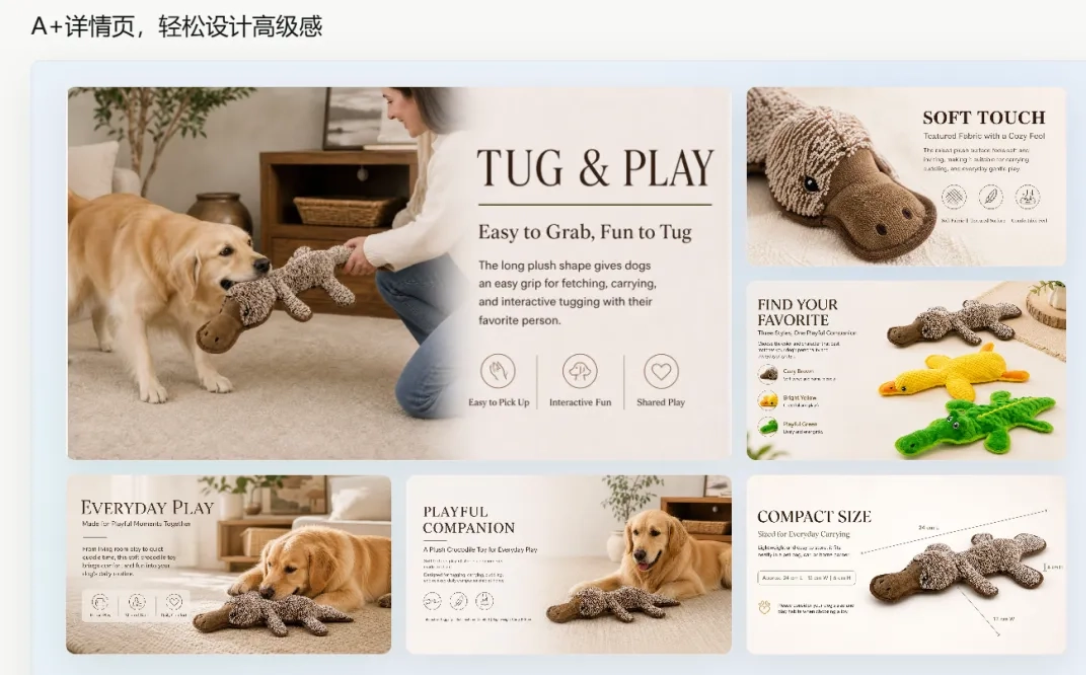
01. An AI image generation tool better suited for e-commerce
Many people's impression of AI image generation may still be stuck at the stage of "it can't even draw fingers properly."
You want to preserve product details, but it changes them beyond recognition; you want to make a poster with copy, but the text ends up blurred into a mess.
The emergence of the GPT-image-2.5 generation of models has completely solved these problems.
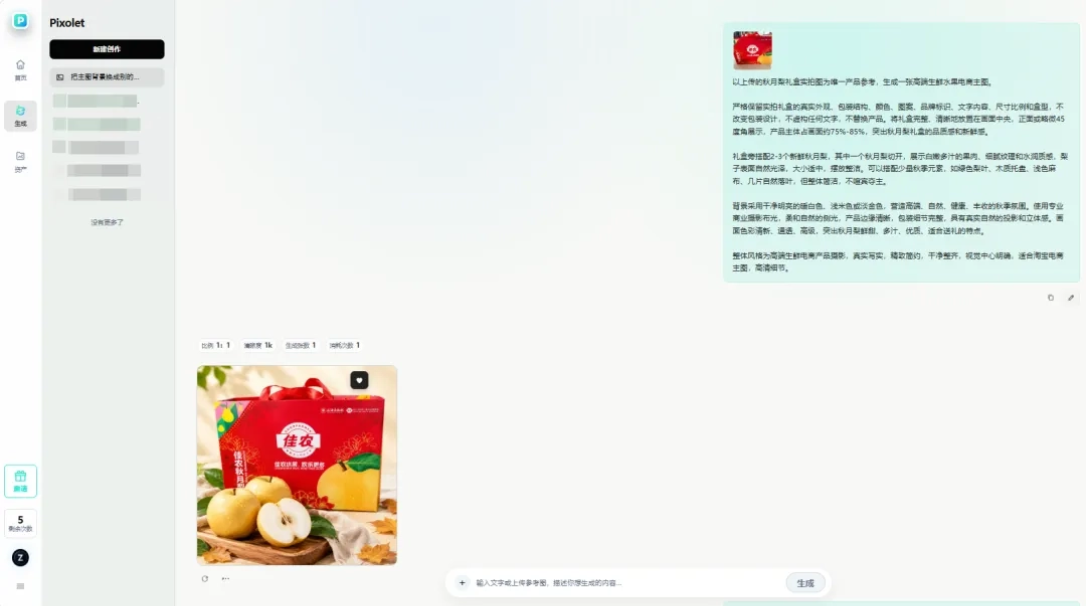
02. PixoLet's power is mainly reflected in these 3 points
1.Stronger natural language understanding
PixoLet's drawing model possesses a powerfulworld knowledge base, with stronger natural language understanding.
You no longer need to rack your brain over complex prompts and parameters; just tell the AI your requirements in simple, straightforward language.
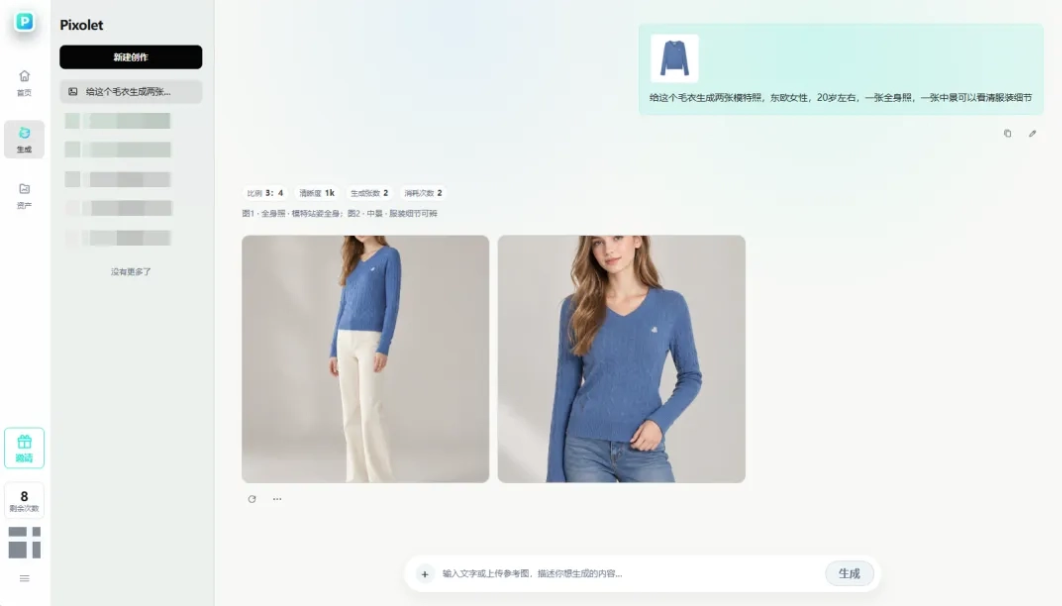
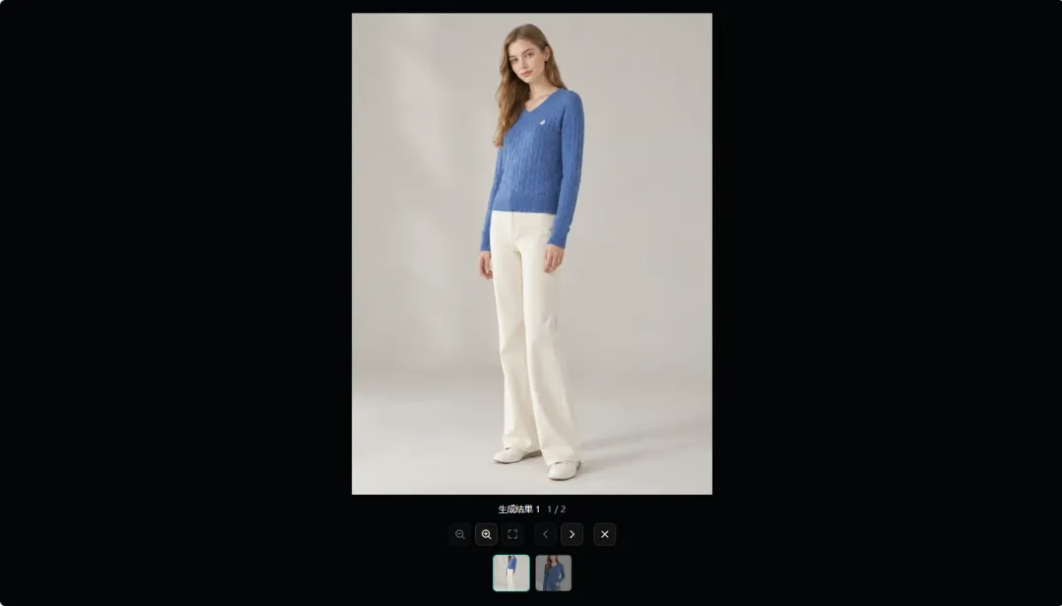
For example, upload a white-background image of a sweater and ask PixoLet togenerate two images with foreign models, one a full-body display and one a half-body close-up.
PixoLet can quickly and automatically fill in the details, generating a set of model images that rival the results of a professional photographer's shoot.
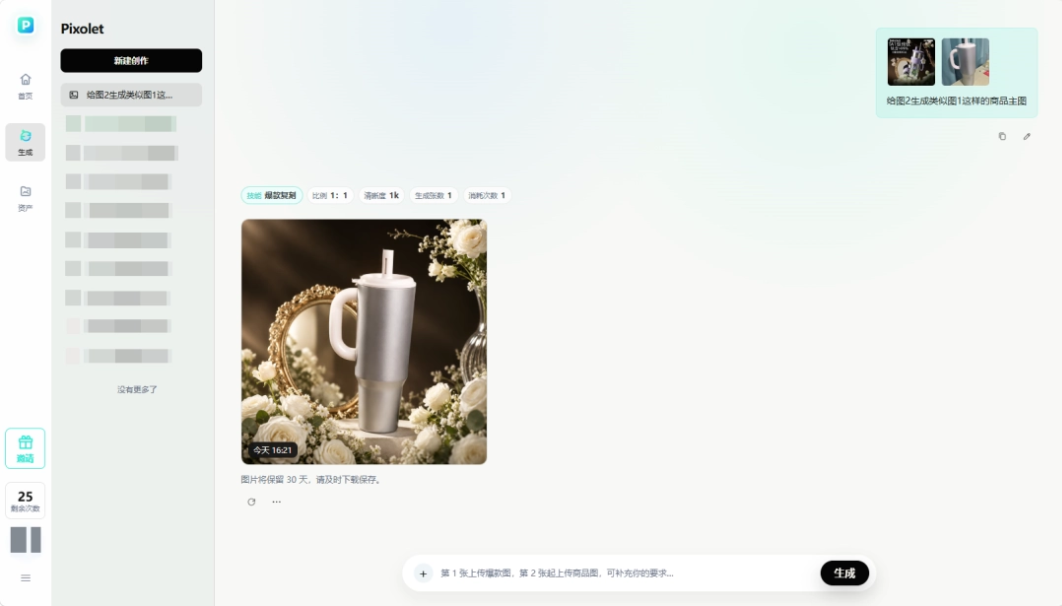
If you want to replicate a hit product image, it's even simpler.
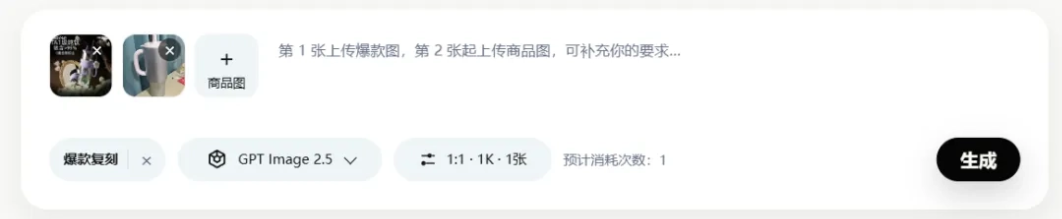
Just upload the hit product image + your product photo, briefly describe your requirements, wait a moment, and a similarly eye-catching hit product image will be perfectly replicated.
2. Multi-round revisions are more stable
Satisfied with the generated result but want to keep optimizing or replicating? No need to resend the task.
You can simply continue saying: change the model to an Asian female model.
Then PixoLet cancontinue adjusting directly based on the previous version。
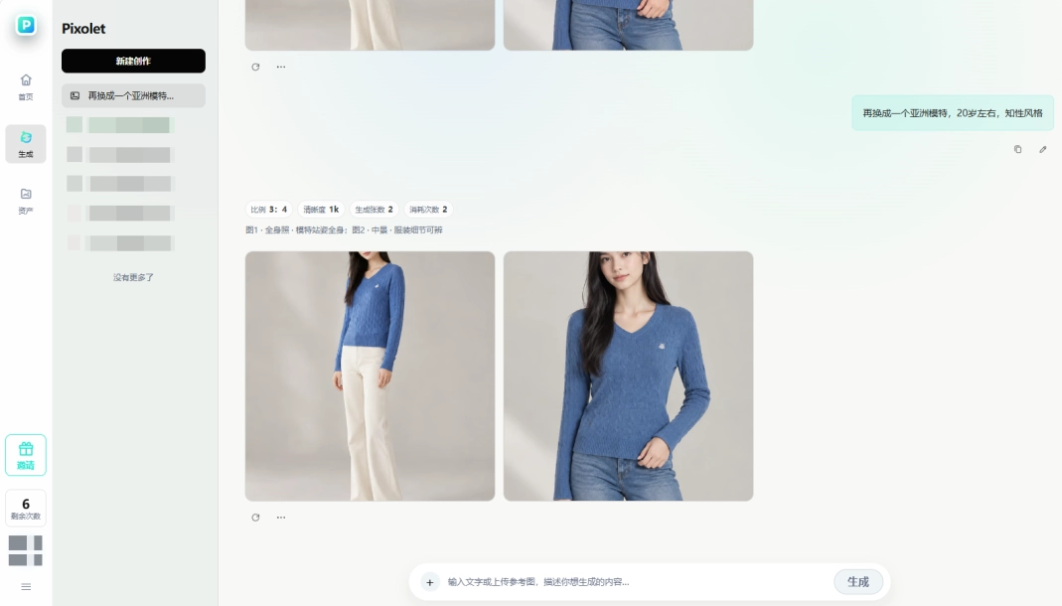
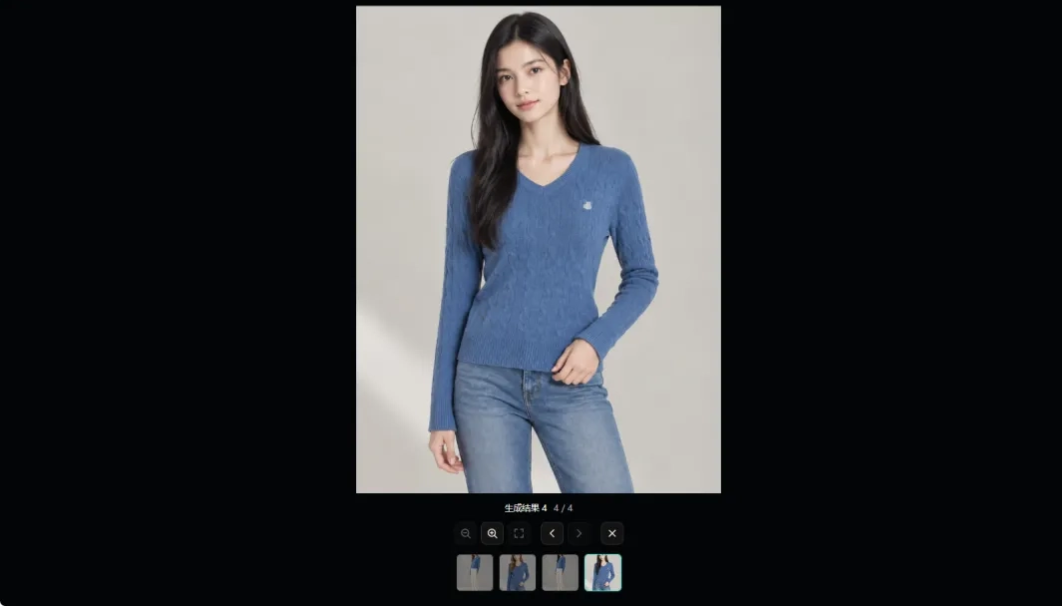
If you're not satisfied with the generated result, you can send an instruction to have PixoLet make targeted modifications.
For example,product scene reconstruction, partial background replacement, adding or removing elements, modifying the model's actions and expressions, modifying copy, modifying fonts, and so on, are all no problem at all.
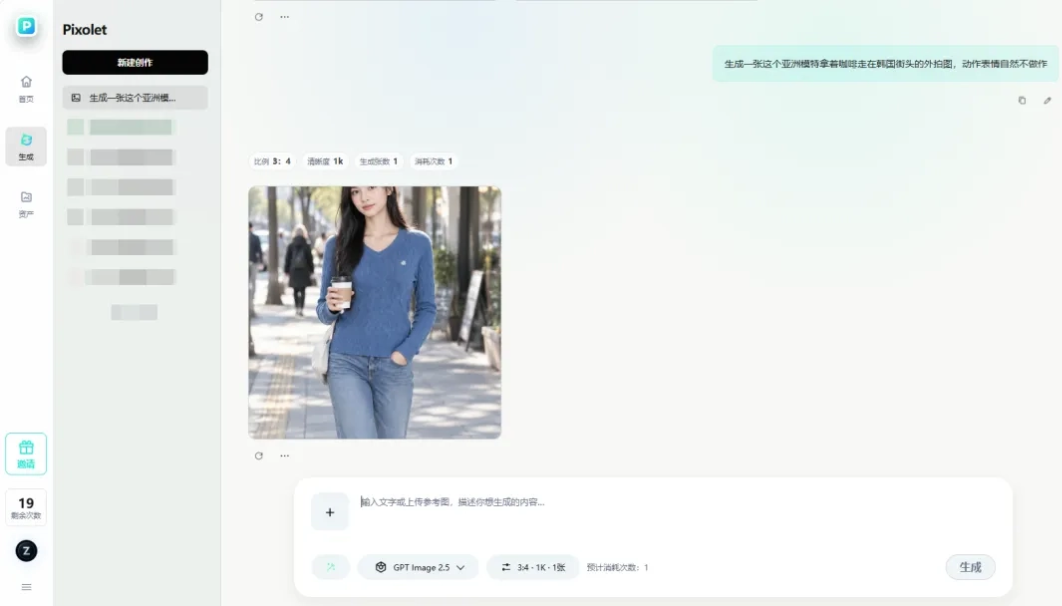
Compared to AI image tools of the past that "break everything when you change one thing," PixoLet's capabilities are already Next Level.
You no longer need to re-upload images and rewrite prompts every time you make a change, gambling and hoping for luck.
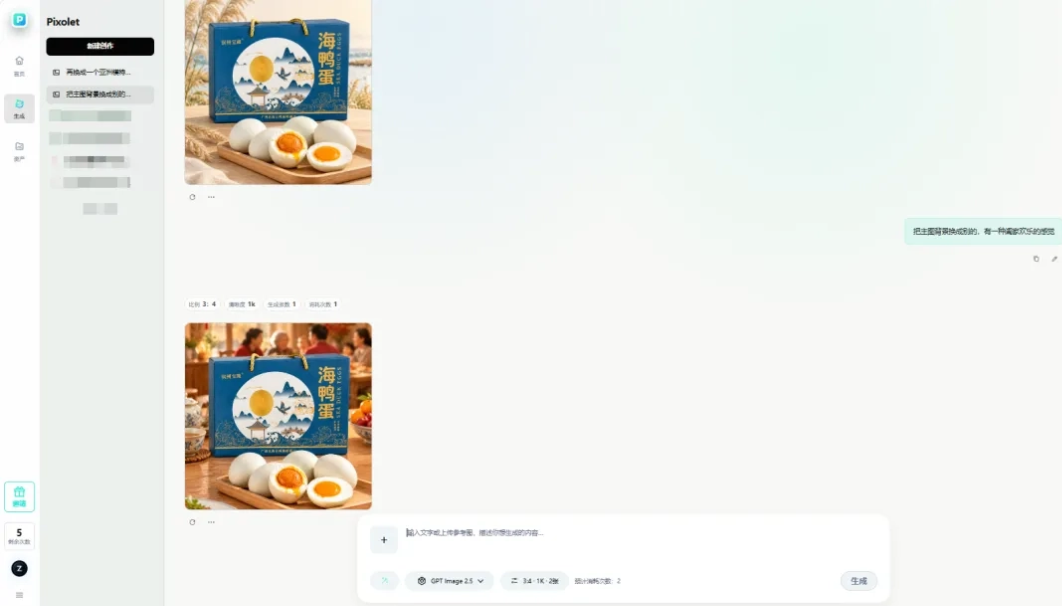
3.Preserves details, stronger text rendering
The biggest fear with e-commerce AI image generation is that the image looks great, but the generated result is severely distorted and doesn't look like your own product.
PixoLet's drawing model, however, can preserve over 90% of the details of the reference image's subject, including lighting, shadow, and material texture.
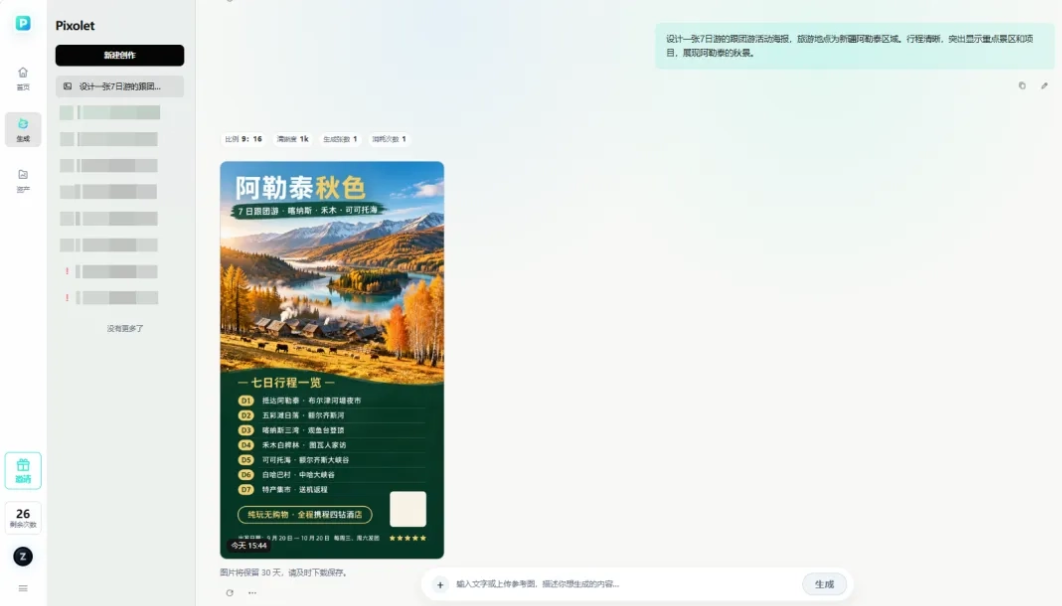
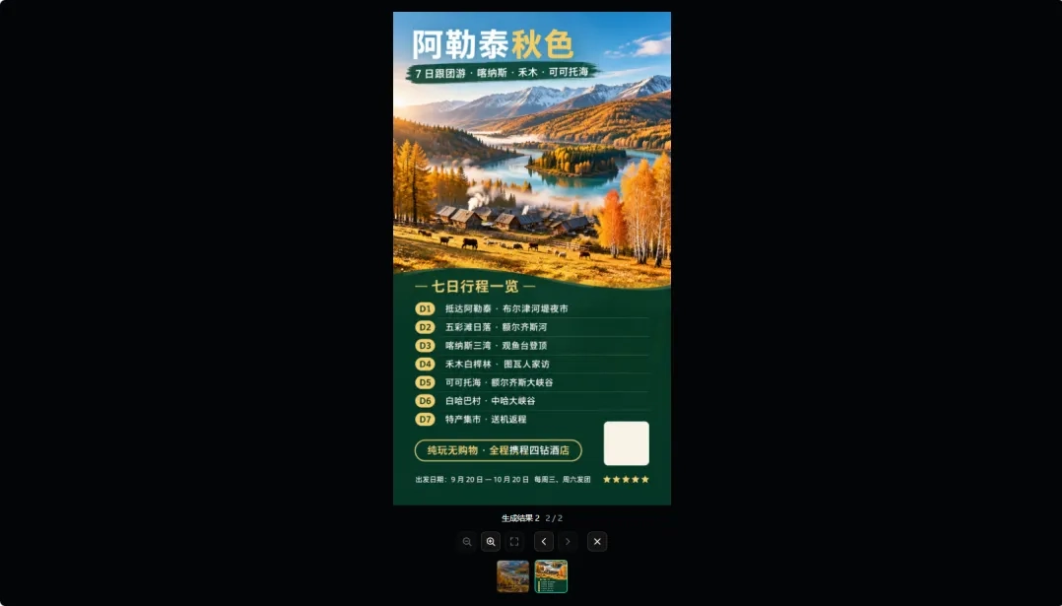
In terms of text rendering, PixoLet also performs exceptionally well.
In the image, thesmall labels and small text are basically all clear and recognizable, with almost no need for manual retouching.
03. One set of assets doesn't need to be redone repeatedly
The most annoying thing about doing e-commerce is that the same product has to be adapted for different channels, different sizes, and different display positions.
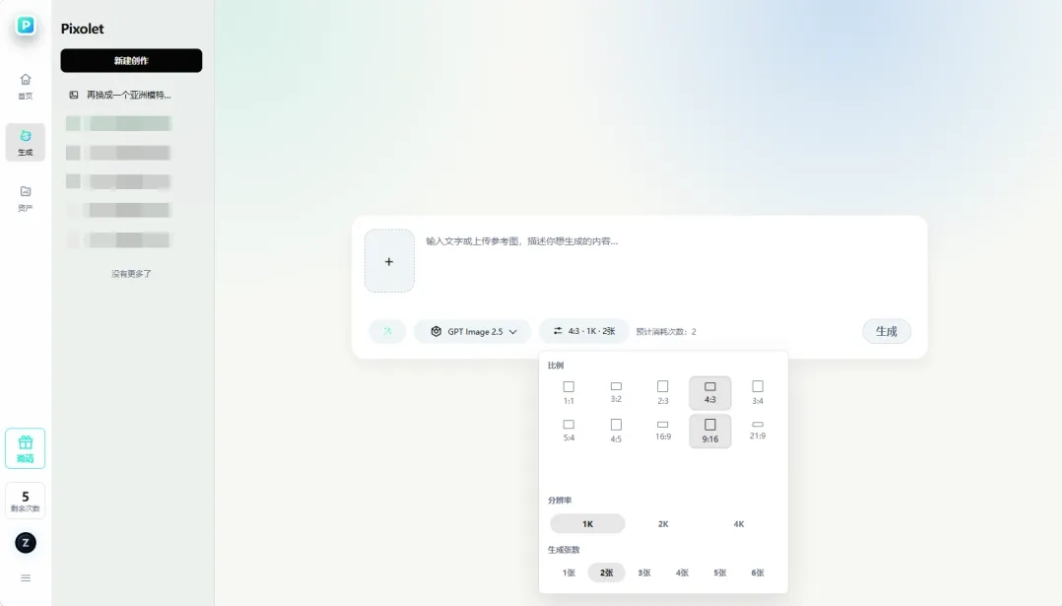
To address this, PixoLet provides presets for a variety of commonly used aspect ratios and resolutions, including:
1:1: suitable for e-commerce main images and square product images;
3:2, 4:3: suitable for product displays and content illustrations;
16:9: suitable for Banners and horizontal promotional images;
9:16: suitable for short video covers, information feeds, and mobile displays.
In terms of resolution, options of 1K, 2K, and 4K are also provided, making it convenient to choose output specifications according to different uses.
04. 10 free generations per day
For many small and medium-sized sellers, the biggest worry is not that the tool is hard to use, but that before they even understand the results, the money is already spent.
PixoLet's advantage lies in this: it provides 10 free generations per day, and you can start experiencing it directly after registering, giving beginners a lot of room for trial and error.
You can first run your own product images through it to see whether AI image generation can actually help you reduce costs.
Let the results speak first, then decide whether to invest.
05. What kind of merchants are best suited to use PixoLet?
| Your problem | What PixoLet can do |
|---|---|
| New products launch quickly, but the design schedule can't keep up | Upload product images to quickly generate main images, scene images, and selling-point assets |
| Outsourcing design is expensive, and revisions are inefficient | Adjust the visual direction yourself through multi-turn dialogue |
| Don't know Photoshop, and can't write complex prompts | Just describe your needs in natural language to get started |
| Doing apparel but the cost of shooting models is high | Generate model on-body displays and assets for different scenes |
| The same product needs to be launched on multiple platforms | Generate assets adapted to different channels by ratio |
| Want to test several visual directions | Quickly generate multiple versions first, then screen and optimize |
| Worried that AI tools charge right from the start | 10 free credits per day, try it first before deciding |
Although PixoLet cannot completely replace professional photography and design, it can help you solve the most common and urgent type of problems in e-commerce operations, especially when you need to quickly launch new products and quickly test assets.
Maybe after trying it once, you'll find that you should have started using it earlier.
Try it online:pixolet.ai