
What is Omarchy
Omarchy is a Linux distribution launched by DHH, the author of Ruby on Rails, based on Arch Linux and the Hyprland tiling window manager. Omarchy's core philosophy is the "malleable computer," where the desktop can be shaped freely according to user habits. Its biggest feature is deeply embedding AI Agents into the system's底层, with built-in Claude Code、OpenCode and other tools that can generate themes conversationally, diagnose crashes, and modify configurations.
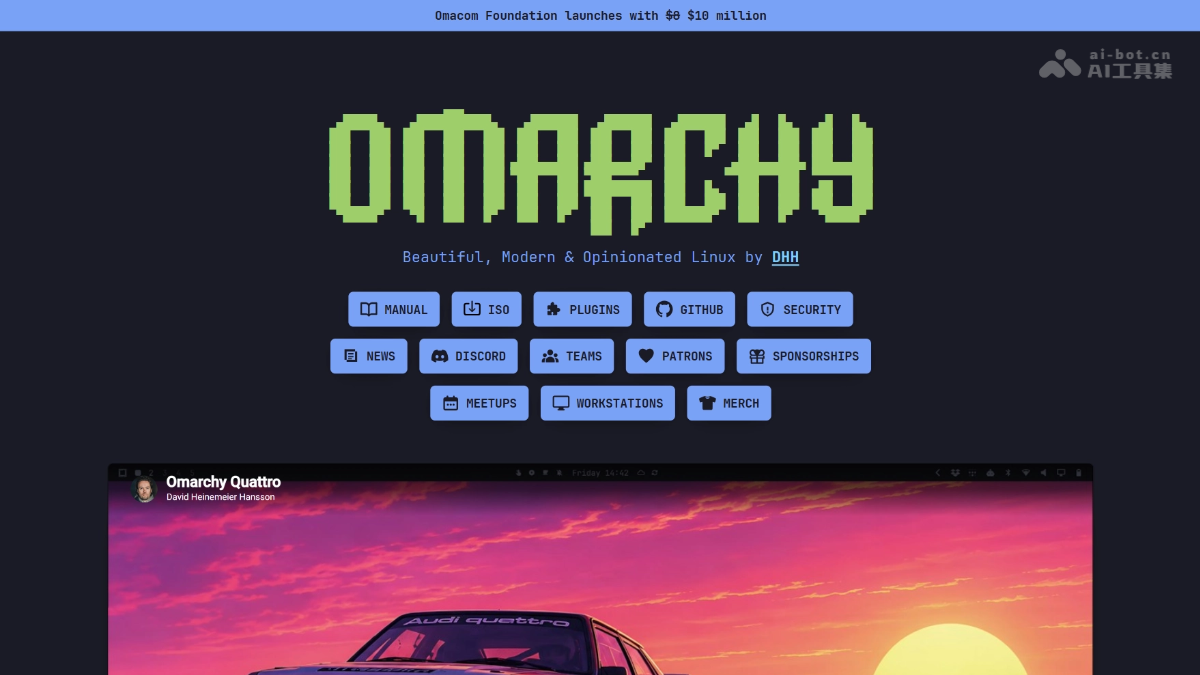
Omarchy's main features
-
Deep AI Agent integration: Embeds programming Agents such as Claude Code and OpenCode into the system's底层 as infrastructure rather than plug-in applications.
-
Malleable desktop: Based on the Hyprland tiling window manager + Quickshell, the desktop can be freely shaped and customized to personal habits.
-
Ready out of the box: Based on Arch Linux but preconfigured with themes, shortcuts, common software, and system settings, saving the time of setting everything up from scratch.
-
Ultra-fast installation: Comes with an installation script; tested to complete system installation in just 1 minute and 47 seconds.
-
System-level AI diagnostics: Automatically pops up a notification when a program crashes; the AI reads the core dump, analyzes the cause, and provides a fix.
-
Conversational theme generation: Describe the style in natural language, and the AI generates and applies a complete desktop theme on the spot.
-
Skills mechanism: The Agent can directly modify Hyprland configurations, adjust the status bar, and even write new themes from scratch.
-
Local model support: The installation menu includes LM Studio and Ollama, so local AI can run without an API subscription.
-
Subscription tracker: Centrally manages token usage and weekly quotas for various AI services, making spending clear at a glance.
-
Revive old Macs: Runs smoothly on Intel MacBooks without the hassle of T2 chip driver issues.
-
Preinstalled development tools: Built in Neovim, Docker, Chromium, Obsidian, and more, with the programming environment ready in one click.
-
Default disk encryption: Full-disk encryption is enabled upon installation, balancing security and privacy protection.

Follow WeChat and reply "Open Source" to join theAI Open Source Project Communication Group
How to use Omarchy
-
Install the system: Download the official ISO, run the included installation script, and complete the Arch Linux base system deployment.
-
Start AI programming: After entering the project directory, press
cto start OpenCode orcxto start Claude Code. -
Keyboard-driven desktop: Based on the Hyprland tiling window manager, all operations are completed through keyboard shortcuts.
-
Change themes conversationally: Describe the style in natural language and let the AI Agent generate and apply a complete desktop theme on the spot.
-
Invoke Skills: Use the Agent's skills mechanism to modify Hyprland configurations, adjust the Waybar status bar, or write new themes from scratch.
-
System Fault Diagnosis: When a program crashes, the system automatically pops up a notification; after authorization, the AI reads the core dump to analyze the cause and provide a fix.
-
Run Local Models: Select LM Studio or Ollama in the installation menu.
-
Manage AI Subscriptions: Use the built-in subscription tracker to centrally manage token usage and weekly spending limits for each AI service.
-
Install Applications: Install preconfigured development tools such as Neovim, Docker, Chromium, and Obsidian through the system menu.
-
Chinese Environment Adaptation: Users in China can additionally install OmarchyCN, which automatically switches to domestic mirrors and preconfigures Chinese input methods.
-
Data Security Notice: Full-disk encryption is enabled by default during installation; choosing full-disk installation will wipe the target drive, so beginners must back up their data in advance.
Omarchy's Core Advantages
-
Native AI Agent Embedding: Treats Agents such as Claude Code and OpenCode as system infrastructure rather than add-on applications, realizing an abstraction layer where the model can be swapped while the workflow stays unchanged.
-
Arch That Works Out of the Box: Based on Arch Linux but with themes, shortcuts, and development tools preconfigured, saving dozens of hours of tinkering from scratch.
-
Shapable Desktop: Based on Hyprland + Quickshell, the desktop can be shaped freely according to personal habits, and AI can even generate themes in real time through conversation.
-
Blazing-Fast Installation: Comes with an installation script; measured at 1 minute 47 seconds to complete system deployment, greatly lowering the barrier to entry for Arch.
-
System-Level AI Diagnosis: When a program crashes, AI automatically reads the core dump to analyze the cause and provide a fix, pushing operations capabilities down to the operating system layer.
-
Local Model Friendly: Built-in LM Studio and Ollama options allow running AI locally without binding to any cloud vendor API.
-
Keyboard-Driven Efficiency: The Hyprland tiling window manager lets all operations be completed via keyboard; once proficient, efficiency far exceeds mouse interaction.
-
Developer First: Preinstalled with tools such as Neovim, Docker, Chromium, and Obsidian, so the programming environment is ready to use on boot.
Omarchy's Project Address
- Project Website:https://omarchy.org/
- GitHub Repository:https://github.com/basecamp/omarchy
Comparison of Omarchy with Similar Competitors
| Comparison Dimension | Omarchy | Ubuntu 26.04 |
|---|---|---|
| Core Positioning | The "shapable computer" created by DHH, pursuing ultimate personalization and a native AI experience. | The "operating system for the agentic era" maintained by Canonical, pursuing universality across both desktops and servers. |
| AI Strategy | Agents are embedded in the system's底层, supporting conversational theme changes, crash diagnosis, and configuration scheduling through the Skills mechanism. | Stuff local models into the system as an add-on via confined inference snap; AI is a feature, not infrastructure. |
| Desktop Experience | Hyprland tiling window manager, keyboard-driven, visually cohesive, hailed as the pinnacle of Linux desktop taste. | GNOME desktop, traditional mouse + keyboard interaction, stable but with limited room for personalization, still has a gap to the macOS experience. |
| Installation Difficulty | Comes with its own script; measured at 1 minute 47 seconds to complete, ready out of the box and saving the manual Arch configuration. | Graphical installation wizard, one of the most beginner-friendly Linux distros, but you still need to configure the development environment yourself after installation. |
| Target Users | Developers who like keyboard operation, the terminal, and a minimalist desktop, as well as geeks who want to revive old Macs. | A full spectrum of users from beginners to enterprises; the default choice for cloud servers, WSL, and AI developers. |
| Software Ecosystem | Preinstalled with development tools such as Neovim, Docker, and Obsidian; the Arch repositories are rich but depend on the AUR. | The apt repositories are extremely large, natively supported by cloud providers, and have the most complete CUDA/NVIDIA driver support. |
| Server Capabilities | Based on Arch, rolling release, suitable for personal workstations, but weak for enterprise server scenarios. | Long-term support version (LTS) is rock-solid, the absolute mainstay of Linux instances on AWS/Azure. |
Omarchy Use Cases
-
Developer's main work machine: Preinstalled with tools such as Neovim, Docker, Chromium, and Obsidian; AI Agent starts coding assistance in one click, and keyboard-driven Hyprland greatly boosts coding efficiency.
-
Reviving old Intel Macs: Runs smoothly on Intel MacBooks that have fallen out of macOS support, with no need to wrestle with T2 chip drivers, giving old devices a new lease on life.
-
AI-native programming workflow: via
c/cxshortcuts to invoke OpenCode / Claude Code; the Agent directly reads and writes project files, changes configurations, and diagnoses crashes, realizing an abstraction layer where "the model can be swapped while the environment stays the same." -
Deep desktop customization (Rice): Use natural language to have AI generate themes such as cyberpunk or Windows XP styles, or write Hyprland configurations and Waybar status bars from scratch, saving hours of manual tweaking.
-
Local AI model experiments: Built-in LM Studio and Ollama options, allowing large models to run locally without subscribing to cloud APIs, paired with a subscription tracker to uniformly manage multi-platform token consumption.
Who Omarchy Is For
-
Keyboard-driven developers: Accustomed to the Hyprland tiling window manager, pursuing efficient operation without fingers leaving the keyboard, and disliking switching back and forth to the mouse.
-
Owners of old Intel Macs: Intel-chip MacBooks that macOS no longer supports, wanting to put the device back to use without dealing with T2 Linux driver issues.
-
Arch enthusiasts who find configuration troublesome: You want to enjoy the rich ecosystem of the Arch repositories, but are unwilling to manually configure themes, shortcuts, and the development environment from scratch.
-
AI-native programming users: Hope that agents such as Claude Code and OpenCode are deeply integrated with the system, with one-click invocation, automatic crash diagnosis, and conversational configuration changes.
-
Desktop customization geeks (Ricers): Passionate about deeply beautifying the desktop, and want to use natural language to have AI generate themes such as cyberpunk and retro styles, saving hours of manual parameter tuning.