
What is MiniMax Design
MiniMax Design is MiniMax an AI Agent-driven commercial content production platform launched by MiniMax H3 , built on multimodal video models. Users only need to express their creative intent; the Agent can automatically understand requirements, break down tasks, invoke models and tools, and complete the entire workflow from material processing and generative editing to final delivery. The platform offers a 3D director's stage, automatic editing and subtitles, ComfyUI workflow integration, and other features. It excels at efficient batch production of commercial content such as advertising placements, e-commerce materials, brand short films, PVs/MVs, and more, enabling creators to shift from manipulating pixels to manipulating semantics and expressive intent.
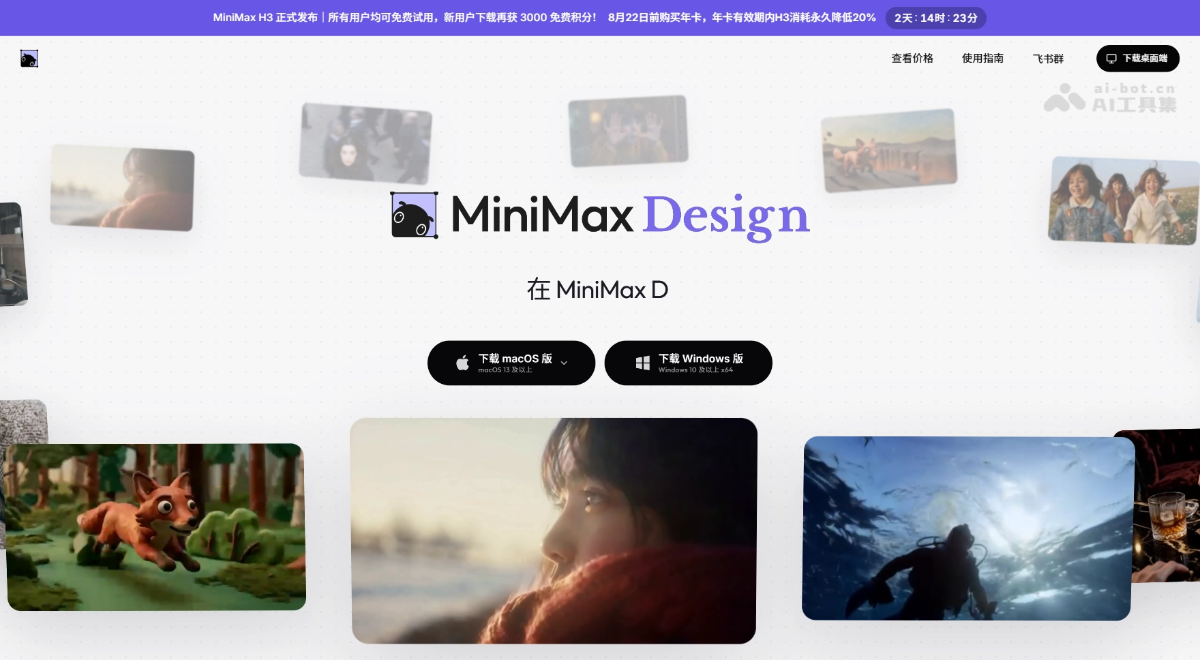
Main Features of MiniMax Design
- Full-chain AI Agent creation: After understanding user requirements, it automatically breaks down tasks, selects Skills and tools, and invokes models to complete the full process from material processing and generative editing to final delivery.
- 3D Director's Stage: Place characters in 3D space, adjust poses and camera positions, confirm composition and character relationships in advance, then use them as references to generate videos, reducing ineffective generation.
- Automatic Editing and Subtitles: After shot generation, it automatically completes editing, subtitle addition, and overall assembly, completing the "storyboard → final cut" creative workflow.
- ComfyUI Ecosystem Integration: Supports running H3 workflows locally or in the cloud; the Agent can assist in editing nodes and adjusting parameters, and also includes selected community workflows.
- Semantic-level creation and modification: Users only need to express high-level intent; the system automatically understands "what is wanted" and completes generation, modification, reorganization, and editing without needing to specify every pixel.
- Complex Context Understanding: Supports understanding the entire project's historical conversations, multiple versions, brand assets, style preferences, etc., enabling coherent continuous creation.
How to Use MiniMax Design
-
Visit the platform: Visit the MiniMax Design official website https://design.minimaxi.com/ to enter the MiniMax Design workspace.
-
Express intent: Describe the creative goal in natural language, such as "create a short e-commerce ad for sneakers".
-
Intelligent breakdown: The Agent automatically understands the requirements and breaks them down into specific tasks such as storyboards, materials, and style.
-
Select tools: The system automatically matches Skills, models, and reference materials based on the task.
-
Generate content: Invoke the H3 model to complete video generation, editing, or reference control.
-
3D preview: Place characters and adjust camera positions in the 3D director's stage, confirm the composition, then generate.
-
Automatic assembly: The Agent automatically completes editing, subtitle addition, and final assembly.
-
Delivery and export: After confirming the result, export the final video, or connect to a ComfyUI workflow for fine-tuning.
Core Advantages of MiniMax Design
-
Full-chain Agent-driven: From understanding requirements and breaking down tasks to invoking models and delivering the final cut, the entire process is automatically advanced by the AI Agent, with no need to manually switch between multiple tools.
-
Semantic-level creation: Users only need to express high-level intent; the system automatically understands "what is wanted" and completes pixel-level generation, modification, and reorganization.
-
H3 native multimodal foundation: Deeply integrates the video generation, editing, and reference control capabilities of the MiniMax H3 model, making it especially suitable for demanding video editing scenarios.
-
3D Director's Stage Previsualization: Place characters and adjust camera positions and composition in advance in 3D space, shifting trial-and-error costs from the generation stage forward to the storyboard stage.
-
Complex Context Understanding: It can not only understand a single input, but also continuously remember project history, brand assets, style preferences, and multi-round revision records.
-
ComfyUI Ecosystem Compatibility: Supports connecting to existing ComfyUI workflows locally or in the cloud, and the Agent can assist with editing nodes and fine-tuning parameters.
-
Batch Delivery of Commercial Content: Excels at quickly breaking down the same set of assets into multiple delivery versions adapted to different platforms, selling points, and audiences, improving content production efficiency.
Comparison with Similar Competitors of MiniMax Design
| Comparison Dimension | MiniMax Design | UpDream | Duiyou |
|---|---|---|---|
| Core Positioning | A full-process platform for AI Agent-driven commercial content production | Bilibili's self-developed one-stop AI video creation workbench | Alibaba's one-stop AI design platform (including video generation capabilities) |
| Driving Mode | The Agent automatically breaks down tasks, selects Skills, and continuously revises until delivery | Agent dialogue + infinite canvas nodes + Skills, "creating through discussion" | Mainly based on toolboxes and templates, with users manually selecting functional modules |
| Underlying Model | H3 native multimodal video model (already open-sourced) | Connects to 10+ third-party models such as Seedance 2.0 / Kling / Kling 3.0 / Wan 2.7 | Alibaba's self-developed Qwen-mage + Flux.1 / Nano Banana Pro, etc. |
| Creation Method | Semantic-level intent expression, with the system understanding and automatically executing the entire process | Conversational creative guidance + node-based nonlinear canvas, with multi-Agent collaboration | Template-based + toolbox-style, leaning toward modular manual operation |
| 3D Previsualization | Built-in 3D director's stage for placing characters and adjusting camera positions and composition in advance | No native 3D director's stage, supports three-view character design | 3D online editor (drag-and-drop model editing, not a director's stage) |
| Workflow | Supports ComfyUI ecosystem integration, with the Agent assisting with node editing | The Skills library can encapsulate workflows for community sharing and reuse | The all-in-one canvas integrates multiple tools, with limited workflow flexibility |
| Context Understanding | Project-level complex Context (history, brand assets, style preferences) | Long-term memory assistant that remembers creative styles and editing habits | Mainly based on single inputs, with no project-level memory |
| Automatic Assembly | The Agent automatically completes editing, subtitles, and final video assembly | The canvas has a built-in editing pipeline, allowing rough cuts to be exported to DaVinci | After video generation, it must be handled manually, with no automatic final video assembly |
| Open-Source Ecosystem | The H3 model is open-sourced, and community workflows can be directly integrated | Models depend on third parties, and the Skills community can share creation methods | Mainly within the Alibaba ecosystem, with closed-source models |
| Target Users | Advertising/e-commerce/content teams, creators, workflow developers | Bilibili UP creators, short video/short drama/animation creators | Designers, e-commerce operators, cross-border sellers, self-media |
Application scenarios of MiniMax Design
-
Batch e-commerce advertising delivery: Hand over product information, target audience, and communication needs to the Agent, which automatically plans scripts around different selling points and platforms, generates materials, and edits subtitles, quickly producing multiple adapted versions of advertising short videos.
-
Brand KOC/UGC seeding content: Based on brand tone and product features, automatically generate highly authentic seeding videos and brand short videos, supporting batch iteration of KOC content in different styles.
-
Educational knowledge videos and MG animation: Hand lesson plans, courseware, or traditional stories to MiniMax Design. The Agent automatically organizes the content structure, arranges voiceover, visuals, and animation, and turns text materials into complete knowledge explanation videos.
-
PV / MV / movie opening production: Leverage H3's capabilities in video generation, reference control, and editing, with the Agent planning the overall creativity and storyboard to complete creative short videos, music videos, and special effects packaging with high visual requirements.
-
Shadow puppetry / cultural IP content creation: Combine the 3D director's console and reference control capabilities to transform traditional cultural elements (such as shadow puppetry and illustration styles) into dynamic video content, suitable for scenarios such as cultural promotion and IP character promotional videos.