
Making commercial videos with AI — this time you really just need your hands.
This is a batch of minimalist product ad videos I just generated.
One product image plus a simple prompt, and you get a batch of finished videos in 10 minutes.
In the past, making commercial videos consumed huge amounts of time and manpower on refining storyboards and managing asset libraries; now the AI pipeline handles the entire process. Input your requirements, and directly generate 100 complete, ready-to-run videos all at once.
I also tried the animation style that's been blowing up all over the internet recently, the same style as "Niu Lai" — the storyboards and shot transitions were all automatically generated by AI.
Actually, the commercial implementation of AI video comes down to two core things: the results have to be good enough, and the output has to be plentiful enough.
Most tools can only do one or the other, but MiniMax Design directly solves both of these major pain points at the same time.
Without further ado, today let's experience together MiniMax Design the convenient, fast, batch production process for commercial videos.
01. A Reusable Commercial-Grade Production System
We open MiniMax Design and click Skill in the left sidebar. Here you'll find 100+ practical Skills curated by MiniMax Design.
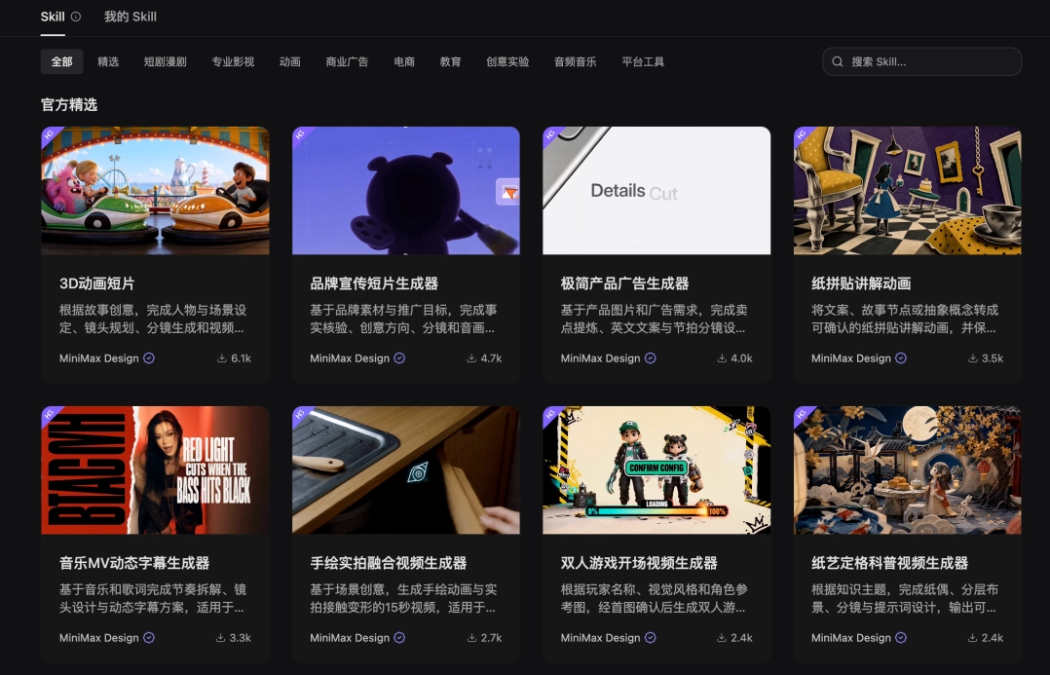
Click any Skill and we can directly see its detailed information, such as its working logic, process, and aesthetic standards.
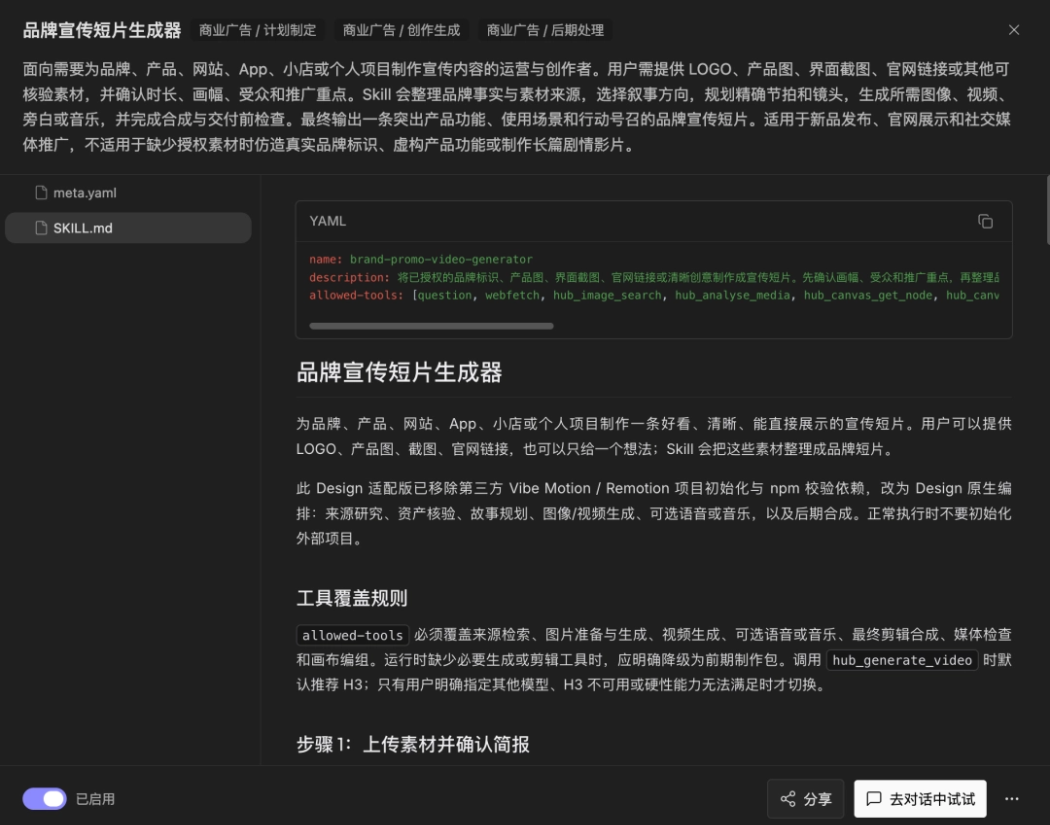
Even if you can't understand these complex descriptions, it doesn't matter. We click "Try in conversation" in the bottom right corner and directly talk to the canvas Agent:
Explain to me the best way to use this skill.
MiniMax Design will fully explain the Skill's applicable scenarios, inapplicable scenarios, and hands-on tips, and finally attach a summary suggestion — completely zero-threshold to get started.
Generate a Complete Animation with One Sentence
We input the prompt according to the Skill's introduction:
Make an animated short film: [story plot]
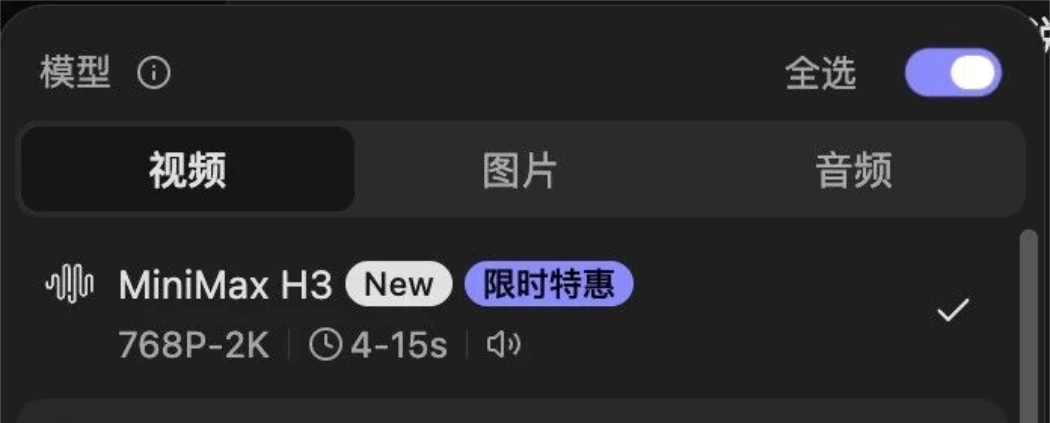
We can choose the model to use based on our everyday preferences. MiniMax Design has dozens of built-in video, image, and audio models, and will also recommend models that match your needs when generating content.
Personally, I'd suggest using MiniMax H3. H3 itself is synonymous with high cost-performance and good results, and with the first-party Agent it can push H3's capabilities to the extreme.
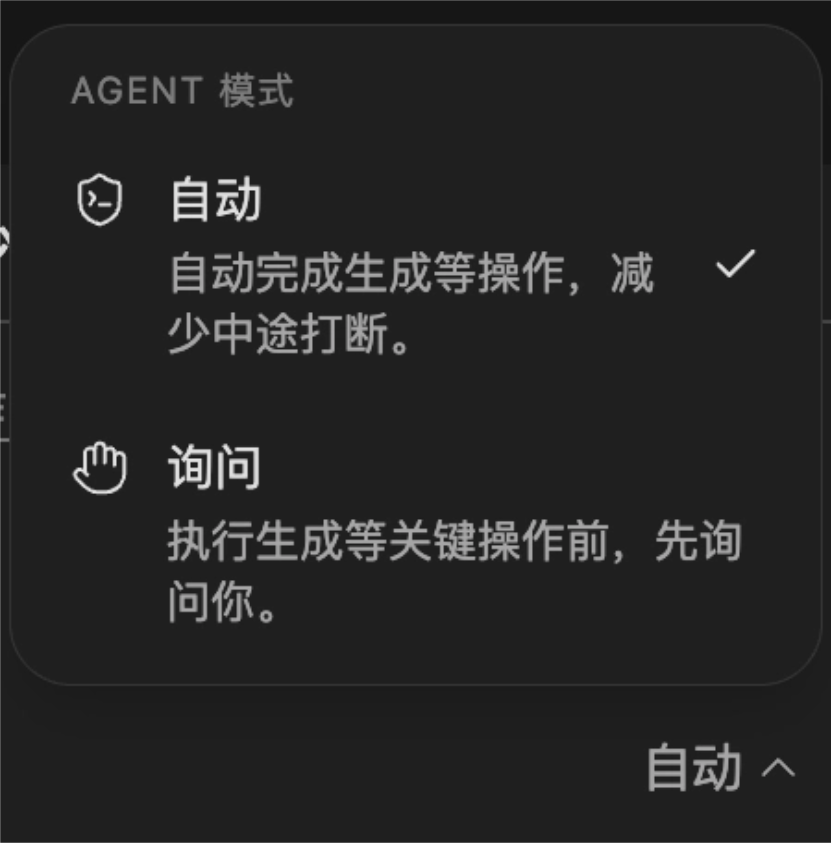
There are two execution modes to choose from: fully automatic, and ask-for-confirmation at key steps. Generally, just choose automatic; for complex projects, choose ask mode so you can control the key nodes yourself.
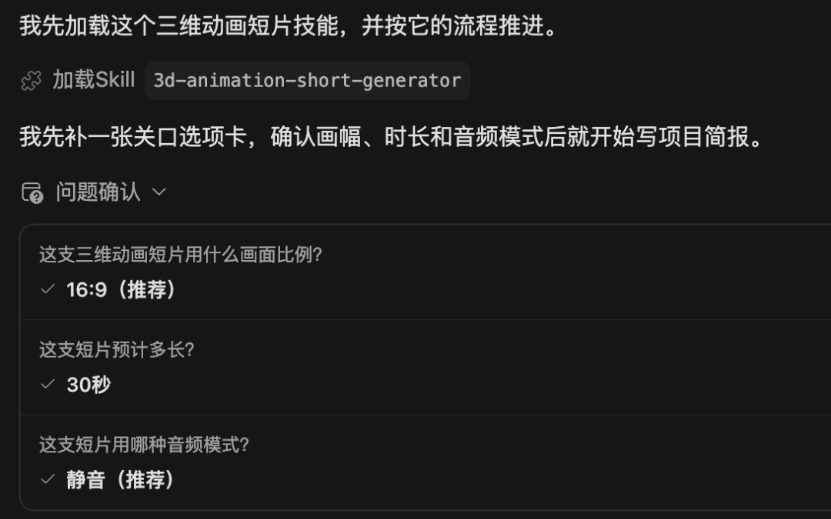
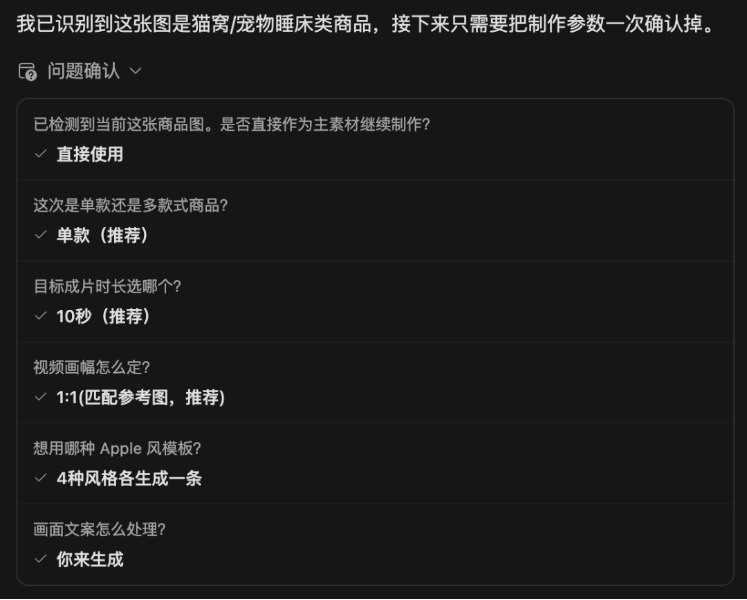
MiniMax Design will first proactively confirm details with us, such as aspect ratio, duration, audio format, and so on.
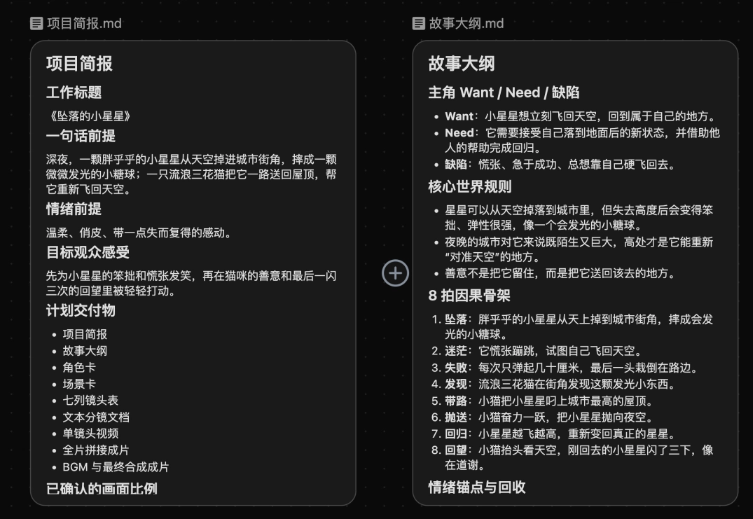
It will refine a project brief and sort out a story outline based on the story we provide.
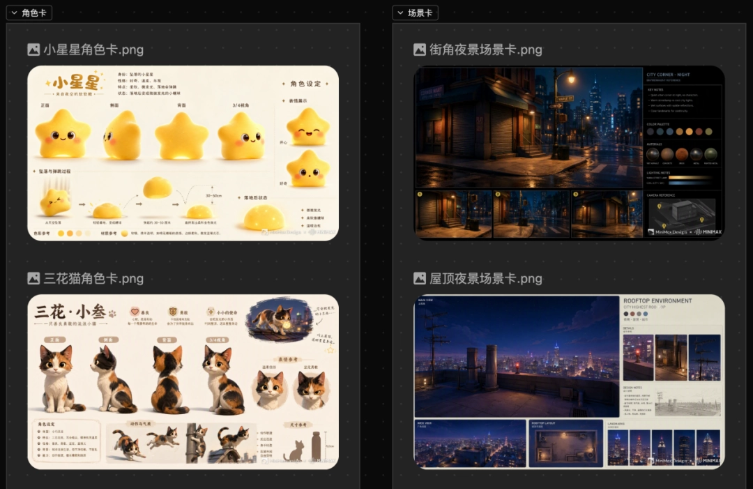
It generates character and scene assets for us:
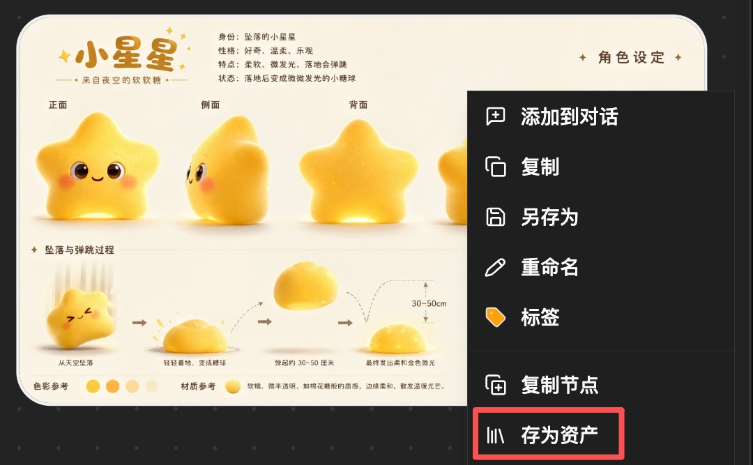
The key is that every asset can be saved and reused in other projects later.
Finally, it automatically plans the storyboards and generates them one by one.
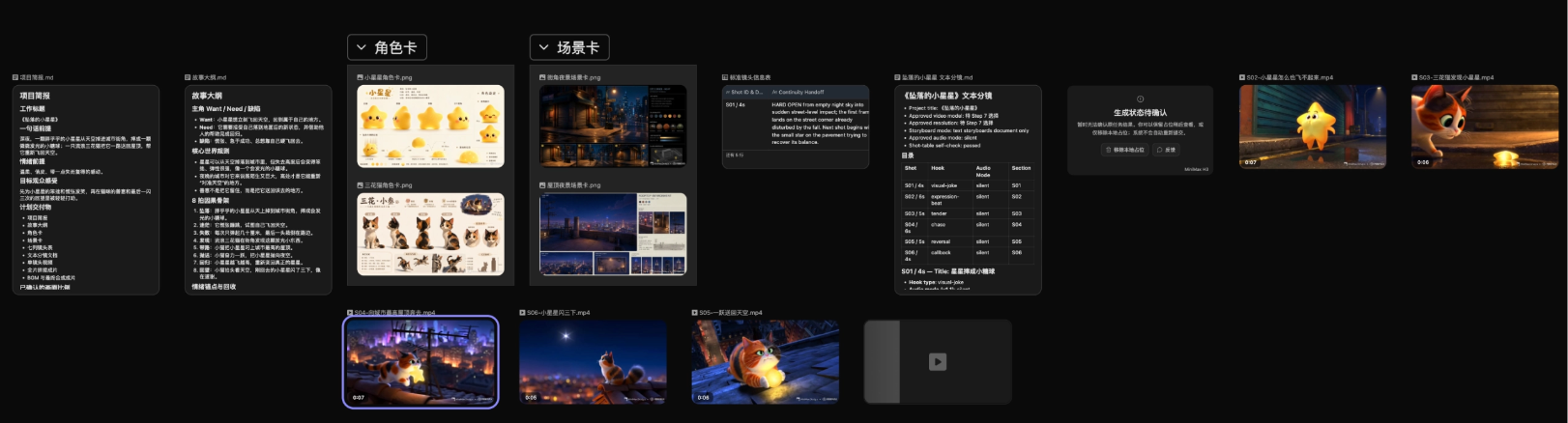
It can also automatically edit the final video for us. The entire workflow basically runs fully automatically.
Let's take a look at the final generated result together:
The star's glowing texture is transparent and warm, and the transitions between layers of halo are very natural. The calico cat's fur and lighting are realistic and soft, and the ambient light and shadow atmosphere of the city at night is maxed out. Details like environmental reflections and the light and shadow on the water on the ground are all handled very well.
The overall narrative is smooth and complete, telling the story of the little star and the stray calico cat in a gentle, unhurried way. The camera movement and shot transitions fit the story's rhythm very well, and the shot arrangement is already close to the standard of a professional animated short film.
Batch Video Production
For e-commerce short video ad delivery, batch output capability is what matters most. MiniMax Design is also very well suited for batch production of commercial-grade short videos.
For example, I want to batch-produce ad videos for this cat bed:
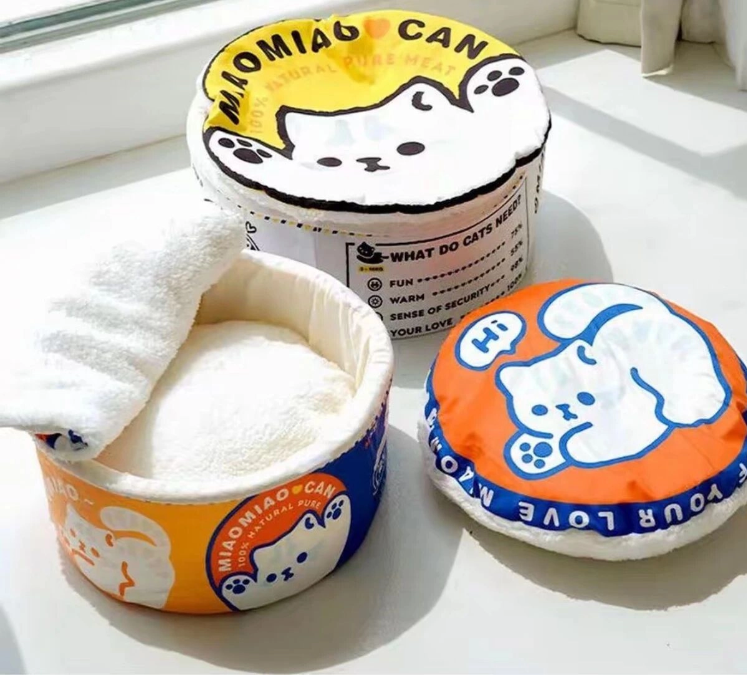
We choose the Minimalist Product Ad Generator Skill and upload one product image.
MiniMax Design accurately recognizes that this is a cat bed and proactively asks about the production requirements.
MiniMax Design automatically generates anchor images and plans the storyboard.
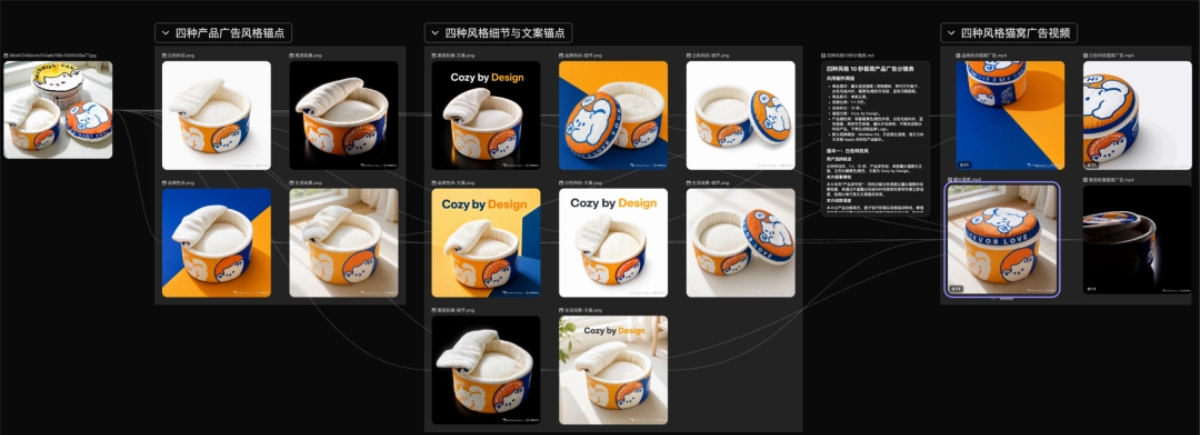
It batch-generated 4 ad videos that can be used directly for delivery.
Different products can also be batch-produced into the same type of minimalist-style ad videos:
No need to hand-draw storyboards, and no need to manually organize massive amounts of materials, greatly compressing the production cycle of commercial materials.
The threshold for content creation has been lowered
Animation and special effects production used to rely heavily on professional editing software, placing very high demands on creators' experience.
Powered by the H3 foundation and orchestrated through Agent+Skill, ordinary people can also quickly achieve high-threshold content.
For example, let's make a paper craft stop-motion animation:
Use paper craft stop-motion animation to clearly explain how a lunar eclipse happens.
MiniMax Design will automatically call the relevant Skills we have already enabled.
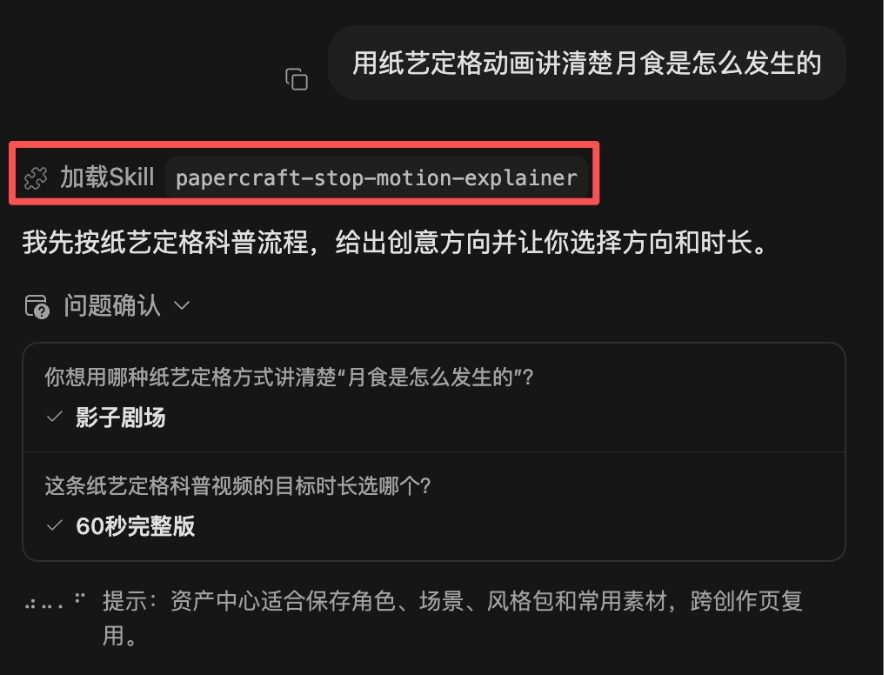
MiniMax Design automatically creates nodes on the canvas, generates, and edits them into a finished video.
Let's take a look at the final generated result together:
The paper craft stop-motion texture reproduction is very outstanding. The cardboard grain, collage layers, and warm lighting are highly close to real handmade shooting. It breaks down the astronomical principle of the lunar eclipse clearly with concrete paper models, with complete element annotations, perfectly combining popular science narrative and stop-motion art style.
MiniMax Design also supports custom creation and uploading of exclusive Skills. We can encapsulate our own proven video production logic, exclusive aesthetic standards, and customized workflows into Skills and upload them to the platform for reuse.
02. Seamless migration of ComfyUI workflows
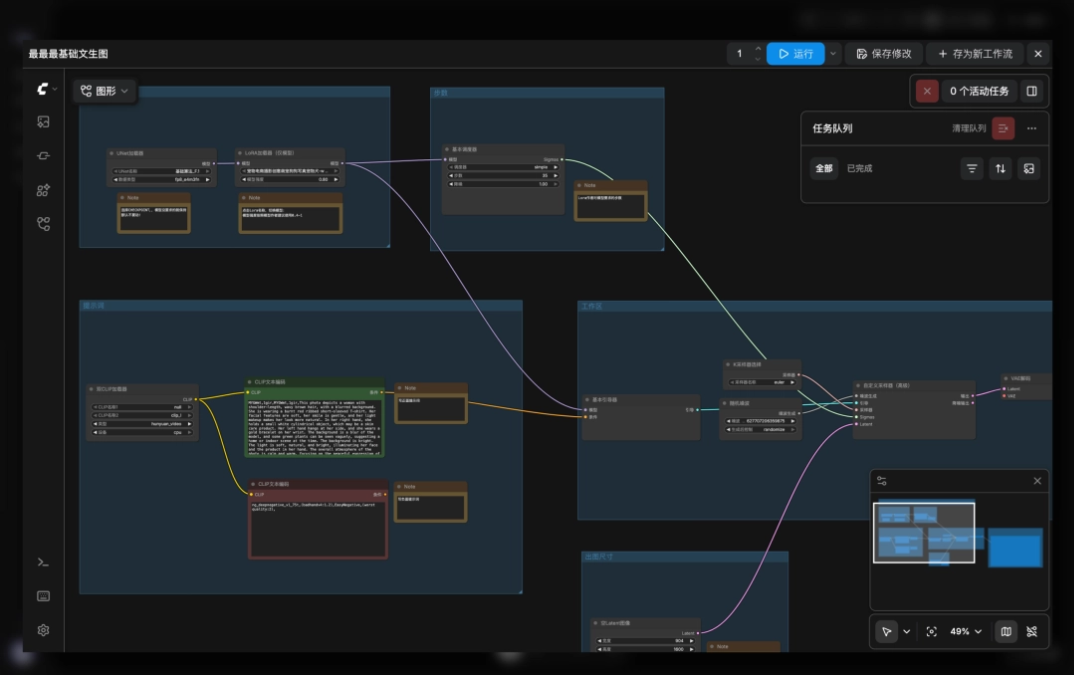
MiniMax Design supports locally deployed ComfyUI and workflows.
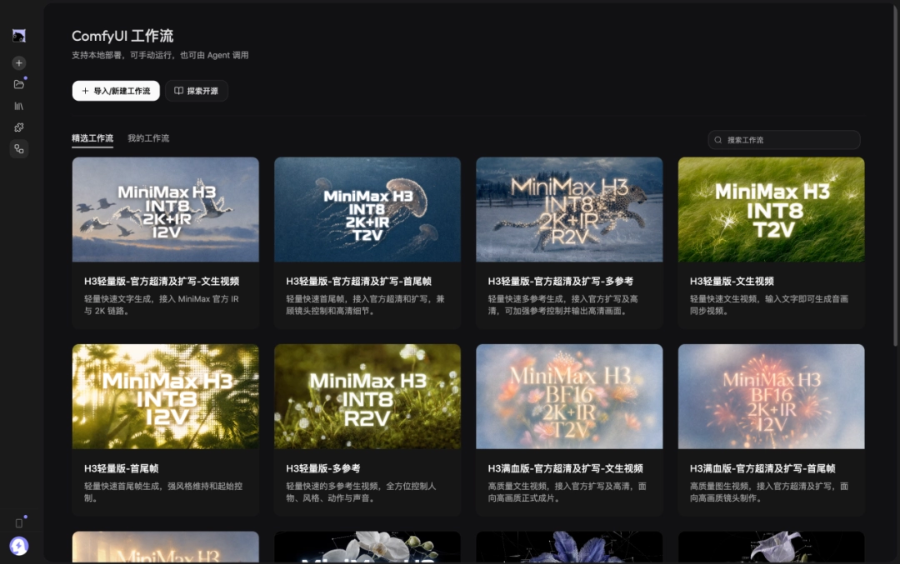
Mature ComfyUI processes debugged locally and mature workflows accumulated on other platforms can all be smoothly migrated to the Design platform.
No need to build from scratch; you can directly continue using your own proven production pipeline.
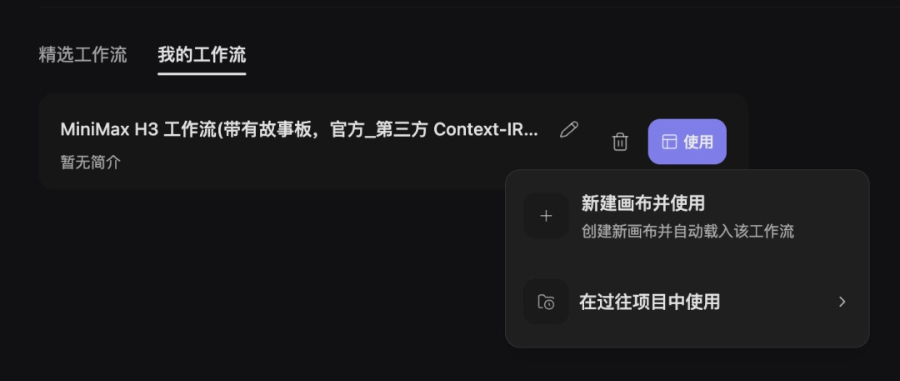
After importing the workflow, the first use requires installing the ComfyUI backend. Just follow the prompts and click the buttons.
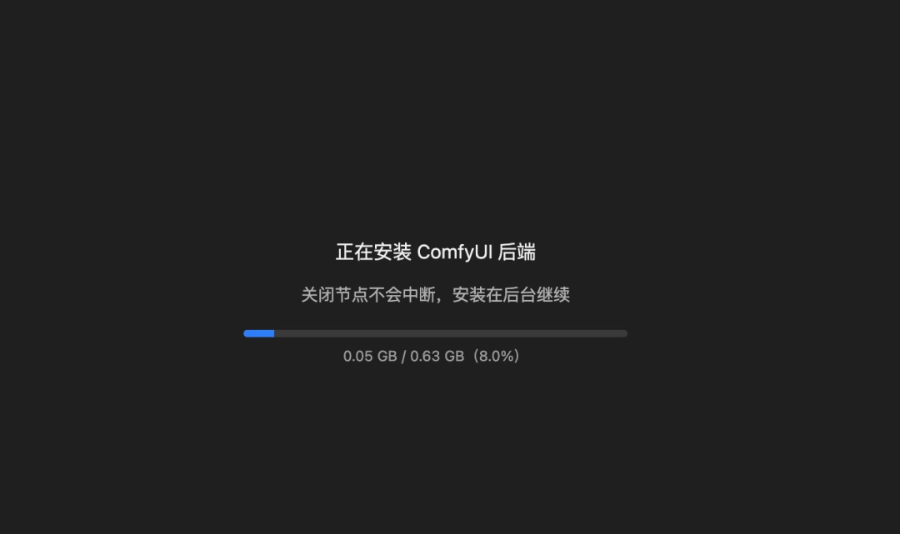
Then you can use ComfyUI workflows in MiniMax Design.
02. Some sharing
In the past, when making AI videos, we had to repeatedly debug prompts, manually connect various nodes, and hand-build the finished video step by step.
Now we are more like the client. We only need to assign tasks to the Agent, and the Agent automatically completes the full production according to professional processes. We are only responsible for accepting the result. If we are not satisfied, one sentence is enough to iterate and revise.
H3 has already proven that large models have an extremely strong capability ceiling in commercial video generation; while MiniMax Design encapsulates pure model capability into a complete and implementable production method.
In the past, commercial video production was blocked by high thresholds built by teams, professional software, and production experience. The Agent+Skill system is leveling the gap.
Ordinary people and small-to-medium teams can also produce animation and advertising materials close to professional standards without spending heavily to build a complete post-production team.
MiniMax Design is not just an AI-enhanced design tool benchmarked against Adobe and Canva, but redefines the way videos are produced — handing professional steps such as storyboarding, asset generation, and editing to AI Agents to complete.
Of course, at this stage it is not a complete replacement for professional creators, but rather it frees them from a large amount of repetitive and mechanical production work, allowing creativity and planning to become the true core competitiveness of creators.
Original link:One image, one sentence, MiniMax Design produces commercial blockbusters in batches