
What is Lingma IDE
Lingma IDE is launched by TongyiAI-native IDE, users canTongyi Lingma official websiteDownload and use it for free. The IDE is deeply adapted to the latest Qwen3 large model and fully integrates the capabilities of the Tongyi Lingma plugin. It features a programming agent, next edit suggestions, inline chat, and other functions. It has excellent code capabilities and tool-calling capabilities, and can help developers quickly develop agent applications. It comes with a programming agent mode. Developers only need to describe the coding task, and Tongyi Lingma can autonomously complete a series of operations such as project awareness, code retrieval, terminal execution, and calling MCP tools, helping developers complete coding tasks end to end.
In February, Tongyi Lingma IDE was fully upgraded, launching the Quest autonomous programming mode, in which AI can independently complete the entire development process from requirements understanding to code delivery without the need for continuous manual intervention. At the same time, RepoWiki Enterprise Edition was launched, automatically generating project documentation and enabling code knowledge accumulation, and integrating the new programming model Qwen-Coder-Qoder, increasing the accuracy of Windows terminal commands by 50%. Tongyi Lingma currently serves 26 million developers and helps tens of thousands of enterprises improve R&D efficiency.
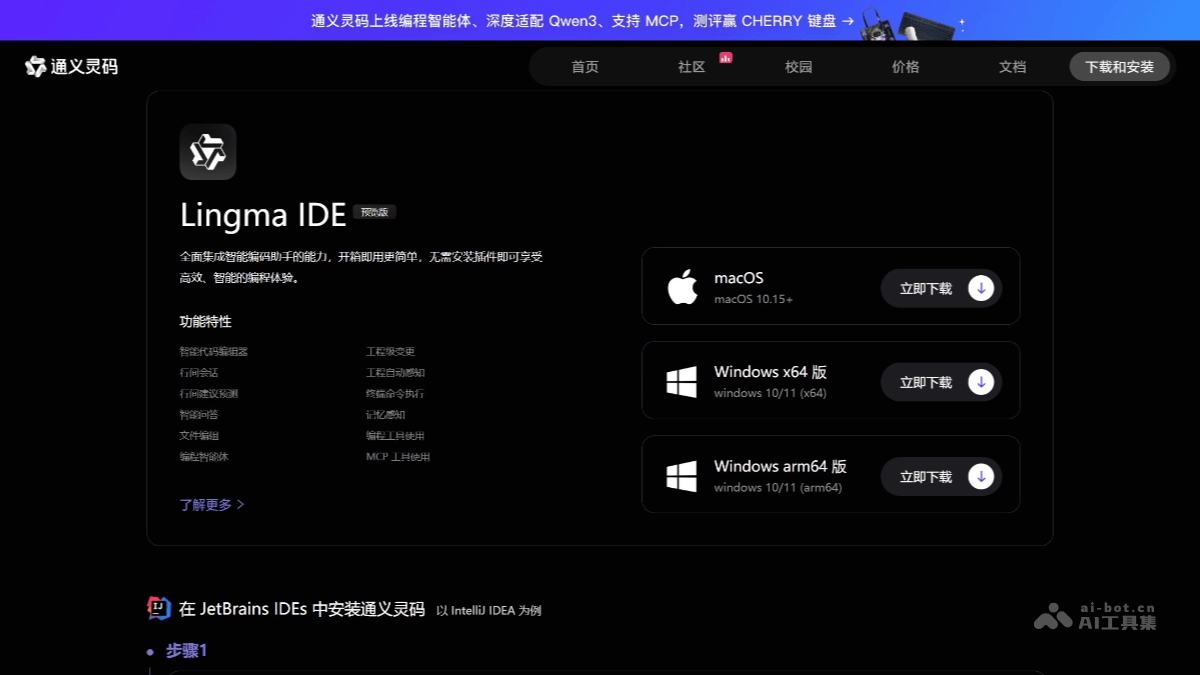
Main features of Lingma IDE
-
Programming agent mode: It has capabilities such as autonomous decision-making, environment awareness, and tool use. It can use tools such as project retrieval, file editing, and terminal according to developers' coding needs to complete coding tasks end to end. It also supports developers in configuring MCP tools, broadening the boundaries of AI coding assistant capabilities and better fitting developers' workflows.
-
MCP tool usage: Deeply integrated with the ModelScope MCP Plaza, covering more than 3,000 MCP services across ten popular fields such as developer tools, file systems, search, and maps.
-
Long-term memory capability: It pioneered an automatic memory function that can gradually form rich memories related to developers' programming habits, conversation history, projects, and more, and automatically organizes memories to improve programming efficiency and experience.
-
Nes next edit prediction capability: It can help developers dynamically predict the next code modification suggestion based on the current code modification. Developers only need to press the Tab key to efficiently complete code writing.
-
Inline chat: It supports developers in chatting within the code editor area. Developers can modify code within a single file or ask questions instantly through natural language conversation.
-
Code generation and continuation: Provides line-level/function-level real-time continuation.
-
Unit test generation: It can automatically generate unit test code.
-
Code comments and explanation: Supports code comment generation and code explanation.
-
Exception and error troubleshooting: Provides intelligent exception and error troubleshooting for the Java language.
-
Technical documentation and code snippet search: Technical material retrieval and code snippet search can be performed directly within the IDE.
- Quest autonomous programming mode (Open Beta experience): Launches an AI engineer that does not require continuous manual intervention. It can autonomously understand requirements, formulate technical specifications, execute development tasks, verify delivery quality, and continuously learn and evolve, supporting independent completion of website and prototype development from 0 to 1.
- Agentic Chat fully upgraded: Adds built-in planning agents to enable human-machine collaboration in developing execution plans, supports custom agents, skills, and instructions to create dedicated workflows, and provides multi-agent parallel conversation capabilities to improve multi-task processing efficiency.
- Repo Wiki Enterprise Edition (Open Beta Experience): Automatically parses project code to generate a structured knowledge base, continuously tracks code and documentation changes, makes tacit engineering knowledge explicit, supports Wiki sharing and collaborative editing, and solves the problem of missing documentation in new project setup and legacy system maintenance.
- Qwen-Coder-Qoder Model: Integrates a programming model trained through deep reinforcement learning based on real software engineering scenarios, improving Windows terminal command accuracy by 50%, surpassing Cursor Composer-1 in task resolution rate, increasing online code retention rate by 3.85%, and reducing tool exception rate by 61.5%.
How to use Lingma IDE
- Installation
-
Install from the plugin marketplace: Taking IntelliJ IDEA as an example, open the IDE and click
File->Settingsin the top menu bar (on macOS,IntelliJ IDEA->Preferences), selectPluginsin the left menu of the Settings window, clickMarketplace, search for "Tongyi Lingma", and after finding the plugin clickInstallto install it. After installation is complete, restart the IDE to finish loading the plugin. -
Install by downloading the installation package: Click the download link provided on the Tongyi Lingma official website to download the zip installation package for JetBrains IDEs. After downloading the installation package, open IntelliJ IDEA, open Settings, click Install Plugin from Disk in the dropdown menu of the plugin management settings, select the downloaded zip file and install it. After installation is complete, restart IntelliJ IDEA.
-
- Login and initialization: After restarting the IDE, click the Tongyi Lingma icon in the right toolbar to enter the plugin interface. For first-time use, you need to log in with an Alibaba Cloud account. After clicking the login button, the browser will automatically open the Alibaba Cloud login page. Return to the IDE after completing login.
-
Intelligent code completion: When writing code, Tongyi Lingma provides intelligent code completion suggestions based on context to help complete code quickly. You can also use the shortcut key
Alt+Pto manually trigger the generation of code suggestions. -
Code explanation: After selecting a code snippet, right-click and select
通义灵码->解释代码to obtain a detailed explanation of the code. It also supports follow-up requests such as retry, more detailed, simpler, and Chinese/English explanation. -
Generate unit tests: In the code, right-click the Tongyi Lingma icon and select
生成单元测试. Tongyi Lingma will automatically generate the corresponding test code and supports one-click insertion, copying, creating new code files, and other operations. - Usage suggestions
-
Configure the plugin: After installation is complete, it is recommended to go to the Tongyi Lingma settings page and adjust options such as auto-completion delay and language preference.
-
Make full use of features: Tongyi Lingma supports multiple programming languages. It is recommended to try its features in different projects and become familiar with how it works.
-
Update regularly: Keep the plugin and IDE at the latest versions to get the latest features and improvements.
-
Languages and IDEs supported by Lingma IDE
-
Programming languages: Supports mainstream programming languages such as Java, Python, Go, C#, C/C++, JavaScript, TypeScript, PHP, Ruby, Rust, Scala, and Kotlin.
-
IDE support: Compatible with mainstream programming tools such as Visual Studio Code, Visual Studio, and JetBrains IDEs.
Application scenarios of Lingma IDE
- New feature development: Developers can describe requirements in natural language, and Lingma IDE will generate the corresponding code based on the description.
-
Engineering-level coding tasks: Supports multi-file code modifications, can handle complex engineering-level tasks, and meets enterprise-level development needs.
-
Enterprise data personalization: Tongyi Lingma IDE supports enterprise data personalization and can provide more accurate code suggestions based on internal enterprise data.
-
Code comment generation: Generate method comments and inline comments with one click, saving time on writing code comments and improving code readability.