
What is Kimi WebBridge
Kimi WebBridge is a browser extension launched by Moonshot AI, designed for local AI Agents such as Kimi Code、Claude Code、Cursor、Codex . Through a local bridge service and the Chrome DevTools Protocol, Kimi WebBridge enables AI to carry the user's real login state and cookies, performing operations in the browser like a real person, such as clicking, sliding, typing, filling forms, extracting information, and integrating content across sites. All tasks are completed locally, and web page data never leaves the device, ensuring privacy and security while achieving efficient, automated web operations.
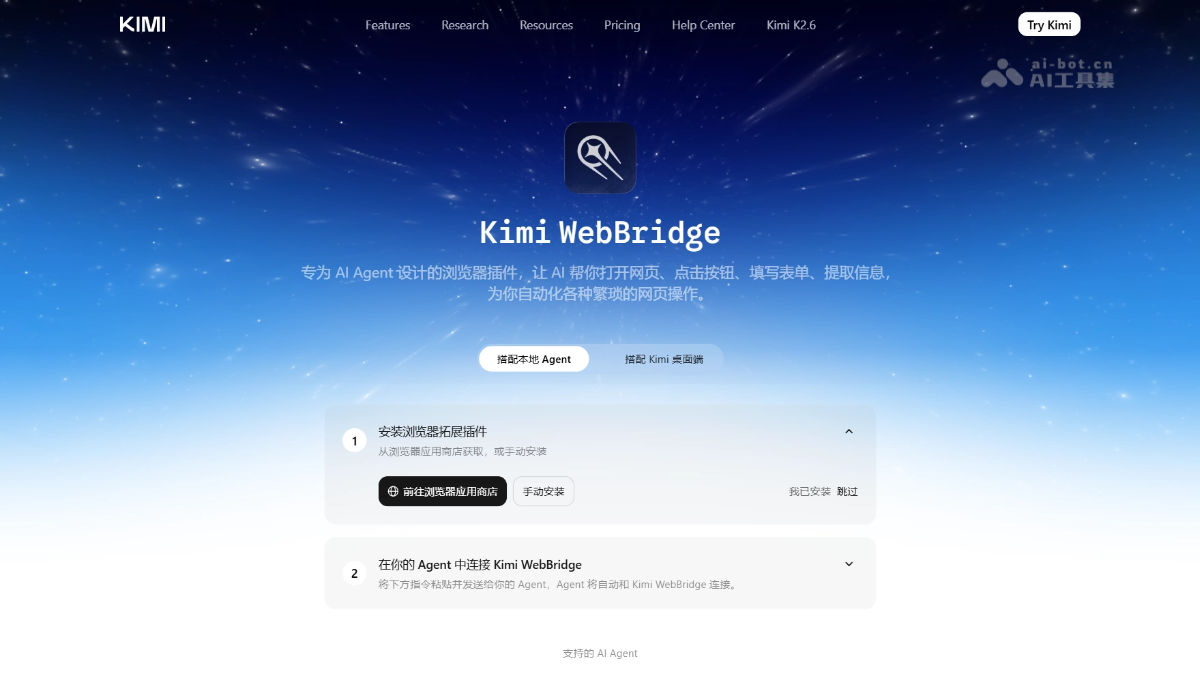
Kimi WebBridge's main features
-
Browser automation operations: Supports AI Agents in performing web navigation, clicking buttons, filling forms, sliding pages, and other operations.
-
Identity state inheritance: AI operates websites with the user's real login state, cookies, and account permissions, with no additional configuration required.
-
Information extraction and integration: Scrapes and integrates content across sites, and supports writing data to online documents or local directories.
-
Visual task tracking: Marks the browser tab being operated on at runtime, without occupying the mouse or keyboard, so users can use their computer in parallel.
-
Advanced CLI tools: Supports packaging fixed workflows into dedicated CLI tools that do not consume large model tokens, for repetitive tasks.
Kimi WebBridge's technical principles
- Dual-component collaborative architecture: The system consists of two parts: a local bridge service and a browser extension. The AI Agent sends natural language instructions to the local bridge service, which communicates through standard interfaces with the extension in the Chrome or Edge browser. The extension then drives the browser based on underlying protocols to complete specific operations, and returns the execution results to the Agent, forming a complete instruction loop.
- Based on Chrome DevTools Protocol: The browser extension uses the Chrome DevTools Protocol (CDP) at its foundation, which is the official debugging protocol provided by Chrome. Through the protocol, the extension can perform navigation, element clicking, form input, page screenshots, DOM reading and modification, and other operations in the user's current real browser instance, without launching a separate or virtual browser environment.
- Local identity inheritance mechanism: Kimi WebBridge directly reuses the browser session already opened by the user, inheriting the real login state, cookies, and local storage data. When AI operates the target website, it is equivalent to the user operating it themselves, so there is no need for additional account configuration, handling CAPTCHAs, or breaking through login barriers, and it naturally supports various backend systems that require identity authentication.
- On-device privacy protection: All instruction parsing, page interaction, and data extraction are completed locally on the user's device. The bridge service is only responsible for local inter-process communication. Web page content, cookies, and operation results are not uploaded to cloud servers, ensuring that sensitive business data does not leave the local device.
How to use Kimi WebBridge
- Install the browser plugin: Search for and install the Kimi WebBridge extension in the Chrome or Edge browser app store.
- Install the local daemon: Send the specified curl command to the local AI Agent to install Kimi WebBridge's local daemon and Skill.
- Restart the Agent to load the skill: Restart local AI Agents such as Kimi Code so they recognize and load the newly installed WebBridge skill.
- Verify the installation result: Enter the test instruction "Use kimi-webbridge to open kimi.com for me". If a tab opens successfully and the agent:kimi prompt appears, the installation is successful.
- Kimi Claw Desktop users: If Kimi Claw Desktop is deployed locally via the Kimi desktop version, no daemon installation is needed; simply send an instruction to start using it.
Core advantages of Kimi WebBridge
-
Native identity inheritance: Directly reuses the user's existing login state, with no need to simulate accounts or handle CAPTCHAs, lowering the barrier to accessing complex websites.
-
Local privacy and security: All operations are performed in the local browser; sensitive data and webpage content are not uploaded to the cloud.
-
Multi-Agent compatibility: Uniformly supports mainstream local Agents such as Kimi Code, Claude Code, Cursor, Codex, Hermes, and OpenClaw.
-
Non-intrusive operation: Operated tabs are marked in the background without seizing the mouse and keyboard, allowing human-machine collaboration.
-
Low Token consumption: Fixed processes can be compiled into dedicated CLI tools, eliminating the need to repeatedly call large models during repeated execution.
Kimi WebBridge project address
- Project official website:https://www.kimi.com/zh-cn/features/webbridge
Comparison of Kimi WebBridge with similar competing products
| Dimension | Kimi WebBridge | Browserbase | Agent-Browser(Vercel) |
|---|---|---|---|
| Operation mode | Local browser extension + bridge service | Cloud-hosted browser | Cloud/local browser automation |
| Identity inheritance | Directly reuses the user's Cookies and login state | Requires separate environment or account configuration | Requires separate environment or account configuration |
| Data privacy | Fully local execution; data never leaves the device | Data passes through cloud servers | Depends on the deployment method |
| Supported Agents | Kimi Code, Claude Code, Cursor, etc. | Mainly oriented toward developer APIs | Mainly oriented toward developer APIs |
| Usage barrier | Install the plugin + one line of command | Requires API integration development | Requires some technical configuration |
| Human-machine collaboration | Runs in the background without occupying the keyboard and mouse | Runs in the cloud with no local interaction | Runs in the cloud with no local interaction |
Application scenarios of Kimi WebBridge
-
Automated information organization: Automatically collects app store promotional materials for multiple note-taking apps, letting AI analyze design style differences and write them into an online document.
-
Automation of complex operations: One-click takeover of a quantitative research simulation platform, automatically scraping financial data, executing multi-strategy iterative backtesting, and writing quantitative reports.
-
Repetitive web tasks: Automates repetitive and tedious web-based operations or scheduled tasks, such as batch form filling, clicking, data entry, and status updates.
-
Cross-site content integration: Extracting and integrating information across multiple websites while logged in, enabling content migration, data aggregation, and multi-source information synchronization.