
In the blink of an eye, it's almost Chinese New Year again, the sky is falling! The N project analysis reports that make your head spin are simply impossible to finish—is there an AI tool that can save office workers from year-end reporting materials?
After constantly searching and looking, I finally struck gold!
It isOffice Raccoon 2.0!
Use the Raccoon Three-Step Method (PAW): Plan, Analyze, Write,writing analysis reports is 10 times more efficient, and the key is it's completely free!!!

Just enter one instruction to turn on office automation mode.Data organization, data cleaning, table conversion, chart creation—how to carry out a project and what to do next—AI summarizes it all into a high-quality data analysis report with one click.

Let's take a look together at how it helps me complete an entire workflow!
Raccoon Three-Step Method: Generate a complete report in 1 minute
-
Step 1: Plan
Suppose I have a set of movie box office-related data, and my boss wants me to produce a report based on this data. I may not even know what value this data has, where the highlights are, or from what angle the report should start. But don't be afraid—just hand it to Little Raccoon.
After uploading the data, enter: Generate an outline for a movie data analysis report based on this data.
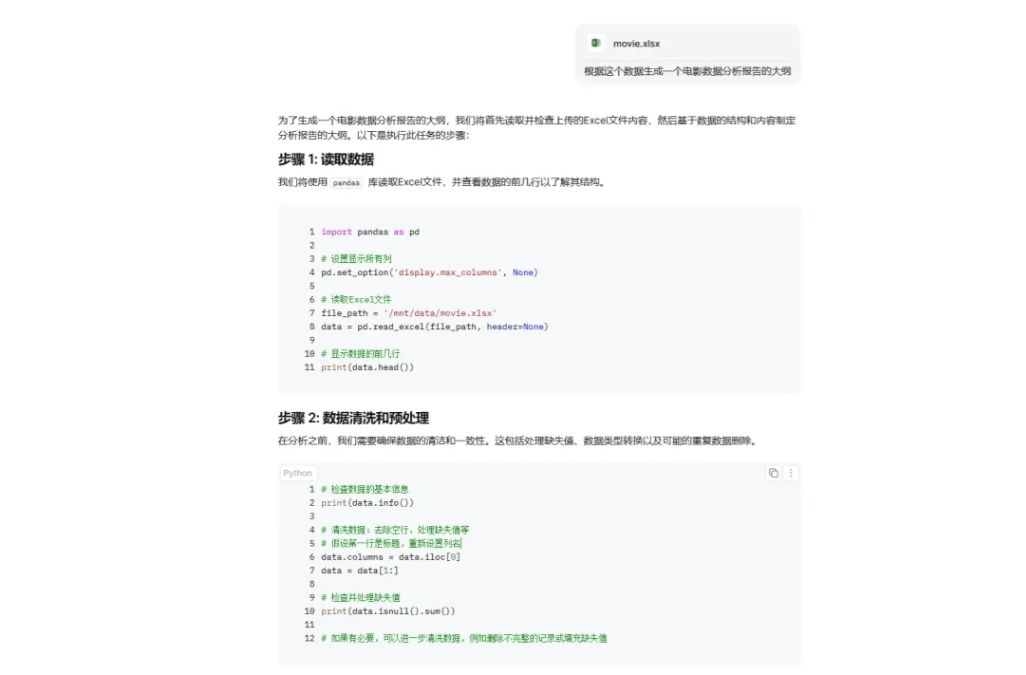
After reading and preprocessing the data, it will directly generate an outline for us.
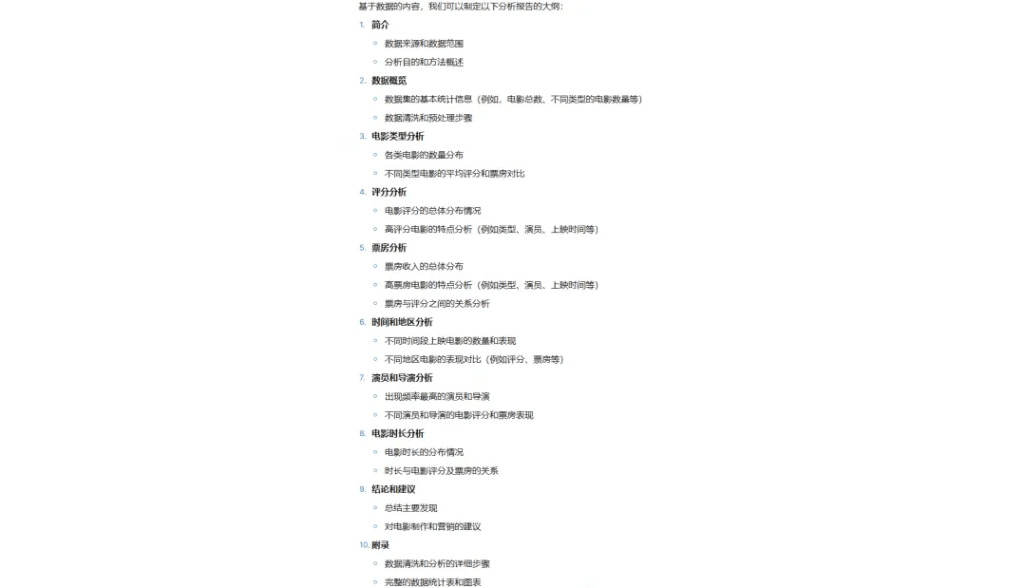
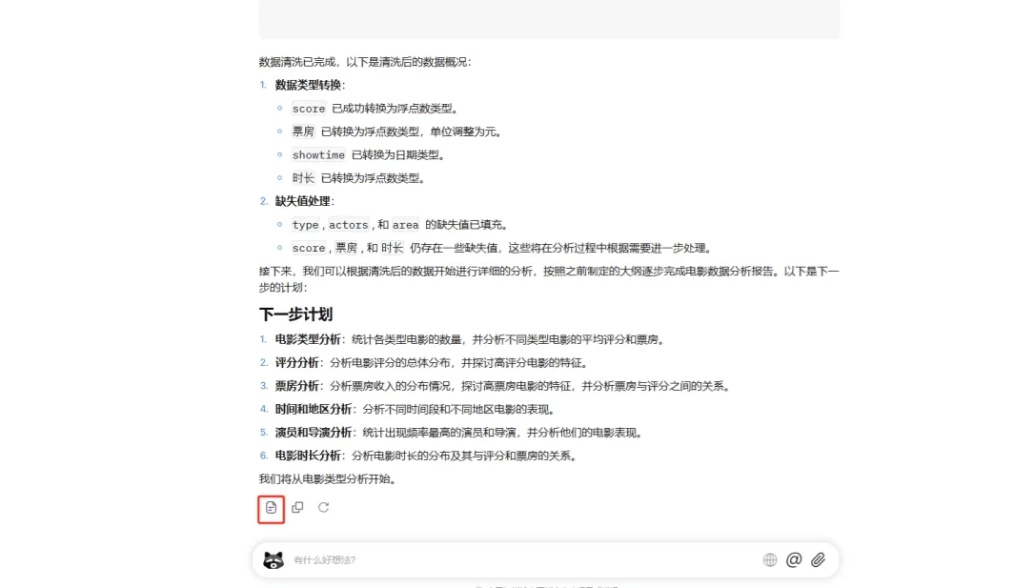
And there's no need to copy and paste anything—you can directly generate a document with one click.
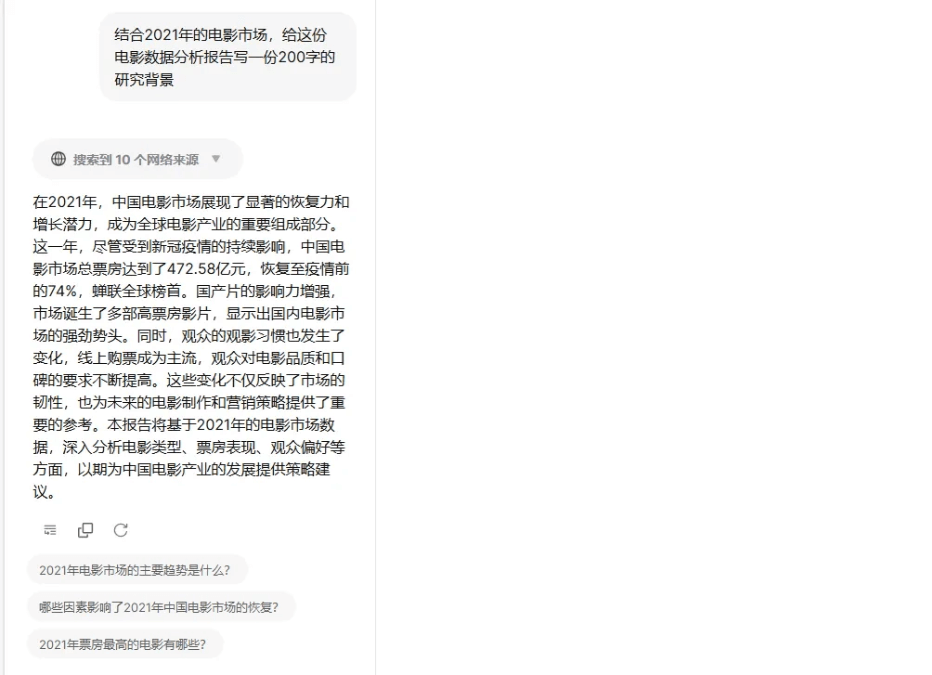
In the document, you can continue to use AI to add more elements, such asdata backgroundthings like this that used to be painful to write can also be generated with AI's help.
-
Step 2: Analyze
Afterward, you can continue in the document interface to analyze the various data needed in the outline.
Supports generatingline charts, column charts, bar charts, pie charts,scatter plots, histograms, box plots, heatmaps, area charts, radar charts。
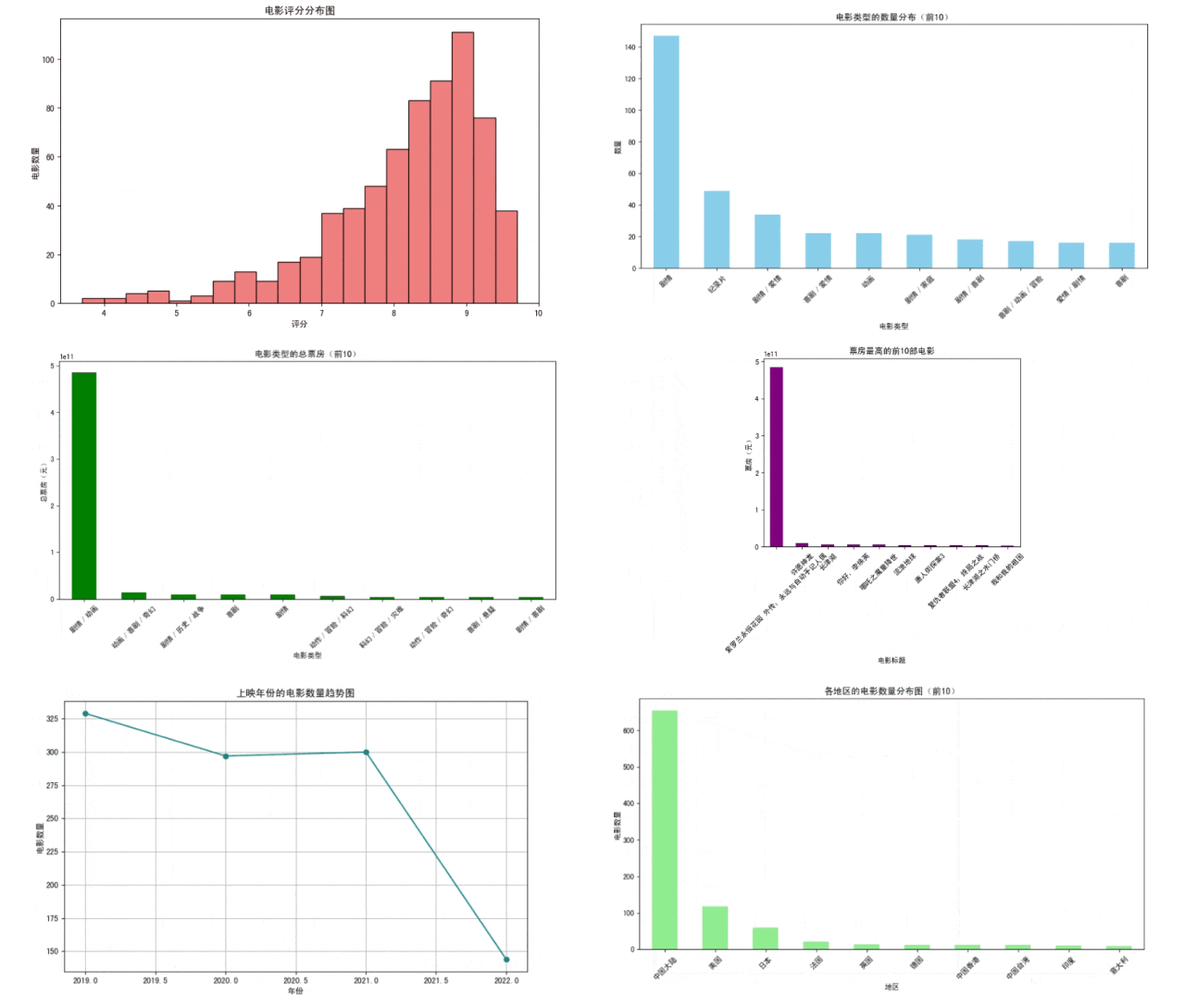
You don't need to understand programming at all, and you don't need to learn SQL. You can use professional data analysis methods to complete data processing and analysis, and obtain professional data insight results and visual display effects.
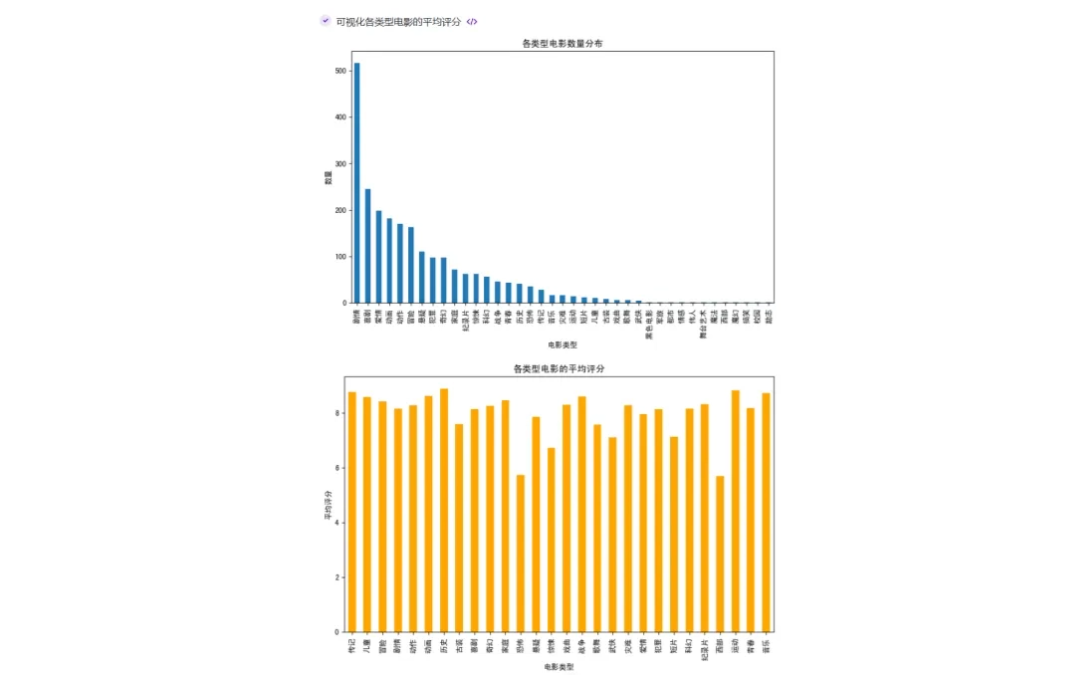
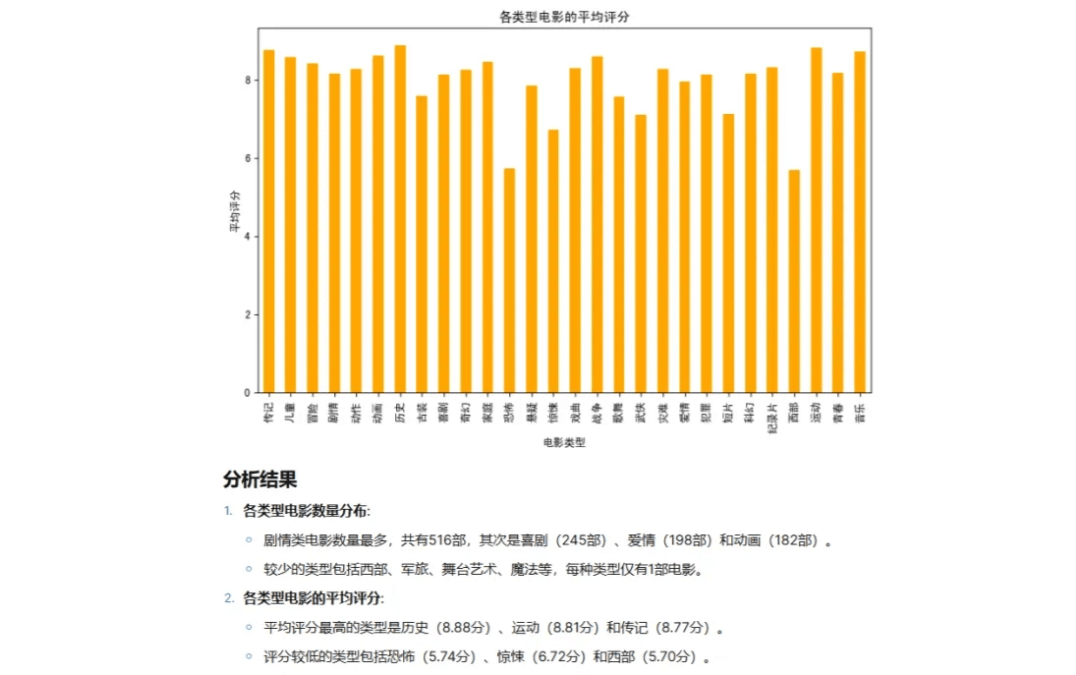
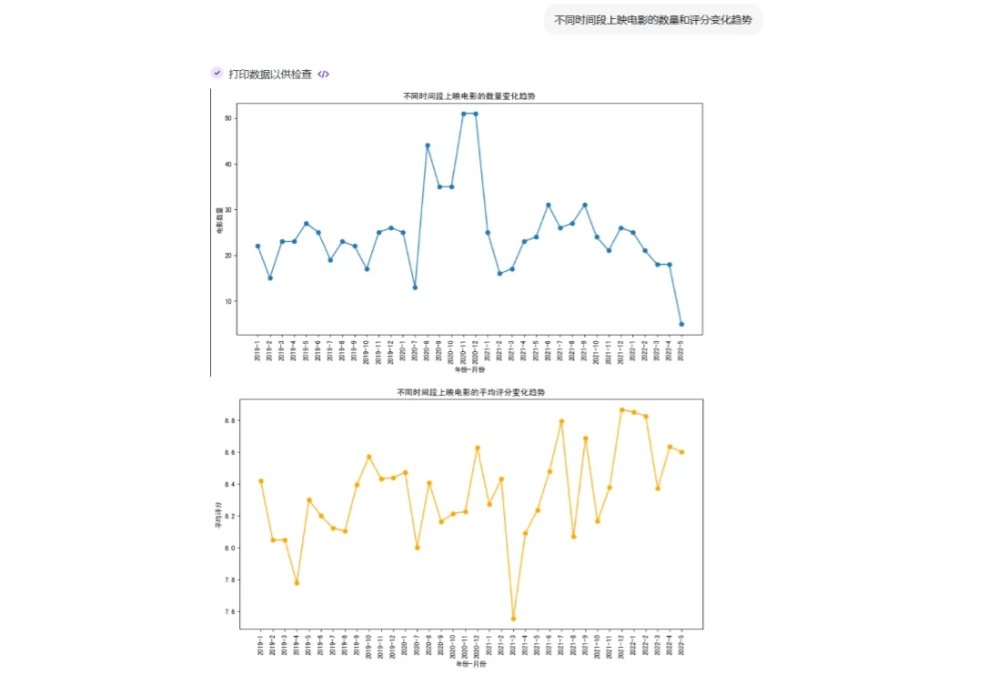
If I need other chart information, I can just continue to have it generate them.
-
Step 3: Write
During the final report editing process, you can click "Summon Bear Once”。
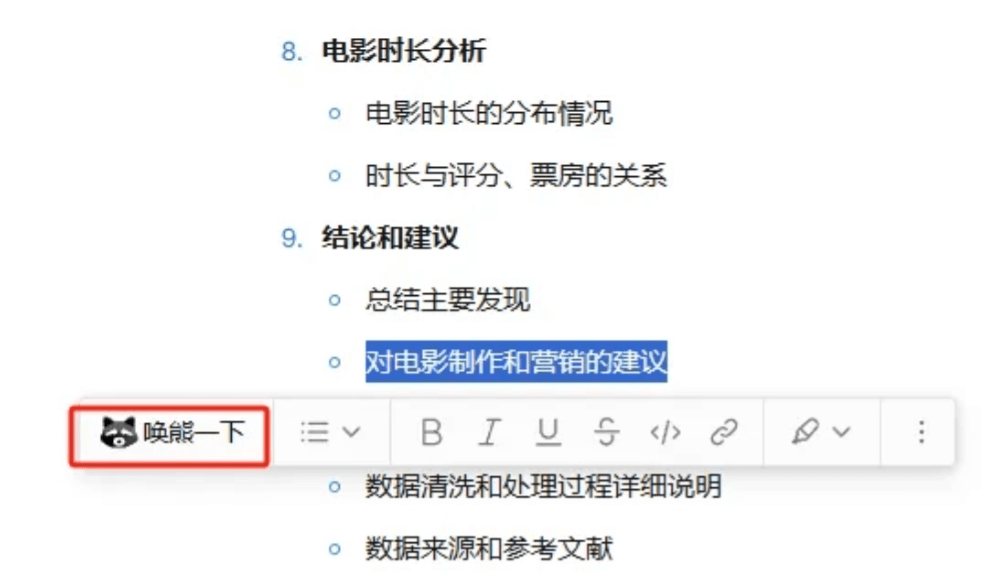
Translate, "Summon Bear Once"
Find inspiration, "Summon Bear Once"
Expand, "Summon Bear Once"
Proofread, "Summon Bear Once"
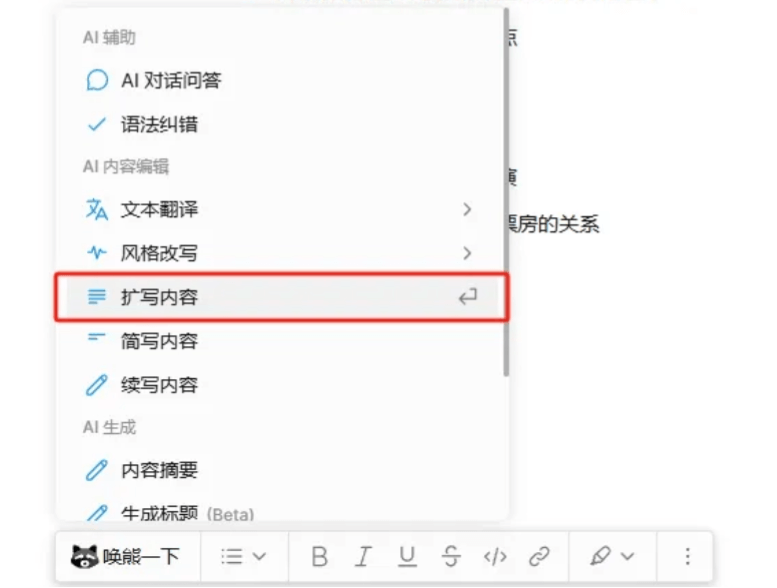
Let's expand a paragraph at random:
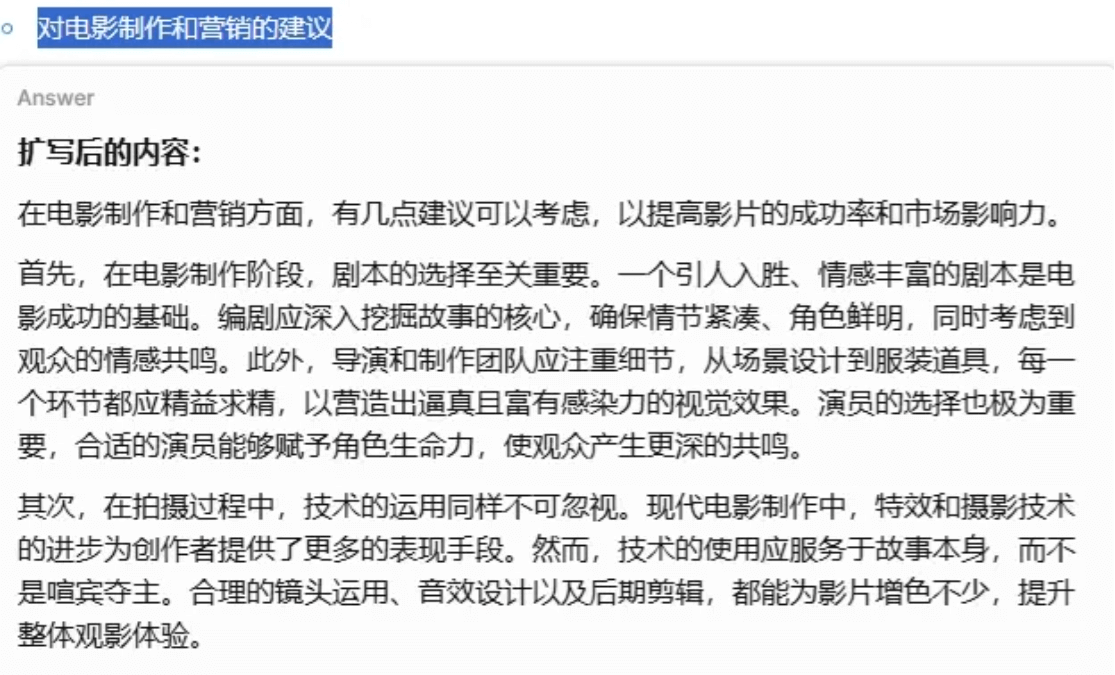
"Summon Bear Once" can rewrite, polish, continue, and summarize at any time. Even a fleeting idea in your head can be instantly researched by it and organized into a piece for me.
Make complex work simple, and simple work processized. Whether you're an ordinary office worker or a content creator, the Raccoon Three-Step Method can max out your work efficiency!
With Office Little Raccoon, completing a report now simplydoesn't require opening several software programs, let alone learning any Python, SQL, or Excel. If you can type and let AI understand it, then this report is not far from being finished.
All tools involved in this article
Office Little Raccoon:https://ai-bot.cn/sites/8516.html
Original link:The free AI data analysis tool that office workers urgently need has been found!