
What is Happy
Happy is an open-source tool that lets users remotely control Claude Code or Codexrunning on their computer through a mobile or web client. It supports real-time viewing of code progress, voice interaction, and message push notifications, and uses end-to-end encryption to ensure data security. Users only need to install the CLI on their computer to start the service, then scan a QR code with their mobile device to complete pairing and achieve seamless switching across devices. Happy Coder provides developers with a high degree of flexibility and convenience, making it suitable for users who need to monitor development tasks anytime and anywhere.
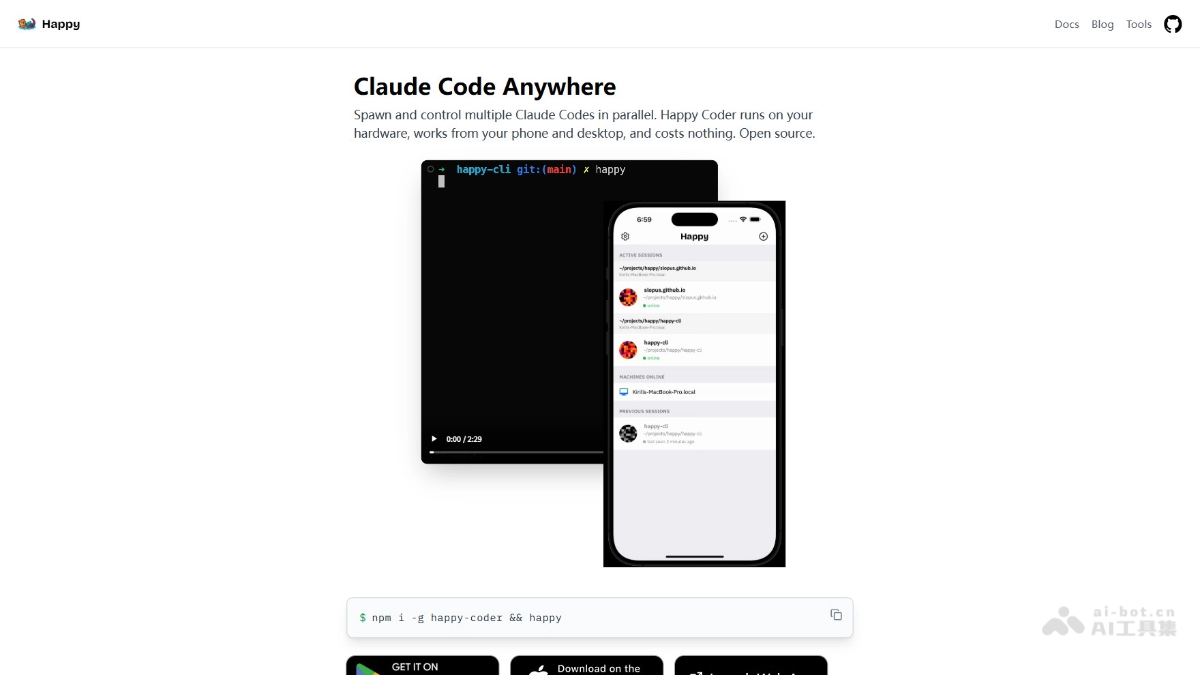
Main features of Happy
-
Remote monitoring and control: Through a mobile or web client, users can remotely view the real-time status of Claude Code or Codex running on their computer.
-
Seamless switching across devices: Users can seamlessly switch operations between mobile and computer; when away from the computer, they can monitor with their phone, and when back at the computer, they can take over with one click.
-
Message push and real-time notifications: When the AI needs permission confirmation or encounters an error, the phone receives a push notification, and users can handle it directly on the phone.
-
End-to-end encryption: All data transmission uses end-to-end encryption technology to ensure the security of code and data.
-
Multi-task support: Users can manage multiple development tasks at the same time, with each task running independently without interfering with the others.
How to use Happy
-
Install the CLI tool: Open Terminal or Command Prompt on your computer and run the command
npm install -g happy-coderto complete the installation of the Happy Coder command-line tool. -
Start the service and generate a QR code: After installation is complete, enter
happyorhappy codexin the terminal to start the service, and the terminal will generate a QR code for device pairing. -
Install the client: Visit the Happy Coder official websitehttps://happy.engineering/,根据需求下载客户端。
-
Scan the QR code to complete pairing: Open the Happy app on your phone and scan the QR code displayed in the computer terminal to complete the connection between the phone and the computer.
-
Start using: After pairing is successful, view the real-time code running status, send commands, and receive notifications through your phone. If you need to switch back to computer operation, simply press any key on the computer keyboard.
Happy project address
- Project official website:https://happy.engineering/
- GitHub repository:https://github.com/slopus/happy
Happy use cases
-
Mobile development monitoring: Developers can view the progress of programming tasks running on their computer in real time through their phone while out, in meetings, or taking a break.
-
Remote collaborative development: When team members are not in the same location, they can remotely monitor and manage development tasks through a mobile or web client, improving collaboration efficiency.
-
Multi-task management: When running multiple development tasks at the same time, developers can use Happy on their phone to switch between and view the progress of different tasks, making it convenient to manage multiple projects.
-
Quick response to issues: When an AI programming tool needs permission confirmation or encounters an error, developers can immediately receive a notification on their phone and handle it, avoiding task interruption.
-
Code anytime, anywhere: Without a computer, developers can interact directly with AI programming tools via mobile phone, send commands or adjust code, improving development flexibility.