
What is Grok Build
Grok Build is xAI's terminal-native AI coding agent (Agentic CLI), designed for professional software engineering and complex coding tasks. Powered by Grok 4.3 beta's 2 million token ultra-long context, it supports Plan Mode plan approval, collaboration of up to 8 parallel sub-agents, and Arena Mode automatic solution ranking. It can directly read and write files locally, execute Shell commands, operate Git, and build complete applications. It adopts a local-first architecture, ensuring that source code and sensitive data are not uploaded to the cloud, guaranteeing enterprise-grade security.
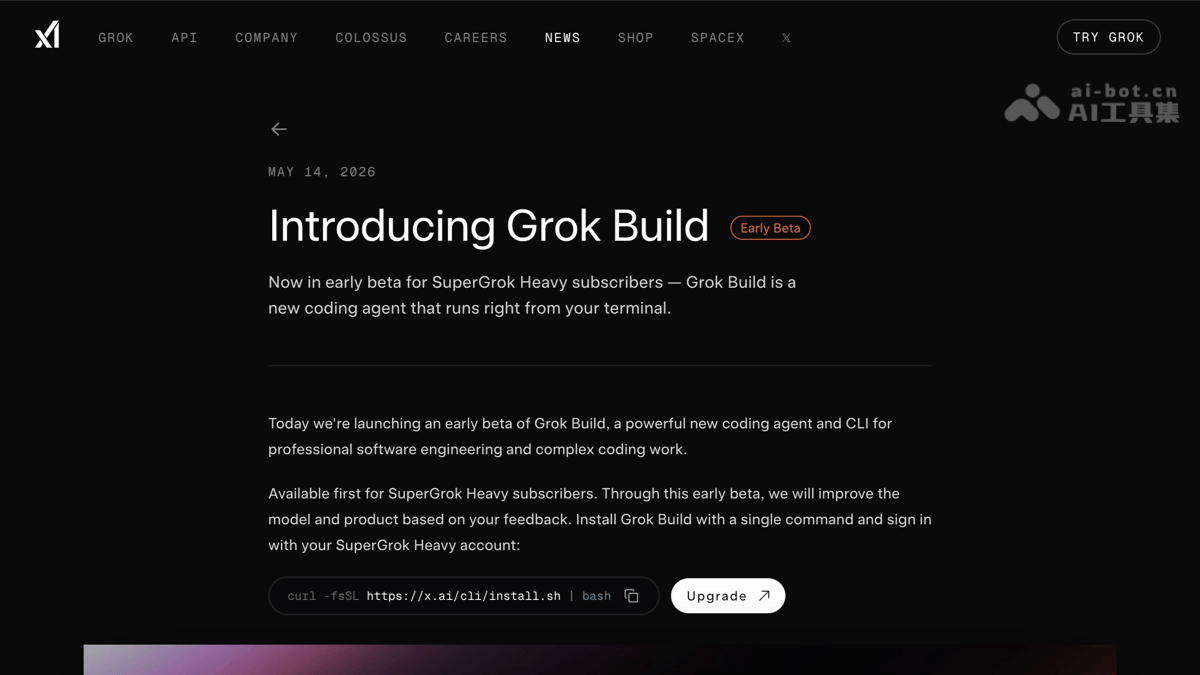
Grok Build's Main Features
-
Plan Mode: Automatically generates a structured step-by-step plan before executing complex tasks. Users can approve, comment on, or modify it. All code changes are transparently displayed as diffs, avoiding "black box" operations.
-
Parallel Sub-Agents: Supports up to 8 concurrent AI agentsworking simultaneously, capable of handling different subtasks such as code analysis, CI/CD checks, performance optimization, and documentation retrieval.
-
Arena Mode: Multiple agents generate different code solutions for the same task. The system automatically evaluates and ranks them, allowing developers to directly choose the optimal solution without manual comparison.
-
Ultra-Long Context Window: Based on Grok 4.3 beta, supports 2 million tokensof context, capable of loading an entire large codebase at once for complex cross-file tasks.
-
Local-First Architecture: Source code, credentials, and sensitive dataare not uploaded to the cloudand are executed entirely locally, supporting offline environments and air-gapped networks, ensuring enterprise-grade code security.
-
Terminal-Native CLI + Web Dual Entry: Supports local command-line interaction and remote operation through a browser interface, accommodating different workflow preferences.
-
VS Code Extension Integration: Provides an official VS Code plugin, allowing direct invocation of Grok Build capabilities within the IDE for a GUI-adjacent workflow.
-
Git and Development Server Integration: Can automatically manage Git repositories, start local development servers, browse the web with a built-in browser, and execute Shell commands.
-
Plugins and Open Ecosystem: Supports MCP servers, AGENTS.md team specification files, Hooks for custom actions, and the ACP (Agent Client Protocol), making it easy to integrate into existing DevOps pipelines.
-
Headless Script Mode: Through the
-pflag, supports non-interactive execution, allowing direct embedding into CI/CD pipelines or automation scripts. -
BYOK (Bring Your Own API Key): Supports using your own xAI API Key for local billing, providing flexible cost control.
How to Use Grok Build
-
One-Click CLI Installation: Execute
curl -fsSL https://x.ai/cli/install.sh | bashin the terminal to complete the local installation, supporting macOS, Linux, and Windows platforms. -
Launch Interactive Terminal: After installation, enter
grok>to enter the interactive command-line interface, where you can directly describe programming needs in natural language. -
Log In to Your Account: Execute
grok> /loginin the terminal to log in to your xAI account and unlock advanced features and subscription benefits. -
Configure API Key (optional): If you want to use your own quota, run
grok> /api-key add xaito add a personal xAI API Key (BYOK mode). -
Use Plan Mode to handle complex tasks: After entering your requirements, Grok Build automatically generates a structured execution plan, showing the steps and expected change diffs, and users can approve, comment on, or modify it before execution.
-
Leverage parallel sub-agents: In complex projects, the system automatically or manually triggers up to 8 concurrent sub-agents to separately handle subtasks such as code analysis, test generation, and document retrieval.
-
Select the best via Arena Mode: For the same task, multiple agents generate different solutions, the system automatically evaluates and ranks them, and you only need to choose the highest-ranked solution to apply.
-
Web-based remote operation: Visit
build.grok.comorx.ai/cli, open the Grok Build interface in your browser, and use it without local installation. -
VS Code integrated workflow: Install the Grok Build VS Code extension to directly invoke agent capabilities in the editor, letting AI assist with modifications while you write code.
-
Headless automated execution: Use the
-pflag in scripts or CI/CD pipelines to run non-interactive commands, enabling automated builds and deployments. -
View help and commands: Enter
grok> /helpin the terminal to view all built-in commands and shortcut operation guides.
Grok Build's official website address
- Project official website:https://x.ai/news/grok-build-cli
- GitHub repository:https://github.com/xai-org/grok-build
Grok Build's core advantages
-
Local-first, code never goes to the cloud: Source code, credentials, and sensitive data are executed entirely locally without being uploaded to xAI servers, making it suitable for proprietary codebases and projects in regulated industries such as finance and government.
-
2 million token ultra-long context: Based on Grok 4.3 beta, it can load an entire large codebase into memory at once, perform complex refactoring and multi-file coordinated modifications across dozens of files, and greatly reduce context loss.
-
8-way parallel sub-agents: It can schedule up to 8 concurrent AI agents to divide work and collaborate, separately handling subtasks such as code analysis, test generation, and CI/CD checks, significantly shortening the time required for complex projects.
-
Arena Mode automatic best selection: For the same task, multiple agents generate different solutions; the system automatically evaluates, ranks, and provides a ranking, so developers can directly choose the optimal solution and say goodbye to manual comparison and trial and error.
-
Plan Mode transparent and controllable: Before execution, it first outputs a structured step plan and diff preview; users can approve, comment on, or modify it before execution, making every change clearly visible and avoiding "black box" risks.
-
Extreme API price competitiveness: Input tokens are only $0.20 / million tokens, greatly reducing the cost of high-frequency use compared with Claude Code and Codex CLI.
-
Terminal-native + multi-entry coverage: Supports three work entry points: CLI command line, web browser, and VS Code extension, satisfying both geek-style terminal operations and IDE integration habits.
Comparison of Grok Build with similar competing products
| Comparison dimension | Grok Build (xAI) | Claude Code (Anthropic) | Codex CLI (OpenAI) |
|---|---|---|---|
| Product positioning | Terminal-native AI programming agent (Agentic CLI) | Terminal AI programming assistant | Cloud-based AI programming agent |
| Release status | 2026.5 early Beta | Officially released | Officially released |
| Underlying model | Grok 4.3 beta / grok-code-fast-1 | Claude 4 (Sonnet/Opus) | Codex (based on GPT-4o/o3) |
| Context length | 2 million tokens | 200k tokens (Claude 4) | Approximately 200k tokens |
| Parallel agents | Up to 8 concurrent sub-agents | Primarily single-agent | Primarily single-agent |
| Solution evaluation | Arena Mode automatically ranks and selects the best | Manual comparison or iteration | Manual comparison or iteration |
| Execution plan | Plan Mode (plan first, then approve for execution) | Direct execution, diff review available | Direct execution, diff review available |
| Data security | Local-first, code is not uploaded to the cloud | Cloud execution, code uploaded to Anthropic | Cloud execution, code uploaded to OpenAI |
| Offline support | Supports fully offline/air-gapped networks | Requires internet connection | Requires internet connection |
| SWE-Bench | 70.8% | Approximately 72–75% | Approximately 70% |
| API pricing | $0.20 / million tokens | Pro subscription + pay-as-you-go billing | Credits pay-as-you-go billing |
| Subscription threshold | SuperGrok Heavy ($300/month) | Claude Pro / Team subscription | ChatGPT Pro / developer credits |
| Entry form | CLI + Web + VS Code extension | CLI + IDE integration | CLI + ChatGPT mobile app |
| Automation integration | Headless mode (-p flag) + CI/CD | Limited scripting support | Limited scripting support |
| Core differentiator | Multi-agent parallelism + local-first + ultra-large context | Strong model reasoning capabilities, mature ecosystem | Deep integration with the ChatGPT ecosystem |
Application scenarios of Grok Build
-
Large-scale codebase refactoring and modernization: Based on a 2-million-token ultra-long context, load the entire project at once and perform secure refactoring, dependency upgrades, or architecture migration across dozens of files, avoiding omissions caused by context truncation.
-
Building complex full-stack applications from scratch: Through Plan Mode, automatically generate the project structure, technology selection, dependency installation, and file generation plan, then execute directly after approval to quickly build a complete application prototype.
-
Development of proprietary code for sensitive industries: The local-first architecture ensures that source code, credentials, and sensitive data are not uploaded to the cloud, making it suitable for scenarios with strict requirements for data sovereignty, such as finance, government, healthcare, and defense.
-
Programming in offline/air-gapped network environments: All tasks can be executed locally without a continuous internet connection, making it suitable for highly secure isolated networks, intranet development machines, or work environments without external network access.
-
Multi-dimensional automated code review: Launch multiple parallel sub-agents to separately check code security, performance bottlenecks, CI/CD compliance, and documentation completeness, and output a comprehensive review report at once.
-
Rapid comparison and selection of technical solutions: Use Arena Mode to generate multiple implementation solutions for the same requirement, and the system automatically evaluates and ranks them, helping teams determine the optimal technical path in a short time.