
What is Gemini Spark
Gemini Spark is a 24/7 personal AI Agent launched by Google, running on the Gemini 3.5 model and the Antigravity framework, deeply integrated with Workspace tools such as Gmail, Docs, and Slides. The tool can continue executing tasks in the cloud background even after the device is turned off, supports setting periodic triggers, learning new skills, and creating complete workflows, upgrading Gemini from a Q&A assistant to a digital agent that can proactively act on your behalf.
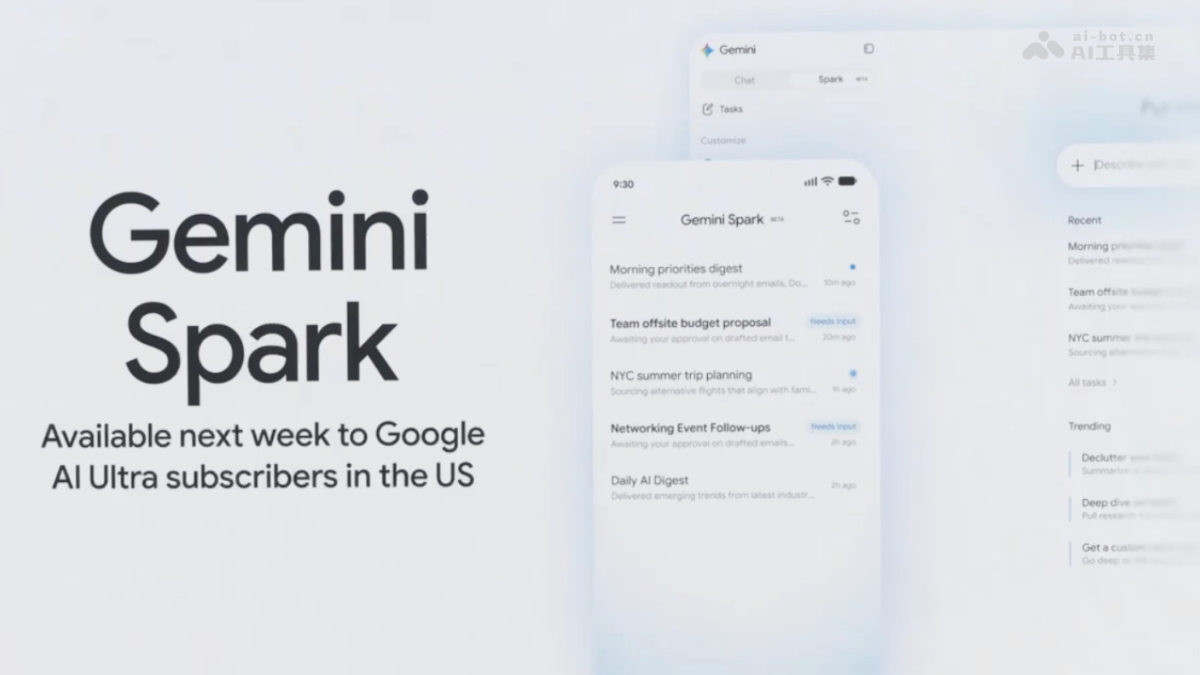
Main Features of Gemini Spark
- Round-the-Clock Background Task Execution: As a cloud Agent, Spark can continue completing complex tasks in the background even if the user closes their laptop or locks their phone.
- Periodic Tasks and Triggers: Automatically parses monthly credit card statements, flags new or hidden subscription fees; continuously monitors specified information sources based on set conditions.
- Teachable New Skills: Users can instruct Spark to check specific email sources (such as school notices), extract key deadlines, generate summaries, and send them to specified contacts.
- Complete Workflow Creation: Automatically consolidates meeting notes scattered across emails and chats, generates formatted Google Docs reports, and drafts project kickoff emails.
- MCP Extended Connections: Already supports third-party services such as Canva, OpenTable, and Instacart, and within the coming weeks will directly perform cross-platform operations on behalf of users through the MCP protocol.
How to Use Gemini Spark
Currently, Gemini Spark is in Beta and is being gradually rolled out only to Google AI Ultra subscribers in the United States. You can view and enable it in Gemini App settings.
Core Advantages of Gemini Spark
- Truly Round-the-Clock Online: Unlike assistants that respond within a chat window, Gemini Spark can continue advancing task progress while the user is offline.
- Deep Native Integration: Seamlessly connected with Google Workspace, with data read/write permissions and collaboration capabilities far beyond add-on plugins.
- Teachable Evolution: Users can train Spark through natural language to master dedicated workflows, with no programming or complex configuration required.
- Multimodal Task Chain: Supports an end-to-end closed loop from information collection and content generation to cross-application execution, rather than single-point tool calls.
- Progressive Permission Control: Users decide for themselves the Agent's on/off status, connection scope, and operational boundaries, balancing privacy and controllability.
Comparison of Gemini Spark with Similar Competitors
| Comparison Dimension | Gemini Spark | Claude Computer Use | OpenAI Operator |
|---|---|---|---|
| Company | Anthropic | OpenAI | |
| Core Positioning | 24/7 cloud-based personal AI Agent | Desktop-control AI Agent | Cloud browser agent |
| Operating Environment | Cloud background (device can be offline) | Local macOS (device must be online) | Cloud sandbox browser |
| Continuous Background Execution | Supported, still runs when device is turned off | Not supported, stops when the session ends | Limited, long tasks are prone to interruption |
| Desktop Application Control | Supported through macOS App in summer | Already supports full desktop control | Not supported, limited to within the browser |
| Office Suite Integration | Native deep integration with Workspace | Connectors + screen control fallback | No native office integration |
| OSWorld task success rate | Not disclosed (based on Gemini 3.5) | Approximately 72%–73% | Approximately 38%–43% |
| Human-in-the-loop confirmation | Requests confirmation before high-risk operations | Frequently requests confirmation | Frequently requests confirmation, prone to freezing |
Gemini Spark application scenarios
- Personal financial management: Automatically tracks anomalies in subscription service charges, generates monthly bill analysis reports, and pushes reminders.
- Family affairs coordination: Continuously monitors school emails, summarizes events and deadlines, and sends a structured summary to both parents daily.
- Workplace project initiation: Automatically collects meeting minutes and email discussions, organizes them into project documents, and drafts team notification emails.
- Cross-platform content creation: Calls Canva to generate accompanying images, combines with Docs to write copy, and sends the complete marketing plan via Gmail.
- Daily schedule management: Based on Calendar and email content, proactively identifies conflicts and suggests adjustments, and even books restaurants on your behalf.