
What is FluentRead
FluentRead is an open-source browser translation plugin dedicated to providing users with a native-like reading experience. FluentRead is based on advanced AI technology and supports multiple translation engines, including traditional machine translation and AI large model translation, and supports user-defined translation services. Core features include intelligent translation, bilingual display, and privacy protection. All data is stored locally to ensure user information security. Compared with traditional translation tools, FluentRead is completely open-source and highly customizable, suitable for academic research, work scenarios, daily learning, and many other uses.
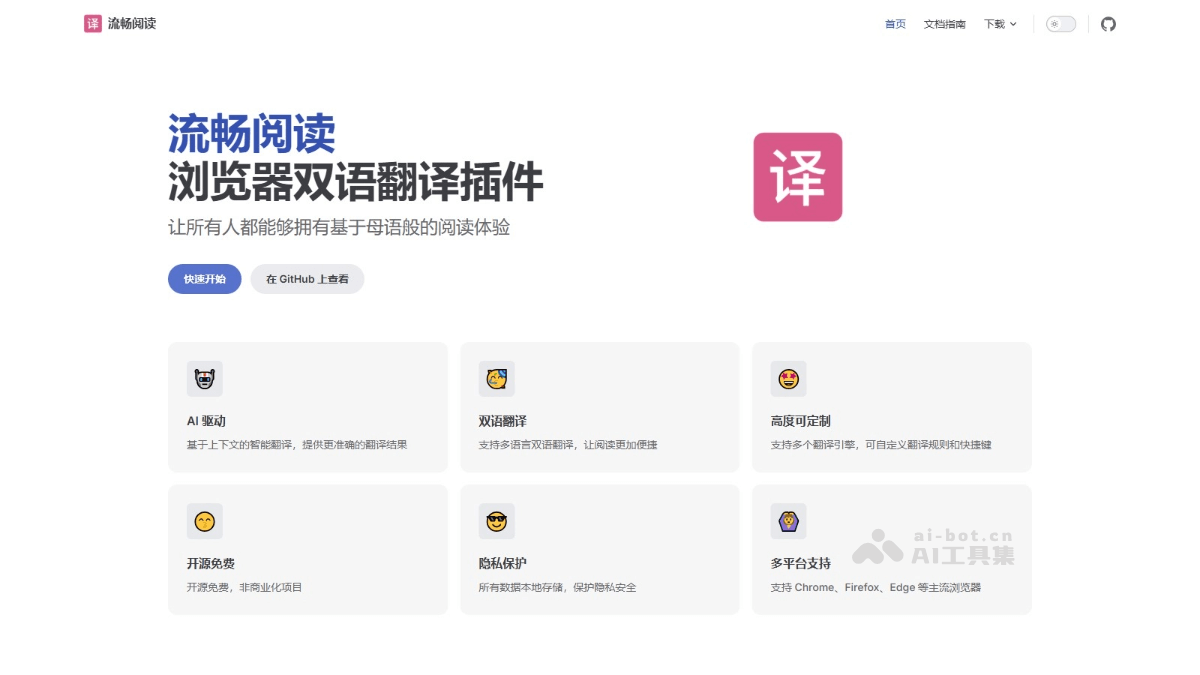
Main features of FluentRead
- Intelligent translation: Supports 20+ translation engines, including traditional translation and AI large models. Such as:Microsoft Translator、Google Translate、DeepL Translate、OpenAI、DeepSeek、Kimi、SiliconCloud、Ollama, custom engines, etc.
- Bilingual display: Supports displaying the original text and translation side by side, making it convenient for users to view the original text and translated content at the same time while reading.
- Privacy protection: All data is stored locally, and the code is open-source and transparent, ensuring user privacy and security.
- Highly customizable: Provides rich customization options, allowing users to adjust the translation engine, interface style, translation preferences, etc. according to their needs.
- Cross-platform support: Supports mainstream browsers (such as Chrome, Firefox, etc.), allowing users to use it on different devices.
Technical principles of FluentRead
- Context understanding and AI translation: Based on advanced AI technology, it uses natural language processing (NLP) algorithms to understand the contextual meaning of text and provide more accurate and natural translation results.
- Multi-engine support: The plugin integrates multiple translation engines, including traditional machine translation and AI large model translation. Users can choose different translation engines according to their needs and customize API access to third-party translation services to meet translation needs in different scenarios.
- Local storage and privacy protection: To protect user privacy, all translation data is stored in the local browser to avoid uploading data to third-party servers.
- Browser extension technology: Uses browser extension technology (such as Chrome Extension API or Firefox Add-on API) to interact with webpage content, enabling real-time translation of webpage text and bilingual display.
How to use FluentRead
- Install the plugin: Visit FluentReadofficial website, download and install according to your browser type.
- Configure the plugin: Click the FluentRead icon in the browser toolbar to enter the plugin settings.
- Choose a translation engine: Choose one or more translation services according to your needs (such as Google Translate, DeepL Translate, DeepSeek, etc.).
- Set the target language: Choose the language you want the text translated into.
- Other customization options: Adjust the translation display method according to personal preference (such as bilingual display, font size, color, etc.).
- Use the translation feature: Open the webpage you need to translate. Click the FluentRead icon in the browser toolbar, or right-click on the text in the page and select "Translate with FluentRead". The extension automatically translates the text on the webpage into the set target language and displays the translation result.
- Other Usage Tips:
- Translate the entire page: After clicking the extension icon, select to translate the entire webpage.
- Translate selected content: After selecting part of the text on the page, right-click and select translate to translate only the selected content.
- Switch translation engine: If you are not satisfied with the result of a translation engine, switch to another engine in the settings.
FluentRead Project Address
- Official Website:https://fluent.thinkstu.com/
- GitHub Repository:https://github.com/Bistutu/FluentRead
FluentRead Use Cases
- Academic Research: Quickly read foreign-language literature and papers, accurately understand professional terminology, and improve research efficiency.
- Work Scenarios: Handle international business emails, read technical documents, and browse foreign-language news to support cross-language work.
- Language Learning: As a language learning aid, based on bilingual parallel reading, improve foreign-language reading and comprehension skills.
- Information Acquisition: When browsing foreign-language websites, news, or social media content, quickly translate and understand the information to broaden your knowledge.
- Daily Reading: When reading foreign-language novels, articles, or blogs, provides a smooth bilingual reading experience and enhances reading enjoyment.