
What is ffmpeg-skill
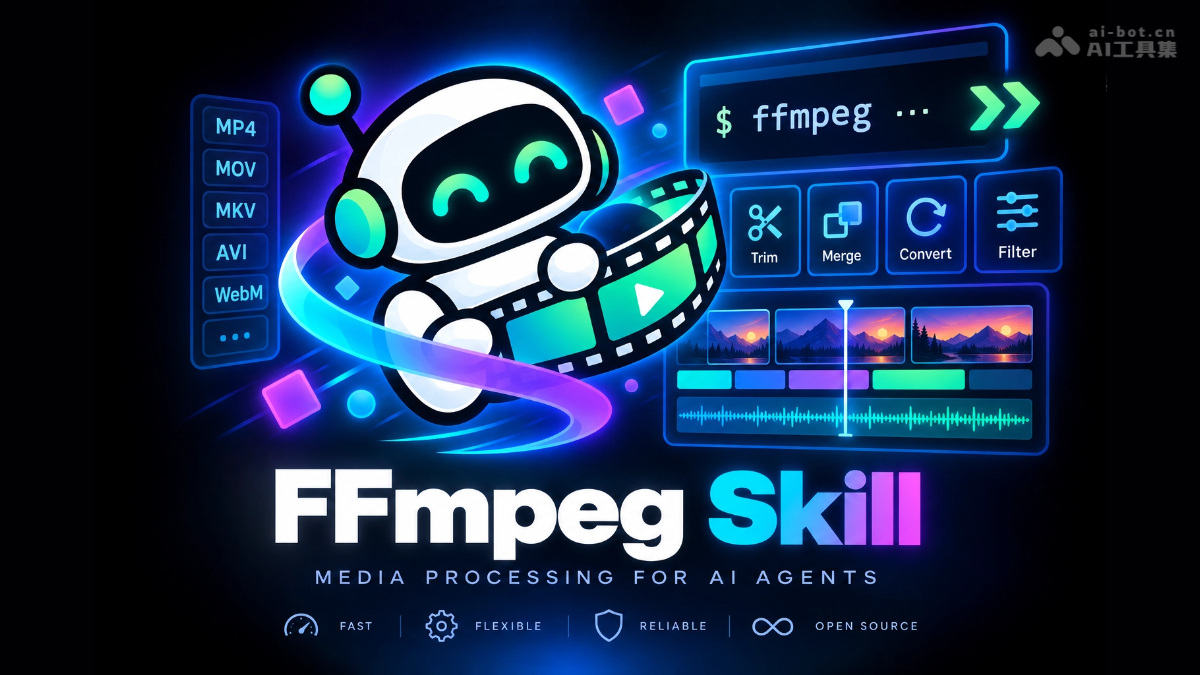
ffmpeg-skill is an open-source Agent Skill forprogramming Agent(Claude Code/Cursor/Codex), enabling AI to process videos locally with FFmpeg like a professional editor. The tool has 28 built-in structured tools, covering the complete pipeline of probing, cutting, concatenation, subtitles, color grading, loudness, multicam, batch export, and more, following a fixed workflow of probe → edit → inspect → verify. ffmpeg-skill runs purely locally, has zero API costs, supports lossless editing, and has passed all 72 real-world editing tasks in testing. It can be installed and used with a single npx command.
Main features of ffmpeg-skill
- Analysis and probing
-
probe: Probe metadata such as video duration, frame rate (including VFR), resolution, and HDR format to provide a basis for editing decisions
-
scenes: Automatically detect scene change points and generate highlight clip proposals
-
look: Generate contact sheet screenshots so the Agent can "personally" inspect image quality
-
doctor: Detect the capabilities of local FFmpeg components and confirm environment availability
-
- Editing and processing
-
cut: Losslessly cut a specified time range without re-encoding to preserve image quality
-
join: Concatenate multiple segments with support for xfade transitions
-
silence: Automatically identify and remove silent segments, generating a jump cut video in one click
-
fit: Intelligently stretch or crop video to fit a target duration or vertical aspect ratios such as 9:16
-
stabilize: Video image stabilization
-
reverse: Reverse video
-
- Audio processing
-
audio: Integrated audio optimization with noise reduction, compression, limiting, and gating
-
sync: Align audio and video and correct time drift
-
loudness: Normalize loudness to -14 LUFS according to the EBU R128 standard
-
- Visual enhancement
-
caption: Burn in subtitles or karaoke lyrics
-
overlay: Add watermarks and green screen compositing
-
graphics: Generate motion graphics such as lower thirds and progress bars
-
color: HDR to SDR tone mapping and LUT color grading
-
- Delivery and output
-
export: One-click export with presets for YouTube/Reels/TikTok platforms
-
check: Perform PASS/WARN/FAIL quality checks on output files according to platform specifications
-
report: Generate HTML delivery reports
-
render: Render a complete project from a project.json project file
-
batch: Batch process multiple files with caching support
-
multicam: Automatically switch and composite multicam footage
-

Follow WeChat and reply "open source" to join theAI open-source project community group
How to use ffmpeg-skill
-
Installation: Run in the terminal
npx ffmpeg-skillto install the skill into coding Agents such as Claude Code with one click. -
Environment check: Run
npx ffmpeg-skill doctorto detect whether the local FFmpeg components are complete and available. -
Install additional dependencies: If doctor reports missing components, install the missing FFmpeg codecs with a package manager as prompted.
-
Start a conversation: Open the Agent chat box and describe your editing needs in natural language.
-
Automatic probing: The Agent will first call probe to analyze the video parameters, then create an editing plan.
-
Execute editing: The Agent follows the "probe → edit → check → verify" workflow and calls the corresponding tools to complete the task.
-
Acceptance result: The Agent generates a contact sheet screenshot and self-checks the image; after confirmation, the final cut is obtained.
Core advantages of ffmpeg-skill
-
Pure local operation: All processing is done on the local FFmpeg, with no cloud and zero API cost.
-
Zero-threshold installation: One
npx ffmpeg-skillcommand is all it takes to install it into the Agent, with no complex configuration required. -
Fixed workflow: It follows the "probe → edit → check → verify" process, so the Agent no longer guesses parameters and edits blindly.
-
Probe before acting: For every task, it first measures the video parameters (frame rate, HDR, audio tracks), so the plan is precise and does not fail.
-
Lossless first: Operations such as cut/join prioritize stream copy, and avoid re-encoding whenever possible.
-
Visual acceptance mechanism: After frame changes, it forcibly generates a contact sheet screenshot for the Agent to check "with its own eyes", ensuring output quality.
-
Complete toolchain: 28 tools cover the entire process from probing, editing, audio, subtitles, color grading to quality inspection and delivery.
-
Platformized delivery: Built-in YouTube/Reels/TikTok presets mean exports immediately conform to each platform's specifications.
-
Machine-readable contract: Tool schemas are described as JSON contracts, so integration with systems such as MCP will not drift.
-
Batch engineering: Supports project.json project rendering, batch processing, and caching, suitable for large-scale production.
-
Safe and reliable: It only reads and does not overwrite the original footage, rejects dangerous operations by default, and local files never leave the machine.
Comparison of ffmpeg-skill with similar competing products
| Comparison dimension | ffmpeg-skill | claude-code-video-toolkit |
|---|---|---|
| Product positioning | The Agent's local FFmpeg execution engine, focused on editing execution | Full-stack AI video production toolkit, with 13+ skills covering generation + editing + voiceover + screen recording |
| Architectural approach | Single repository, 28 structured tools, contract-driven | Multi-skill aggregation architecture, registry.json registration management, pluggable expansion |
| Runtime dependencies | Pure local FFmpeg, zero API, zero cloud | Hybrid local + cloud GPU (Modal/RunPod), open-source models can be used for free |
| Core workflow | Probe → edit → check → verify, with visual acceptance forcing screenshot self-checks | /video templated project management, interactive guidance + scene-review manual review |
| AI generation capability | ❌ None, pure editing execution | ✅ Integrates video/image/speech generation models (big benefit) |
| Toolchain depth | Deep cultivation across the entire chain of editing/audio/subtitles/color grading/quality inspection/batch/multi-camera | Broad and comprehensive but shallower in individual areas; the editing part also relies on FFmpeg at the底层 |
| Lossless editing | ✅ cut/join prioritizes stream copy; if transcoding can be avoided, it is avoided | ⚠️ Mainly conventional re-encoding; lossless is not a design focus |
| Machine-readable contract | ✅ contract --json Describe all tool schemas, automatically derived by MCP, no drift |
⚠️ Partial descriptions in registry.json, low level of contractualization |
| Quality inspection validation | ✅ check PASS/WARN/FAIL according to platform specifications + HTML delivery report | ✅ scene-review manual review node for each scene |
Application scenarios of ffmpeg-skill
- Automatic fine editing of podcasts/interviews: Hand hours-long interview audio and video recordings to the Agent, automatically remove silent segments, cut out breaths, normalize loudness to -14 LUFS, and complete a one-hour rough cut in a few minutes.
- One-click splitting and distribution of long videos: Automatically split a long YouTube video into multiple 60-second vertical highlight clips, burn in subtitles, adapt to a 9:16 aspect ratio, export separately according to TikTok/Reels/Shorts presets, and distribute in a matrix.
- Batch post-production of course/conference recordings: Batch process multi-camera classroom or conference recordings: automatic multi-camera switching, audio-video alignment, noise reduction, add subtitle bars and progress bars, batch render, and output an HTML quality inspection report.
- Quick output of Vlog/sports footage: Say to the Agent, "Edit today's footage from the GoPro into a 3-minute vlog," and it will automatically detect the file parameters of each device, apply stabilization, segment by scene, pick highlights, add music, and export.