

What is Fairies
Fairies is a general-purpose AI Agent with powerful multi-task execution capabilities, capable of handling more than 1,000 operations such as file management, code generation, and email sending. Fairies supports natural language interaction, so users only need to briefly describe their needs, and it can quickly respond and execute tasks. Fairies focuses on privacy protection and uses end-to-end encryption, with all data processing completed locally to ensure user data security. Fairies can integrate with commonly used applications such as Slack, Gmail, and Google Drive to enable seamless collaboration. Fairies offers a free version and a Pro version. The free version supports unlimited chat, while the Pro version costs $20 per month and unlocks more advanced features.
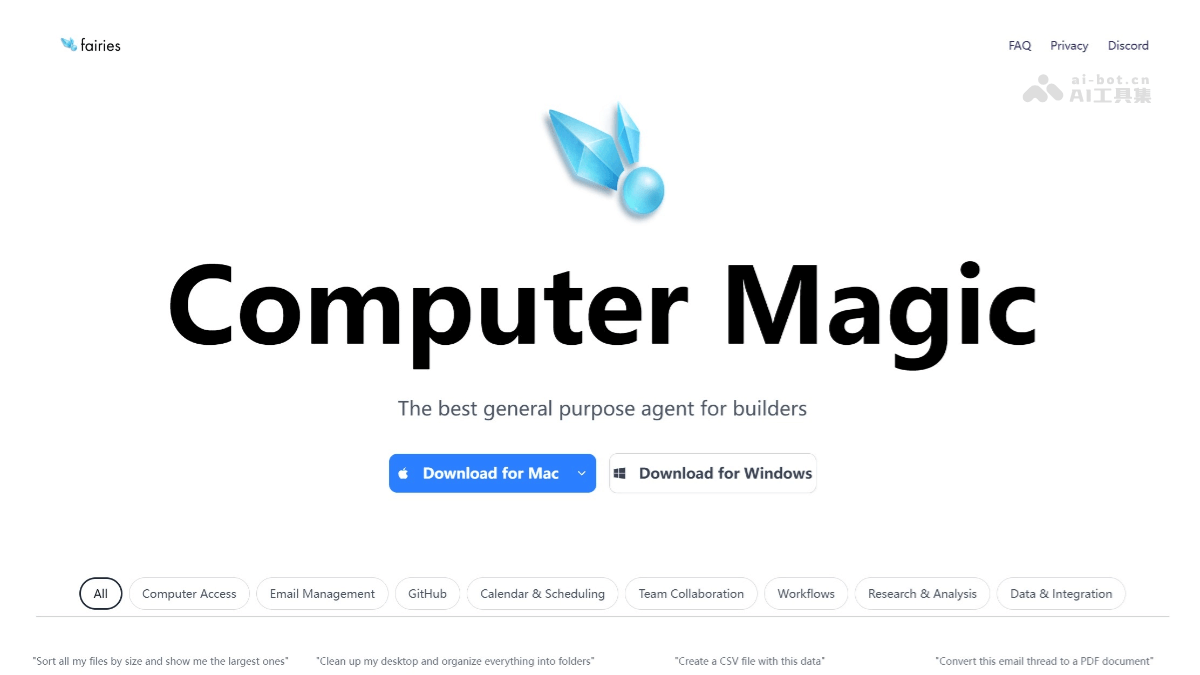
Main features of Fairies
- Multi-task execution capability: Fairies can perform 1,000 operations, including but not limited to file management, code generation, email sending, and scheduling.
- Natural language interaction: Users can communicate with Fairies through natural language, and it can understand and execute user requests.
- In-depth research and data analysis: Fairies can help users conduct in-depth research and data analysis, such as summarizing industry news and analyzing competitors' pricing strategies.
- Privacy protection: Fairies uses end-to-end encryption, all data processing is completed on the local device, and user data will not be used for model training, ensuring user privacy.
- Application integration: Fairies can integrate with hundreds of commonly used applications such as Slack, Gmail, Google Drive, Notion, and GitHub.
- Human-machine collaboration mode: Before carrying out important operation steps, Fairies will require the user to confirm manually, reducing the risks that the agent may bring.
How to use Fairies
- Download and installation
- Download from the official website: Visit Fairies'official website, and download the corresponding version of the APP according to the system type (Mac or Windows).
- Installation: After the download is complete, install it by following the prompts of the installation wizard.
- Log in: After installation is complete, open the APP to log in quickly.
- Select a model: After logging in, you can select from multiple supported models, such as GPT 4.1、Gemini 2.5 Pro、Claude 4 , etc.
- Enter instructions: Enter specific task instructions in the dialog box, such as "put non-image files on the desktop into the trash."
- Task execution and confirmation: Fairies will analyze the task and display the operation steps. For important operations, it will require the user to confirm manually. After confirmation, click "Approve All" to execute.
- View progress: During task execution, users can view progress and operation details in real time.
- Feature experience
- File management: Such as file classification, deletion, and format conversion. Fairies can accurately identify file attributes and complete operations.
- Research and analysis: Enter relevant requirements, and Fairies can help analyze data, summarize information, and more.
- Code generation and review: Enter code requirements or provide code snippets, and Fairies can generate code or offer optimization suggestions.
- Task scheduling and automation: Schedule meetings, set reminders, etc., and Fairies can automatically complete them based on the calendar and requirements.
- Email and Schedule Management: Write emails, sync schedules, etc., and Fairies can integrate and operate with related applications.
Fairies' official examples
Prompt: "Convert this email thread to a PDF document" (Convert this email thread to a PDF document)
Prompt: "Can you send this file and a description of it to my boss?" (Can you send this file and a description of it to my boss?)
Prompt: "Send me a slack update every day at 9am about my calendar invites for the day" (Send me a Slack message every day at 9am about my calendar invites for the day.)
Use case: Excel data processing and analysis (Excel data processing and analysis)
Fairies' application scenarios
- Personal productivity improvement: Help users manage files, schedule appointments, write emails, etc., to improve work efficiency.
- Team collaboration: Assist teams in scheduling meetings, sharing information, coordinating tasks, etc., to improve team collaboration efficiency.
- Research and analysis: Provide data collection, analysis, and summarization services for researchers, analysts, etc.
- Code development: Assist developers in generating code, conducting code reviews, etc.


