
What is WeChat ClawBot
WeChat ClawBot is an AI Agent plugin launched by WeChat. Users do not need any programming background; they only need to upgrade WeChat to version 8.0.70 and enable it in "Settings - Plugins" to remotely control a computer through WeChat chats. WeChat ClawBot supports tasks such as file processing, data analysis, and code debugging, and can transfer files up to 100MB. The plugin is currently limited to one-on-one chats and does not yet support group chats or WeChat automation operations.
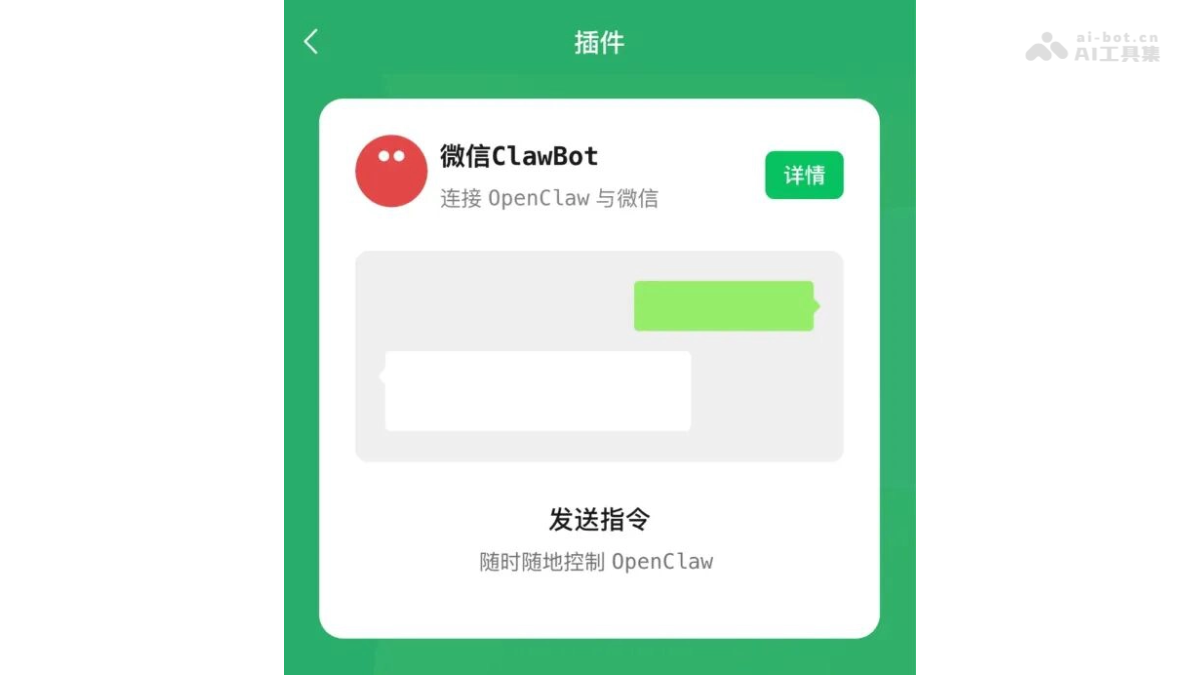
Main features of WeChat ClawBot
- Remote computer control: Users can send commands through WeChat chats to remotely control a computer to complete tasks such as file organization, PPT generation, and PDF export, with support for file transfers up to 100MB.
- Data analysis: Supports processing Excel spreadsheets, completing data pivoting, generating visualization charts, and writing data analysis reports.
- Code debugging: Supports remote viewing of server logs, locating program errors, modifying code, running tests, and performing operations and maintenance tasks such as service restarts.
- Smart assistant: Provides daily assistant services such as checking the weather, setting reminders, organizing schedules, and arranging meetings.
Key information and usage requirements for WeChat ClawBot
-
Release date: March 22, 2026
-
Product form: WeChat official plugin
-
Core capability: Supports connecting to OpenClaw to remotely control a computer through WeChat chats
-
WeChat version: Must be upgraded to version 8.0.70 or above
-
Computer status: Must remain powered on and connected to the internet
Core advantages of WeChat ClawBot
- Zero-threshold use: No programming background, no environment configuration, and no complex client installation required; if you can send WeChat messages, you can control the AI.
- Zero-cost habit migration: Supports using the chat box as the operation interface; send messages to issue commands without learning a new app or new interface.
- Ecosystem integration capability: Tencent's full range of "Lobster" products (QClaw、WorkBuddy, Tencent Cloud Lighthouse, etc.) are integrated under one system, supporting multiple scenarios across cloud, local, and enterprise use.
- Secure and controllable design: Clearly restricts group chats and WeChat automation operations, letting AI be a tool rather than a substitute, and safeguarding users' social boundaries.
- Use-and-go experience: Aligns with Zhang Xiaolong's product philosophy; wake it up with one sentence when needed, and it quietly exits after finishing the work, without disturbing or staying resident.
How to use WeChat ClawBot
- Enable the plugin: Open WeChat, tap "Me" -> "Settings" -> "Plugins" in sequence, find "WeChat ClawBot" and enable it.
- Computer-side configuration: On a computer where OpenClaw has already been deployed, run the installation command to start the WeChat connection service.
- Scan the QR code to bind: Use WeChat to scan the QR code displayed on the computer to complete the authorization binding between the WeChat account and OpenClaw.
- Start using: After successful binding, directly send natural language instructions in a one-on-one WeChat chat window to remotely control the computer to perform various tasks such as file processing, data analysis, and code debugging.
- Notes: Make sure WeChat is upgraded to version 8.0.70 or above, and keep the computer continuously powered on and connected to the internet.
Comparison of WeChat ClawBot's similar competitors
| Comparison Dimension | WeChat ClawBot | Tencent QClaw | Alibaba JVS Claw |
|---|---|---|---|
| Product Positioning | Official WeChat plugin, connects to OpenClaw | Tencent's self-developed local AI Agent client | Alibaba's OpenClaw packaging, formerly named "Wuying JVS" |
| Usage Threshold | Extremely low, just chat directly within WeChat | Relatively low, requires downloading and installing the client | Moderate, requires applying for an invitation code (8000 Credits free quota, 14-day validity) |
| Entry Method | Enabled via WeChat "Me - Settings - Plugins" | Desktop client + WeChat Mini Program "QClaw Manager" | Download and install from the official website, log in by scanning a QR code |
| Core Features | Remote file processing, data analysis, code debugging | Organizing the desktop, scheduling appointments, remote mobile office work, scheduled tasks | AI Agent capabilities based on OpenClaw, supports multi-task automation |
| Signature Features | Zero-threshold use for 1.3 billion WeChat users, no environment configuration required | "Inspiration Square" with preset common tasks and skills, supports file transfer | Alibaba ecosystem integration, cloud computing power support |
| Limitations | Group chats are not currently supported, and WeChat cannot be automated | The computer must stay online, and some features require applying for permissions | Invitation code application system, free quota has a time limit |
| Applicable Scenarios | Mobile office work, emergency manuscript revisions, code rescue | Personal efficiency improvement, daily task automation | Enterprise-level AI automation, developer tools |
| Ecosystem Advantages | Native WeChat integration, seamless connection with the social relationship chain | Collaboration across Tencent products (WeCom, QQ, Yuanbaopai) | Alibaba Cloud ecosystem, abundant computing resources |
Application scenarios of WeChat ClawBot
- Emergency manuscript revision scenario: When a client suddenly asks for a proposal revision while dining out, send a command in WeChat ClawBot to have the computer automatically update the PPT data and export it, and the revised file will be sent back to WeChat immediately.
- Code rescue scenario: When a server alert is received while out on the weekend, directly instruct WeChat ClawBot via WeChat to remotely check logs and locate the cause of the error, completing the operations work without opening a computer at all.
- Data organization scenario: When receiving a messy Excel spreadsheet that needs a quick analysis, directly send the file to WeChat ClawBot and instruct it to summarize sales by region and generate visual charts, waiting for the results while on the go.
- Remote file processing scenario: When needing to access materials on the home computer while on a business trip, send a WeChat command to have WeChat ClawBot automatically organize the desktop files, and send them back to the WeChat chat window immediately after completion.
- Smart schedule management scenario: When needing to arrange a meeting during busy work, directly chat with WeChat ClawBot via WeChat to check the weather, create a schedule, and set reminders, completing multiple daily assistant services in one stop.