
What is ChatClaw
ChatClaw is an open-source AI agent from Zhima, with a tiny 30MB installer supporting macOS/Windows/Linux. The tool comes with a built-in local knowledge base, skill marketplace, MCP extensions, long-term memory, and scheduled tasks, and can connect to 10+ communication platforms such as DingTalk, Feishu, WeCom, and QQ. ChatClaw is developed in Go, has low resource usage, and provides a graphical interface and a desktop floating ball. No command line is needed to set up a private AI assistant in 5 minutes, making it suitable for ordinary users and small and medium-sized enterprises seeking out-of-the-box usability.
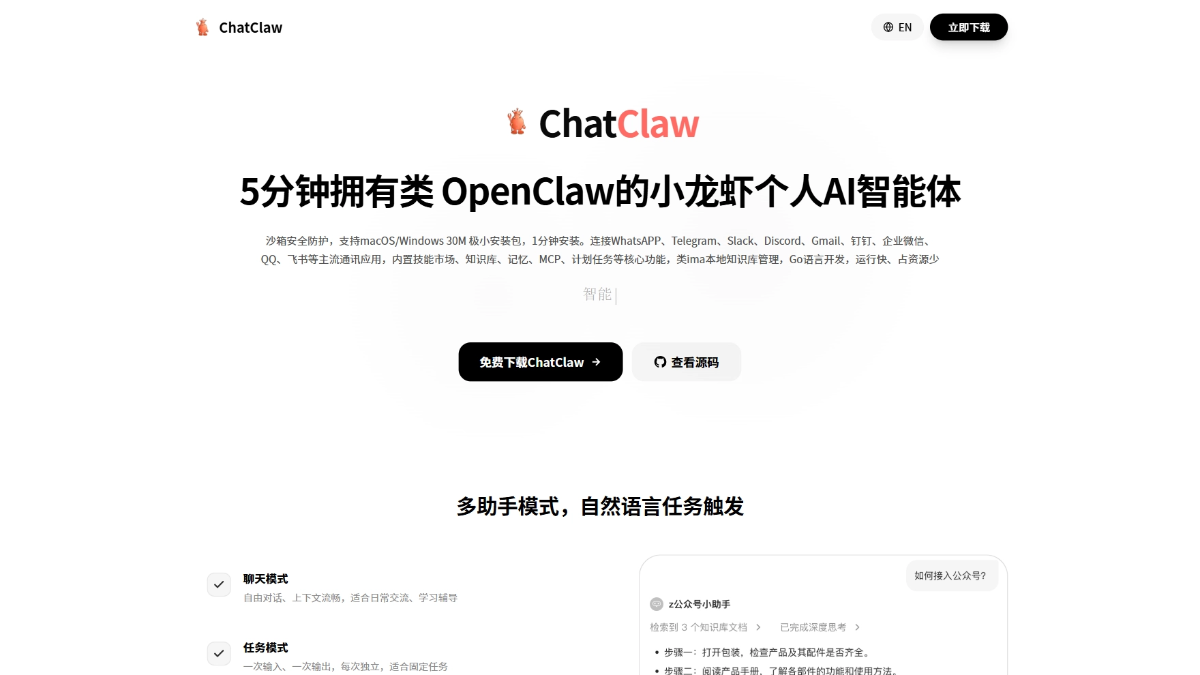
ChatClaw's main features
-
AI assistant chat: Supports chat mode and task mode, integrates multiple large models, and has context understanding and deep thinking capabilities.
-
Local knowledge base: Supports multiple document formats, processes data entirely locally, and provides personal and team knowledge base management functions.
-
Skill marketplace: Built-in rich skill plugins, one-click installation can extend capabilities such as PPT generation, document processing, and email sending and receiving.
-
MCP extensions: Connects external tools and services through the Model Context Protocol, enabling unlimited expansion of AI capabilities.
-
Long-term memory: Automatically extracts and remembers user preferences and habits, enabling personalized and coherent services across conversations.
-
Scheduled tasks: Provides a graphical interface for configuring scheduled tasks, enabling automated execution without writing code.
-
Multi-platform integration: Supports more than 10 communication platforms such as DingTalk, Feishu, WeCom, and QQ, enabling unified control across multiple endpoints.
-
Sandbox security: Runs code in an isolated sandbox and supports free switching between sandbox and native modes, balancing security and flexibility.
ChatClaw's key information and usage requirements
- Development team:zhimaAi
- Product positioning: An OpenClaw-like personal AI agent
- Core selling points: 5-minute deployment, 30MB installer, 1-minute installation
- Development language:Go
- Supported systems:macOS、Windows、Linux
- Open-source license: Open source and free
- Interface type: Graphical GUI, no command line required
- Hardware requirements: Extremely low resource usage, can run smoothly even on old computers; idle state CPU 0.5%, memory 45MB, conversation state CPU 5%, memory 80MB
- Software requirements: Supports Ollama, Anthropic, OpenAI, and custom model providers; API Key configuration is required to use AI model services
ChatClaw's core advantages
- Minimalist deployment: 30MB installer, installation completed in 1 minute, and a personal AI agent available in 5 minutes, greatly lowering the barrier to use.
- Graphical interface: Provides a complete GUI operation experience with no command line required, so ordinary users can also get started easily.
- Local knowledge base: Supports multiple document formats, processes data entirely locally, ensures privacy and security, and is an alternative to IMA.
- Low resource usage: Developed in Go, runs fast, and uses only 45-80MB of memory, so it can run smoothly even on old computers.
- Multi-platform integration: Supports more than 10 mainstream communication applications such as DingTalk, Feishu, WeCom, and QQ, enabling unified control across multiple endpoints.
- Extensive extension capabilities: The built-in skill marketplace allows one-click plugin installation and supports unlimited extension via the MCP protocol to meet diverse needs.
How to use ChatClaw
-
Download the installer: Visit the ChatClaw official website or GitHub to download the installer for your system.
-
One-click installation: Run the installer and complete software deployment within 1 minute.
-
Launch the application: Open ChatClaw and enter the graphical main interface.
-
Configure model services: In settings, select an AI service provider and enter the API Key.
-
Create a knowledge base: Upload local documents or web links to build a dedicated knowledge base.
-
Install skills: Go to the skill marketplace to install the required feature plugins with one click.
-
AI conversation: Choose chat mode for interaction or task mode to execute fixed instructions.
-
Quick actions: Use the desktop floating ball for text-selection search or one-click assistant wake-up.
ChatClaw project address
- Project official website:https://ichatclaw.com/
- GitHub repository:https://github.com/zhimaAi/ChatClaw
Comparison of ChatClaw with similar competitors
| Comparison dimension | ChatClaw | OpenClaw | QClaw | JVS Claw |
|---|---|---|---|---|
| Deployment method | One-click installation | Manual configuration | Official website download + invitation code | Official website download + invitation code |
| Interface type | Graphical GUI | Command line | Mini program + desktop client | Graphical GUI |
| Open-source license | Open source and free | Open source and free | Closed source and free | Closed source and free |
| Installer size | 30MB | Large | – | – |
| Deployment time | 1 minute | Several hours | 10 minutes | 15 minutes |
| Knowledge base type | Local private | Needs to be set up by yourself | Cloud + local | Mainly cloud-based |
| Multi-platform support | 10+ platforms | 15+ platforms | Mainly WeChat | Alibaba ecosystem |
| Extension capability | MCP protocol | ClawHub | Skill plaza | Limited |
ChatClaw application scenarios
- Personal productivity improvement: Suitable for users who need to quickly obtain information and manage personal knowledge, enabling intelligent document Q&A through a local knowledge base and automating daily chores with scheduled tasks.
- Enterprise customer service: Suitable for industries such as e-commerce, finance, and logistics, providing 24/7 automated customer service based on a knowledge base, integrating with internal communication platforms such as DingTalk, WeCom, and Feishu to achieve unified multi-platform management and intelligent replies.
- Team collaboration and office work: Suitable for small and medium-sized enterprise teams, building a shared team knowledge base to accumulate enterprise documents, and quickly generating PPTs, processing Excel, and other office documents through the skill marketplace.
- Developer tool extension: Suitable for developers who need customized AI capabilities, connecting external data sources and tools through the MCP protocol, and safely executing code in a sandbox environment.